

Your Browsing History
- $540.99
- Free 30-day Returns
$422.49
Best Sellers


Meet Your Seller

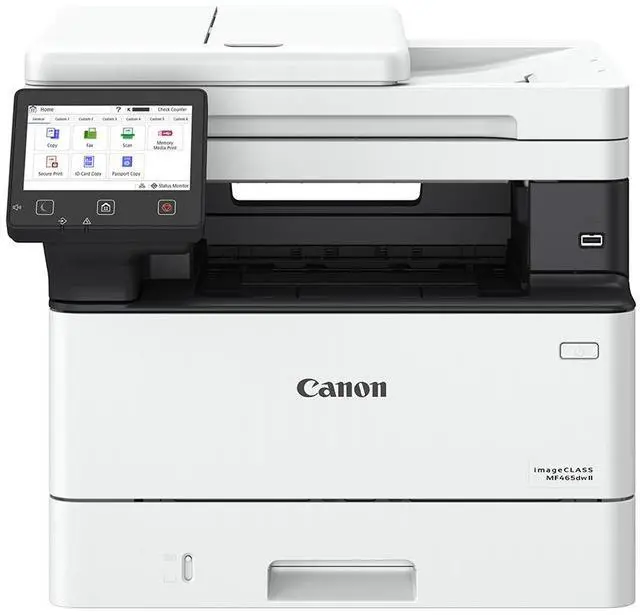

Canon imageCLASS MF465dw II All-in-One Wireless Duplex Monochrome Laser Printer
- FAST PRINT SPEED - Achieve up to 42 PPM (Letter) with a first print out time of approximately 4.9 seconds, ensuring efficient document processing for high-volume tasks.
- HIGH PRINT QUALITY - Experience crisp, clear documents with a print and copy resolution of up to 1200 x 1200 dpi, perfect for professional-grade output.
- WIRELESS CONNECTIVITY - Seamlessly integrate into your network with Wi-Fi 802.11b/g/n, Ethernet, and USB 2.0 High-Speed options for flexible placement and access.
- AUTOMATIC DOCUMENT FEEDER - Boost productivity with a 50-sheet duplex automatic document feeder, enabling quick scanning and copying of multi-page documents.
+
+
Overview
Specs
Reviews
See all Q & A 
Any questions? Our AI mode will help you find out quickly.
Try me now
Designed for small / home offices and hybrid work environments, the imageCLASS MF465dw II model balances speedy performance and minimal maintenance. The MF465dw II is easy to set up and has a customizable, 5" color touchscreen that delivers an intuitive user experience.
The MF465dw II has fast print speeds of approximately 42 pages per minute to keep up with your business.
The MF465dw II uses high quality Canon Genuine Toner 070 / 070 H, for bold, crisp output your business can count on. Toner 070 yields approximately 3,000 pages and Toner 070 High-Capacity yields approximately 10,200 pages.
The MF465dw II offers a plain paper capacity of up to 250 sheets in the standard cassette, 100 sheets in the multipurpose tray, and expandable paper capacity of up to 900 sheets using optional cassette AH-1 which holds up to 550 sheets. The 2-sided, automatic document feeder (ADF) holds up to 50-sheets and scans both sides of your document in a single pass using the one-pass scan function, which helps save you time.
Easily connect wirelessly from computers or mobile devices. Print using a variety of mobile apps, including the Canon PRINT app using your compatible mobile device.
The MF465dw II has fast print speeds of approximately 42 pages per minute to keep up with your business.
The MF465dw II uses high quality Canon Genuine Toner 070 / 070 H, for bold, crisp output your business can count on. Toner 070 yields approximately 3,000 pages and Toner 070 High-Capacity yields approximately 10,200 pages.
The MF465dw II offers a plain paper capacity of up to 250 sheets in the standard cassette, 100 sheets in the multipurpose tray, and expandable paper capacity of up to 900 sheets using optional cassette AH-1 which holds up to 550 sheets. The 2-sided, automatic document feeder (ADF) holds up to 50-sheets and scans both sides of your document in a single pass using the one-pass scan function, which helps save you time.
Easily connect wirelessly from computers or mobile devices. Print using a variety of mobile apps, including the Canon PRINT app using your compatible mobile device.
Warranty & Returns
Warranty, Returns, And Additional Information
Warranty
- Please contact the Seller directly for warranty information. Warranty information may also be found on the Manufacturer's website.
- Read full details
- CONTACT
Return Policies
- Return for refund within: 30 days
- Return for replacement within: 30 days
- This item is covered by eCOMMERCEBUSINESSPRIME Return Policy
Manufacturer Contact Info
- For a directory of all our manufacturers, please click below.
- Manufacturers Directory
LOADING...
LOADING...