






VSVABEFV
VSVABEFV was founded on the idea that only by doing fine can we do it for a long time.

Innovation, Persistence, Focus, Trustworthiness
VSVABEFV was founded on the idea that only by doing fine can we do it for a long time, and only by doing it for a long time can we become stronger.
The service tenet of VSVABEFV are: Service first - do the best for customers and solve customer needs in the first time; Quality Policy - Quality First, Strive for Innovation, Customer Pleased.
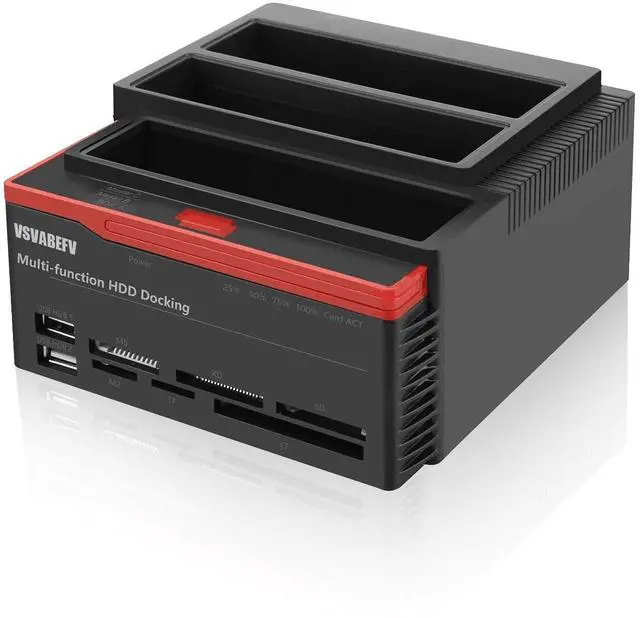
VSVABEFV HDD Docking Station
Innovation, Persistence, Focus, Trustworthiness.
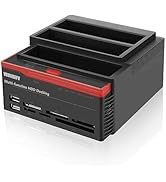
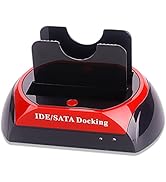
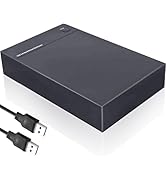
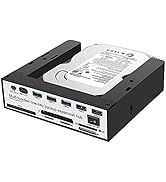
VSVABEFV HDD Docking Station

Tool free installation, no driver needed, plug and play, support hot plug. It features 6 slots for multiple memory cards(for SD/MMC/MS cards, TF card, CF card, M2 card etc.).

How to determine the normal operation of the hard drive box?
- After the two hard drives are fully inserted, then turn on the power switch, please wait 3-5 seconds for the hard drives to fully boot up. After the full start, press the clone button (front button).
- At this time, the red light is good, indicating that the cloning machine is in a state of readiness, wait for the next prompt, and then press and hold for 5 seconds -7 seconds cloning button.
- cloning began, the prompt light will flash back and forth quickly, at this time the system is cloning backup data. Cloning progress indicator light on the four segments ( 25% 50% 75% 100% ) can be viewed.
- cloning copy is complete, the red light will stop flashing, the red light is always on, then the cloning is successfully completed, and then first turn off the power, wait until the hard disk completely stop rotating, after taking down the hard The hard disk will be removed after the hard disk has stopped spinning completely.
Compact size, portable user-friendly design and elegant in shape; An external hard drive box that transfers data at high speed, you deserve it!
Features:
- Compliant with serial ata&pata international organization:serial ata revision 2.6
- Supports sata 1/1 (1.5G/3.0G) high-speed
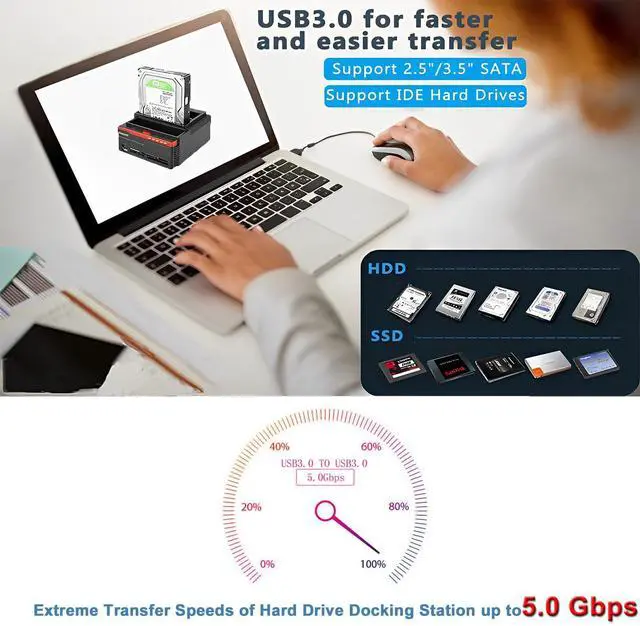
- Supports sata 2.5"and 3.5" SATA&IDE hard drives without any adaptors(but cannot be used at the same time)
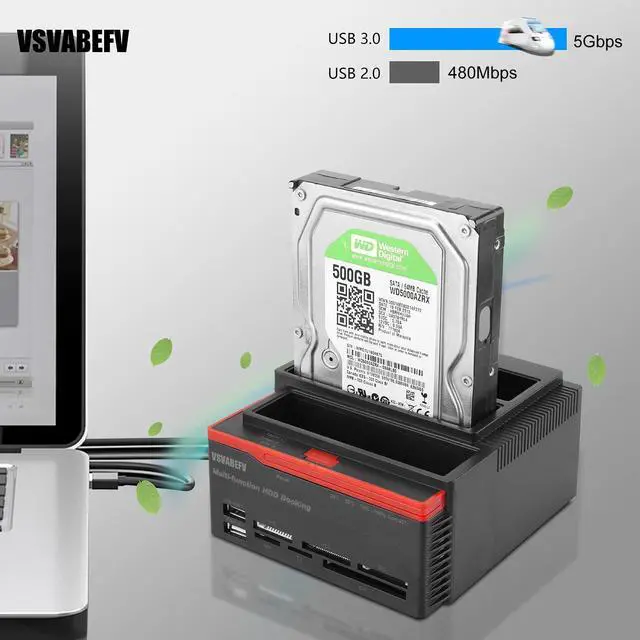
- Supports USB3.0 high speed(5.0Gbps),while downward compatible with usb2.0
- Supports one- button disk copy (clone function)
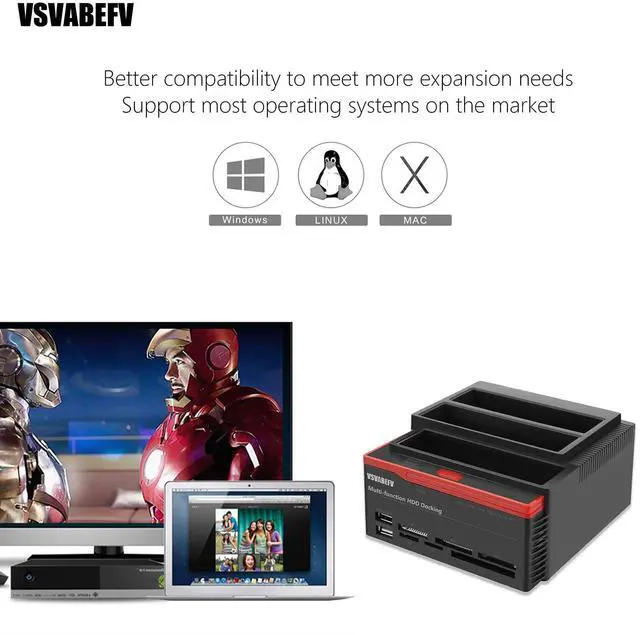
- Supports hot swap for most operation systems(win98/ME/2000/XP/NISTA/Win8/8.1/10/Mac OS 9.X/10.X/LINUX)
Specification:
- Material: ABS + Metal
- Color: Red + Black
- Operating environment: 0?-50? for use, -20?-70? for storage
- Item weight: Approx. 590g/ 1.3lb
- Package size: 16 * 15 * 11.8cm/ 6.3 * 5.9 * 4.6in(L * W * H)
- Package weight: 684g/ 1.5lb
Note: It just a HDD docking station and doesn't including the hard disk.

Ide Hard Drive Docking Station

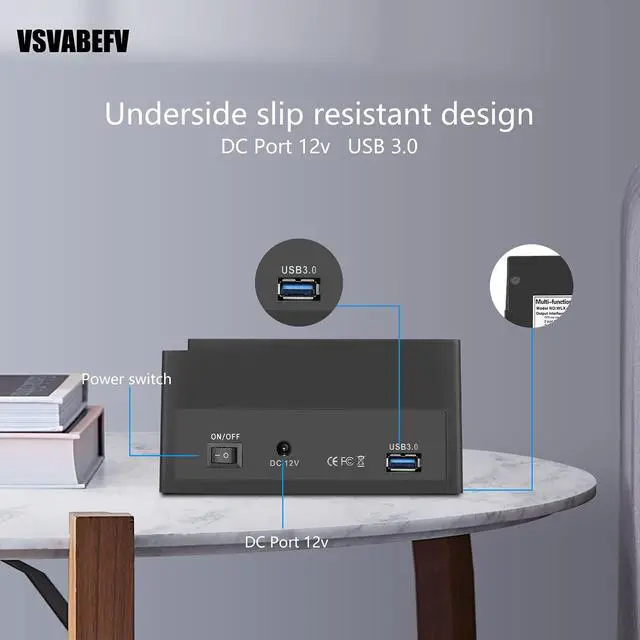
- Interface: 1 * USB 3.0, 2 * USB 2.0, 1 * TF, 1 * M2, 1 * MS, 1 * XD, 1 * CF, 1 * SD
- Fits HDD size: 2.5inch/ 3.5inch SATA + IDE(but cannot be used at the same time)
- HDD capacity: Up to 6TB
- Input voltage: 100V-240V 50/60Hz 1.5A
- Output voltage: DC 12V 3000mA
- Output interface: 480Mbps(USB2.0); 5Gbps(USB3.0)
- Integrated card reader: for SD/Mini SD/Micro SD card, TF card, CF card, M2 card and MMC/MS cards
Support up to 32G memory cards
- SD slot: SD/SDHC/Extreme SD/ Extreme III SD/Ultra II SD/MMC/RSMMC
- MS slot: MS/MS DUO/MS PRO etc.
- TF slot: T-Flash/TF
- M2 slot: M2
- XD slot: XD
- CF slot: CFI/CFII/Extreme CF/HS CF/MD

Package List
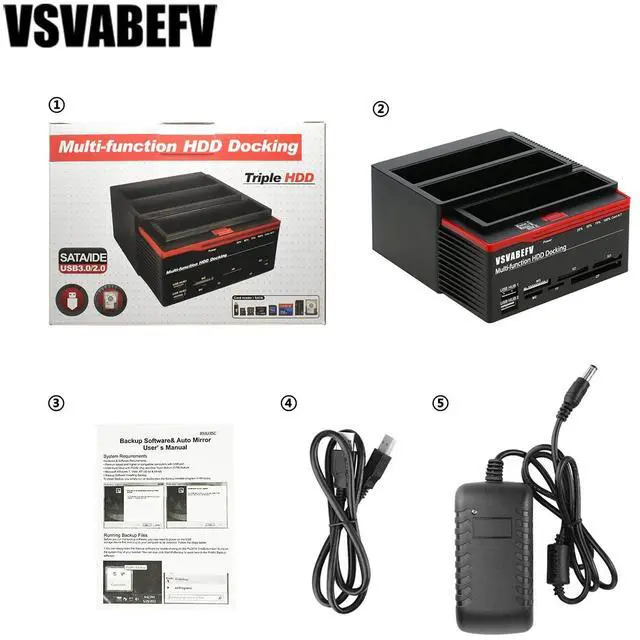
- 1 * HDD Docking Station
- 1 * USB3.0 Cable
- 1 * Power Adapter (US Plug)
- 1 * User Manual(English)

Anti-Slip Design
- There are four foot pads on the bottom of this external hard drive Docking Station
- Gasket made of non-slip material
- Don’t need to worry about it falling off the table and damaging your hard drive device

IDE Docking-Removable Design
- About IDE hard disk slot
- It has a movable button at the bottom Move it left / right, you can control the pin in the IDE slot to move left / right
- Find a suitable location and install your hard drive
 YPH01 |  SATA14 |  SATA15 |  YPH05 |  YPH03 | |
|---|---|---|---|---|---|
| Customer Reviews | — | — | — | — | — |
| Price | — | — | — | — no data | — no data |
| Compatible HDD | 2.5" & 3.5" | 2.5" or 3.5" | 2.5" or 3.5" | 2.5" & 3.5" | 2.5" & 3.5" |
| For SATA | ? | ? | ? | ? | ? |
| For IDE | ? | X | X | X | ? |
| Maximum data transfer rates | 5Gbps | 6Gbps | 6Gbps | 6Gbps | 480Mbps |
| Offline Clone Function (OTB) | ? | ? | ? | ? | ? |
| Max HDD Capacity | 6TB | 10TB | 8TB | 16TB | 8TB |
| USB Ports | ? | ? | ? | ? | ? |
| Card Reader Slot | SD/CF/MS/XD/TF/M2 | SD/CF/MS/XD/TF/M2 | / | TF/SD | / |
| USB Interface | USB 3.0 | USB 3.0/Type-C | USB 3.0 | USB 3.0 | USB 2.0 |
How to determine the normal operation of the hard drive box?
- After the two hard drives are fully inserted, then turn on the power switch, please wait 3-5 seconds for the hard drives to fully boot up. After the full start, press the clone button (front button).
- At this time, the red light is good, indicating that the cloning machine is in a state of readiness, wait for the next prompt, and then press and hold for 5 seconds -7 seconds cloning button.
- cloning began, the prompt light will flash back and forth quickly, at this time the system is cloning backup data. Cloning progress indicator light on the four segments ( 25% 50% 75% 100% ) can be viewed.
- cloning copy is complete, the red light will stop flashing, the red light is always on, then the cloning is successfully completed, and then first turn off the power, wait until the hard disk completely stop rotating, after taking down the hard The hard disk will be removed after the hard disk has stopped spinning completely.
Compact size, portable user-friendly design and elegant in shape; An external hard drive box that transfers data at high speed, you deserve it!
Features:
- Compliant with serial ata&pata international organization:serial ata revision 2.6
- Supports sata 1/1 (1.5G/3.0G) high-speed
- Supports sata 2.5"and 3.5" SATA&IDE hard drives without any adaptors(but cannot be used at the same time)
- Supports USB3.0 high speed(5.0Gbps),while downward compatible with usb2.0
- Supports one- button disk copy (clone function)
- Supports hot swap for most operation systems(win98/ME/2000/XP/NISTA/Win8/8.1/10/Mac OS 9.X/10.X/LINUX)
Specification:
- Material: ABS + Metal
- Color: Red + Black
- Operating environment: 0?-50? for use, -20?-70? for storage
- Item weight: Approx. 590g/ 1.3lb
- Package size: 16 * 15 * 11.8cm/ 6.3 * 5.9 * 4.6in(L * W * H)
- Package weight: 684g/ 1.5lb
Note: It just a HDD docking station and doesn't including the hard disk.

Ide Hard Drive Docking Station
- Interface: 1 * USB 3.0, 2 * USB 2.0, 1 * TF, 1 * M2, 1 * MS, 1 * XD, 1 * CF, 1 * SD
- Fits HDD size: 2.5inch/ 3.5inch SATA + IDE(but cannot be used at the same time)
- HDD capacity: Up to 6TB
- Input voltage: 100V-240V 50/60Hz 1.5A
- Output voltage: DC 12V 3000mA
- Output interface: 480Mbps(USB2.0); 5Gbps(USB3.0)
- Integrated card reader: for SD/Mini SD/Micro SD card, TF card, CF card, M2 card and MMC/MS cards
Support up to 32G memory cards
- SD slot: SD/SDHC/Extreme SD/ Extreme III SD/Ultra II SD/MMC/RSMMC
- MS slot: MS/MS DUO/MS PRO etc.
- TF slot: T-Flash/TF
- M2 slot: M2
- XD slot: XD
- CF slot: CFI/CFII/Extreme CF/HS CF/MD
Package List
- 1 * HDD Docking Station
- 1 * USB3.0 Cable
- 1 * Power Adapter (US Plug)
- 1 * User Manual(English)

Anti-Slip Design
- There are four foot pads on the bottom of this external hard drive Docking Station
- Gasket made of non-slip material
- Don’t need to worry about it falling off the table and damaging your hard drive device
IDE Docking-Removable Design
- About IDE hard disk slot
- It has a movable button at the bottom Move it left / right, you can control the pin in the IDE slot to move left / right
- Find a suitable location and install your hard drive
YPH01 | SATA14 | SATA15 | YPH05 | YPH03 | |
|---|---|---|---|---|---|
| Customer Reviews | — | — | — | — | — |
| Price | — | — | — | — no data | — no data |
| Compatible HDD | 2.5" & 3.5" | 2.5" or 3.5" | 2.5" or 3.5" | 2.5" & 3.5" | 2.5" & 3.5" |
| For SATA | ? | ? | ? | ? | ? |
| For IDE | ? | X | X | X | ? |
| Maximum data transfer rates | 5Gbps | 6Gbps | 6Gbps | 6Gbps | 480Mbps |
| Offline Clone Function (OTB) | ? | ? | ? | ? | ? |
| Max HDD Capacity | 6TB | 10TB | 8TB | 16TB | 8TB |
| USB Ports | ? | ? | ? | ? | ? |
| Card Reader Slot | SD/CF/MS/XD/TF/M2 | SD/CF/MS/XD/TF/M2 | / | TF/SD | / |
| USB Interface | USB 3.0 | USB 3.0/Type-C | USB 3.0 | USB 3.0 | USB 2.0 |
VSVABEFV
VSVABEFV was founded on the idea that only by doing fine can we do it for a long time.
Innovation, Persistence, Focus, Trustworthiness
VSVABEFV was founded on the idea that only by doing fine can we do it for a long time, and only by doing it for a long time can we become stronger.
The service tenet of VSVABEFV are: Service first - do the best for customers and solve customer needs in the first time; Quality Policy - Quality First, Strive for Innovation, Customer Pleased.
VSVABEFV HDD Docking Station
Innovation, Persistence, Focus, Trustworthiness.
VSVABEFV HDD Docking Station
Tool free installation, no driver needed, plug and play, support hot plug. It features 6 slots for multiple memory cards(for SD/MMC/MS cards, TF card, CF card, M2 card etc.).