

Your Browsing History

- Free 30-day Returns
$34.99


Meet Your Seller

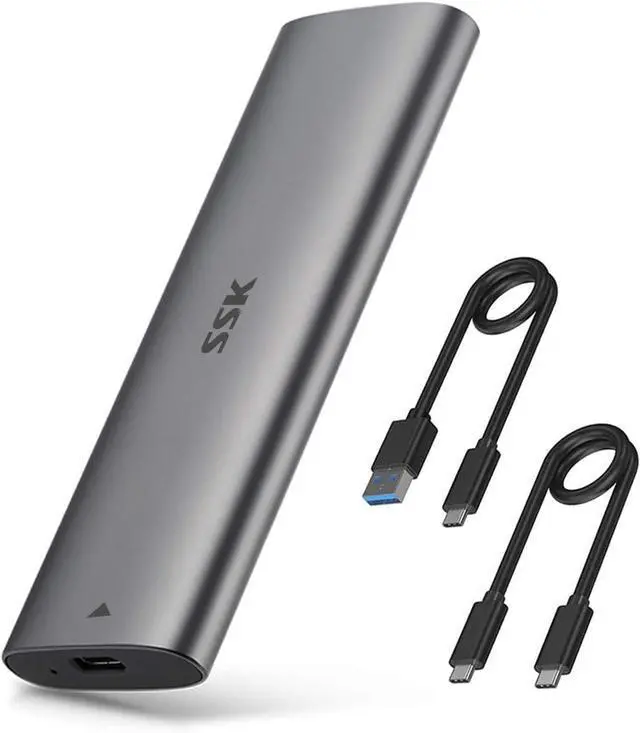


NVMe SATA SSD Enclosure, Tool-Free M.2 to USB Adapter USB C 3.2 Gen 2 10Gbps NVMe 6Gbps SATA M-Key / B+M Key External SSD Reader with UASP Trim, for 2230 2242 2260 2280 SSDs
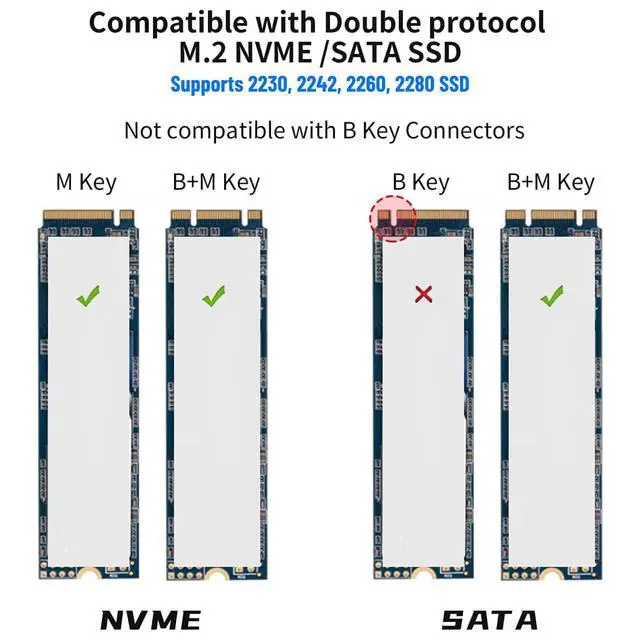
- Compatible SSD: This M.2 SSD Enclosure supports both NVMe PCIe and SATA protocol SSDs with M-Key or B+M Key connectors. It is compatible with SSD length 2280, 2260, 2242, 2230 enclosure
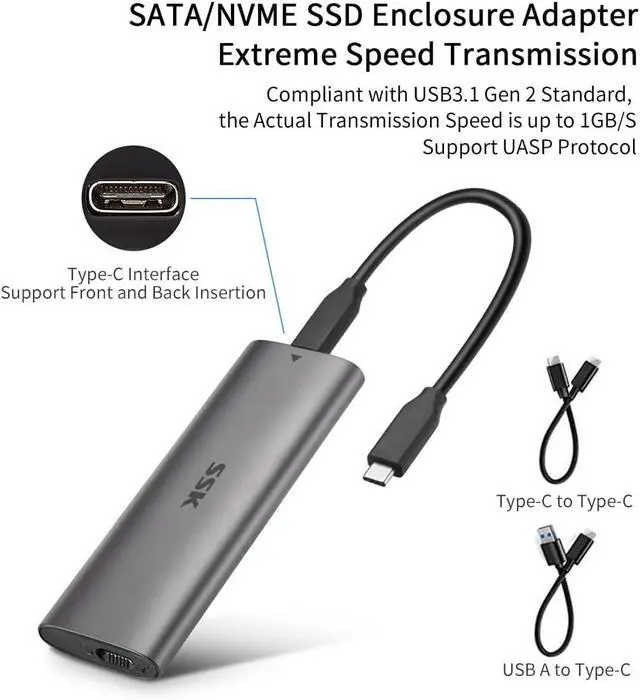
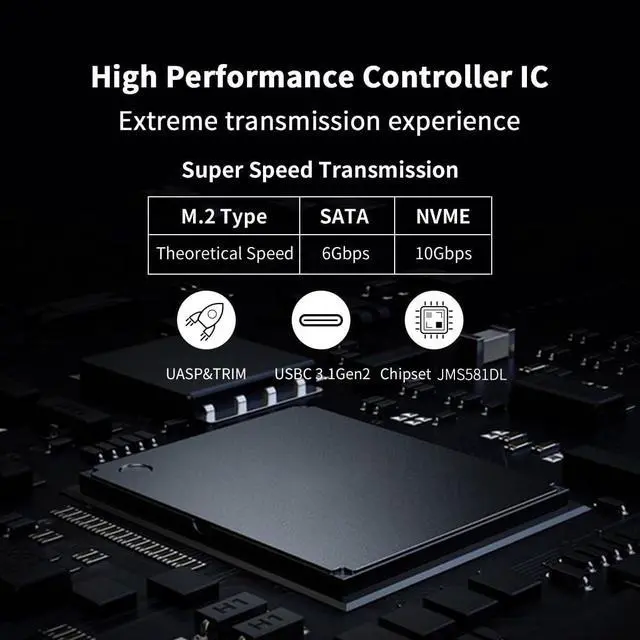
- 10Gbps Blazing-fast: SSK M.2 NVMe Enclosure top speed 10Gbps, data transfer and backup up to 1000MB/s. Unlock the potential of your M.2 SSD with USB3.2 SSD Enclosure (6Gbps for SATA SSDs)
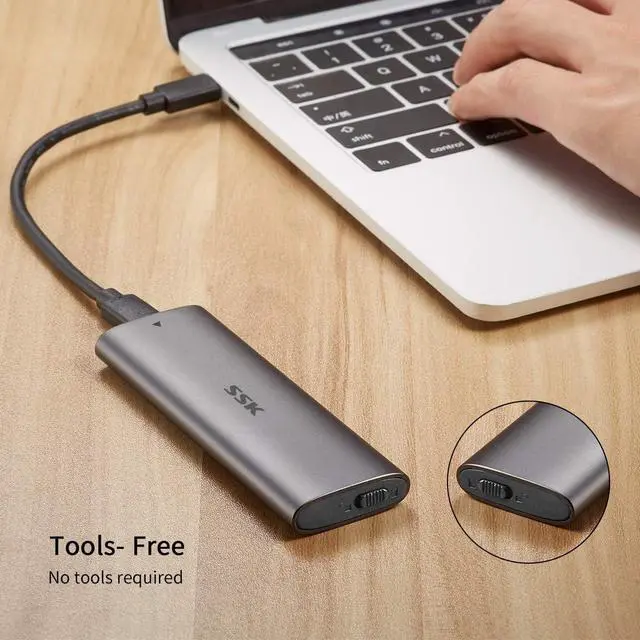
- Tool-Free Installaion: Easily install or replace your SSD in just two steps, saving the trouble of screwing. Plug-and-play SSD enclosure adapter with Multi OS compatibility for on the go use
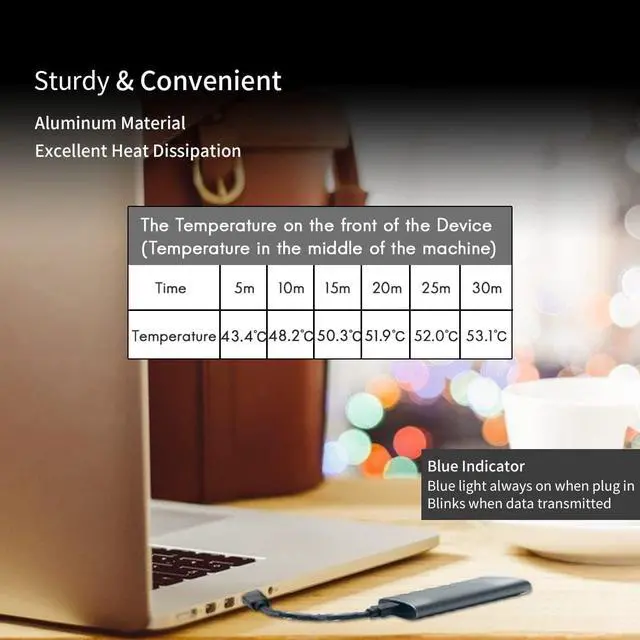
- Heat Dissipation: M.2 SSD Enclosure features aluminum alloy shell with slim design that efficiently conducts heat from the SSD to the outer case. Includes 2 thermal pads, USB-C cable and USB-A cable
- Blue Indicator: Blue Indicator on the SSD enclosure shows the data transfer status, easy and clear. Bus powered, does not need an external power supply

+
+
Overview
Specs
Reviews

Any questions? Our AI mode will help you find out quickly.
Try me now
Product Specifications :
Product name: M.2 NVME PCIe SSD Tool-Free enclosure adapter
Interface type: M.2 NVME PCIe to USB 3.1
Transfer Rate : Up to 10Gbps
Case Size: 114*38*12mm
Material: Aluminum alloy
Cable Type : Type C to Type-C
Cable Length: 150mm
Support SSD Drivers Size: 242, 2260, 2280mm
Color: Grey
Features:
1. USB 3.1 Type-C extreme fast and high-capacity data transfer solution, Data transfer rate up to 10Gbps for USB 3.1;
2. Supports NVME PCIE-based M.2 SSD;
3. Easy installation & no driver required, No additional power required;
4. Supports Plug & Play and Hot-Swapping;
5. Multi OS Supported, like Windows, Mac OS & Linux etc.
Package Included:
1 x M.2 NVME PCIe to USB 3.1 Type-C SSD Enclosure
1 x USB 3.1 Type-C to Type-C Cable
1 x Screw Set
Please note that it supports NVME PCIE-based SSD only. It does NOT support SATA based SSD.
We tested our enclosure with Sumsung 970 EVO NVMe SSD, the actual speed can reach to 1000MB/s on R/W. But to this speed, pls make sure the Laptop TYPE C port is also comply with USB3.1 Gen 2(10Gbps), if USB3.1 Gen 1(5Gbps), then speed will be only half.
For the brand new SSD drive, it may not be found, so please format it before the first time using. Pls format it to corresponding type which Windows and Mac supported.
Follow step is to find the brand new ssd drive:
1. Use your mouse right key to click "Computer", it will show a drop-down menu;
2. Use your mouse left key to click "Computer Managment";
3. Use your mouse left key to click "Disk Management;
4. After find the brand new ssd drive, please format it, and made partition. Then you can find the drive normally.
Warranty & Returns
Warranty, Returns, And Additional Information
Warranty
- Please contact the Seller directly for warranty information. Warranty information may also be found on the Manufacturer's website.
- CONTACT
Return Policies
- Return for refund within: 30 days
- Return for replacement within: 30 days
- This item is covered by Bisi Global Purchase Return Policy
Manufacturer Contact Info
- For a directory of all our manufacturers, please click below.
- Manufacturers Directory
LOADING...