









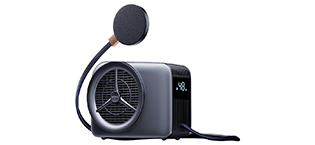
Smartphones are now integral to daily life, yet their enhanced functions often lead to overheating during prolonged use, causing frustration.
At WHYNOTRY, we've surpassed traditional cooling limits by reimagining smartphone heat management. Our innovative phone coolers utilize advanced liquid cooling technology, ensuring devices operate swiftly and enduringly without overheating, enabling users to maximize their mobile enjoyment.
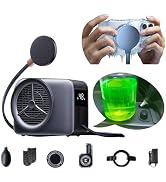
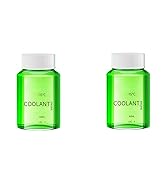
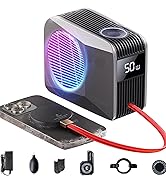
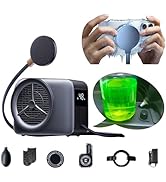
Phone Cooler & Accessories
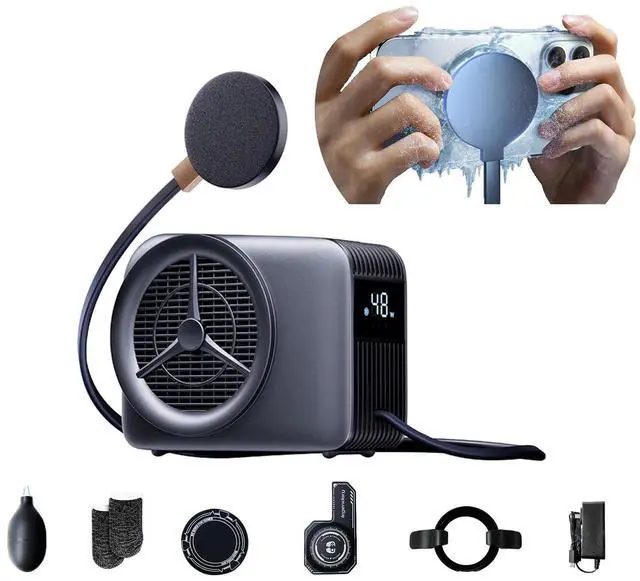
WHYNOTRY Phone Cooler, iPad Cooler for Gaming with Liquid Cooling
Phone Cooler with Liquid Cooling - Gen 5.0
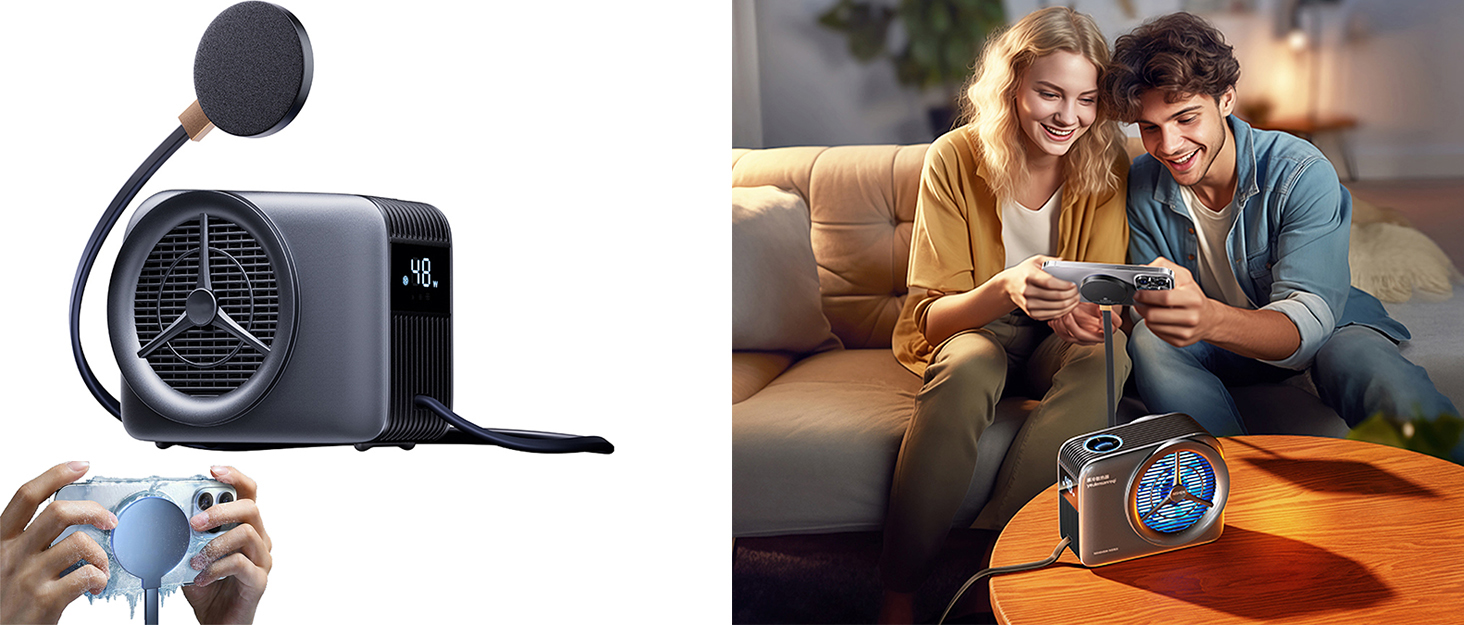
Merchant VideoThe latest generation of liquid-cooled mobile phone cooler, pre-filled with coolant, cooling fast and makes less noise. It can provide more stable and efficient heat dissipation performance, more suitable for iPhone/Android smartphone/iPad/Tablet/Switch/Steam deck/Macbook etc.
Phone Cooler for Gaming Tests and Recommendations
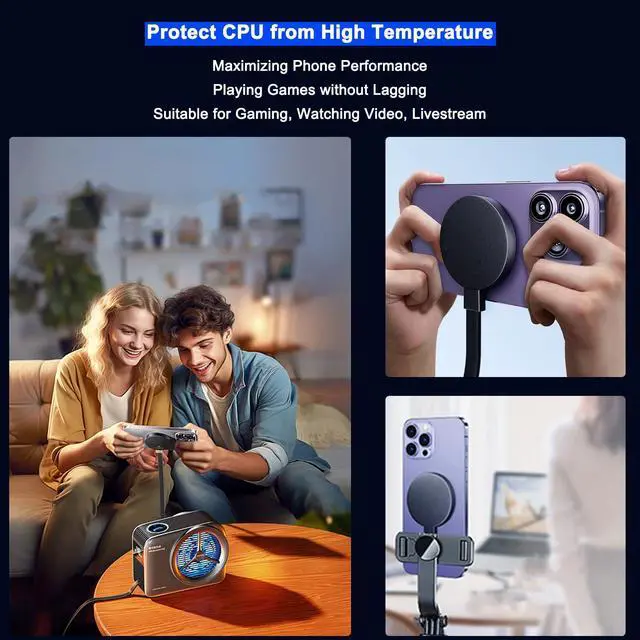
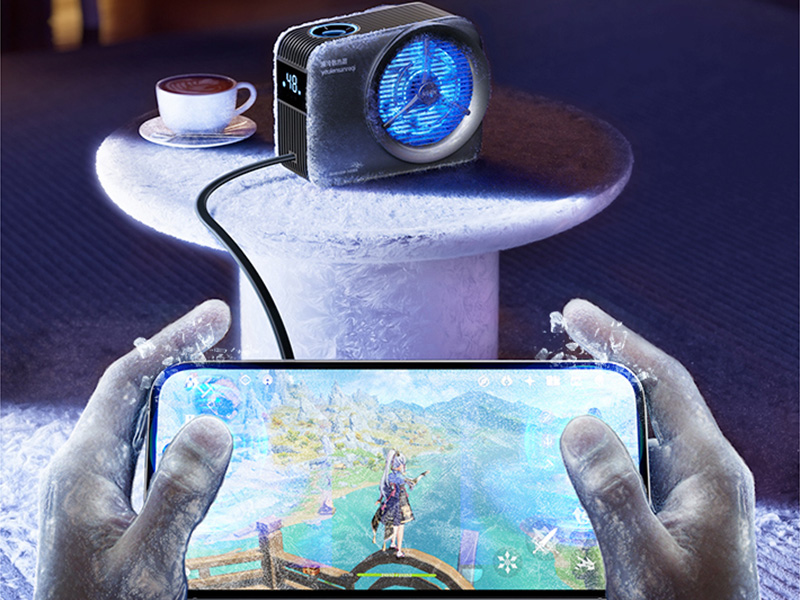
Locked in a sweat-dripping 86°F room? We rage-played Genshin Impact for 3+ hours straight with the phone cooler on 28W mode. Result? My phone stays chill at 77°F-86°F (25°C-30°C) surface temp.
Even with high frame rate and high resolution enabled, 28W or 38W is more than enough. Therefore, we recommend that you use 28W or 38W of power when cooling down your phone, 48W for cooling tablet or iPad.
Advanced Cooling Technology
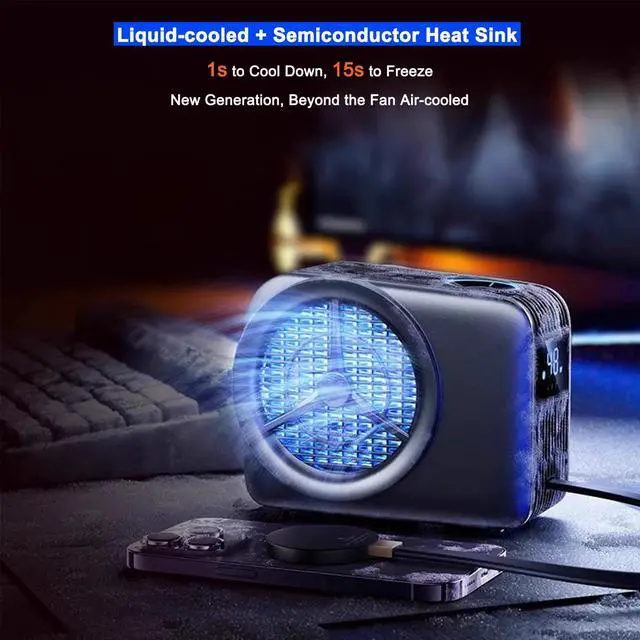
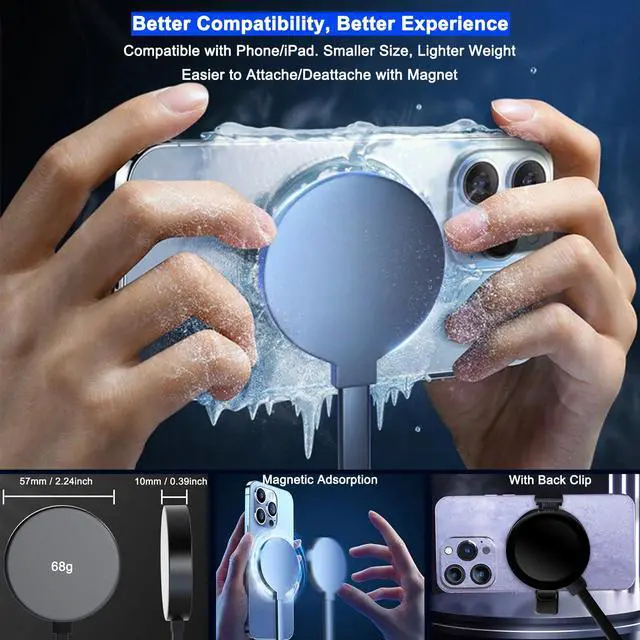
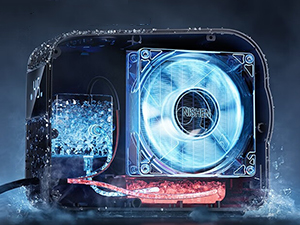
The radiator adopts the latest liquid cooling system, which can cool down in 1s and freeze in 15s. It is very suitable for gaming and live streaming.
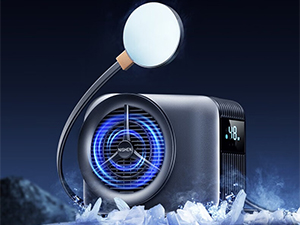
48W Power Ultra
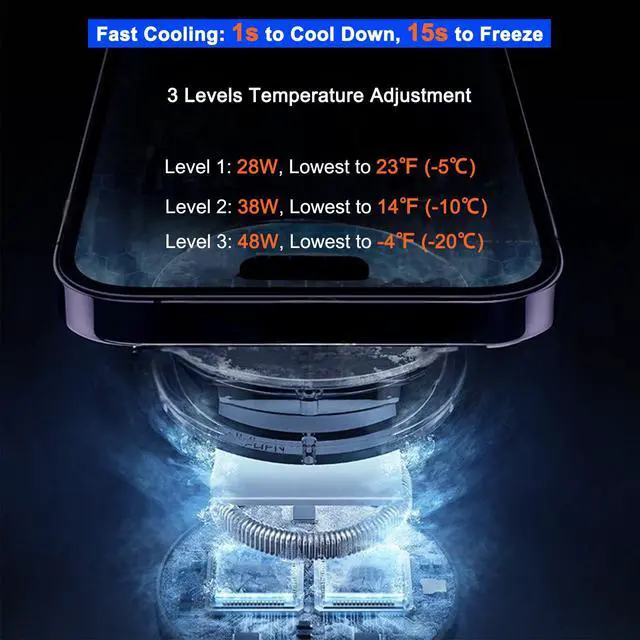
3 levels temperature adjustment
Level 1: 28W, Lowest to 23? (-5?)
Level 2: 38W, Lowest to 14? (-10?)
Level 3: 48W, Lowest to -4? (-20?)
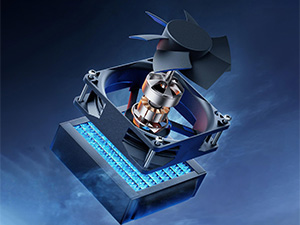
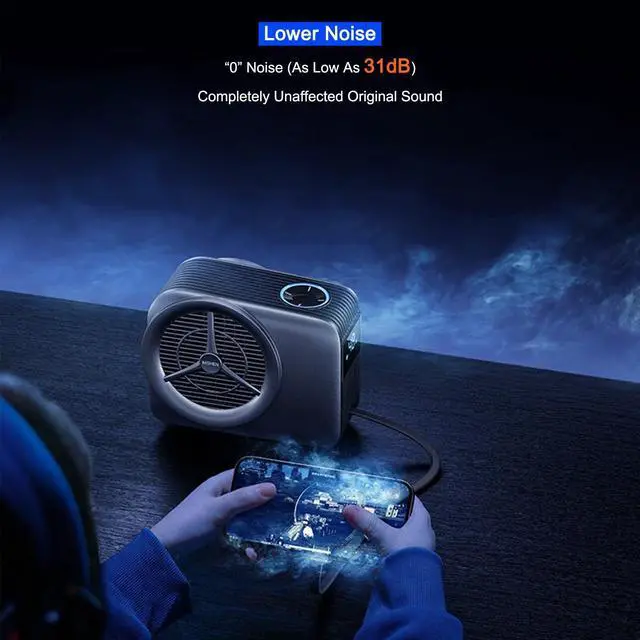
Noiseless Cooling
The fan of the host with a sound as low as 31db, making it easy to accurately identify the position by listening to the sound in the game.
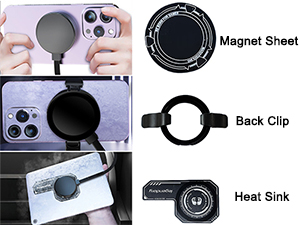
Universal Compatibility
Supports magnetic mobile phones. We also offer back clip and magnetic sheet for compatibility with non-magnetic devices.
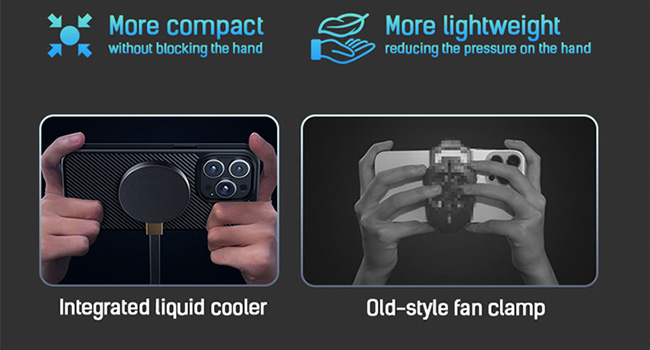
Beyond Traditional Phone Fan
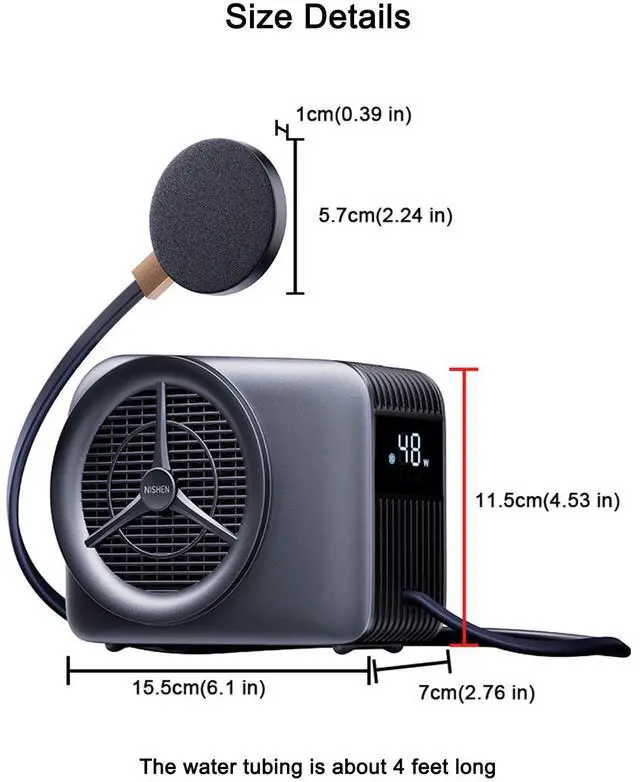
Compared with traditional phone fan, WHYNOTRY phone cooler are smaller in size, lighter weight, noiseless.
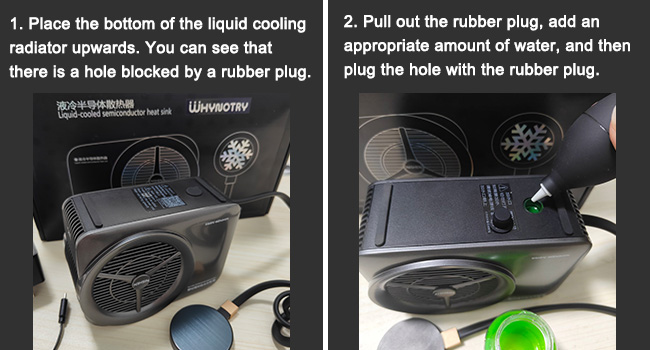
The Tutorial for Adding Water or Coolant
Note: Please check the tank every 2 to 4 months in summer.
Tips:
1. When using the phone cooler or storing it, please avoid collision or drop of the semiconductor cooling pad, which may damage the chip inside the cooling pad and prevent it from cooling.
2. To prevent liquid leakage from physical stress, avoid severely bending or pulling cables and connection points when using or storing the phone radiator.
3. This phone cooler only works with the wall adapter provided by seller, please do not try to use other power adapters to avoid damage.
4. When the cooler display shows codes (F1~F5), please refer to the manual for resolution.
5. You will hear some fan noise when the phone cooler is turned on. After a few seconds, the fan noise will drop to 31db, which is like being in a bedroom.
6. When the phone cooler is working, the temperature of the device will decrease. The warm, moist air then condenses into water droplets that adhere to the surface of the device. This is normal. We recommend using 28W or 38W when cooling your phone to reduce the possibility of condensation forming.
7. If you find that the cooling effect is not as good as before, please check whether you need to add purified water or liquid cooling fluid to the radiator main unit. (please refer to the tutorial for adding water)
Solutions to Common Problems
The radiator displays an code or makes a loud sound
a. shows F1,F4, is the temperature sensor detects the temperature is too high, please check if have the following issues:
1. The fan outlet is stuck by the foreign object.
2. Water pipes are wound and squeezed.
3. There is air entering the pump. The air can be discharged in a few minutes after normal use.
4. The water tank at the end of the machine is short of water, please adding purified water or coolant (note: please view the water adding tips).
b. shows F5, which indicates that the power supply of the product is abnormal, and the power of the charger is insufficient. Only the wall adapter provided by the seller can be used.
Does it support wireless charging of the cell phone?
It does not support charging your phone, it focuses on cooling your phone or tablet.
I'm looking for a iPhone cooler, will this work on iPhone 16?
Yes, it is suitable for iPhone 16. It supports MagSafe, which is very convenient!
I'm looking for a iPad cooler, will this work on iPad?
Yes, it is suitable for iPad, you just have to slap it on to the back of the iPad but make sure you put on the magnet first so the fan will stick.
It is a liquid cooling phone cooler, so do I need to add the liquid myself?
The phone cooler comes pre-filled with coolant, we recommend you check the tank every 3-5 months to see if you need to add water or coolant.
I'm looking for a phone cooler for car, will this work on car?
Unfortunately no. It needs to be plugged in. It is only suitable for use in fixed places and not for movement.
WHYNOTRY Phone Cooler, iPad Cooler for Gaming with Liquid Cooling
Phone Cooler with Liquid Cooling - Gen 5.0
Merchant VideoThe latest generation of liquid-cooled mobile phone cooler, pre-filled with coolant, cooling fast and makes less noise. It can provide more stable and efficient heat dissipation performance, more suitable for iPhone/Android smartphone/iPad/Tablet/Switch/Steam deck/Macbook etc.
Phone Cooler for Gaming Tests and Recommendations
Locked in a sweat-dripping 86°F room? We rage-played Genshin Impact for 3+ hours straight with the phone cooler on 28W mode. Result? My phone stays chill at 77°F-86°F (25°C-30°C) surface temp.
Even with high frame rate and high resolution enabled, 28W or 38W is more than enough. Therefore, we recommend that you use 28W or 38W of power when cooling down your phone, 48W for cooling tablet or iPad.
Advanced Cooling Technology
The radiator adopts the latest liquid cooling system, which can cool down in 1s and freeze in 15s. It is very suitable for gaming and live streaming.
48W Power Ultra
3 levels temperature adjustment
Level 1: 28W, Lowest to 23? (-5?)
Level 2: 38W, Lowest to 14? (-10?)
Level 3: 48W, Lowest to -4? (-20?)
Noiseless Cooling
The fan of the host with a sound as low as 31db, making it easy to accurately identify the position by listening to the sound in the game.
Universal Compatibility
Supports magnetic mobile phones. We also offer back clip and magnetic sheet for compatibility with non-magnetic devices.
Beyond Traditional Phone Fan
Compared with traditional phone fan, WHYNOTRY phone cooler are smaller in size, lighter weight, noiseless.
The Tutorial for Adding Water or Coolant
Note: Please check the tank every 2 to 4 months in summer.
Tips:
1. When using the phone cooler or storing it, please avoid collision or drop of the semiconductor cooling pad, which may damage the chip inside the cooling pad and prevent it from cooling.
2. To prevent liquid leakage from physical stress, avoid severely bending or pulling cables and connection points when using or storing the phone radiator.
3. This phone cooler only works with the wall adapter provided by seller, please do not try to use other power adapters to avoid damage.
4. When the cooler display shows codes (F1~F5), please refer to the manual for resolution.
5. You will hear some fan noise when the phone cooler is turned on. After a few seconds, the fan noise will drop to 31db, which is like being in a bedroom.
6. When the phone cooler is working, the temperature of the device will decrease. The warm, moist air then condenses into water droplets that adhere to the surface of the device. This is normal. We recommend using 28W or 38W when cooling your phone to reduce the possibility of condensation forming.
7. If you find that the cooling effect is not as good as before, please check whether you need to add purified water or liquid cooling fluid to the radiator main unit. (please refer to the tutorial for adding water)
Solutions to Common Problems
The radiator displays an code or makes a loud sound
a. shows F1,F4, is the temperature sensor detects the temperature is too high, please check if have the following issues:
1. The fan outlet is stuck by the foreign object.
2. Water pipes are wound and squeezed.
3. There is air entering the pump. The air can be discharged in a few minutes after normal use.
4. The water tank at the end of the machine is short of water, please adding purified water or coolant (note: please view the water adding tips).
b. shows F5, which indicates that the power supply of the product is abnormal, and the power of the charger is insufficient. Only the wall adapter provided by the seller can be used.
Does it support wireless charging of the cell phone?
It does not support charging your phone, it focuses on cooling your phone or tablet.
I'm looking for a iPhone cooler, will this work on iPhone 16?
Yes, it is suitable for iPhone 16. It supports MagSafe, which is very convenient!
I'm looking for a iPad cooler, will this work on iPad?
Yes, it is suitable for iPad, you just have to slap it on to the back of the iPad but make sure you put on the magnet first so the fan will stick.
It is a liquid cooling phone cooler, so do I need to add the liquid myself?
The phone cooler comes pre-filled with coolant, we recommend you check the tank every 3-5 months to see if you need to add water or coolant.
I'm looking for a phone cooler for car, will this work on car?
Unfortunately no. It needs to be plugged in. It is only suitable for use in fixed places and not for movement.
Smartphones are now integral to daily life, yet their enhanced functions often lead to overheating during prolonged use, causing frustration.
At WHYNOTRY, we've surpassed traditional cooling limits by reimagining smartphone heat management. Our innovative phone coolers utilize advanced liquid cooling technology, ensuring devices operate swiftly and enduringly without overheating, enabling users to maximize their mobile enjoyment.
Phone Cooler & Accessories
