

Your Browsing History
- Free 30-day Returns
$16.99

Meet Your Seller


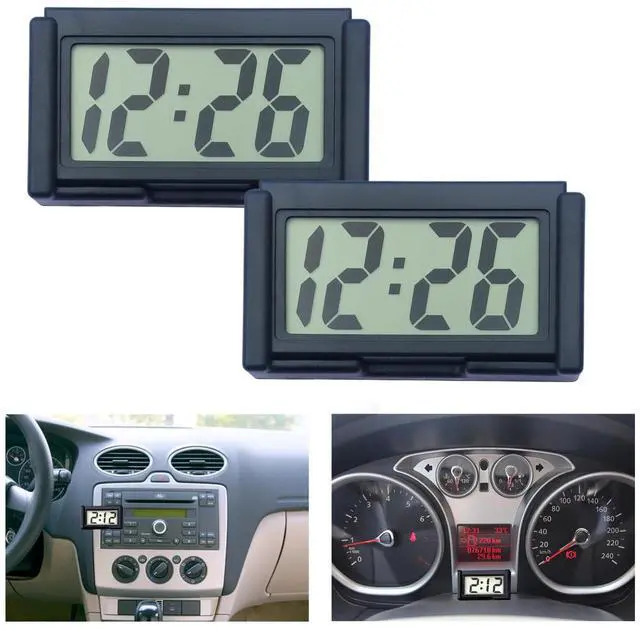
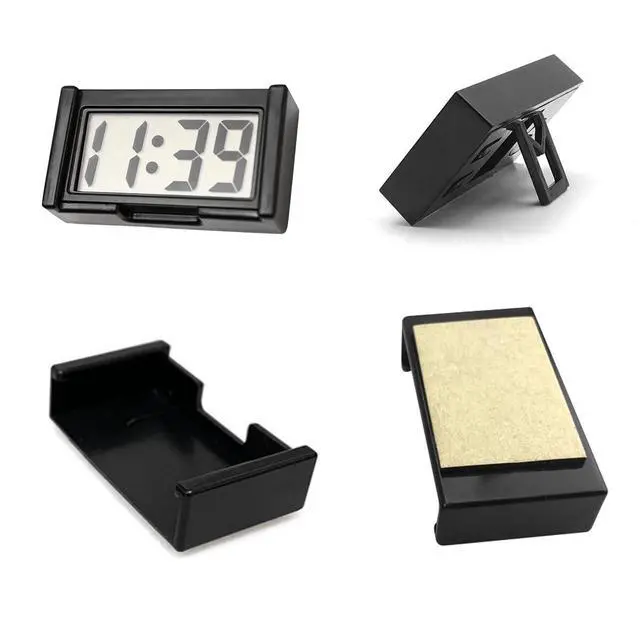


2 Pcs Mini Digital Clock Small Magnetic Car Dashboard Clocks Stick on Self Adhesive Bracket Digital Clocks Battery Operated Automotive Stick On Watch for Air Vent (Black 2)
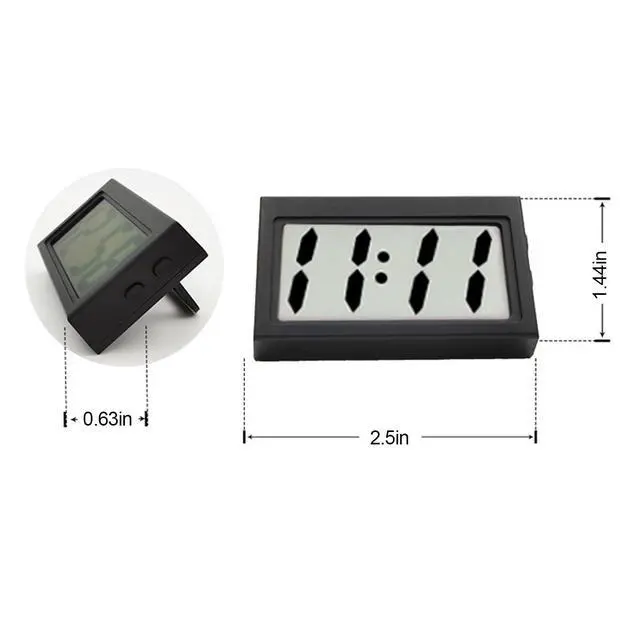
- Tiny digital clock: Made of high-quality ABS material, compact and lightweight, hard and not easily damaged, with a simple large number display that is still clearly visible even at a distance of one meter
- Car clocks for dash stick on: Large display screen, pasted and installed on the dashboard of a car or vehicle, ensuring that you can accurately read the time with just one glance
- Small digital clock battery operated: Comes with an assembled shell and double-sided tape, which can be pasted anywhere you want to place. Each electronic watch can be used for more than 1 year. When you need to replace the battery, just take it out of the assembled case
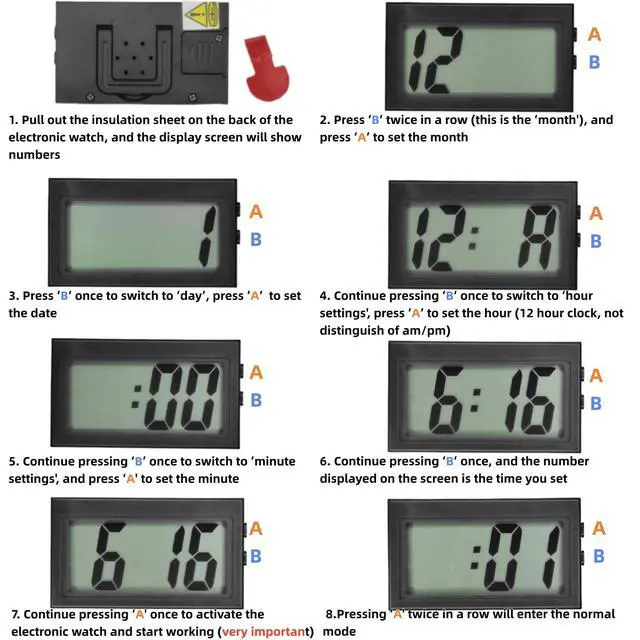
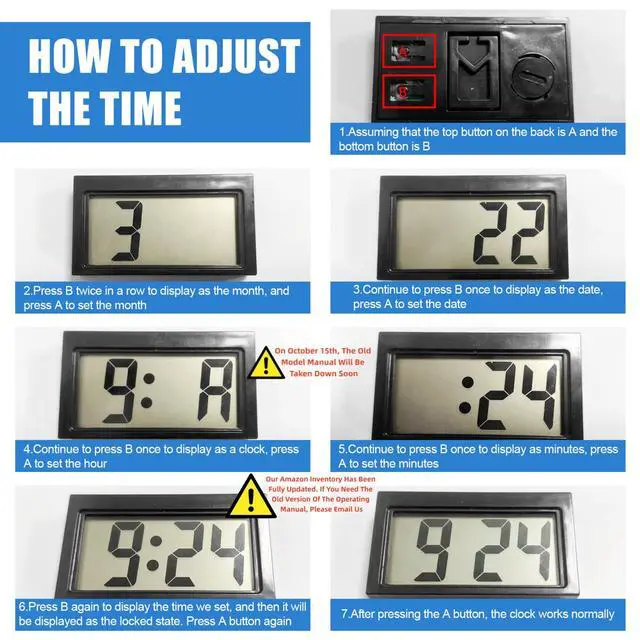
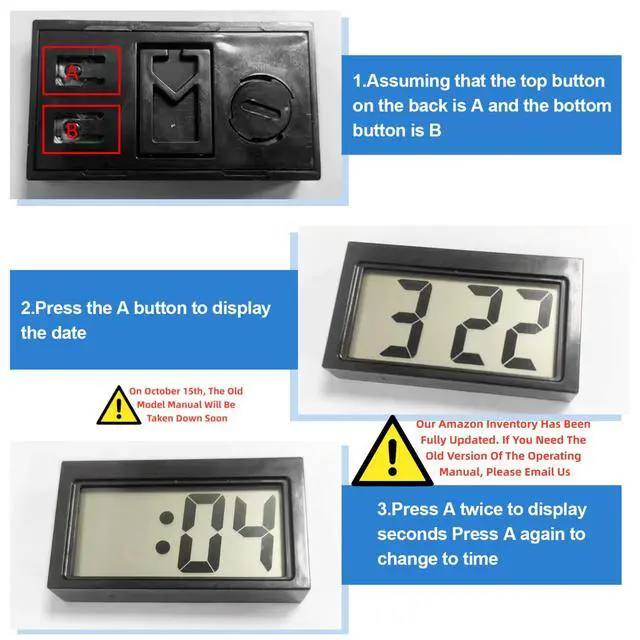
- Editable: Please strictly follow the steps in the picture to set up the electronic watch. If you are not proficient in operation, you must refer to the picture instructions
- Human customer service: If you have any questions, please email us and we will do our best to provide you with high-quality service
+
+
Overview
Specs
Reviews

Any questions? Our AI mode will help you find out quickly.
Try me now
"
Time Setting:
1.Press DOWN until it displays Hour & Minute.
2.Press DOWN twice to show the month, then press UP to set. Press DOWN once to show day, then press UP to set.
3.Press DOWN when the clock displays A/P, then press UP to set hour. Press DOWN once to show minute, press UP to set, then press DOWN to finish this step.
If you want to set the specific parameter:
1.Please press DOWN serval times until it displays Hour & Minute.
2.Set your desired parameter:
MonthPress down twice to show Month, then press up to set.
Day: Press down 3 times to show Day, then press up to set.
Hour: Press down 4 times to show Hour, then press up to set.
Minute: Press down 5 times to show Minute, then press up to set.
3. You can restart the process by pressing down until it displays hour and minute.
More features:
1.Press UP once to show ""month"" and ""day""
2.Press UP twice to use the 60-second stopwatch, press DOWN to reset to zero. Press UP to exist.
"
Warranty & Returns
Warranty, Returns, And Additional Information
Warranty
- Please contact the Seller directly for warranty information. Warranty information may also be found on the Manufacturer's website.
- CONTACT
Return Policies
- Return for refund within: 30 days
- Return for replacement within: 30 days
- This item is covered by Virtue & Thrive Store Return Policy
Manufacturer Contact Info
- For a directory of all our manufacturers, please click below.
- Manufacturers Directory
LOADING...