• $18.99
  • Free 30-day Returns
  • Price alert
    Shop it at NeweggBusiness.

    Meet Your Seller

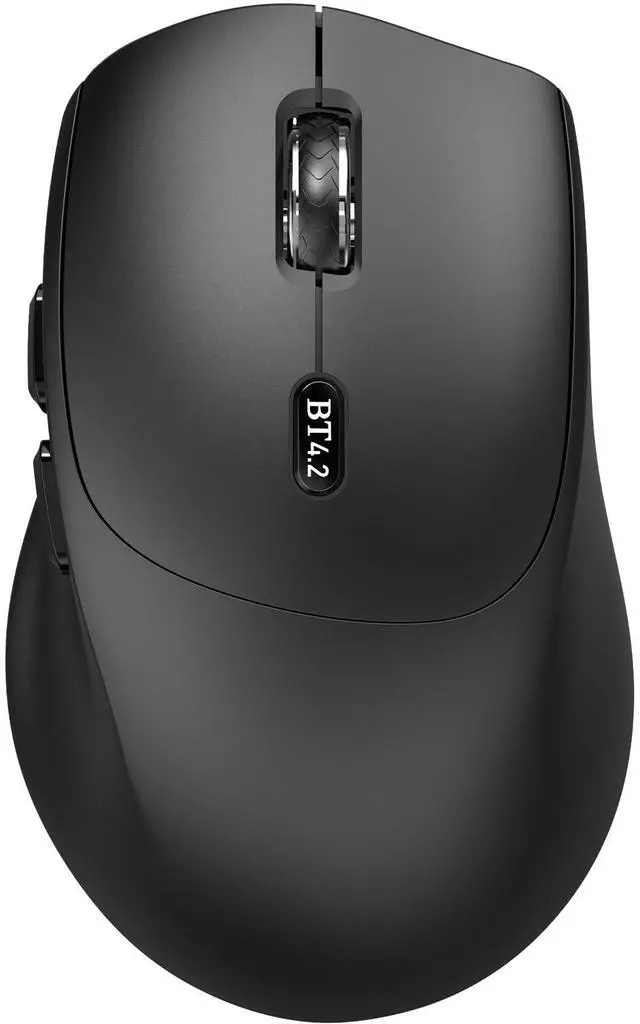
    Bluetooth Mouse, Ergonomic Wireless Mouse for Medium to Large Sized Right Hands, Without USB Receiver, 6 Buttons, 1600 DPI, Cordless Computer Mice for Laptop Chromebook Tablet Windows - Black

    • Bluetooth Mouse Without a Receiver: Connects directly to Bluetooth-enabled devices like laptops, computers, or PCs without the need for a usb receiver. (Please Note: Only supports devices with Bluetooth functionality)
    • Reliable Bluetooth 4.2 Connectivity: This mouse uses Bluetooth 4.2 technology and can provide a stable wireless connection of up to 10 meters. And the wireless mouse offers exceptional sensitivity and responsiveness, providing real-time tracking without delay
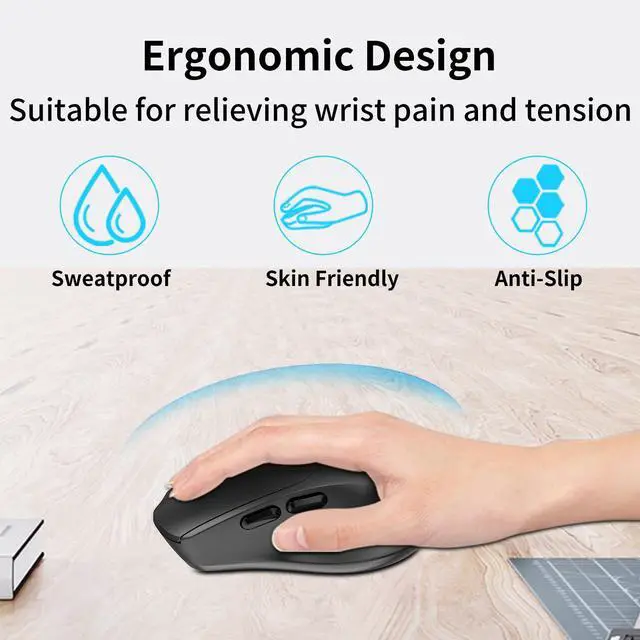
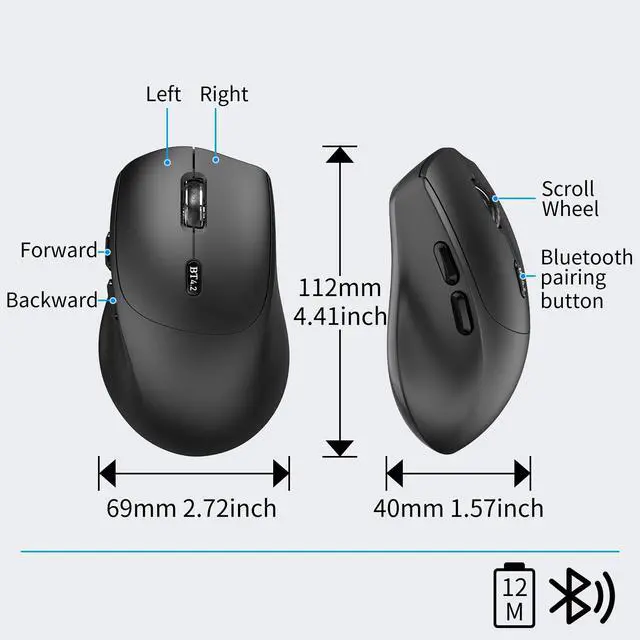
    • Ergonomic Mouse for Right-Hand: The contoured shape provide a comfortable, secure fit that reduces wrist fatigue during long hours. Its balanced design ensures portable comfort for use at home, in the office, or on the travel. (Size: 4.41*2.72*1.57in/112*69*40mm)
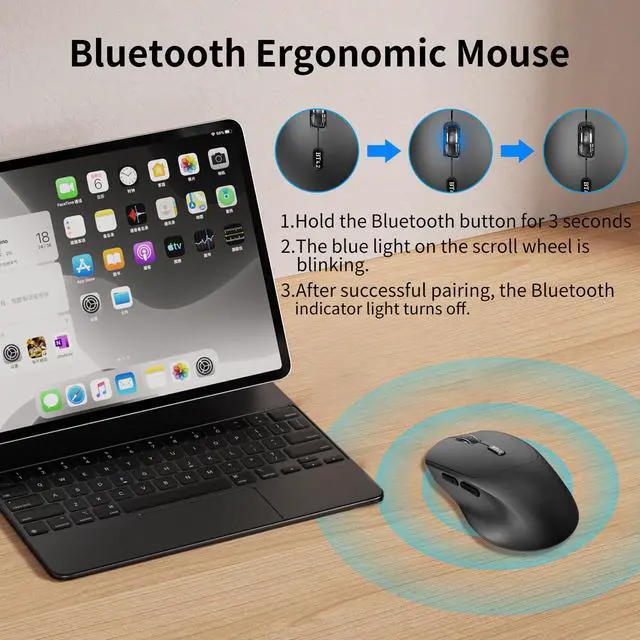
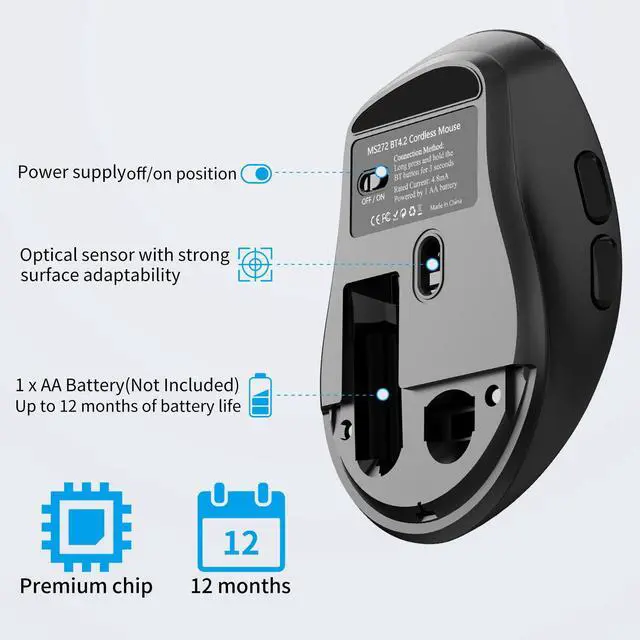
    • Bluetooth Pairing: 1. Put into the battery and make sure your MS272 mouse is turned on 2. Press and hold the BT4.2 Bluetooth pairing button for 3 seconds (the LED will start to blink fast) 3. Open bluetooth settings or bluetooth device manager on your device and pair with 'MS272 Mouse' (Note: If the mouse is idle for an extended period, it will automatically enter sleep mode. Please click any button to wake it up.)
    • Long Battery Life: The Bluetooth mouse can deliver up to 12 months of battery life. It requires only 1 AA battery(not included).
    +
    +
    Overview
    Specs
    Reviews
    avatar

    Any questions? Our AI mode will help you find out quickly.

    BLUETOOTH MOUSE
    BLUETOOTH MOUSE
    BLUETOOTH MOUSE
    BLUETOOTH MOUSE
    BLUETOOTH MOUSE
    BLUETOOTH MOUSE
    BLUETOOTH MOUSE
    • –Wireless Mouse

      –User Manual

    • 1. Turn on;

      2. Press and hold the BT4.2 Bluetooth pairing button for 3 seconds (the LED will start to blink fast);

      3. Open bluetooth settings or bluetooth device manager on your device and pair with "MS272 Mouse".

    • Suitable for devices with Bluetooth function such as laptops, desktops, tablets, MacBook, iPad, etc

    BLUETOOTH MOUSE
    BLUETOOTH MOUSE
    BLUETOOTH MOUSE
    BLUETOOTH MOUSE
    BLUETOOTH MOUSE
    BLUETOOTH MOUSE
    BLUETOOTH MOUSE
    • –Wireless Mouse

      –User Manual

    • 1. Turn on;

      2. Press and hold the BT4.2 Bluetooth pairing button for 3 seconds (the LED will start to blink fast);

      3. Open bluetooth settings or bluetooth device manager on your device and pair with "MS272 Mouse".

    • Suitable for devices with Bluetooth function such as laptops, desktops, tablets, MacBook, iPad, etc

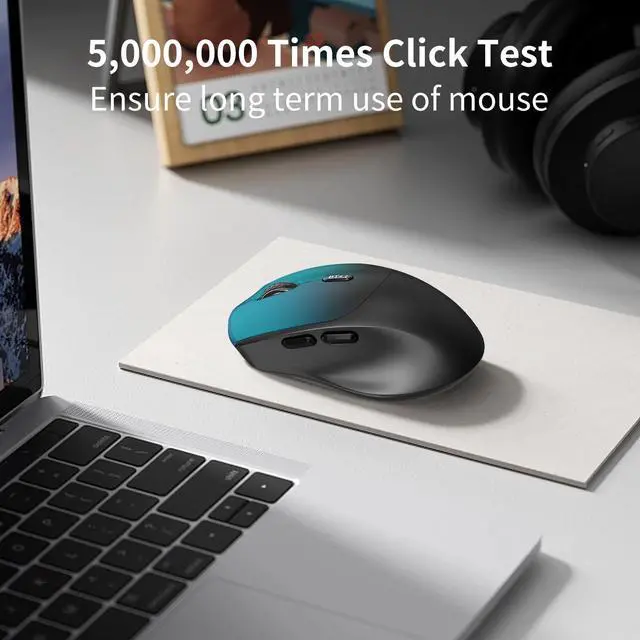
    Product Description Note: 1.This is a bluetooth mouse without USB Dongle Receiver. 2.The mouse must be bent to the right position, otherwise it can not turn on . 3. If you are prompted to enter a pin code when you turn on the Arc Bluetooth mouse, it may be because of a conflict between two similar Bluetooth mice. At this time, you only need to re-pair the Bluetooth mouse (press and hold the left and right buttons of the mouse for 6 seconds to enter the pairing mode). 4. It is recommended to use a new battery for power supply, if the voltage is too low, the touch bar scrolls abnormally or does not work. *A mouse with a touch bar consumes more power than a normal mouse. * How to use it? 1. Insert the battery into the mouse. 2. Bent the mouse, when you hear a sound,it means the mouse is bent into correct position. 3. Press the left and right buttons simultaneously for 6 seconds, blue light flickering from the gap of the right button. 4. Open your computer Setting - Device - add bluetooth mouse 5. The computer will search our mouse. After it find out our mouse, click to connection, then the mouse can work. Product parameters: - Connection Type: Bluetooth 4.0 - Wireless distance: 10m - Product Size:133*55*12mm - Weight: 45±5g - Resolution: 1200dpi - Operating cycles: 1,000,000 cycles - Battery:2*AAA dry battery(Not included) - Material: ABS Plastic and silicon - System requirement: Windows 8/10/11, iOS, MAC OS, Android


    Product information

    Brand WUDEMWWFE
    Color Black
    Connectivity Technology Bluetooth
    Special Feature Bluetooth, Ergonomic Design, Lightweight, Right-handed mouse, Soundless
    Movement Detection Technology Optical
    Additional Features Bluetooth, Ergonomic Design, Lightweight, Right-handed mouse, Soundless
    Movement Detection Optical
    Button Quantity 6
    Hand Orientation Right
    Compatible Devices Chromebook, Laptop, Notebook, PC with Bluetooth connection, Tablet
    Operating System Android 5.0 or later, Chrome OS, Linux, Windows 10, 11 or later
    Battery Average Life 18 months
    Number of Batteries 1 AA batteries required.
    Power Source AA Battery Powered(Not included)
    Mouse Maximum Sensitivity 1600 dots_per_inch
    Minimum Required Operating System Version Windows 10
    Range 10 meters
    Enclosure Material Plastic
    Finish Matte
    Antenna Location Home, Office, Travel
    Manufacturer WUDEKEJI
    Warranty Description 1 year
    Style Name Modern
    Item Weight 65 g
    Unit Count 1 Count

    Additional Features

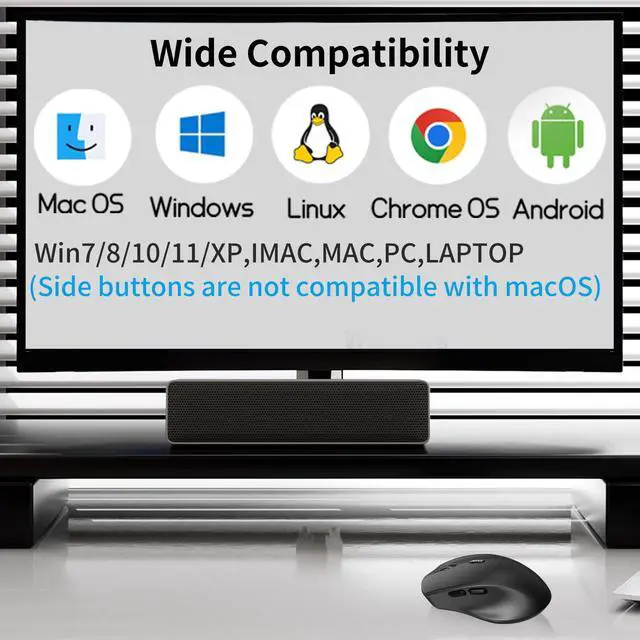
    • Wide Compatibility: The bluetooth mouse is compatible with Windows (Win 11, Win 10, Win 8), Linux, Chrome OS, Android OS. Suitable for desktop, laptop, PC, MacBook, Chromebook and other devices. (Please Note: Side buttons are not compatible with macOS)


    Warranty & Returns

    Warranty, Returns, And Additional Information

    Warranty

    • Please contact the Seller directly for warranty information. Warranty information may also be found on the Manufacturer's website.
    • CONTACT

    Return Policies

    Manufacturer Contact Info

    LOADING...