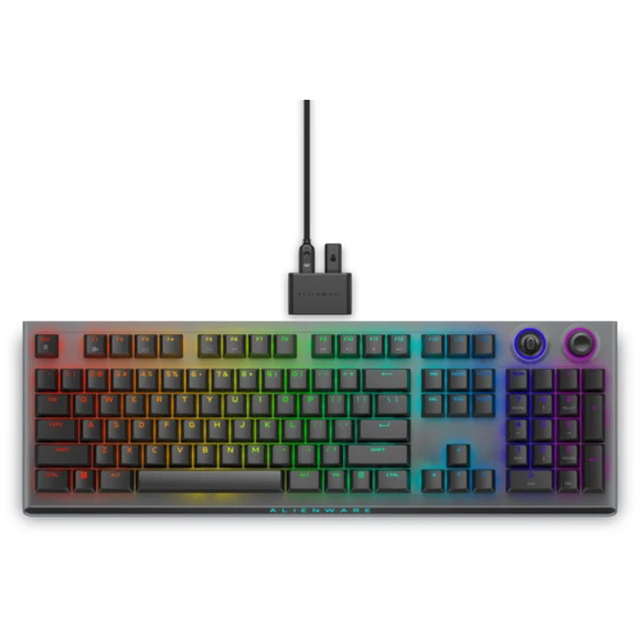
The Alienware AW920K is a tri-mode wireless gaming keyboard in Dark Side of the Moon, suited to gamers who want a choice of connection modes for their setup.
Recommended For
- PC gamers who want a full-size mechanical keyboard with responsive Cherry MX Red switches, anti-ghosting, and wireless or wired play options.
- People switching between a gaming PC and other computers who want to connect the keyboard across multiple devices using 2.4GHz wireless, Bluetooth, or USB.
- Desk-based gamers and creators who use a number pad and want programmable dial and rocker controls for everyday keyboard tasks.
- Alienware setup owners who want per-key RGB lighting and a matching design, and are comfortable configuring lighting and controls through Alienware Command Center.
Real-World Use Scenarios
- For PC gaming at a desk, use the 2.4GHz wireless connection to keep the keyboard cable-free; a reviewer found the connection stable and the keys responsive during play.
- When switching between a gaming PC and other computers, pair the keyboard with up to three Bluetooth devices and use its connection button to cycle between them; switching works, though it is not a direct one-button jump to a chosen profile.
- For everyday typing and tasks that use a number pad, the full-size layout supports both work and gaming on one keyboard; a reviewer described the typing experience as reliable and easy to get used to.
- While gaming or listening to audio at the desk, use the dial for volume and the rocker for track controls without reaching for separate media controls; these are the default functions and can be remapped.
- For a desk setup where you want to move the keyboard or reduce cable clutter, use it wirelessly and attach the magnetic charging connector when it needs power; charging can begin without plugging a cable directly into the keyboard.




 here!