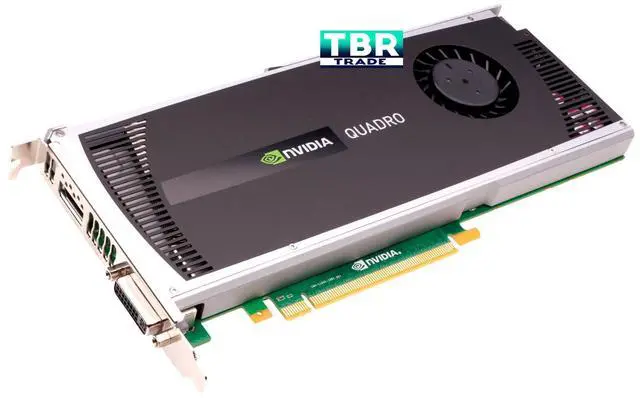
Chipset: Quadro 4000 Video Memory: 2GB DDR5
Memory Interface: 256-bit Bus: PCI-Express 2.0 x16 RAMDAC: 400 MHz
Stream Processors units: 256 Memory Bandwidth: 89.6 GB/s
Max. Resolution: 2560 x 1600 Connectors: DVI-I; DisplayPort Thermal: Fansink
Support Microsoft Windows XP/ Vista/ 7/ Mac OS X 10.6.5 or later with MacPro3,1, MacPro4,1 or MacPro5,1 or later
Support nVidia CUDA Architecture Support nVidia 3D Stereo Technology
Support HDCP - High-bandwidth Digital Content Protection
Support Microsoft DirectX 11, Shader Model 5.0 and OpenGL 4.0 Maximum Power Consumption: 142W
PNY Quadro 4000 2GB DDR5 DVI/DisplayPort PCI-Express Video Card for Mac
From the Manufacturer
Mac OS X 10.6.7 Driver Update
Apple's Mac OS X 10.6.7 system update overwrites any existing Quadro 4000 for Mac or Quadro FX 4800 for Mac graphics driver, resulting in a loss of graphics acceleration functionality, and also disables CUDA (if installed). To restore full graphics acceleration and CUDA functionality to your Mac Pro system after installing the 10.6.7 update, you must download and install the latest Quadro for Mac driver and CUDA software.
The latest NVIDIA Quadro 4000 for Mac driver is available here:
//www.nvidia.com/Download/index.aspx?lang=en-us
Installation Instructions:
For Safari users: Click on either of the download links above. Once the download is finished, the installer package will automatically start. Please follow the installer package instructions to complete.
For Firefox users: Click on the download link above. Choose Open with DiskImageMounter.app (default). Once the download is finished, the installer package will automatically start. Please follow the installer package instructions to complete.





 here!
here!