

Your Browsing History

- Free 30-day Returns
$26.99
Ships from China.


Meet Your Seller

Get Educated
Make informed decisions with expert advice. Learn More
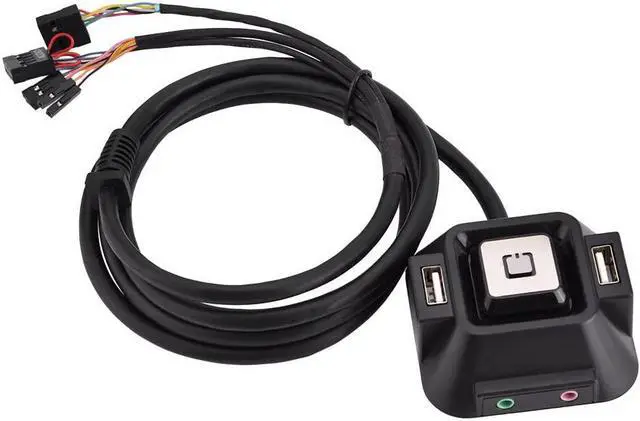
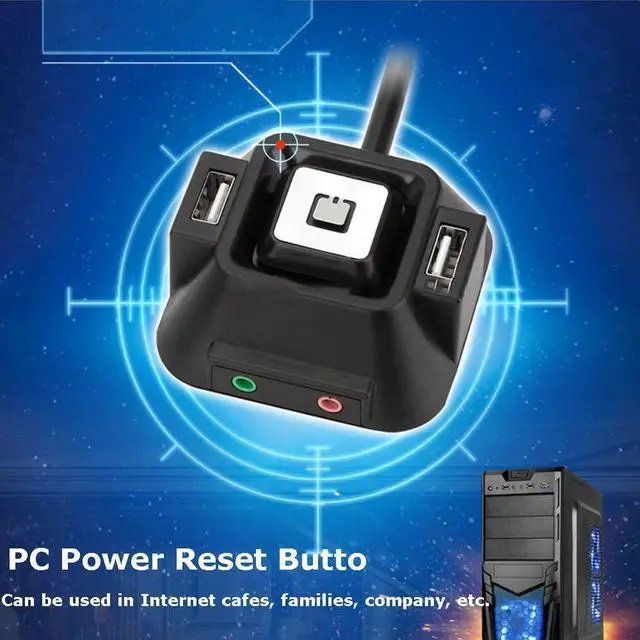
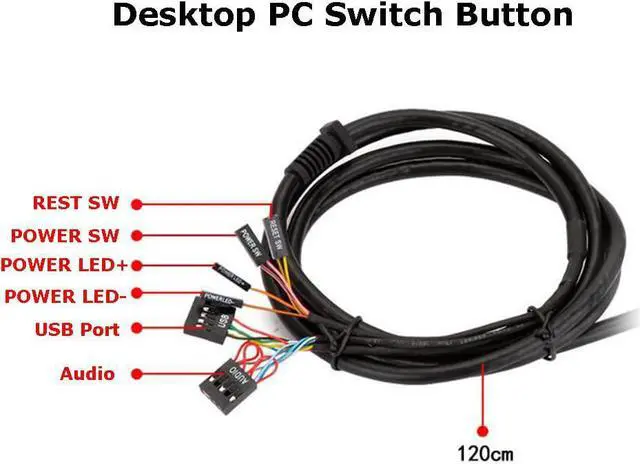
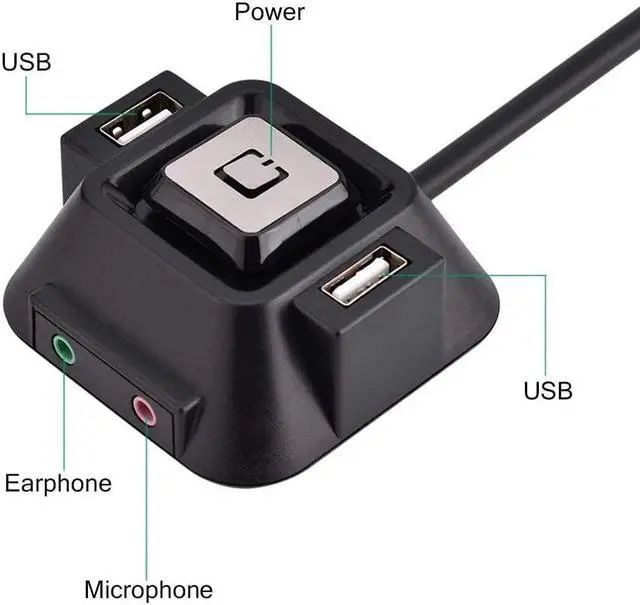
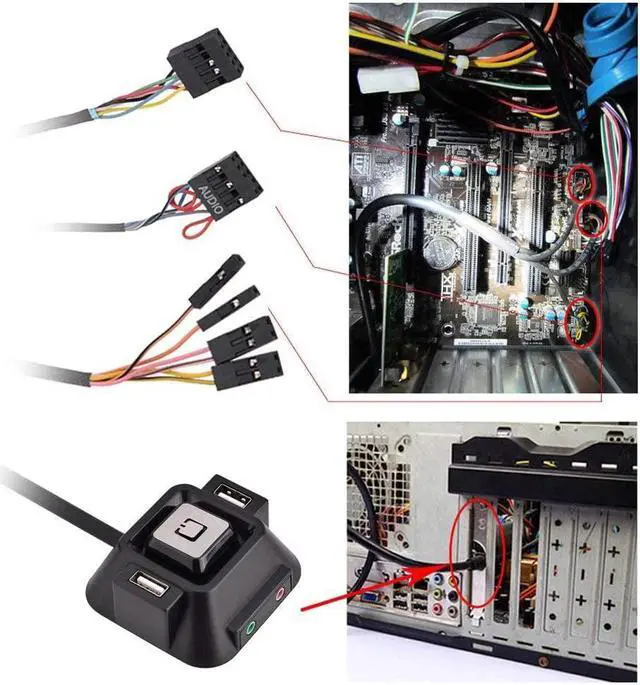
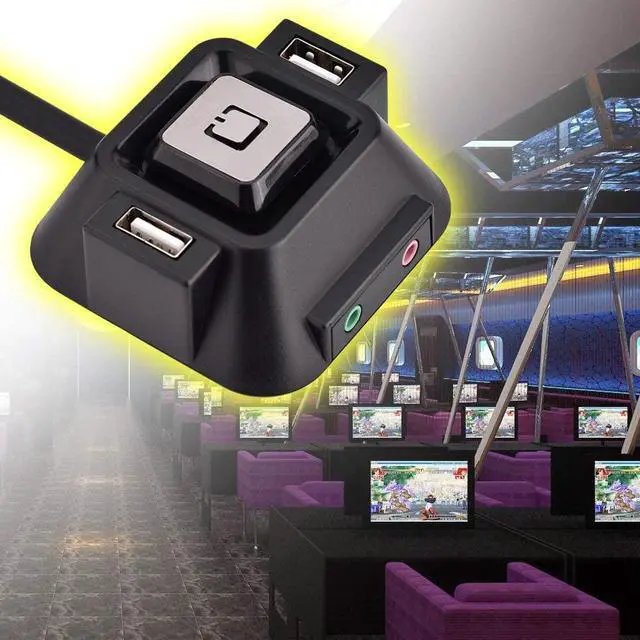


Desktop PC Switch Button with Dual USB Ports Power Reset Button Audio Microphone Port Refit, Desktop Computer Case Motherboard Power Supply Reset HDD Button Switch PC Power Switch for Families/Company
Limited time offer, ends 08/23 By TechMax Depot
- ?Power Button PC---You can extend the computer power switch to the Desktop.
- ?PC Power Switch---1.2 meters length is enough for you to use.
- ?PC Power Button---With two USB 2.0 interface, super convenient for you.
- ?Desktop PC Switch Button---With an audio interface and a microphone interface.
- ?Power Supply Reset HDD Button---Can be used in Internet cafes, families, company, etc.
+
+
Overview
Specs
Reviews

Any questions? Our AI mode will help you find out quickly.
Try me now
Features:
1.You can extend the computer power switch to the Desktop.
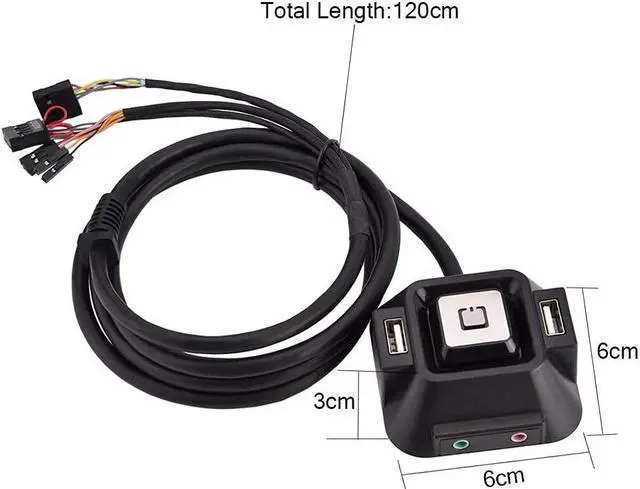
2.1.2 meters length is enough for you to use.
3.With two USB 2.0 interface, super convenient for you.
4.With an audio interface and a microphone interface.
5.Can be used in Internet cafes, families, company, etc.
Specification:
Audio Port: 1
Microphone Port: 1
USB Port: 2
Length: 1.2m / 47.24inch
Size: 6 x 6 x 3cm / 2.36 x 2.36 x 1.18inch
Package Weight: 170g
Quantity: 1pc
Package included:
1 x Desktop PC Switch Button
Problem:
1.The audio port does not work. How should it be operated?
2.Why isn't there any input?
Solution:
1.Check the plug and whether the cable of the port is inserted properly.
2.Because the pin was not inserted correctly.
1.You can extend the computer power switch to the Desktop.
2.1.2 meters length is enough for you to use.
3.With two USB 2.0 interface, super convenient for you.
4.With an audio interface and a microphone interface.
5.Can be used in Internet cafes, families, company, etc.
Specification:
Audio Port: 1
Microphone Port: 1
USB Port: 2
Length: 1.2m / 47.24inch
Size: 6 x 6 x 3cm / 2.36 x 2.36 x 1.18inch
Package Weight: 170g
Quantity: 1pc
Package included:
1 x Desktop PC Switch Button
Problem:
1.The audio port does not work. How should it be operated?
2.Why isn't there any input?
Solution:
1.Check the plug and whether the cable of the port is inserted properly.
2.Because the pin was not inserted correctly.
Warranty & Returns
Warranty, Returns, And Additional Information
Warranty
- Please contact the Seller directly for warranty information. Warranty information may also be found on the Manufacturer's website.
- CONTACT
Return Policies
- Return for refund within: 30 days
- Return for replacement within: non-replaceable
- This item is covered by TechMax Depot Return Policy
Manufacturer Contact Info
- For a directory of all our manufacturers, please click below.
- Manufacturers Directory
LOADING...