

Your Browsing History
- Free 30-day Returns
$50.89
Ships from China.

Meet Your Seller

Get Educated
Make informed decisions with expert advice. Learn More
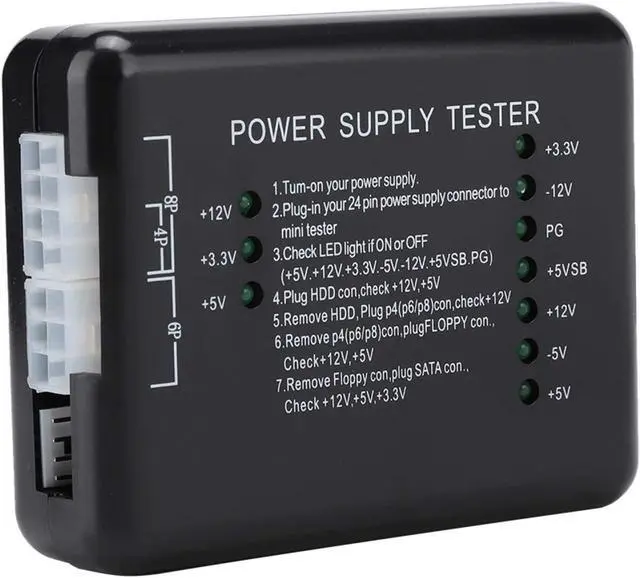
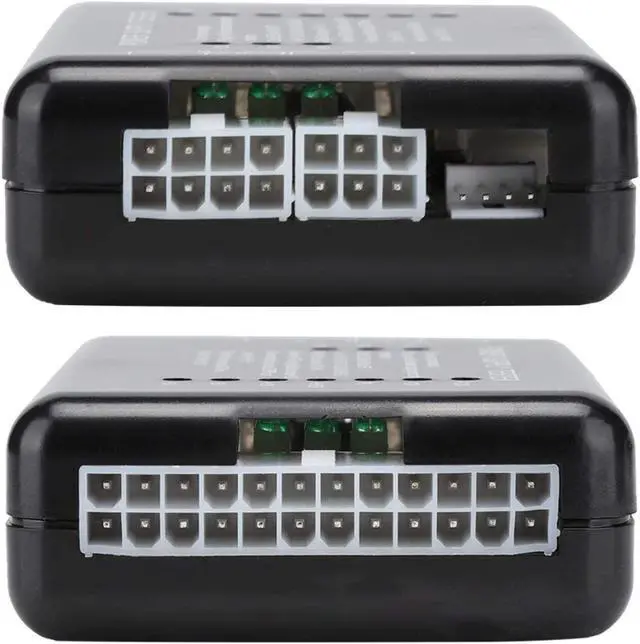



Evonecy Power Tester with Indicator Light Power Supply Tester ATX, Power Supply Tester, Black Computer Power Supply Tester for Home
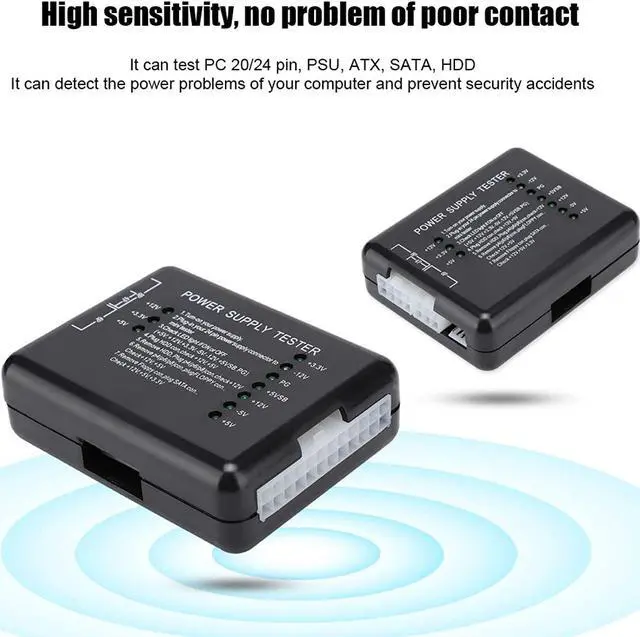
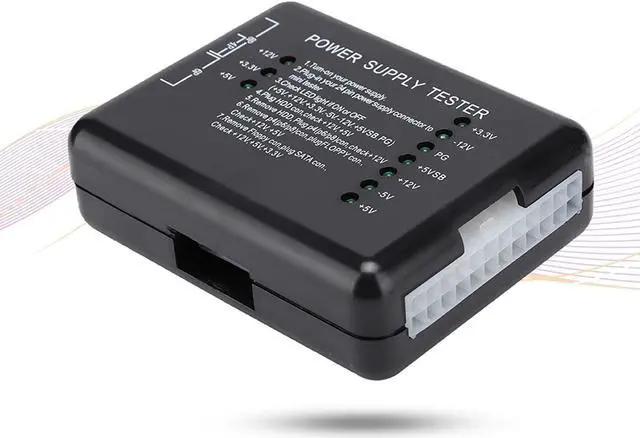
- Rugged plastic, plug-in design, can test PC 20/24 pin, PSU, ATX, SATA, HDD.
- The green LED will illuminate when your device is running smoothly.
- Prevent electrical disasters by periodically testing power supplies to detect problems before they damage your computer, monitor voltage output.
- This new ATX power supply tester can test 4PIN/6PIN/8PIN HDD power connectors and 20PIN/24PIN FLOPPY, very powerful.
- A 1*20/24-pin power supply tester for ATX/SATA/HDD power supply.
+
+
Overview
Specs
Reviews

Any questions? Our AI mode will help you find out quickly.
Try me now
Features:
A 1*20/24-pin power supply tester for ATX/SATA/HDD power supply. Prevent electrical disasters by periodically testing power supplies to detect problems before they damage your computer, monitor voltage output. The green LED will illuminate when your device is running smoothly. This new ATX power supply tester can test 4PIN/6PIN/8PIN HDD power connectors and 20PIN/24PIN FLOPPY, very powerful. Rugged plastic, plug-in design, can test PC 20/24 pin, PSU, ATX, SATA, HDD.
Specifications:
Material: ABS
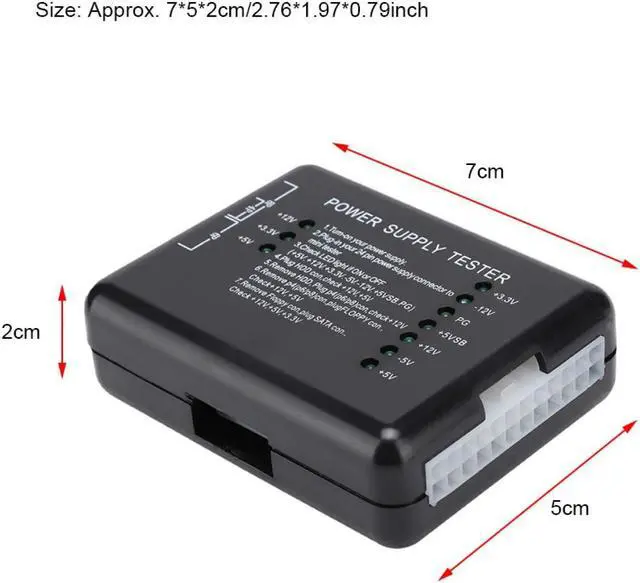
Size: Approx. 7*5*2cm/2.76*1.97*0.79inch
Color: Black
Package list:
1 x Power Supply Tester
Note:
Power tester instructions:
Power the power to be tested.
Plug the 24P (20P) plug of the power supply to be tested into the 24P (20P) socket corresponding to the power tester.
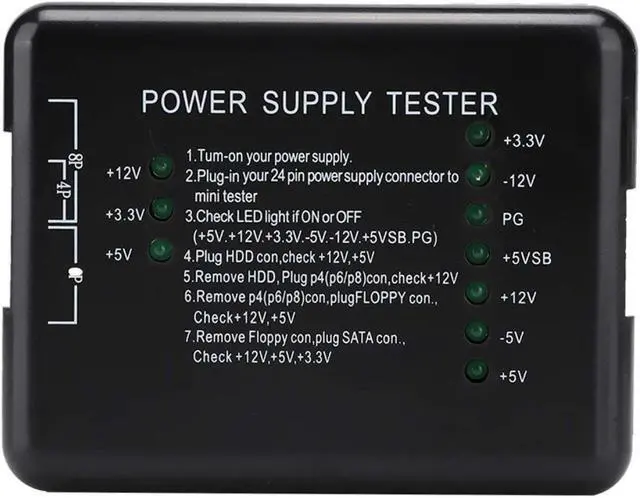
Check if the seven lights on the right (+3.3, -12V, PG, +5VSB, +12V, -5V, +5V) are on, all lights up is well.
Plug the HDD plug to be tested into the HDD socket of the power tester to see if the two lights on the left (+12, +5V) are on, all lights up is well.
Remove the HDD plug from the power tester, and then insert the P4 (P6/P8) plug into the corresponding P4 (P6/P8) socket to see if the left one (+12V) is on, all lights up is well.
Pull out the P4 (P6/P8) plug from the power tester, and then insert the FLOPPY (floppy drive) plug into the corresponding FLOPPY socket to see if the two lights on the left (+12V, +5V) are on, all lights up is well.
Remove the FLOPPY plug from the power tester, and then insert the SATA plug into the corresponding SATA socket to see if the three lights on the left (+12V, +3.3V, +5V) are on, all lights up is well.
A 1*20/24-pin power supply tester for ATX/SATA/HDD power supply. Prevent electrical disasters by periodically testing power supplies to detect problems before they damage your computer, monitor voltage output. The green LED will illuminate when your device is running smoothly. This new ATX power supply tester can test 4PIN/6PIN/8PIN HDD power connectors and 20PIN/24PIN FLOPPY, very powerful. Rugged plastic, plug-in design, can test PC 20/24 pin, PSU, ATX, SATA, HDD.
Specifications:
Material: ABS
Size: Approx. 7*5*2cm/2.76*1.97*0.79inch
Color: Black
Package list:
1 x Power Supply Tester
Note:
Power tester instructions:
Power the power to be tested.
Plug the 24P (20P) plug of the power supply to be tested into the 24P (20P) socket corresponding to the power tester.
Check if the seven lights on the right (+3.3, -12V, PG, +5VSB, +12V, -5V, +5V) are on, all lights up is well.
Plug the HDD plug to be tested into the HDD socket of the power tester to see if the two lights on the left (+12, +5V) are on, all lights up is well.
Remove the HDD plug from the power tester, and then insert the P4 (P6/P8) plug into the corresponding P4 (P6/P8) socket to see if the left one (+12V) is on, all lights up is well.
Pull out the P4 (P6/P8) plug from the power tester, and then insert the FLOPPY (floppy drive) plug into the corresponding FLOPPY socket to see if the two lights on the left (+12V, +5V) are on, all lights up is well.
Remove the FLOPPY plug from the power tester, and then insert the SATA plug into the corresponding SATA socket to see if the three lights on the left (+12V, +3.3V, +5V) are on, all lights up is well.
Warranty & Returns
Warranty, Returns, And Additional Information
Warranty
- Please contact the Seller directly for warranty information. Warranty information may also be found on the Manufacturer's website.
- CONTACT
Return Policies
- Return for refund within: 30 days
- Return for replacement within: non-replaceable
- This item is covered by Nexus3C Return Policy
Manufacturer Contact Info
- For a directory of all our manufacturers, please click below.
- Manufacturers Directory
LOADING...