


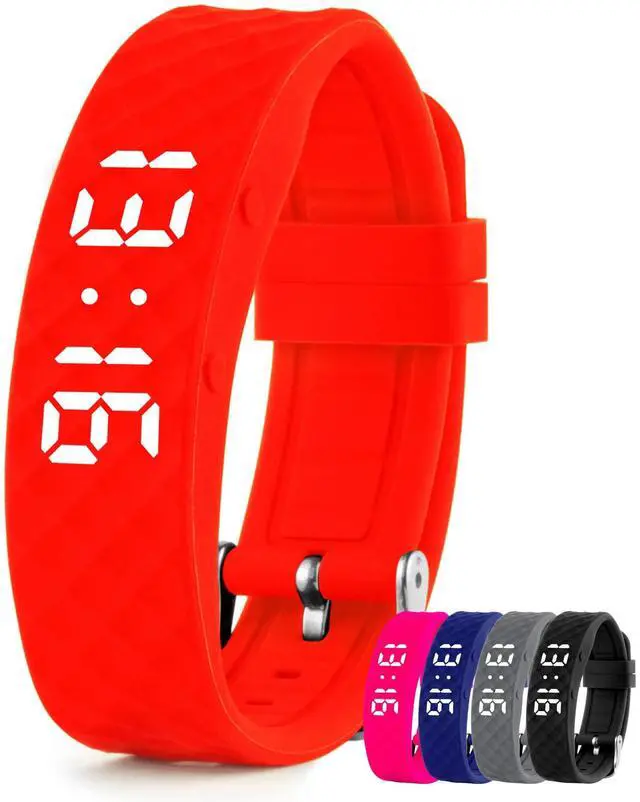



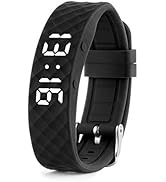




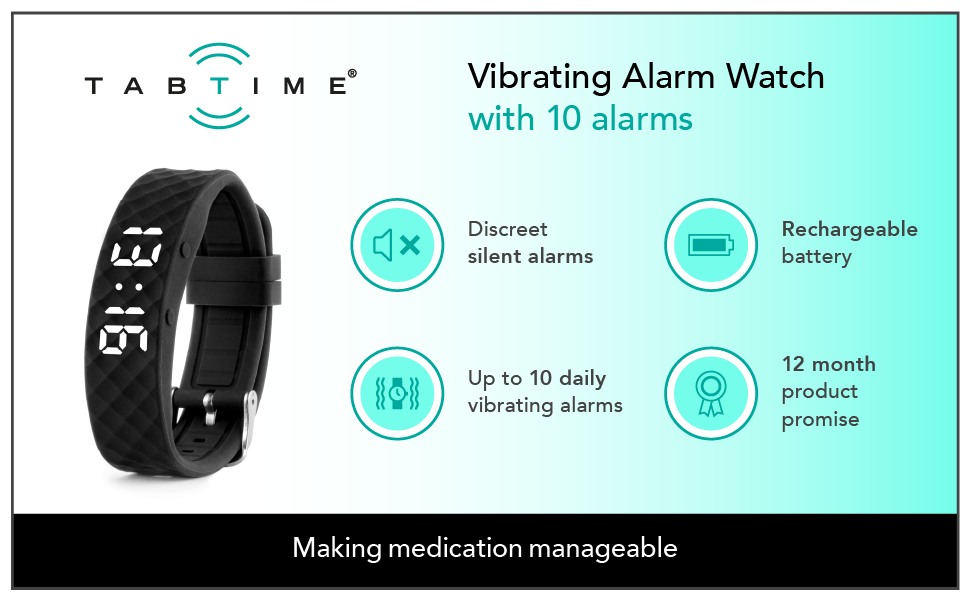
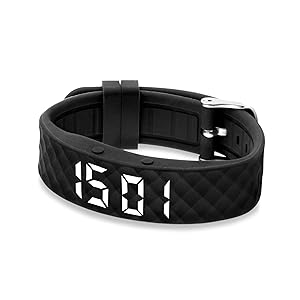
Never miss a pill reminder again with up to 10 customisable vibrating alarms per day, for complete peace of mind on the go.
The first alarm vibrates for 40 seconds and the other nine alarms vibrate for 20 seconds or until you cancel the alarm using one of the buttons.
Provides discrete, portable vibrating alarms - perfect as a silent reminder, pill timer, or for anyone with a complicated schedule.
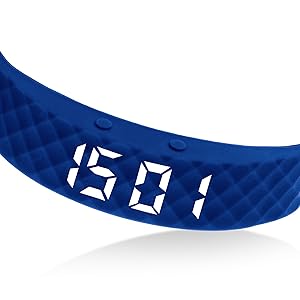
TabTime’s simple 2 button design makes it easy to program, set the time, and cancel alarms at the touch of a button.
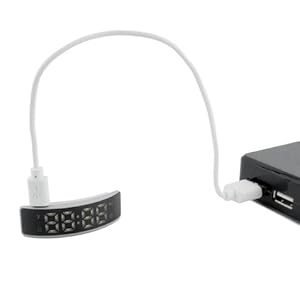
Fully rechargeable battery – never carry spares again!
Comes with included USB charging cable, compatible with most wall plugs and power banks.
FAQs
How long does the battery last on a single charge?
Battery life depends on how many alarms you set each day but typically you'll need to charge it weekly. To check the current battery level at any time, press the right-hand button twice.
My watch doesn't seem to be holding its charge — what can I do?
Most charge concerns turn out to be one of these things:
- Give it a proper first charge — 1–2 hours via the USB cable, not just a short top-up.
- Check the USB cable is firmly seated in both the watch and a working power source. Some computer USB ports power down on their own.
- The screen auto-sleeps after about 10 seconds to save battery — a blank screen doesn't mean a flat battery. Press the right-hand button once to wake it, or twice to see the current battery level.
- The more alarms you have active, the faster the battery drains. Running all 10 alarms will need more frequent charging than running one or two.
- When the battery drops to around 20%, the display shows _ _ 00 after the time as a recharge reminder.
If the watch still won't hold a charge after a full 1–2 hour charge with only one or two alarms active, please send us a message via and we'll arrange a quick replacement.
How do you set up the alarms?
The instructions explain how to set up the alarms but if you prefer watching a video there's a set up video at the top of this page.
I’ve set the time but it isn’t accurate even after I adjust it, can you help please?
It sounds like you’ve accidentally set an alarm rather than the time, to fix this follow these steps:
- To display the current time press the right button.
- If you need to change the time hold down the right button for 3 seconds.
- Use the left and right buttons to set the hour and then hold the right button for 3 seconds to confirm the hour.
- Now use the left and right buttons to set the minutes and then hold the right button for 3 seconds to confirm the minutes.
How long do the vibrations last?
There are 10 alarms, the first alarm vibrates for 40 seconds and all the other alarms vibrate for 20 seconds.
Can I wear the watch while sleeping, showering, or swimming? No – the watch is not waterproof and should not be worn while bathing, swimming, or in conditions with heavy sweating. Prolonged moisture exposure can cause the watch to stop working. If the watch does get damp, dry it thoroughly before using it again.
Part of the display looks faulty — a digit is missing or doesn’t light up. What should I do?This is not normal behaviour. If the display shows incomplete or missing digits, please send a message via for quick support or a replacement.
Vibrating Watches

Never miss a pill reminder again with up to 10 customisable vibrating alarms per day, for complete peace of mind on the go.
The first alarm vibrates for 40 seconds and the other nine alarms vibrate for 20 seconds or until you cancel the alarm using one of the buttons.
Provides discrete, portable vibrating alarms - perfect as a silent reminder, pill timer, or for anyone with a complicated schedule.
TabTime’s simple 2 button design makes it easy to program, set the time, and cancel alarms at the touch of a button.
Fully rechargeable battery – never carry spares again!
Comes with included USB charging cable, compatible with most wall plugs and power banks.
FAQs
How long does the battery last on a single charge?
Battery life depends on how many alarms you set each day but typically you'll need to charge it weekly. To check the current battery level at any time, press the right-hand button twice.
My watch doesn't seem to be holding its charge — what can I do?
Most charge concerns turn out to be one of these things:
- Give it a proper first charge — 1–2 hours via the USB cable, not just a short top-up.
- Check the USB cable is firmly seated in both the watch and a working power source. Some computer USB ports power down on their own.
- The screen auto-sleeps after about 10 seconds to save battery — a blank screen doesn't mean a flat battery. Press the right-hand button once to wake it, or twice to see the current battery level.
- The more alarms you have active, the faster the battery drains. Running all 10 alarms will need more frequent charging than running one or two.
- When the battery drops to around 20%, the display shows _ _ 00 after the time as a recharge reminder.
If the watch still won't hold a charge after a full 1–2 hour charge with only one or two alarms active, please send us a message via and we'll arrange a quick replacement.
How do you set up the alarms?
The instructions explain how to set up the alarms but if you prefer watching a video there's a set up video at the top of this page.
I’ve set the time but it isn’t accurate even after I adjust it, can you help please?
It sounds like you’ve accidentally set an alarm rather than the time, to fix this follow these steps:
- To display the current time press the right button.
- If you need to change the time hold down the right button for 3 seconds.
- Use the left and right buttons to set the hour and then hold the right button for 3 seconds to confirm the hour.
- Now use the left and right buttons to set the minutes and then hold the right button for 3 seconds to confirm the minutes.
How long do the vibrations last?
There are 10 alarms, the first alarm vibrates for 40 seconds and all the other alarms vibrate for 20 seconds.
Can I wear the watch while sleeping, showering, or swimming? No – the watch is not waterproof and should not be worn while bathing, swimming, or in conditions with heavy sweating. Prolonged moisture exposure can cause the watch to stop working. If the watch does get damp, dry it thoroughly before using it again.
Part of the display looks faulty — a digit is missing or doesn’t light up. What should I do?This is not normal behaviour. If the display shows incomplete or missing digits, please send a message via for quick support or a replacement.