




 here!
I’m your shopping assistant for PC builds, upgrades, and everything tech.
Got questions? Ask away!
Start a conversation
here!
I’m your shopping assistant for PC builds, upgrades, and everything tech.
Got questions? Ask away!
Start a conversation







Any questions? Ask CelesteSM will help you find out quickly.
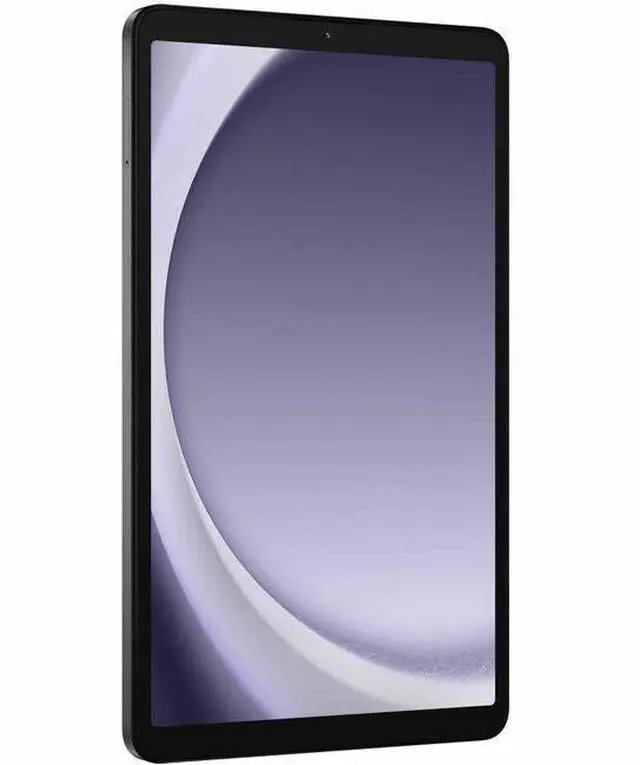
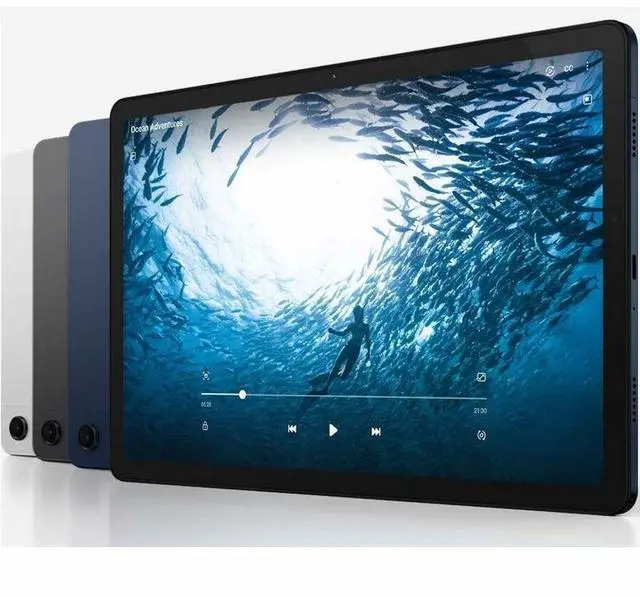
The Samsung Galaxy Tab A9 SM-X110 is an 8.7-inch Android tablet with a MediaTek Helio G99 processor, 4GB memory, and 64GB storage, making it a practical fit for everyday browsing, streaming, reading, video calls, and light app use at home or on the go.
| Attribute | Value |
|---|---|
| Best For | Home/personal users seeking a compact Android 15 Wi‑Fi tablet with an 8.7" display, 4 GB RAM and 64 GB onboard storage for everyday web, media and light multitasking with optional microSD expansion |
| Display Spec | 8.7" WXGA+ LCD (native 800 × 1340) with 16:9 aspect ratio |
| Processor And Core Count | MediaTek Helio G99 (6nm) SoC, 2.2 GHz processor speed |
| Memory Configuration | 4 GB RAM installed |
| Storage And Expansion | 64 GB flash onboard storage; supports expandable storage via microSD |
| Battery And Power | Installed battery with 5010 mAh capacity (1 battery / 1 cell), batteries included and required; battery weight listed as 400 grams |
| Wired And Wireless Networking | Wi‑Fi (802.11n) and Bluetooth connectivity; Wi‑Fi only (Style: WiFi) |
| Ports And I O | One USB port (listed as USB 2.0) — compatible with USB‑C devices; includes data cable in the box |
| Camera And Sensors | Front and rear cameras (rear photo sensor 8 MP); video capture up to 720p; GPS-enabled and accelerometer present; touchscreen supports stylus input |
| Graphics And Video | Integrated Mali‑G57 MC2 GPU (MediaTek video/graphics configuration) |
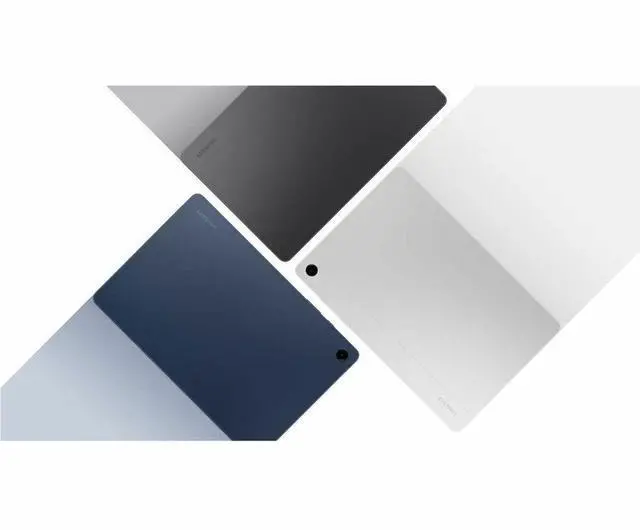
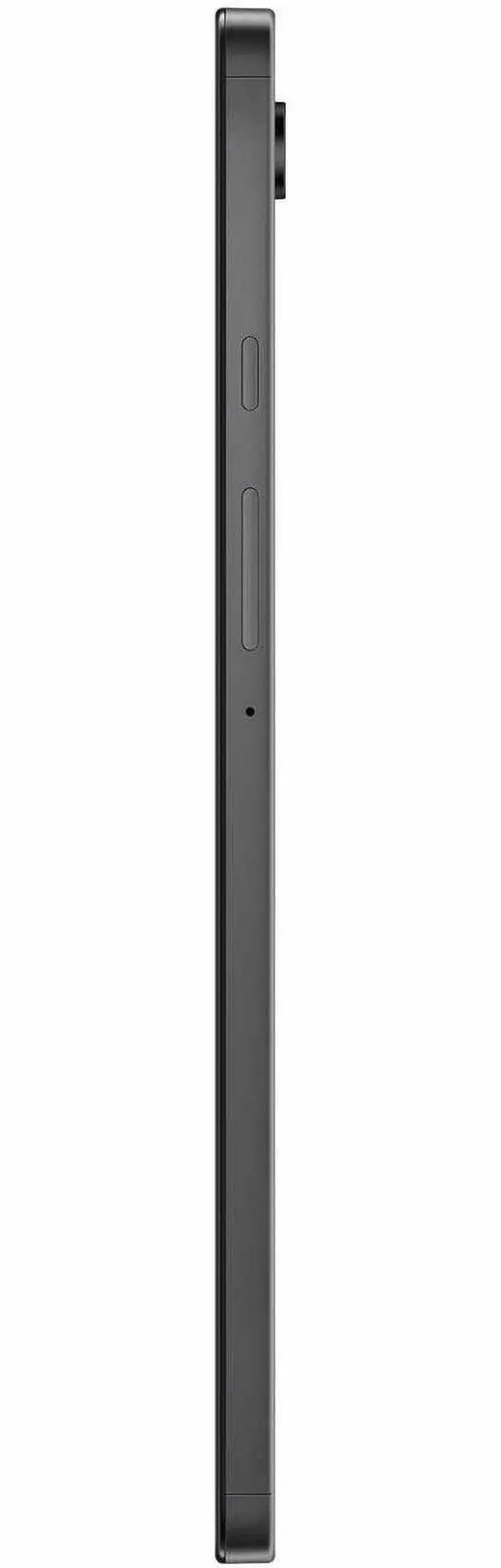
| Physical And Packaging | Gray finish, item weight 0.74 pounds, dimensions 8.3 × 4.9 × 0.31 inches; package dimensions and weight provided by manufacturer |
| Model Identifiers | Samsung Galaxy Tab A9 — Model SM-X110NZAAXAR (Model Name: A9); FCC ID ZCASMX110; 7th generation; sold for United States market |
| Operating System And Software | Android 15 operating system; package includes quick start guide and data cable |
Q: Should I buy the Samsung Galaxy Tab A9 or Galaxy Tab A9+?
A: Choose the Galaxy Tab A9 if you want a smaller tablet that is easier to hold for reading, travel, casual browsing, and video playback. Choose the Galaxy Tab A9+ if you want a larger screen for split-screen work, streaming, and general multitasking. External reviews and Samsung’s own positioning consistently place the A9 as the compact value option, while the A9+ adds a bigger 11-inch display, a 90Hz refresh rate, quad speakers, and stronger multitasking features.
Q: Is the Galaxy Tab A9 a better buy than the older Galaxy Tab A8?
A: In most cases, yes. The Galaxy Tab A9 is the better choice if you want a newer Samsung budget tablet with a faster Helio G99 chip, a more compact design, and longer remaining software relevance. The main reason to prefer the older Tab A8 is if you specifically want the larger 10.5-inch screen at a similar price. Review data and community discussions commonly treat the A9 as the more practical upgrade for everyday speed, while the A8 remains the larger-screen budget alternative.
Q: Galaxy Tab A9 or Lenovo Tab M9: which is the better small Android tablet?
A: The Galaxy Tab A9 is usually the better fit if you want stronger everyday performance and a more current Samsung software experience in a compact tablet. The Lenovo Tab M9 remains a reasonable alternative for buyers focused mainly on basic media use and price. Review coverage and community comparisons frequently point to the Tab A9’s faster Helio G99 platform as the key reason to choose it over the Tab M9 for smoother app use and better headroom over time.
Q: Is the 4GB/64GB Galaxy Tab A9 enough, or should I look for a higher-memory tablet?
A: The 4GB/64GB Galaxy Tab A9 is enough for streaming, reading, web browsing, and light app use. If you expect heavier multitasking, gaming, or longer-term use with many installed apps, a higher-memory configuration or a step-up model makes more sense. Community feedback around the A9 commonly treats the 4GB version as suitable for basic use, while recommending more RAM for smoother multitasking and better performance consistency.
Q: Is the Galaxy Tab A9 better for portability, or should I get a larger tablet for productivity?
A: The Galaxy Tab A9 is the better choice when portability is the priority. Its 8.7-inch format is easier to carry, hold in one hand, and use in tight spaces like commuting, travel, or couch reading. A larger tablet is the better choice if your priority is document work, split-screen multitasking, or more immersive video viewing. Reviews of the A9 consistently describe it as a compact everyday tablet rather than a productivity-first model.
Q: Is the Galaxy Tab A9 a good fit for travel, reading, and casual everyday use?
A: Yes. The Galaxy Tab A9 is a better fit for portable, casual use than for laptop-style productivity. Its 8.7-inch size, Wi-Fi design, and 64 GB storage with microSD expansion make it practical for streaming, reading, web browsing, social apps, and travel. The trade-off is workspace: the smaller screen and 4 GB RAM are less ideal for heavy multitasking, long document work, or split-screen office workflows.
Q: Is the Galaxy Tab A9 good for note-taking, meetings, Zoom, and office work?
A: It is acceptable for light meetings and basic office tasks, but it is not the best choice for serious note-taking. It can run common apps and handle video calls, but this A-series tablet is not positioned as an S Pen tablet, and repeated retail Q&A on comparable Tab A9+ models shows that a stylus is not included and S Pen support is limited or absent. For handwritten notes, annotation-heavy work, or productivity-first use, a tablet with native pen support is the safer choice.
Q: Does the Galaxy Tab A9 need a cellular plan, and will it work on Verizon or other carriers?
A: No. This SM-X110 version is a Wi-Fi tablet, so it does not need a mobile data plan for normal use, but it also is not the right choice if you want built-in carrier service. Repeated retail questions around the Tab A9 family focus on Wi-Fi-only versus cellular support, and the practical takeaway is simple: buy this model for home, school, travel, or hotspot use over Wi-Fi, not as a carrier-connected tablet.
Q: Is 64 GB enough, or should I plan to add a microSD card?
A: For light use, 64 GB is usually enough. If you expect to download lots of videos, games, offline media, or large apps, you should plan on adding a microSD card. This product listing states support for up to 1 TB expandable storage, and expandable-memory questions are among the most repeated retail questions for the Tab A9 family. The main trade-off is that base storage is fine for everyday apps, but not ideal for a large offline library.
Q: Is the Galaxy Tab A9 better than the larger Tab A9+ for most buyers?
A: The Galaxy Tab A9 is better if you value portability and lower-cost everyday use. The Tab A9+ is the better buy if you want a larger screen for multitasking, meetings, media, and light productivity. Retail Q&A patterns around the A9+ repeatedly center on stylus expectations, Zoom use, storage expansion, and Wi-Fi-only setup, which suggests buyers treat the A9+ more like a home or school productivity tablet, while the smaller A9 is the simpler choice for browsing, streaming, and travel.
Q: Is the Samsung Galaxy Tab A9 worth buying for basic everyday use?
A: Yes, if you want a small, budget Android tablet mainly for web browsing, video streaming, reading, light app use, and simple document work. Based on repeated Reddit and YouTube discussion, the Tab A9 is usually considered a value choice for casual use, but not a strong pick for demanding multitasking or premium tablet expectations.
Q: Is the Galaxy Tab A9 good for note-taking with a pen?
A: No, it is not a good choice if handwritten note-taking is a priority. Repeated community discussion around the Tab A9 points to the lack of S Pen or active stylus support as the main limitation. It is better suited to typed notes, reading PDFs, and light study use than pen-based annotation or handwriting.
Q: Who is the Galaxy Tab A9 best suited for?
A: The Tab A9 is best suited for buyers who want a compact tablet for media, reading, travel, casual browsing, email, and light everyday tasks. Community discussions commonly frame it as a practical fit for kids, secondary-device use, and buyers replacing an older small Android tablet without needing advanced productivity features.
Q: What are the main trade-offs of buying the 4 GB / 64 GB Galaxy Tab A9?
A: The main trade-offs are limited memory for heavier multitasking, modest base storage, and entry-level positioning overall. The 64 GB storage can be expanded by microSD up to 1 TB, which helps with media and files, but 4 GB RAM still makes this a better fit for light use than for keeping many apps open or doing heavier work.
Q: Is the Galaxy Tab A9 a good travel tablet?
A: Yes, if you want something compact and simple for travel. Its 8.7-inch size makes it easier to carry and hold than a larger tablet, and community discussion around small Samsung tablets often centers on reading, watching videos, email, and light work while away from home. The trade-off is that the smaller screen and 4 GB RAM are less ideal for split-screen productivity or long work sessions.


