

Your Browsing History

Best Sellers
 Top Rated
- $1,554.24
- + FREE SHIPPING
Top Rated- $1,563.62
Top Rated- $1,579.47
- + FREE SHIPPING

Sponsored Products
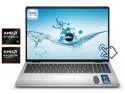
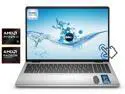

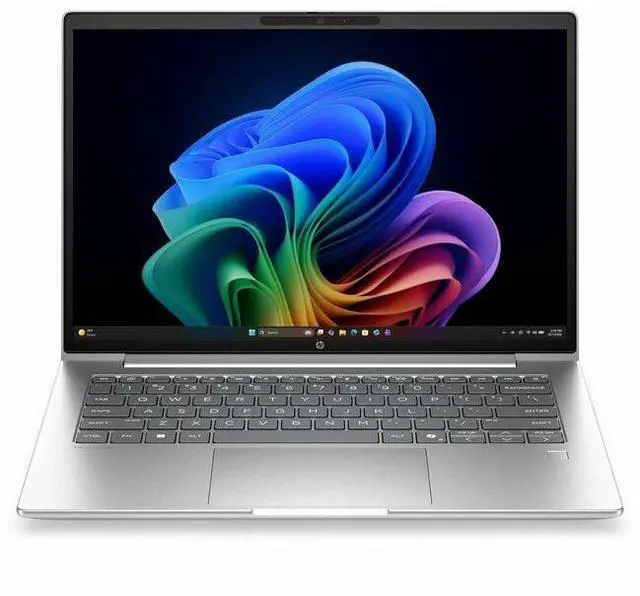
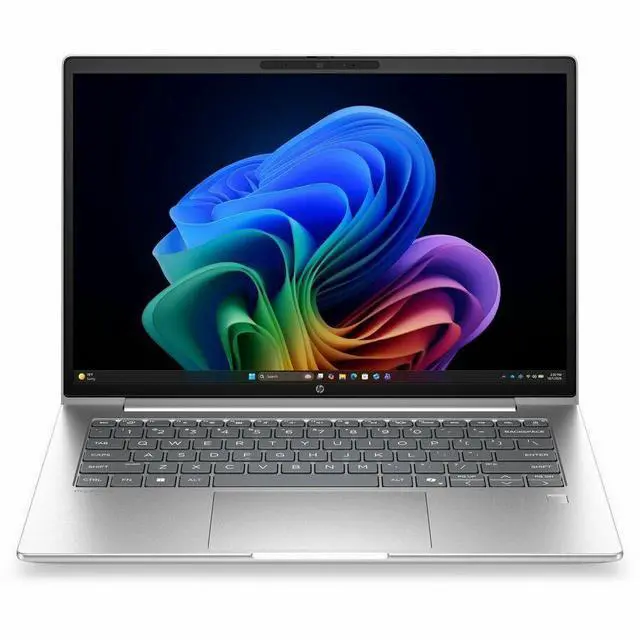
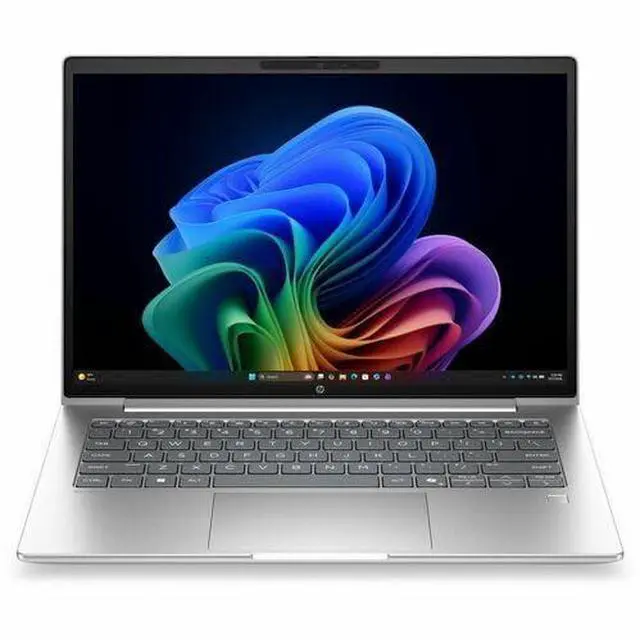
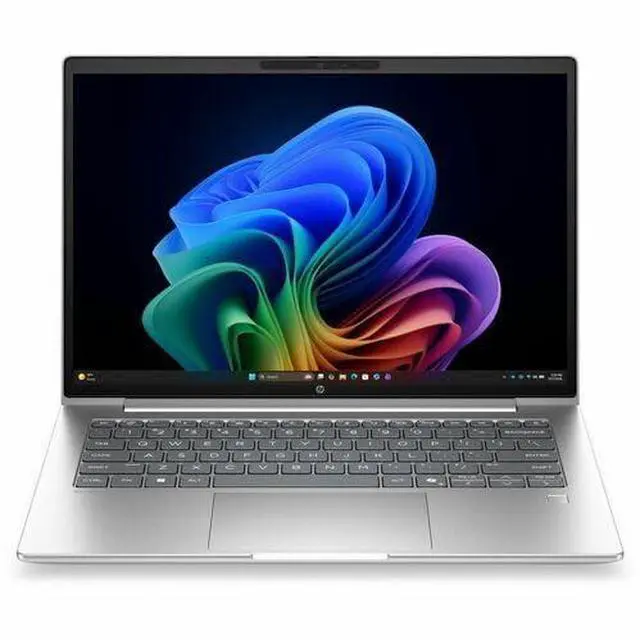
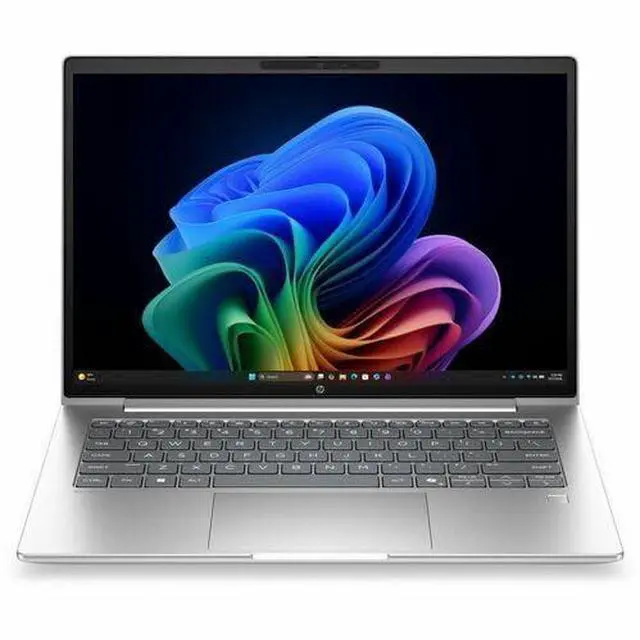
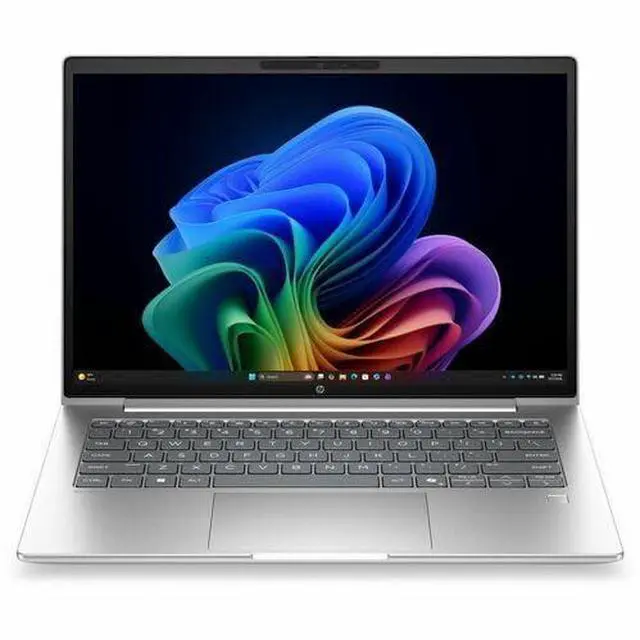


HP ProBook 4 G2a 14" Touchscreen Notebook - IPS - WUXGA - AMD Ryzen AI 7 445 - 16 GB - 256 GB SSD - English Keyboard - Pike Silver - AMD Chip - 1920 x 1200 - Windows 11 Pro
- WUXGA
- AMD Ryzen AI 7 445
- 16 GB
- 256 GB SSD
- English Keyboard
- Pike Silver
- AMD Chip
- 1920 x 1200
- Windows 11 Pro
- AMD
- In-plane Switching (IPS) Technology
- Front Camera/Webcam
- IEEE 802
+
+
Overview
Specs
Reviews
See all Q & A 
Any questions? Our AI mode will help you find out quickly.
Try me now
14 PB4G2a14NGAI RAI7445 16G 51
Warranty & Returns
Warranty, Returns, And Additional Information
Warranty
- Limited Warranty period (parts): 1 year
- Limited Warranty period (labor): 1 year
- Read full details
Return Policies
- Return for refund within: 15 days
- Return for replacement within: 15 days
- This item is covered by Newegg.com's 15-Day Return Policy.
- Read full return policy for details.
Manufacturer Contact Info
- Manufacturer Website
- Support Phone: 1-800-474-6836
- Support Website
- View other products from HP
LOADING...
LOADING...
Learn about this product
The HP ProBook 4 G2a is a 14-inch touchscreen business laptop with a WUXGA IPS display, AMD Ryzen AI 7 processor, 16GB memory, and a 256GB SSD, making it a strong fit for professionals, students, and home users who want responsive everyday performance in a portable Windows 11 Pro system.
Recommended For
- Hybrid office workers and managers who spend most of the day in Outlook, Teams, browser tabs, spreadsheets, and video calls, and want a 14-inch business laptop with solid battery life, webcam/privacy features, and Windows 11 Pro.
- IT-managed small business and corporate users who need business-oriented security and deployment features rather than a consumer-style laptop, especially for fleets used in office, remote desktop, and SaaS-heavy environments.
- Mobile professionals who want a compact work laptop for commuting or travel and care more about reliability, ports, and all-day productivity than about a large screen or dedicated graphics.
- Students, consultants, and admin-heavy users who want a business-grade 14-inch notebook for research, writing, presentations, remote classes, and frequent video meetings, with better durability expectations than many entry consumer models.
Real-World Use Scenarios
- Using the HP ProBook 4 G2a for a full workday of browser tabs, Outlook, Slack, video calls, and Office apps is a realistic fit; reviews indicate it stays responsive in typical multitasking and can usually last through most of an 8-hour workday without feeling strained.
- For hybrid work or online classes, the laptop is suited to frequent Zoom or Teams meetings, screen sharing, and document collaboration; published hands-on coverage describes the webcam and microphones as good enough for regular conferencing, with a privacy shutter adding a practical business-use touch.
- This model makes sense for mobile professionals who move between desks, meeting rooms, and home: a 14-inch chassis, business ports, and reported all-day-style battery behavior support grab-and-go productivity better than heavier workstation or gaming laptops.
- It is a practical choice for spreadsheet-heavy office work, web-based business tools, light coding, and research workflows where many apps stay open at once; external review testing suggests smooth day-to-day performance rather than waiting on slowdowns during normal business use.
- For occasional creative work such as photo edits, simple social clips, or presentation graphics, the ProBook 4 G2a should be usable, but expectations should stay moderate; reviews point to competent light editing and integrated-graphics limits for heavier 3D or sustained rendering jobs.
- It can handle casual entertainment and very light gaming after work, but that is a secondary use case; the overall pattern from reviews is that streaming, everyday media use, and lighter games are reasonable, while newer demanding games and creator workloads are not the main target.
Spec Summary
| Attribute | Value |
|---|---|
| Best For | Business and student users who need a 14-inch notebook with an AMD Ryzen AI 7 processor, 16 GB RAM and a 256 GB NVMe M.2 SSD for everyday productivity and multitasking |
| Processor And Core Count | AMD Ryzen AI 7 — model 445 with up to 4.6 GHz turbo boost and 8 MB L3 cache |
| GPU And VRAM | Integrated AMD Radeon 840M graphics using DDR5 SDRAM for graphics memory |
| Display Spec | 14.0" native 1920 x 1200 (WUXGA) In‑Plane Switching (IPS) display, up to 300 nits brightness and ~62% sRGB color gamut |
| Memory Configuration | 16 GB DDR5 SDRAM installed, system has 2 RAM slots |
| Storage And Expansion | 256 GB SSD (M.2 form factor, M.2 interface) |
| High Speed I O | 4 total USB ports and 1 HDMI port for external displays and peripherals |
| Wired And Wireless Networking | Wi‑Fi and Bluetooth wireless connectivity |
| Webcam And Privacy | Built-in front webcam |
| Operating System | Windows 11 Pro |
| Portability | Item weight 4.45 Pounds with item/package dimensions 17.3 L x 10.7 W x 2.3 H inches |
| External Display And Docking Fit | Single HDMI port available for connecting an external monitor or projector |
| Model Identifiers | HP ProBook 4 G2a — model DH7V5UT#ABA (Edition: ProBook 4 G2a), manufacturer Hewlett Packard, color Pike Silver, package quantity 1 |
| Built-In Media / Package Contents | Includes the notebook and power adapter (listed in built-in media) |
Reference Q&A
Q: Should I choose the HP ProBook 4 G2a 14 over a Ryzen AI 5 or Core Ultra 5 business laptop?
A: Choose the HP ProBook 4 G2a 14 with Ryzen AI 7 445 if you want a business-focused 14-inch laptop with Windows 11 Pro, a 1920 x 1200 touchscreen, and a newer AMD platform that includes a 50 TOPS NPU for Copilot+ class AI features. In practice, this is the better fit when your priority is office work, web apps, video calls, and local AI-assisted workflows rather than heavier graphics performance. A Ryzen AI 5 or Core Ultra 5 alternative can still make sense if it is priced meaningfully lower, because the Ryzen AI 7 445 is a 6-core chip and real-world CPU gains over lower tiers are not always large unless the rest of the configuration is also stronger.
Q: Is the HP ProBook 4 G2a 14 a better buy than a higher-tier Ryzen AI 7 350 or Ryzen AI 7 450 laptop?
A: Pick the higher-tier Ryzen AI 7 350 or Ryzen AI 7 450 system if you expect more sustained multitasking, faster integrated graphics, or more headroom for light creative work. The HP ProBook 4 G2a 14’s Ryzen AI 7 445 uses 6 cores and Radeon 840M graphics, while Ryzen AI 7 350 and 450 class chips are commonly positioned above it with stronger CPU or GPU configurations. The ProBook is the better choice when you value mainstream business features, portability, and likely lower cost more than peak performance.
Q: Is this HP ProBook a worthwhile upgrade over an older Ryzen 5 7540U or similar previous-generation business laptop?
A: Yes, it is a practical upgrade if you want a newer AI-ready platform, newer RDNA 3.5 integrated graphics, and access to Microsoft Copilot+ style features that older Ryzen 7000 business laptops usually do not provide. The HP ProBook 4 G2a 14 keeps a similar mainstream productivity target, but adds the newer Ryzen AI 400 platform and Radeon 840M graphics. The upgrade matters most for buyers replacing a 2023-era business laptop and wanting longer platform relevance; it matters less if your current Ryzen 7040 system already feels fast enough for office work.
Q: Should I get this 16GB / 256GB HP ProBook or pay more for a 32GB / 512GB configuration?
A: Choose this 16GB / 256GB version if your workload is mainly browser tabs, Microsoft 365, video meetings, and standard business apps. Pay more for 32GB / 512GB if you expect longer ownership, larger local files, heavier multitasking, virtual machines, or development tools. The processor and display make this model suitable for everyday professional use, but storage capacity is the clearest practical limit in this specific configuration.
Q: Is the HP ProBook 4 G2a 14 better for portability than a performance-first 14-inch laptop?
A: Yes, this ProBook is the better fit when you want a lighter-duty business notebook rather than a performance-first 14-inch machine. Its Ryzen AI 7 445 and Radeon 840M are designed for productivity, video calls, and everyday multitasking with modern AI support, not for high-end gaming or demanding creator workloads. A performance-first 14-inch laptop is the better choice for users who care more about faster integrated graphics or higher multicore throughput than business features and likely battery-focused tuning.
Q: Is this a good fit for note-taking, meetings, and everyday office work?
A: Yes. This HP ProBook configuration is well suited to note-taking, web apps, video meetings, Microsoft Office, and general multitasking. The 14-inch 1920 x 1200 touchscreen gives more vertical workspace than standard 1080p panels, 16GB RAM is a practical baseline for business use, and the built-in webcam supports meetings. The main limit is storage: 256GB SSD is enough for typical documents and apps, but it is modest if you keep large local files.
Q: Is it worth buying as a travel work laptop?
A: Yes, for business travel and mobile office use. A 14-inch laptop is a practical size for carrying between meetings, and this model combines a touchscreen, integrated graphics, webcam, Bluetooth, HDMI, and Windows 11 Pro in a business-oriented format. The trade-off is that this specific configuration favors portability and office use over local storage capacity, because 256GB is relatively small at this price level.
Q: Who is this laptop best suited for?
A: It is best suited for professionals, students, and home users who want a business-style 14-inch Windows laptop for productivity rather than gaming or media-heavy workflows. The combination of 16GB RAM, touchscreen display, webcam, and integrated Radeon 840M graphics makes sense for office apps, browser-heavy work, classes, and remote meetings. It is less ideal for buyers who need lots of onboard storage or higher graphics performance.
Q: What are the main trade-offs versus a similar 14-inch competitor laptop with 512GB or 1TB storage?
A: The main trade-off is storage, not baseline usability. This HP ProBook already covers the core needs for work and study with a 14-inch WUXGA touchscreen, 16GB RAM, webcam, HDMI, and Windows 11 Pro. But many comparable 14-inch retail alternatives ship with 512GB or 1TB SSDs, which gives more room for offline files, apps, and media. If you mostly use cloud storage and standard office apps, 256GB can be enough; if you want more headroom, competitor models often offer better value on storage.
Q: Is this a good choice for gaming or heavier graphics work?
A: No, not as a primary use case. Its integrated Radeon 840M graphics are fine for everyday visuals, streaming, and light creative work, but this configuration is positioned more for productivity than gaming or demanding GPU workloads. If gaming, 3D work, or heavier video editing matters, a laptop with dedicated graphics is the safer choice.
Q: Is this HP ProBook 4 G2a 14 a good fit for everyday work and travel?
A: Yes for office-focused use. The 14-inch size, 1920 x 1200 IPS touchscreen, Windows 11 Pro, webcam, and 16GB of memory make it a practical choice for web work, documents, video calls, and carrying between meetings or classes. The main limitation is storage: 256GB SSD is enough for basic files and apps, but it is small for large local media or project libraries.
Q: Who is this laptop most suitable for?
A: It is best suited to users who want a business-style 14-inch laptop for productivity rather than gaming or heavy creative work. That includes office users, students, remote workers, and buyers who value a professional feature set like Windows 11 Pro, webcam support, and a compact screen format. It is less suitable for users who need high graphics performance or a lot of built-in storage.
Q: Is it worth buying if I want one laptop mainly for work, browsing, and video calls?
A: Usually yes, if your priority is a compact work laptop with modern core specs. This configuration has the right baseline for general productivity: 16GB RAM, an AMD Ryzen AI 7-class processor, integrated graphics, and a WUXGA display. The trade-off is that it is not optimized for buyers who need lots of storage, higher-end graphics, or a more entertainment-focused design.
Q: What are the main trade-offs of this configuration?
A: The main strengths are portability, a sharper 16:10 business display, and enough memory for multitasking. The main trade-offs are the 256GB SSD and integrated Radeon 840M graphics. In practice, that means it is better for productivity, cloud-based work, and light media tasks than for large game installs, heavy local content libraries, or demanding GPU workloads.
Q: Can this replace an older mainstream laptop for home or personal use?
A: Yes, for most basic and mid-range personal computing needs. Compared with older mainstream laptops, this model offers a higher-resolution 14-inch display, newer AMD platform, 16GB RAM, and Windows 11 Pro, which is enough for multitasking, streaming, schoolwork, note-taking, and general home use. It is not the best replacement if your old laptop had large storage or if you now want to do gaming or heavier editing.