Best Sellers
- $7,373.63
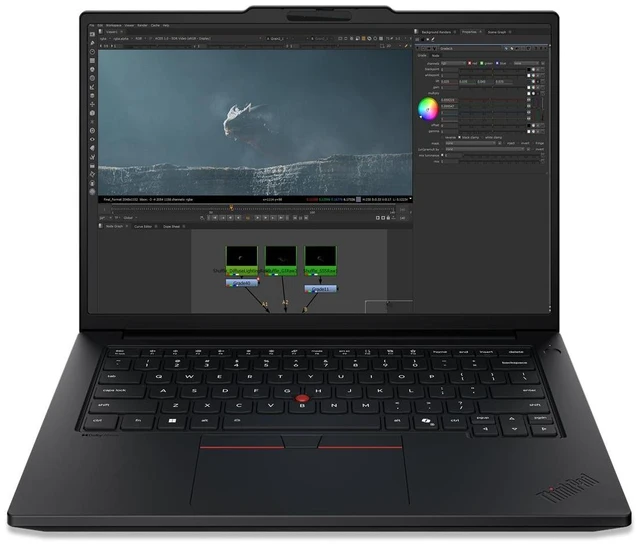
Lenovo ThinkPad P14s Gen 7 21XJ0035US 14.5" Copilot+ PC Mobile Workstation - Intel Core Ultra 9 386H - 96 GB - 2 TB SSD - NVIDIA RTX PRO 1000 Blackwell 8GB - Windows 11 Pro - Wi-Fi 7
- 1x Nano-SIM card slot (WWAN support models)
- 1x Smart card reader
- ThinkPad P14s Gen 7 21XJ0035US Mobile Workstation
- Lithium Ion Battery
- AC Adapter
- 1YR Premier NBD
- 1CourierCarryin
Any questions? Ask CelesteSM will help you find out quickly.
Warranty & Returns
Warranty, Returns, And Additional Information
Warranty
- Limited Warranty period (parts): 1 year
- Limited Warranty period (labor): 1 year
- Read full details
Return Policies
- Return for refund until: January 31, 2027
- Return for replacement until: January 31, 2027
- This item is covered by Newegg.com's Extended Holiday Return Policy.
- Read full return policy for details.
We want to ensure your holiday shopping this year is hassle-free. That’s why we’re automatically extending our return policies on almost every product! For purchases placed between November 1st, 2026 and December 31, 2026 you will have until January 31, 2027 to return your product.
Manufacturer Contact Info
The Lenovo ThinkPad P14s Gen 7 21XJ0035US is a Windows 11 Pro mobile workstation with an Intel Core Ultra 9 386H, 96 GB of memory, a 2 TB SSD, and NVIDIA RTX PRO 1000 Blackwell graphics. It suits professionals who need substantial memory, storage, and dedicated graphics in a mobile system.
Recommended For
- Engineers and product designers who travel between office, client, and job sites and need a portable workstation for professional CAD, 3D, or engineering applications. A review found the RTX PRO 1000 improved performance across several professional graphics benchmarks, and Lenovo lists support for ISV-certified applications.
- Video and content professionals who need GPU-accelerated editing or rendering in a laptop they can carry. StorageReview’s tests found useful GPU acceleration in Blender and 8K Blackmagic RAW workflows, while noting that demanding enhancement tasks can take time.
- Developers and technical professionals who run multiple tools, virtual machines, or large projects while moving between work locations. The 96GB memory configuration and replaceable LPCAMM2 module suit memory-heavy workflows in a relatively portable workstation.
- Professionals who want to run some AI workloads locally and need a portable system with both a workstation GPU and substantial system memory. The RTX PRO 1000 accelerated tested image-generation workloads, but its 8GB of graphics memory limits which larger models fit.
Real-World Use Scenarios
- At a client site or between meetings, an engineer can open and review CAD or BIM models in certified professional software; the RTX PRO graphics are suited to workstation visualization, while the 14.5-inch laptop is practical to carry between locations.
- A 3D artist working in Blender can preview scenes and run GPU rendering on the go; testing of a closely matched P14s Gen 7 configuration found its RTX PRO 1000 substantially faster than integrated graphics in Blender benchmarks.
- An engineer or designer juggling a large project, CAD software, spreadsheets, and reference documents can keep many work items open; the 96 GB memory configuration provides room for memory-intensive multitasking, though performance will still depend on the application and project size.
- An engineering student who needs to work away from a desktop can use the P14s for coursework and engineering applications between home, campus, and class; an owner of a similar Gen 7 configuration described choosing it to do more work while away from home.
- At a desk, a professional can connect external monitors and peripherals for a multi-screen work setup, then unplug the laptop to take the same work elsewhere; a Gen 7 owner reports using two monitors alongside speakers and a mouse.
Spec Summary
| Attribute | Value |
|---|---|
| Best For | Mobile workstation users seeking a compact 14-inch system |
| Display | 14-inch screen |
| Brand | Lenovo |
Reference Q&A
Q: ThinkPad P14s Gen 7 vs Gen 6: is this configuration a meaningful upgrade?
A: The P14s Gen 7 is the stronger choice when you want a newer processor platform, an RTX PRO 1000 Blackwell GPU with 8GB of graphics memory, and up to 96GB of memory. In StorageReview’s tested configurations, the Gen 7 outperformed the Gen 6 in several workloads, including PCMark 10 overall and GPU rendering. The results compare specific review units, so performance will vary by configuration.
Q: ThinkPad P14s Gen 7 with RTX PRO 1000 vs RTX PRO 500: which configuration should I choose?
A: Choose this RTX PRO 1000 configuration when your work benefits from a higher-tier professional GPU and 8GB of graphics memory. Lenovo also offers the P14s Gen 7 with an RTX PRO 500 and 6GB of graphics memory, making that option a fit for buyers who want a lower graphics tier. Both are discrete workstation GPU configurations.
Q: Is the 96GB RAM and 2TB SSD ThinkPad P14s Gen 7 worth choosing over a lower-capacity configuration?
A: Choose this configuration if you want 96GB of memory and a 2TB SSD in the system as listed. Lenovo’s P14s Gen 7 specifications include memory configurations up to 96GB and storage options up to 2TB, so this model pairs the listed maximum capacities for memory and SSD storage.