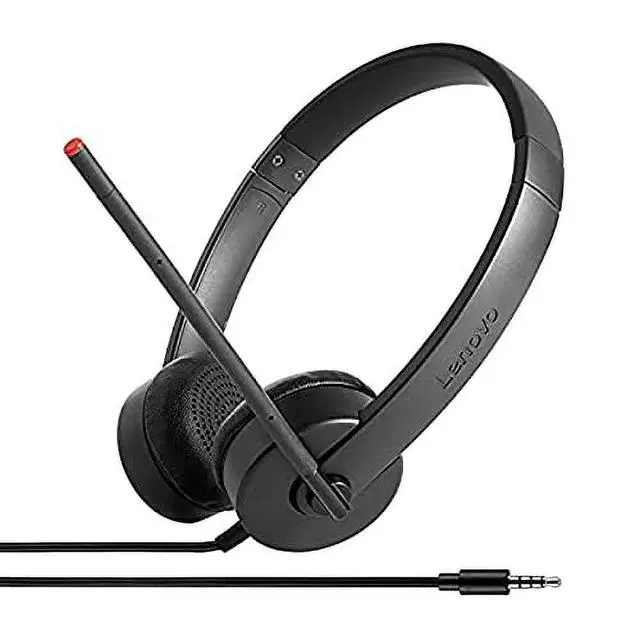
The Lenovo Stereo Analog Headset is a black, wired over-the-head headset with stereo speakers and a mini-phone connector, suited to users who want straightforward listening on a device with a compatible jack.
Recommended For
- People who regularly take Zoom, Teams, or other VoIP calls at a laptop or workstation with a 3.5 mm audio jack; Lenovo positions this headset for VoIP, and reviewers describe it as useful for meetings.
- Students joining online classes or study groups who want a wired headset with a boom mic and stereo earpieces for calls; Lenovo specifically lists it among its student accessories for VoIP use.
- Users who prefer a simple wired setup over charging or Bluetooth pairing, provided their device has a compatible 3.5 mm connection; Lenovo describes it as plug-and-play with a universal 3.5 mm jack.
- People using a compatible Chromebook, laptop, or workstation who want one headset for calls across devices with a 3.5 mm jack; Lenovo describes the connection as universal and lists Chromebook compatibility.
Real-World Use Scenarios
- For work VoIP calls, plug the headset into a compatible 3.5 mm audio jack and position the adjustable boom microphone; it provides a dedicated headset and mic without Bluetooth pairing.
- During online meetings or classes, use the boom mic for speaking and the stereo ear pieces for listening; the wired connection keeps the headset connected without recharging.
- At a call-center or shared office workstation, use it for regular calls while keeping both hands free; its adjustable headband and rotatable boom allow you to position the mic for use.
- When listening to training videos or other computer audio in a shared space, wear the stereo headset to hear the content privately rather than playing it through speakers.
- For a simple laptop or workstation setup, connect it directly to a compatible 3.5 mm port; analog plug-in use avoids managing a wireless pairing, though devices without a suitable jack may need an adapter.




 here!

 Hot Seller