• $169.99
  • Free 30-day Returns
  • Price alert
    Shop it at NeweggBusiness.

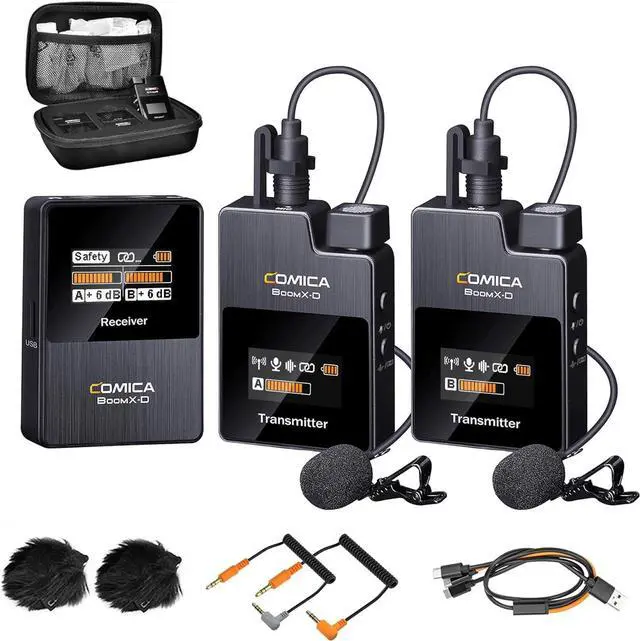
    COMICA BoomX-D2 Wireless Lavalier Microphone, 2.4G Dual Lapel Mic with 2 Transmitters, Noise Cancellation, 656ft Range, Compatible with iPhone, Android, Camera, for YouTube Video Recording Streaming

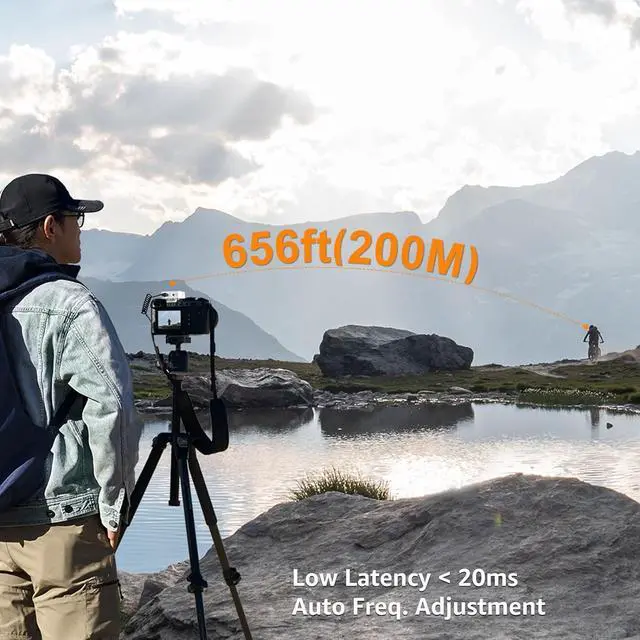
    • 2.4G Digital RF Wireless Mic with 650ft(200M) Stable TransmissionComica BoomX-D2 wireless mic comes with two transmitters and one receiver. The working distance of up to 650ft, is ideal for Tiktok Livestream, interviews, Youtube video recordings, etc.
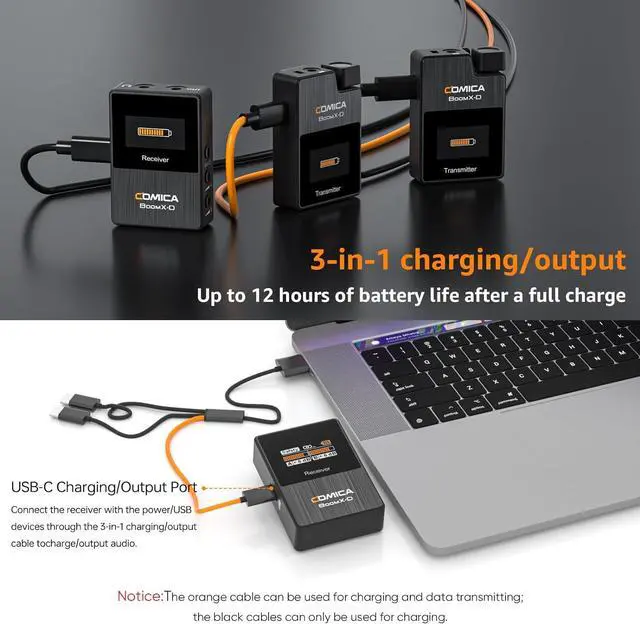
    • One-Button Muting & Real-Time MonitoringThe receiver of BoomX-D2 Wireless lapel mic has a 3.5mm headphone monitor hole, you can test whether it is working normally during recording. Press the power button briefly on the transmitter to mute, for short pauses or adjustments to the device during recording.
    • Auto Frequency Adjustment & Low Latency < 20msComica BoomX-D2 wireless camera microphone can be paired automatically and choose the best channel for stable and smooth signal transmission. Allowing audio to be transmitted faster and latency to be reduced to less than 20ms, high fidelity and fast transmission.
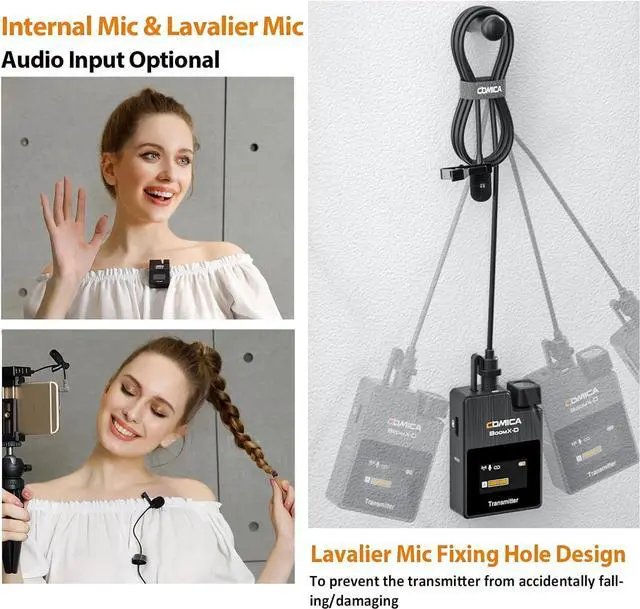
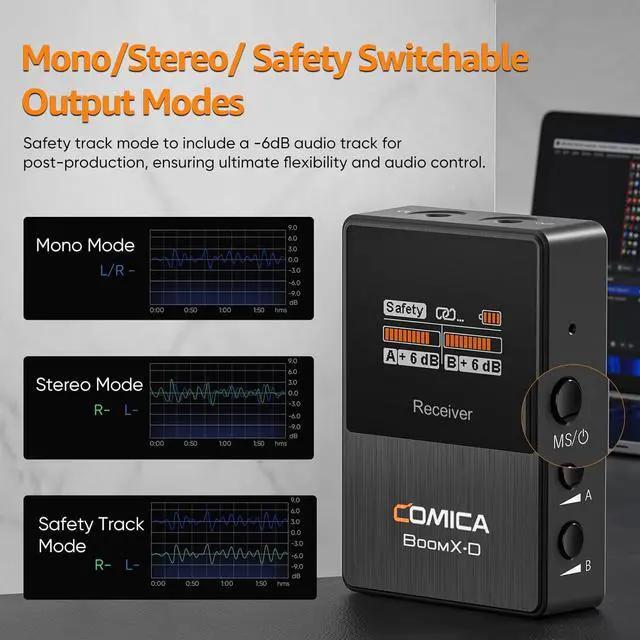
    • MONO/STEREO/Safety Mode Switch and 2 Audio Input ModesComica BoomX-D2 lavalier mic provides mono/stereo switch
    +
    +
    Overview
    Specs
    Reviews
    avatar

    Any questions? Our AI beta will help you find out quickly.

    1Mono/Stereo Switchable2Come with a Carrying Bag348KHZ/16 Bit Audio Record4Real-time Audio Monitor5Low Latency < 20ms How do I connect it to my iPhone?
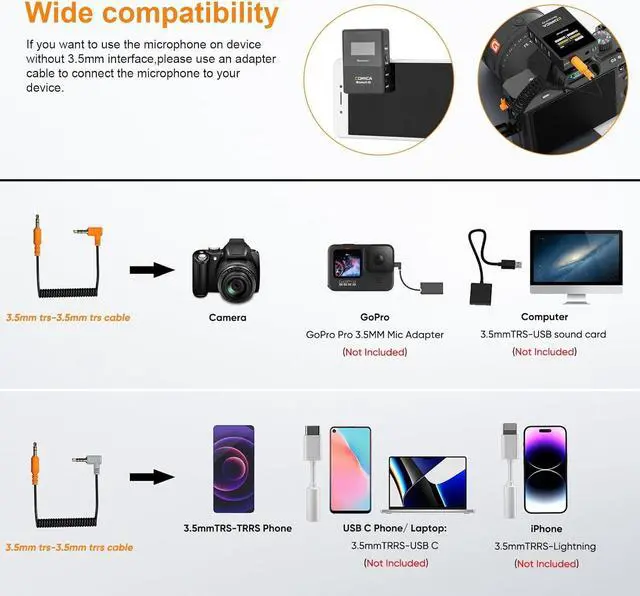
    For iPhone users, connect the 3.5mm to Lightning adapter with OTG to the receiver.It is highly recommended to use the CVM-D-MI audio output cable from COMICA.
    iPhone speaker won't work when connected.
    How do I connect it to myUSB C(Type C) Phone/Laptop?
    For USB C device, connect the 3.5mm to the USB-C audio adapter with OTG (not included). It is highly recommended to use the CVM-D-UC II Output Cable or CVM-SPX-UC Cable Adapter from COMICA.
    Your phone speaker won't output sound.
    How do I connect it to my computer?
    To connect BOOMX-D to a computer with USB-C input, use a 3.5mm to USB-C audio adapter (not included) or a TRS-TRS cable. Make sure to select BOOMX-D as the input audio device for your computer and recording software.
    What should I do if my camera come with loud background noise?
    Manually adjust camera recording volume, lower camera gain, and turn off automatic gain control. Note: BoomX-D may not be compatible with wind noise suppression and noise reduction functions of your camera. Turn off both functions when recording.
    hero-video Dual Transmitters and One Receiver Mini and Portable Broadcasting Quality Audio Ensure Clear Recording,Keep the Mic Work Properly Make the Recording Clear and Natural How do I connect it to my iPhone?
    How do I connect it to myUSB C(Type C) Phone/Laptop?
    How do I connect it to my computer?
    What should I do if my camera come with loud background noise?

    Warranty & Returns

    Warranty, Returns, And Additional Information

    Warranty

    • Please contact the Seller directly for warranty information. Warranty information may also be found on the Manufacturer's website.
    • CONTACT

    Return Policies

    Manufacturer Contact Info

    LOADING...