




 here!
I’m your shopping assistant for PC builds, upgrades, and everything tech.
Got questions? Ask away!
Start a conversation
here!
I’m your shopping assistant for PC builds, upgrades, and everything tech.
Got questions? Ask away!
Start a conversation




Any questions? Ask CelesteSM will help you find out quickly.

Intel Core Ultra 5-225 processor (10 Cores, 20MB Total Cache, 3.3GHz)

Intel UHD Graphics

Bring you closer to the people
and things you love while
giving you a place to think,
express and create
| Brand | Dell |
|---|---|
| Features | Wifi 6,Bluetooth 5.4 |
| CPU | Intel Core Ultra 5-225 processor (10 Cores, 20MB Total Cache, 3.3GHz) |
| Graphic | Intel UHD Graphics |
| Operating System | Windows 11 Home/Pro |
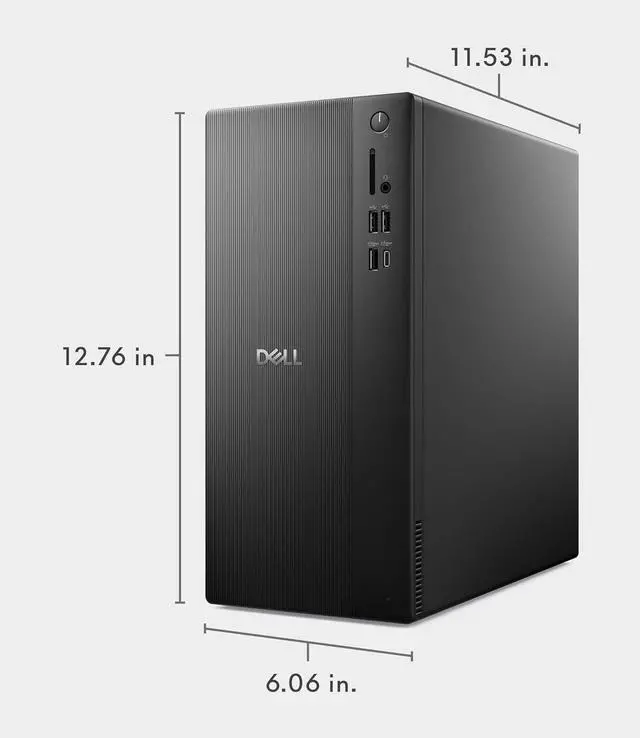
| Dimensions | 12.76 x 6.06 x 11.53 in,12 lb |
| Weight | 21 lbs |
| Memory (RAM) | Up to 64 GB |
| Hard Drive | up to 2 TB PCIe NVMe M.2 SSD |
CPU:Intel Core Ultra 5-225 processor (10 Cores, 20MB Total Cache, 3.3GHz)
Display:NO
Memory:up to 64 GB DDR5 RAM
Hard Drive:up to 2 TB PCIe NVMe M.2 SSD
Operating System:Windows 11 Home/Pro
Graphics:Intel UHD Graphics
Keyboard and mouse: Wired Keyboard and mouse
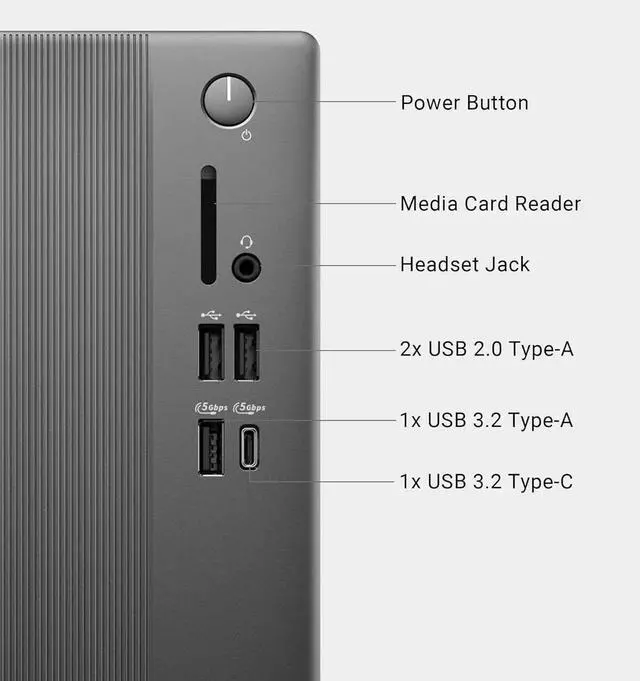
Wireless Connectivity:Intel Wi-Fi 6 (2x2) Gig+ and Bluetooth 5.4
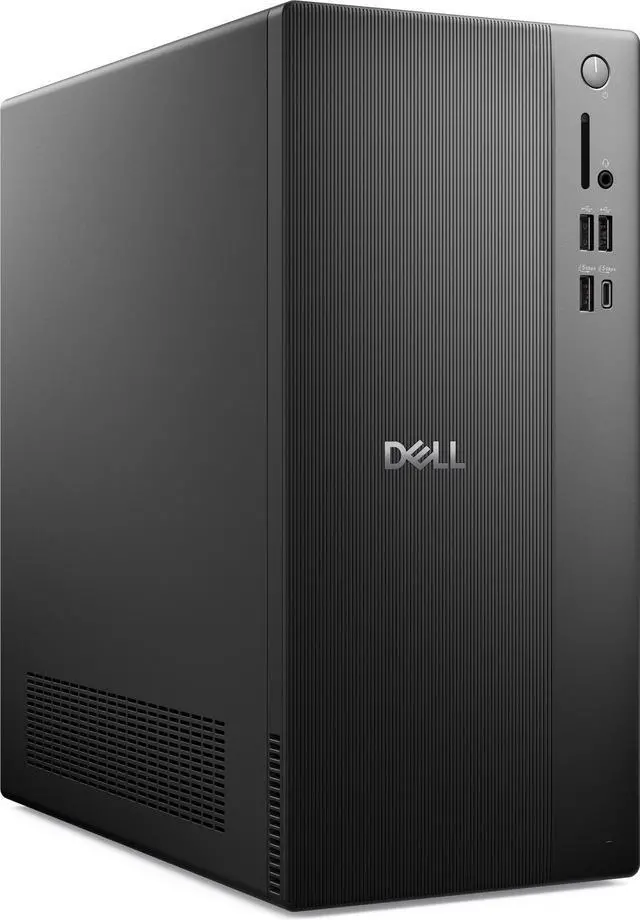
Color:Black
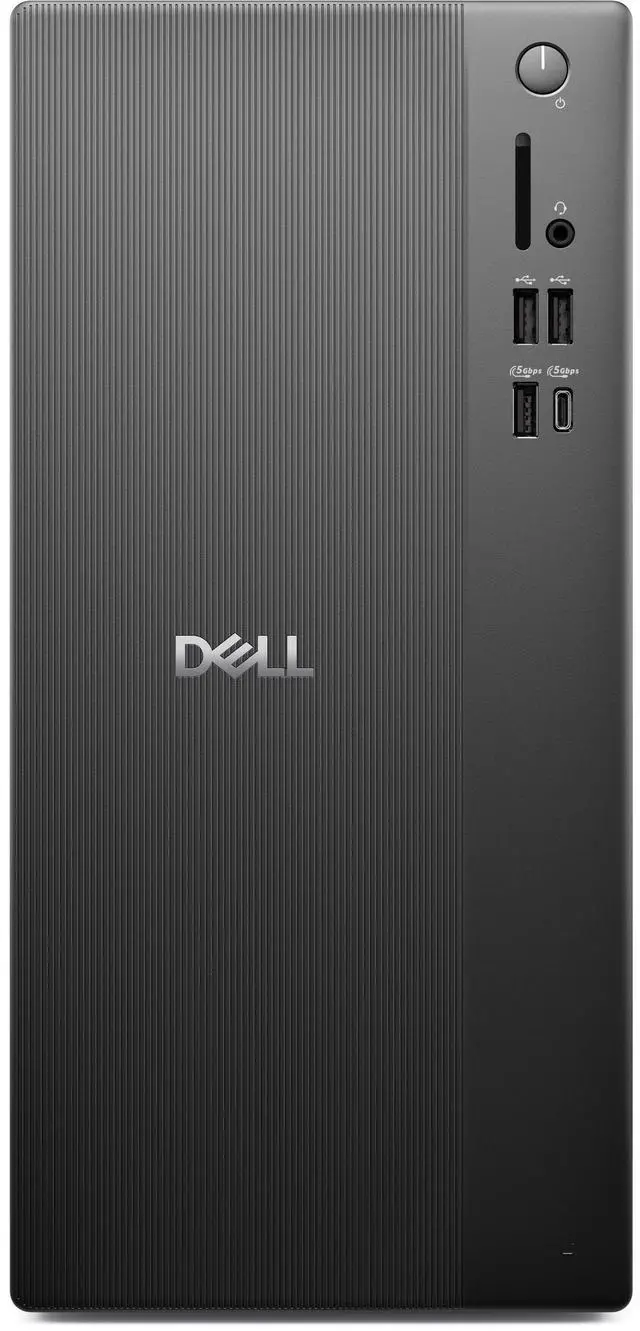
Dimensions:12.76 x 6.06 x 11.53 in,12 lb
The Dell ECT1250 is a Windows 11 Pro desktop with an Intel Core Ultra 5 225, 32GB of DDR5 memory, and a 1TB NVMe SSD, suited to users who want a ready-configured PC for everyday productivity, multitasking, and general office work.
| Attribute | Value |
|---|---|
| Best For | Desktop productivity and multitasking, with a monitor supplied separately |
| Processor | Intel Core Ultra 5 225 |
| Graphics | Integrated Intel UHD Graphics |
| Memory | 32GB DDR5 at 5600 |
| Storage | 1TB SSD; no HDD |
| Connectivity | Wi-Fi 6 and Bluetooth 5.4 |
| Included Accessories | USB keyboard and USB mouse |
| Display | Monitor not included |
| Operating System | Windows 11 Pro |
| Form Factor And Design | Desktop PC in black |
Q: Dell ECT1250 Core Ultra 5 225 with 32GB/1TB vs 8GB/512GB: which configuration should I choose?
A: Choose the Newegg configuration when you want twice the memory and twice the SSD capacity: it has 32GB DDR5 and a 1TB SSD, compared with 8GB DDR5 and a 512GB SSD in Dell’s listed entry configuration. Both use the Core Ultra 5 225 and Intel UHD Graphics, so the main decision is memory and storage capacity.
Q: Should I get this Dell ECT1250 or the Core Ultra 5 version with 16GB RAM and 512GB SSD?
A: Choose this Newegg configuration if you want 32GB rather than 16GB of DDR5 memory and a 1TB rather than 512GB SSD. The two configurations share the Core Ultra 5 225 processor and Intel UHD Graphics, making memory and storage the key differences.
Q: Dell ECT1250 Core Ultra 5 225 vs Core Ultra 7 265 with 32GB RAM and 1TB SSD: which fits better?
A: Choose the Core Ultra 5 225 configuration for a 32GB/1TB setup with a 10-core processor. Choose the ECT1250 Core Ultra 7 265 configuration when you prefer a 20-core processor while keeping 32GB of memory, a 1TB SSD, and Intel UHD Graphics. Both options are Dell ECT1250 towers; the processor tier is the primary difference.
Q: Dell ECT1250 Core Ultra 5 225 with 32GB/1TB vs Core Ultra 7 265 with 16GB/512GB: which should I pick?
A: Choose the Core Ultra 5 configuration when 32GB of memory and a 1TB SSD are the priority. Choose the Core Ultra 7 configuration when you prefer its 20-core processor and a 16GB/512GB configuration. Both use Intel UHD Graphics, so this choice mainly comes down to processor tier versus memory and storage capacity.
Q: Is this desktop suitable for office work and multitasking?
A: Yes. Its Intel Core Ultra 5 225, 32 GB of DDR5 memory, and 1 TB SSD make it suitable for typical office tasks and running multiple apps. It is a desktop, and the monitor is not included.
Q: Does it come with a monitor?
A: No. The monitor is not included, so you will need a separate display. A USB keyboard and mouse are included.
Q: Is it a good choice for gaming?
A: It is not positioned as a gaming-focused PC: it uses integrated Intel UHD Graphics rather than a dedicated graphics card. It may suit lighter gaming, but demanding games may be limited; check each game's requirements before buying.
Q: Are a keyboard and mouse included?
A: Yes. The listed package includes a wired USB keyboard and USB mouse. A monitor is not included.
Q: Is the Dell ECT1250 with Intel UHD Graphics suitable for gaming?
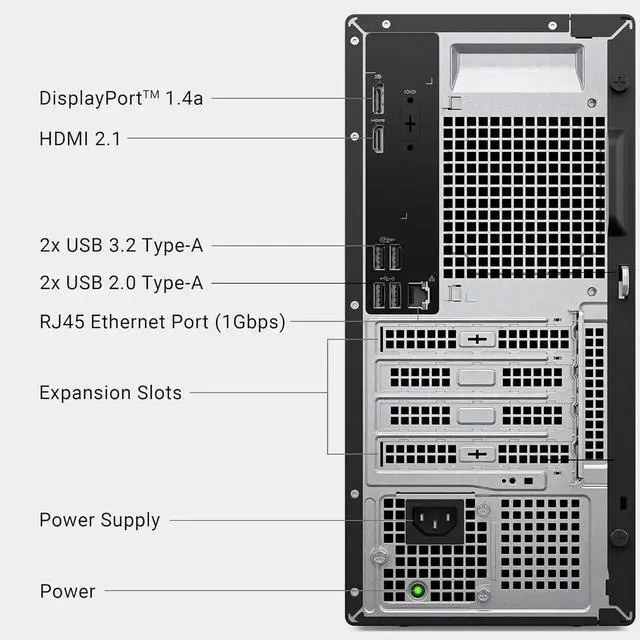
A: This configuration has integrated Intel UHD Graphics and no dedicated graphics card, so it is better suited to everyday computing than graphics-intensive gaming. If you plan to add a graphics card, verify the exact power-supply configuration and card compatibility first; ECT1250 configurations discussed by users differ.
Q: Can I add a graphics card to the Dell ECT1250 later?
A: A graphics-card upgrade may be possible, but do not assume it is plug-and-play. Reddit discussions describe different ECT1250 power-supply options, and users note that the power supply may be proprietary. Check the exact unit’s PSU, card fit, and power requirements before buying an upgrade.
Q: Can I add an internal SATA drive to the Dell ECT1250?
A: An internal SATA drive may be an option, but Reddit owners report that some ECT1250 units do not include the required drive bay or SATA power cable. Confirm which mounting parts and cables are included with the specific listing before counting on an internal-drive upgrade.


