here!
I’m your shopping assistant for PC builds, upgrades, and everything tech.
Got questions? Ask away!
Start a conversation
here!
I’m your shopping assistant for PC builds, upgrades, and everything tech.
Got questions? Ask away!
Start a conversation

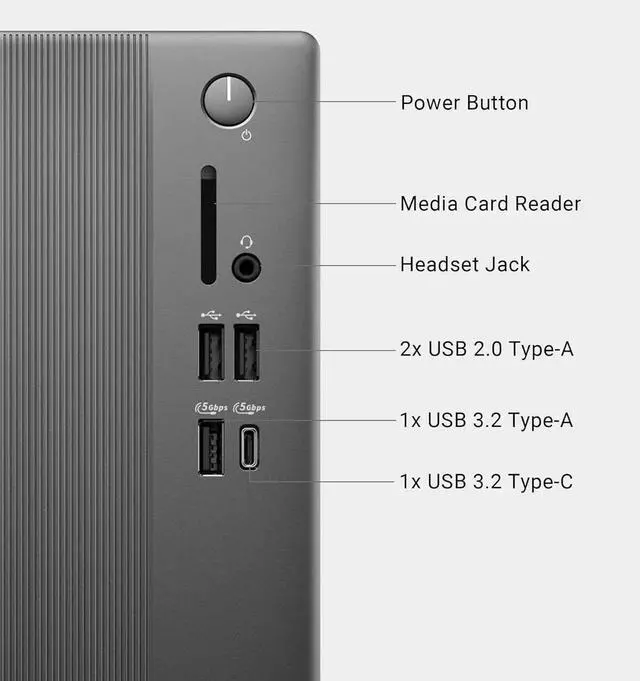
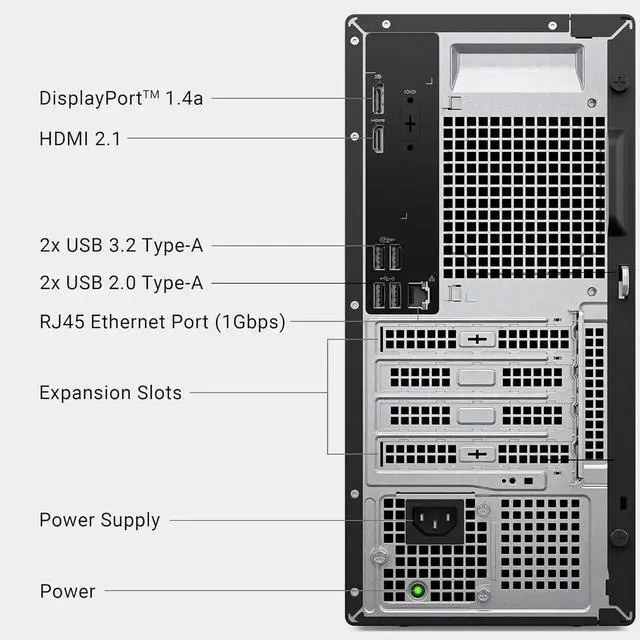



Any questions? Ask CelesteSM will help you find out quickly.

Intel Core Ultra 5-225 processor (10 Cores, 20MB Total Cache, 3.3GHz)

Intel UHD Graphics

Bring you closer to the people
and things you love while
giving you a place to think,
express and create
| Brand | Dell |
|---|---|
| Features | Wifi 6,Bluetooth 5.4 |
| CPU | Intel Core Ultra 5-225 processor (10 Cores, 20MB Total Cache, 3.3GHz) |
| Graphic | Intel UHD Graphics |
| Operating System | Windows 11 Home/Pro |
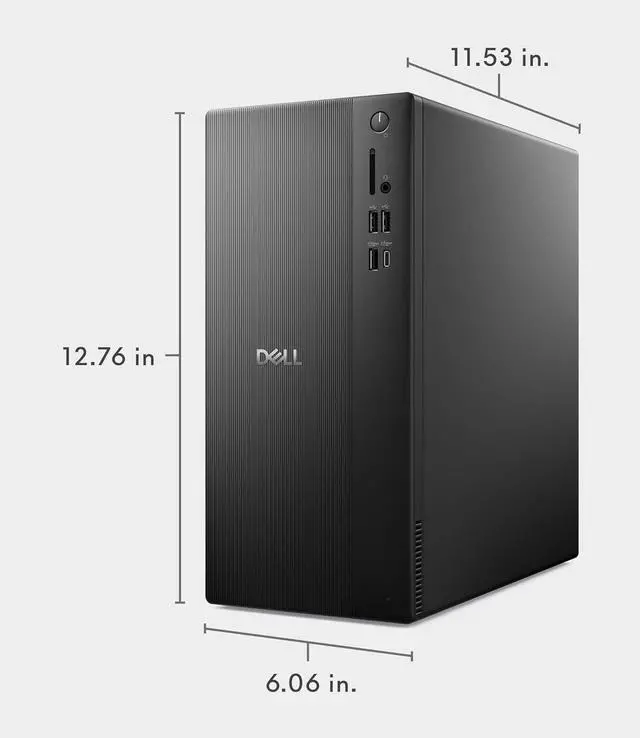
| Dimensions | 12.76 x 6.06 x 11.53 in,12 lb |
| Weight | 21 lbs |
| Memory (RAM) | Up to 64 GB |
| Hard Drive | up to 2 TB PCIe NVMe M.2 SSD |
CPU:Intel Core Ultra 5-225 processor (10 Cores, 20MB Total Cache, 3.3GHz)
Display:NO
Memory:up to 64 GB DDR5 RAM
Hard Drive:up to 2 TB PCIe NVMe M.2 SSD
Operating System:Windows 11 Home/Pro
Graphics:Intel UHD Graphics
Keyboard and mouse: Wired Keyboard and mouse
Wireless Connectivity:Intel Wi-Fi 6 (2x2) Gig+ and Bluetooth 5.4
Color:Black
Dimensions:12.76 x 6.06 x 11.53 in,12 lb
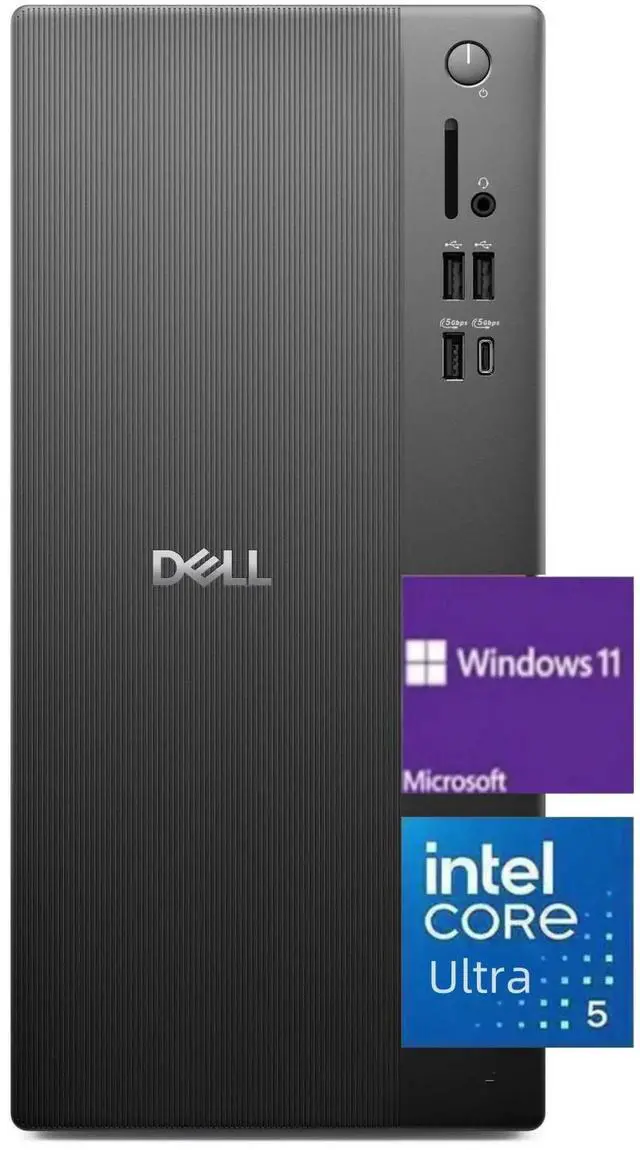
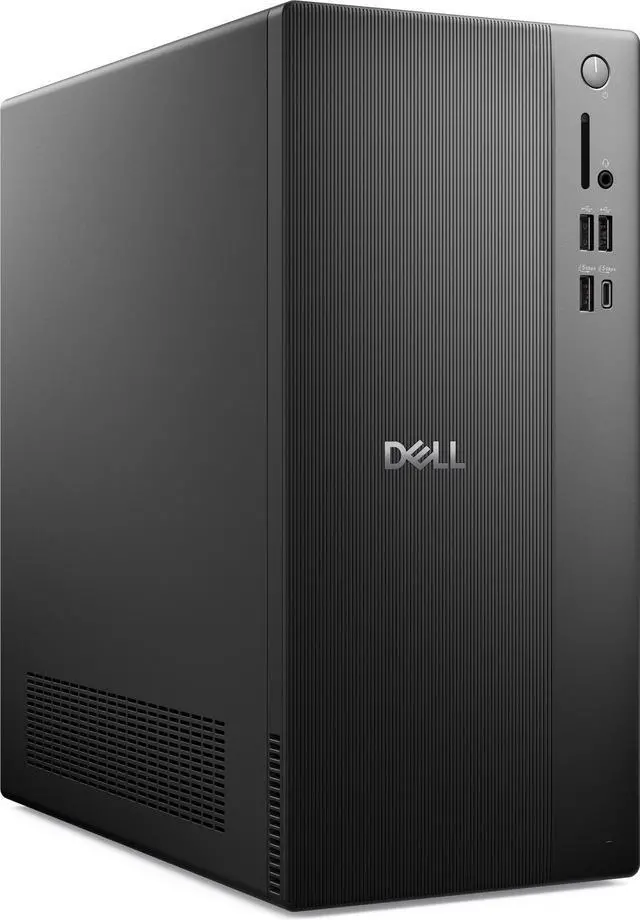
The Dell ECT1250 is a Windows 11 Home tower desktop with an Intel Core Ultra 5 225, 16GB of DDR5 memory, and a 512GB PCIe SSD, suited to everyday home, office, and multitasking needs; it includes Wi-Fi 6, Bluetooth 5.4, and wired keyboard and mouse.
| Attribute | Value |
|---|---|
| Best For | General desktop computing with an Intel Core Ultra 5 processor, 16GB of DDR5 memory, and 512GB of SSD storage |
| Processor And Graphics | Intel Core Ultra 5 225 processor with Intel UHD Graphics |
| Memory And Storage | 16GB DDR5 memory and a 512GB SSD; no HDD |
| Wireless Connectivity | Wi-Fi 6 and Bluetooth 5.4 |
| Included Peripherals | USB keyboard and USB mouse |
| System And Display | Windows 11 Home; monitor not included |
| Form Factor And Color | Black desktop PC |
Q: Should I choose the Dell ECT1250 with 16GB RAM or the 8GB version?
A: Choose this 16GB ECT1250 if you want more memory available for multitasking from the start. Both configurations pair the Core Ultra 5 225 with a 512GB SSD; the 8GB version is the lower-memory option in Dell’s lineup.
Q: Is the ECT1250 with Core Ultra 5 225 or Core Ultra 7 265 a better fit?
A: The ECT1250 with Core Ultra 5 225, 16GB RAM, and a 512GB SSD is a balanced choice for everyday home and office tasks. Choose a Core Ultra 7 265 configuration if your work benefits from more processor cores: Dell lists 10 cores for the Ultra 5 225 and 20 for the Ultra 7 265, with configurations available at 16GB RAM and 512GB storage.
Q: How does the ECT1250 with Core Ultra 5 225 compare with the ECT1250 with Core i5-14400?
A: Choose this Core Ultra 5 225 configuration if you want the ECT1250’s Ultra-series processor and a Gen4 PCIe SSD. Dell lists the Core i5-14400 as another ECT1250 processor option; its specification sheet identifies Gen3 SSD storage for that processor family.
Q: Is a monitor included with this desktop?
A: No. The product information says the monitor is not included. You will need a separate display; check that it connects through a compatible video port.
Q: Is this desktop suitable for everyday office work and multitasking?
A: It is suited to everyday office tasks such as web browsing, documents, email, and video meetings. Its Core Ultra 5 processor and 16 GB of DDR5 memory support general productivity; the monitor is sold separately.
Q: Is this desktop good for gaming?
A: It has integrated Intel UHD Graphics rather than a dedicated graphics card, so it is better suited to everyday computing and lighter graphics workloads than demanding modern games. Gaming performance will depend on the game and settings.
Q: Are a keyboard and mouse included?
A: Yes. The product information lists a USB keyboard and USB mouse, so both included peripherals are wired.
Q: Can I add a graphics card to the Dell ECT1250 later?
A: It comes with integrated Intel UHD Graphics. Reddit discussions raise graphics-card compatibility and power as upgrade concerns, so do not assume a standard card will fit or work; verify the exact system’s power supply, connectors, and available space before buying a card.
Q: Is the Dell ECT1250 a good choice for gaming?
A: The listed configuration uses integrated Intel UHD Graphics rather than a dedicated gaming GPU. It is a better fit for general desktop tasks than for graphics-intensive gaming; if gaming is a priority, check whether a compatible graphics-card upgrade is practical for this exact configuration.
Q: Can I add a hard drive or more storage to the Dell ECT1250?
A: The listed configuration has a 512 GB M.2 PCIe SSD and no HDD. Reddit posts discuss adding a secondary drive and the required mounting hardware or cable, so check what is included in the specific unit and confirm the parts needed before planning an HDD upgrade.