Backordered
  • $1,199.99
  • $1,399.99
  • Save: $200.00 (14%)
  • Free 15-day Returns
ETA Date: 10/26/2026.
About Backordered Items Backordered Items
Sold by Newegg

Shipped by Newegg

Price alert

Best Sellers

Top Rated
4.5 (5,779 total ratings)
  • $1,199.99
  • + $16.60 Shipping
Hot Seller
4.5 (9,024 total ratings)
  • $1,585.54
Top Rated
4 (3,723 total ratings)
  • $1,667.73
  • + FREE SHIPPING
Shop it at NeweggBusiness.

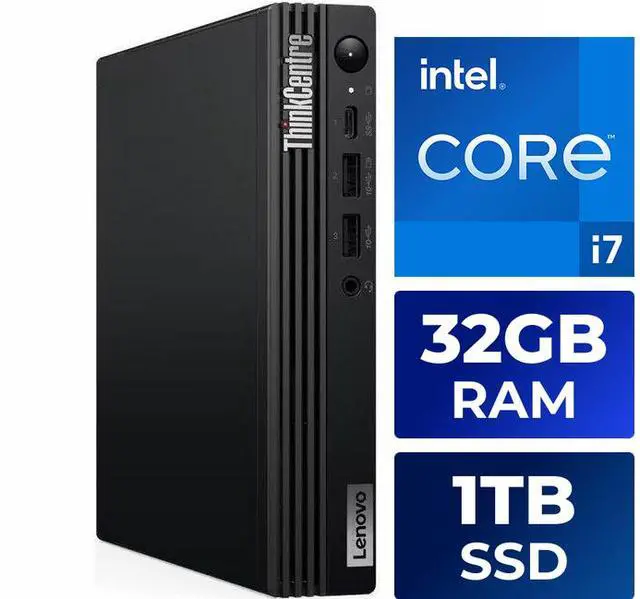
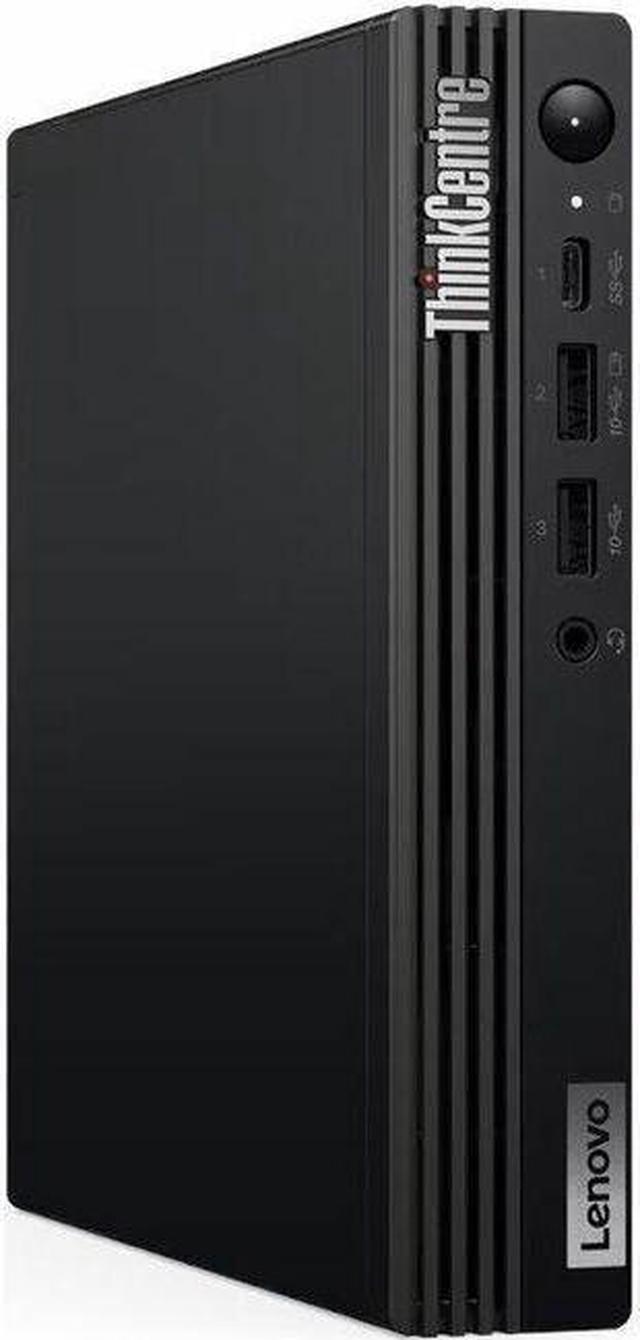
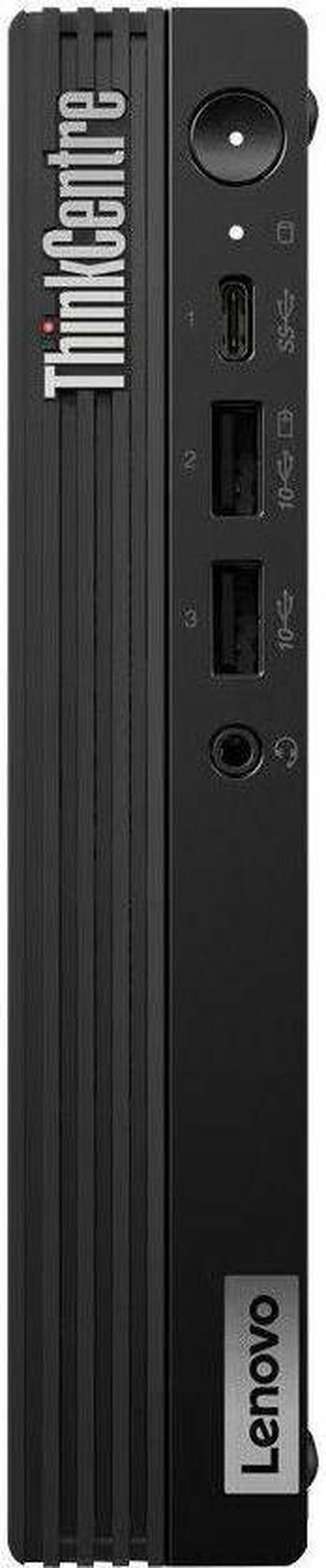
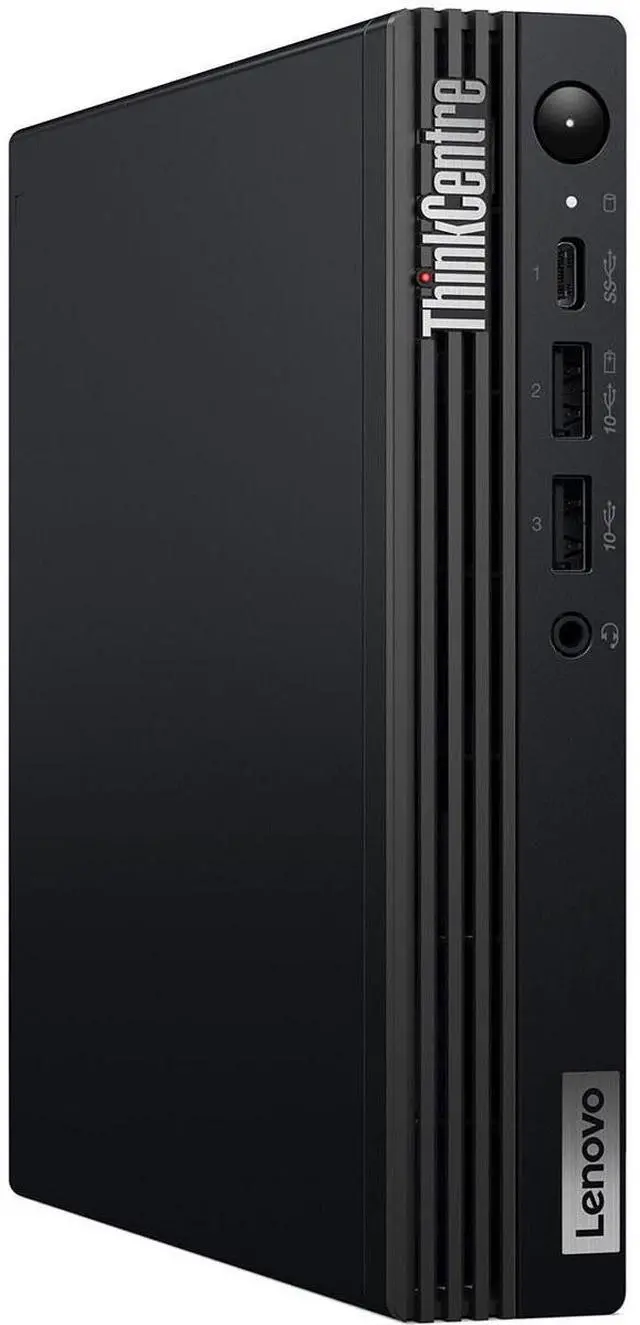
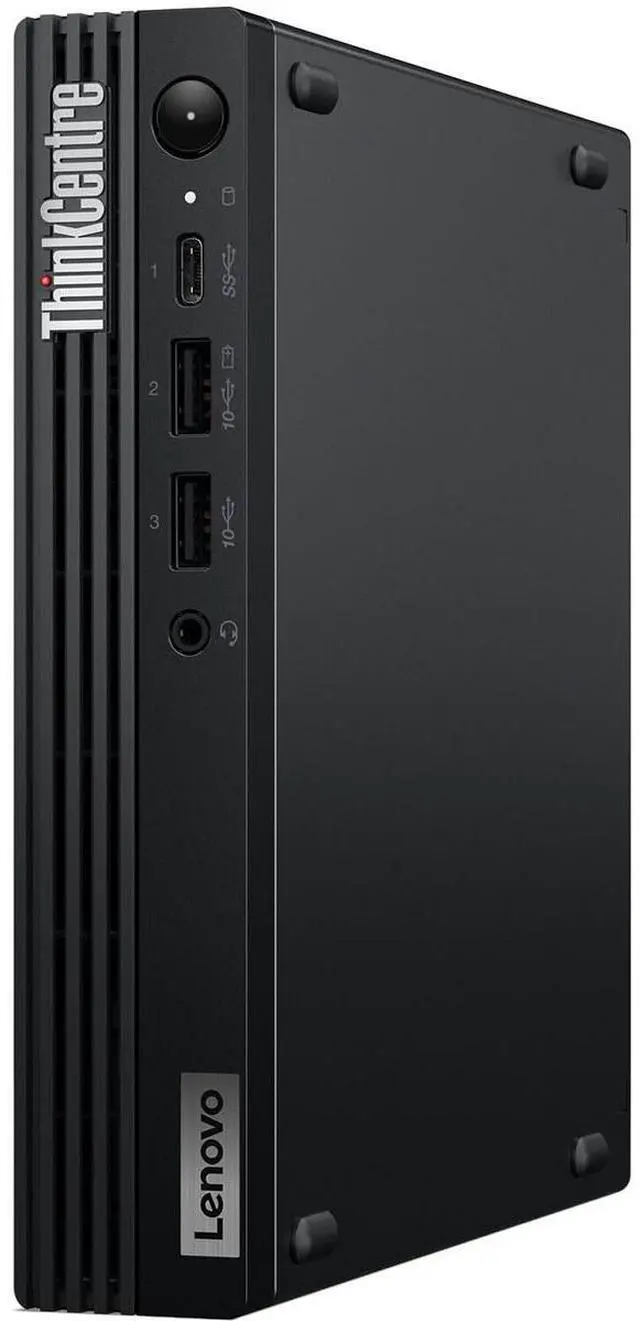
Lenovo ThinkCentre M70q Gen 5 12TD001SUS Desktop Computer - Intel Core i7 14th Gen i7-14700T ,vPro Technology ,DDR5 Memory ,32 GB ,1 TB SSD ,Tiny ,Black ,Windows 11 Pro

  • Intel Core i7-14700T, 20C (8P + 12E) / 28T, Max Turbo up to 5.2GHz, P-core 1.3 / 5.0GHz, E-core 0.9 / 3.7GHz, 33MB Intel Smart Cache
  • 1x 32GB SODIMM DDR5-5200
  • 1TB SSD M.2 2280 PCIe 4.0x4 NVMe Opal
  • Integrated Intel UHD Graphics 770
  • Windows 11 Pro, English
  • Case color - Black
  • 3-year, Onsite
+
+
Overview
Specs
Reviews
See all Q & A

Any questions? Ask CelesteSM will help you find out quickly.

Lenovo ThinkCentre M70q Gen 5 12TD001SUS Desktop Computer
Big Performance in a Compact PC
ThinkCentre M70q Gen 5 Tiny (Intel) PC

This compact desktop delivers powerful performance in a space-saving design, making it ideal for business professionals who need a reliable workhorse that fits anywhere, even in horizontal setups. It offers enhanced privacy and enterprise-grade security to protect sensitive data, while optimized workloads ensure fast data processing for demanding tasks. Although designed for the office, its efficiency and durability make it a great choice for anyone needing a dependable computer for daily use.

  • High-performing business desktop that fits anywhere, even horizontally positioned
  • Optimized workloads with up to Intel® Core™ performance
  • Fast data processing with dual-channel memory
  • Enhanced privacy & enterprise-grade security
Lenovo ThinkCentre M70q Gen 5 12TD001SUS Desktop Computer
Power Up Your Productivity

Though tiny in form, the ThinkCentre M70q Gen 5 PC boasts powerful performance with up to Intel vPro® Enterprise technology. Intel® Core™ processors, combined with dual-channel memory deliver speedy responsiveness — so you can handle demanding workloads. Plus with flexible expansion slots, this compact device easily accommodates your growing business.

Tiny-In-One (TIO) Monitor shown in the picture is sold separately.

Lenovo ThinkCentre M70q Gen 5 12TD001SUS Desktop Computer
Keep Your Business Your Own

ThinkShield, our suite of security solutions safeguards your critical data and device. A self-healing BIOS restores your system to an earlier state should it ever be corrupted, while discrete Trusted Platform Module encrypts data. Optional Intel vPro® Enterprise boasts multilayered protection against cyber threats, data theft, and more.

Monitor, wireless keyboard, and mouse shown in the picture are sold separately.

Lenovo ThinkCentre M70q Gen 5 12TD001SUS Desktop Computer
Effortless Management

The ThinkCentre M70q Gen 5 Tiny PC boasts hassle-free deployment, upgrades, and management thanks to built-in driver support for older operating system (OS) versions. Tool-less access makes maintenance and expansion to memory modules and storage fast and efficient.

Lenovo ThinkCentre M70q Gen 5 12TD001SUS Desktop Computer
Tuck it Away or Showcase on a Desk

Looking for a sleek desktop that fits anywhere? The ThinkCentre M70q Gen 5 Tiny can be easily mounted to the back of a monitor, beneath a desk, or even tucked away on a bookshelf (mounting kits sold separately). Plus you can position it horizontally or vertically — whatever suits your needs. What’s more, it supports up to three displays for when you really need to see what’s going on.

TIO Monitor, wireless keyboard and mouse shown in the picture are sold separately.

Lenovo ThinkCentre M70q Gen 5 12TD001SUS Desktop Computer
ThinkCentre Tough

We use the US Department of Defense's MIL-STD 810H to create a balance of reliability and durability for our devices. Meeting 12 standards and 17 procedures, ThinkCentre PCs are engineered to run in harsh conditions like the Arctic wilderness, desert dust storms, extreme temps, pressure, humidity, vibration, and more.

Monitor, wireless keyboard, and mouse shown in the picture are sold separately.

Lenovo ThinkCentre M70q Gen 5 12TD001SUS Desktop Computer
Commitment to Recycling

The ThinkCentre M70q Gen 5 tiny PC uses 85% post-consumer content (PCC) recycled acrylonitrile butadiene styrene (ABS) in the chassis. The packaging has 30% ocean-bound plastic in the thermal shell and bag, with a Forest Stewardship Council® (FSC) certified carton. Plus it’s certified ENERGY STAR® 8.0 for energy efficiency and reduced costs.

Monitor, wireless keyboard, and mouse shown in the picture are sold separately.

Note:

* Specifications may vary depending upon region / model.

Though tiny in form, the ThinkCentre M70q Gen 5 PC boasts powerful performance with up to Intel vPro Enterprise technology. Intel Core processors, combined with dual-channel memory deliver speedy responsiveness - so you can handle demanding workloads. Plus with flexible expansion slots, this compact device easily accommodates your growing business.

Warranty & Returns

Warranty, Returns, And Additional Information

Warranty

  • Limited Warranty period (parts): 1 year
  • Limited Warranty period (labor): 1 year
  • Read full details

Return Policies

LOADING...
LOADING...

The Lenovo ThinkCentre M70q Gen 5 is a tiny business desktop with an Intel Core i7-14700T, 32GB of DDR5 memory, and a 1TB NVMe SSD, suited to office teams and professionals who need strong multitasking performance in a compact workspace.

Recommended For

  • Office teams running many business apps, browser tabs, and spreadsheets at once who want a compact Windows desktop with a high-core-count processor.
  • Businesses with limited desk space that need a fixed workstation: the 1-liter Tiny chassis can sit on a desk or be VESA-mounted behind a compatible display.
  • IT-managed offices that need Windows 11 Pro and vPro Enterprise-capable hardware for centrally managed business PCs.
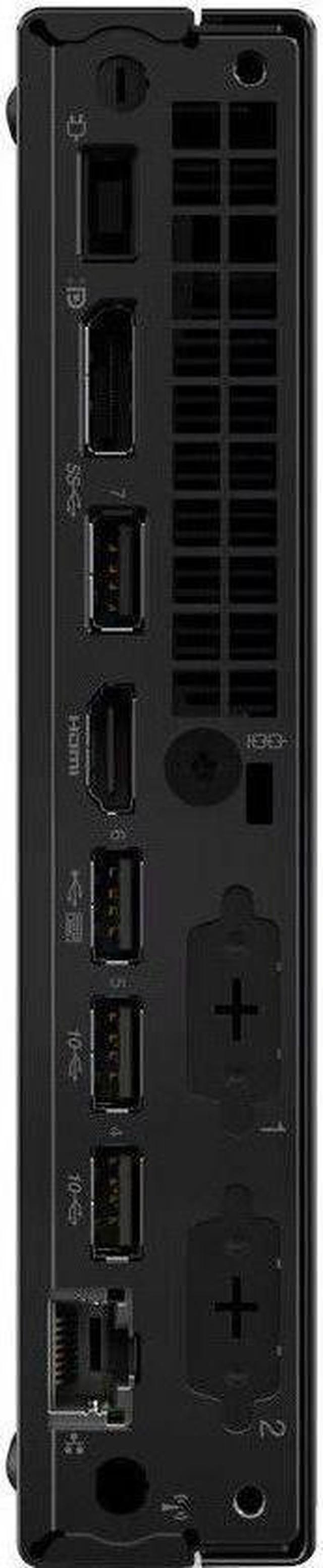
  • Desk-based workers who use two displays for documents, email, and business applications; this configuration lists HDMI and DisplayPort video outputs.

Real-World Use Scenarios

  • For everyday office work—such as keeping browser-based business apps, email, documents, and spreadsheets open together—the M70q Gen 5 is suited to a responsive, all-day desktop workflow.
  • In a small office or home workspace, users can connect monitors and peripherals while keeping the computer itself off the main work surface; Lenovo lists support for up to four independent monitors, depending on the display connections used.
  • For video calls alongside notes, email, and browser tabs, it can serve as a compact work desktop for common conferencing and productivity tasks; users will need a separate webcam and microphone if their setup requires them.
  • For a business deploying several office PCs, the M70q Gen 5’s compact form and vPro-capable configuration can fit managed workplace setups, where IT staff need business-focused security and device-management features.

Spec Summary

AttributeValue
Best ForBusiness, student, and home-office work on a compact desktop with an Intel Core i7 processor, 32 GB of memory, and 1 TB of SSD storage
Processor And GraphicsIntel Core i7-14700T, 14th Gen, with 20 cores, 28 threads, up to 5.2 GHz turbo, and 33 MB cache; integrated Intel UHD Graphics 770
Memory32 GB DDR5 memory at 5200 MHz; supports up to 64 GB
Storage1 TB solid-state drive
Ports And Display Connectivity7 USB ports, including 1 USB 2.0 port, plus HDMI and DisplayPort video outputs; listed maximum display resolution is 3840 × 2160
NetworkingWi-Fi 802.11ax, Bluetooth, and Ethernet connectivity
Audio And PeripheralsBuilt-in speakers; package listing includes a standard keyboard, mouse, and vertical stand
Power And Operating System135 W power supply or adapter; Windows 11 Pro
Size And Weight7.2 × 7 × 1.4 in; weighs 2.76 lb
Model IdentifiersLenovo ThinkCentre M70q Gen 5; model and part number 12TD001SUS

Reference Q&A

Q: Should I get the M70q Gen 5 with the i7-14700T or an i5-14400T configuration?

A: Choose this i7-14700T configuration if your work regularly involves heavy multitasking or CPU-intensive tasks: it has 20 cores and 28 threads, compared with 10 cores and 16 threads for the M70q Gen 5’s i5-14400T option. The i5 version is a practical alternative for everyday office work if its lower price matters more than extra CPU capacity; memory and storage vary by configuration, so compare those too.

Q: How does this M70q Gen 5 compare with an M70q Gen 4 i7?

A: The Gen 5’s Core i7-14700T has 20 cores and 28 threads, while the Gen 4’s Core i7-13700T has 16 cores and 24 threads. Choose this Gen 5 configuration for the newer processor and its included 32GB DDR5 memory and 1TB SSD. A Gen 4 may suit you if it costs less and its specific memory and storage configuration meets your needs; compare exact model numbers because configurations differ.

Q: Is this M70q better than a desktop with a dedicated graphics card for gaming?

A: Choose the M70q for a compact work or home-office PC, not as a substitute for a gaming desktop with a dedicated graphics card. This configuration uses integrated Intel UHD Graphics 770, so a system with a discrete GPU is the more appropriate choice for graphics-intensive games. The M70q’s advantage is its tiny chassis and business-focused configuration, including Windows 11 Pro.

Q: Should I choose this tiny desktop or a laptop if I need portability?

A: Choose the M70q if you want a compact desktop that stays at a desk or can be moved between workspaces; this configuration weighs about 2.76 lb, but it has no built-in screen or battery. Choose a laptop if you need to work away from a power outlet or want an integrated display and keyboard.

Q: Is a monitor included?

A: No. A monitor is not included, so you’ll need to connect a separate display. The listing also identifies this as a desktop with no screen.

Q: Can I upgrade the RAM later?

A: The system has one 32GB DDR5-5200 SODIMM installed and supports up to 64GB. The product Q&A says another 32GB module can be added to reach that maximum.

Q: Is this a good choice for everyday office work and video meetings?

A: It is well-equipped for typical office productivity: it has an Intel Core i7-14700T, 32GB of RAM, a 1TB SSD, and Windows 11 Pro. It can connect to a monitor, but the monitor is not included; the product information does not specify a webcam, so plan to provide one for video meetings if needed.

Q: Is it suitable for gaming or graphics-heavy work?

A: It uses integrated Intel UHD Graphics 770 rather than a dedicated graphics card. It is better suited to general productivity and display output than to workloads that depend on powerful graphics hardware.

Q: Is the M70q Gen 5 suitable for an always-on home lab or Proxmox host?

A: It can suit a compact home-lab role: this configuration has a 20-core i7-14700T, 32 GB of RAM, and a 1 TB SSD. Reddit users describe using M70q Gen 5 systems for Proxmox and other home-lab workloads. One owner of an i7-14700T M70q reported 7–9 W idle power and quiet operation; treat that as an individual measurement, not a guarantee for this configuration.

Q: Can it run two monitors reliably?

A: The product listing specifies two video ports, so it is equipped for a two-display setup. However, one Reddit discussion reports intermittent second-monitor detection on an M70q Gen 5; a commenter said using HDMI and DisplayPort instead of two of the same connection type resolved their issue. Check the exact port types on this SKU and treat that report as anecdotal.

Q: Is it a good choice for a NAS or storage-heavy home lab?

A: It is better suited as a compact compute host than as a multi-drive NAS. This configuration includes a 1 TB SSD and no listed HDD; Reddit home-lab discussions about M70q Gen 5 setups describe using external or network-attached storage. If you need several internal drives, compare it with a system that has dedicated drive bays.

Q: Will a fast external NVMe drive reach its full speed on this PC?

A: Do not assume it will. A Reddit user running an M70q Gen 5 reported that its USB-C connection limited their 20 Gbps NVMe enclosure to a lower transfer speed. The product information provided here does not specify USB port speeds, so confirm the exact SKU’s port specifications if fast external-drive transfers are important.