




 here!
I’m your shopping assistant for PC builds, upgrades, and everything tech.
Got questions? Ask away!
Start a conversation
here!
I’m your shopping assistant for PC builds, upgrades, and everything tech.
Got questions? Ask away!
Start a conversation

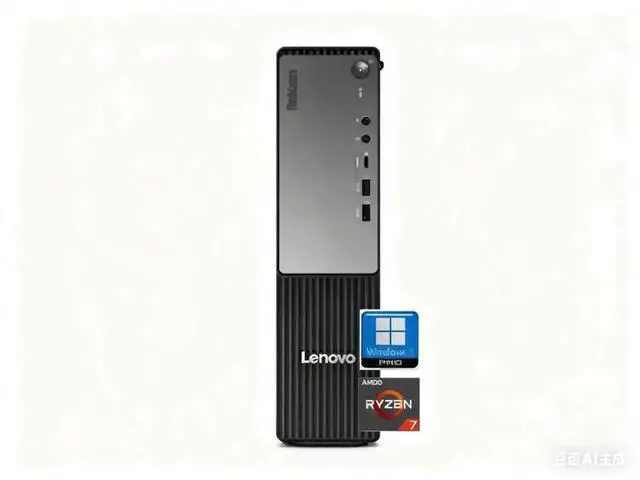
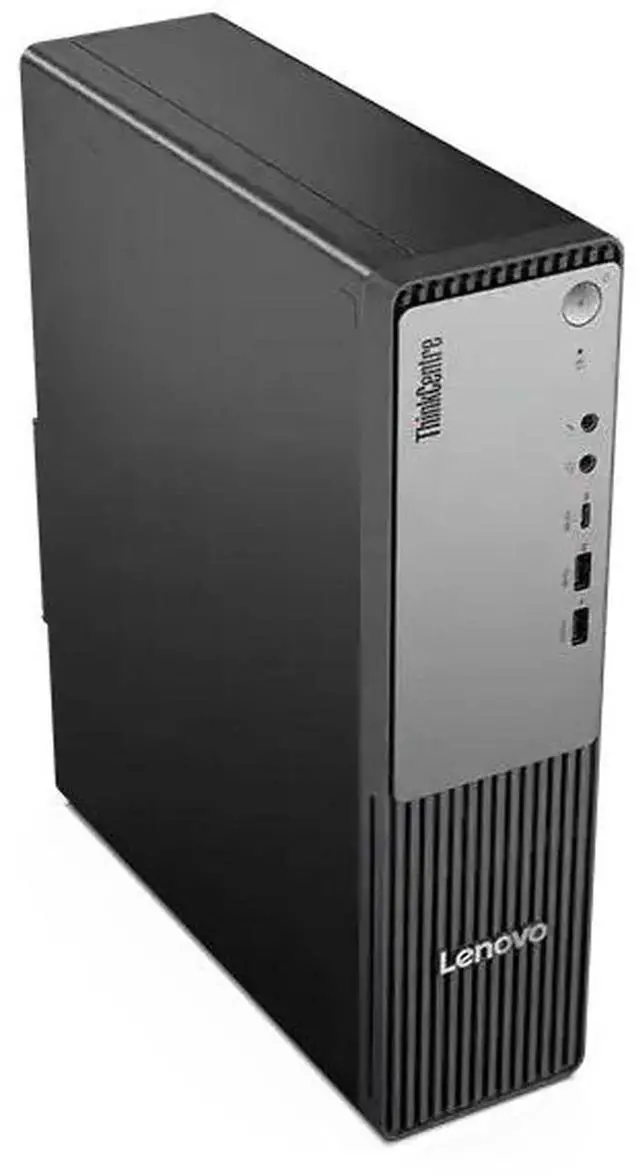



Any questions? Ask CelesteSM will help you find out quickly.
CPU:AMD Ryzen 7 250 Processor (3.30 GHz up to 5.10 GHz)
Display:NO
Memory:up to 64 GB DDR5 RAM
Hard Drive:up to 2 TB PCIe NVMe M.2 SSD
Operating System:Windows 11 Pro
Graphics:AMD Radeon 780M Graphics
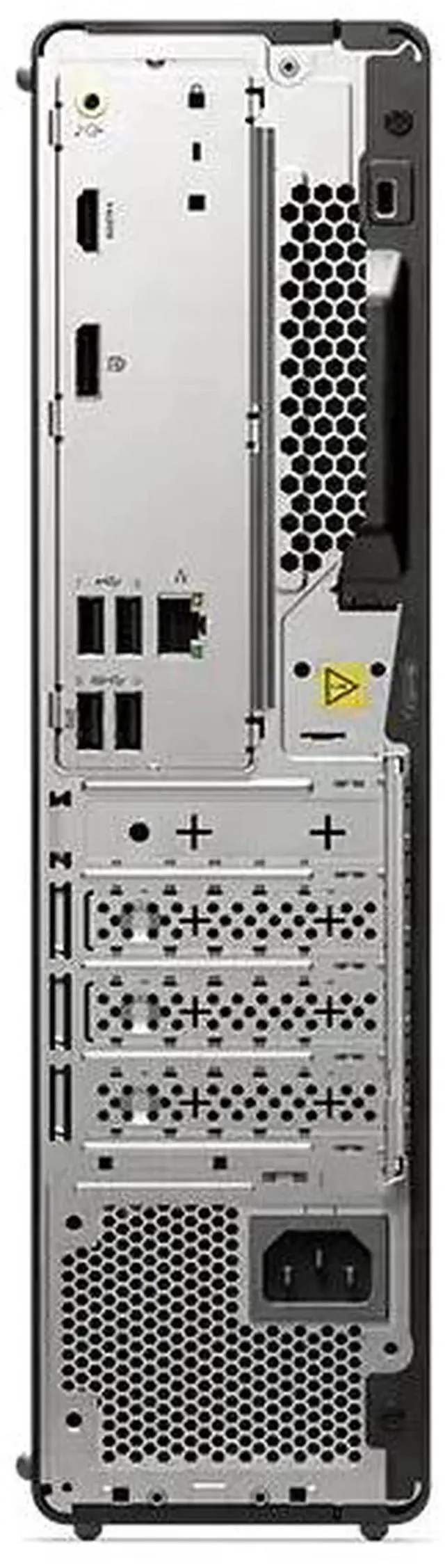
Ports:
Front:
USB-C (USB 5Gbps)
2 x USB-A (USB 5Gbps)
Headphone / mic combo
Microphone
Rear:
2 x USB-A (high-speed USB)
2 x USB-A (USB 5Gbps), 1 with keyboard power on
DisplayPort 1.4
HDMI 2.1 (supports resolution up to 4K@60Hz)
Ethernet (RJ45)
Audio-out
Optional: Parallel port
Optional: 2 x Serial ports
Keyboard and mouse: Wired Keyboard and mouse
Wireless Connectivity:Intel Wi-Fi 6 (2x2) Gig and Bluetooth 5.4
Color:Black
Dimensions:10.83" x 3.5" x 13.24"in,9.55 lb
The Lenovo ThinkCentre Neo 55s Gen 6 is a compact business desktop with an AMD Ryzen 7 250 processor, 32GB of DDR5 memory, a 512GB PCIe NVMe SSD, and Windows 11 Pro, suited to office users who need responsive multitasking and a small-form-factor PC.
| Attribute | Value |
|---|---|
| Best For | Compact Windows desktop setups for office and everyday computing, with 32GB of memory and a 512GB SSD |
| Processor And Graphics | AMD Ryzen 7 250 processor with AMD Radeon graphics |
| Memory And Storage | 32GB DDR5 memory and a 512GB SSD |
| Operating System And AI | Windows 11 Pro; AI Ready |
| Connectivity | Wi-Fi 6 and Bluetooth 5.4 |
| Keyboard And Mouse | Wired keyboard and wired mouse |
| Form Factor And Color | Slim/small form factor chassis in black |
| Model Identifiers | Lenovo ThinkCentre, model 13G0000NUS |
Q: Is the ThinkCentre neo 55s Gen 6 with Ryzen 7 250 worth choosing over the Ryzen 5 216 version?
A: Choose the Ryzen 7 250 configuration when you want more CPU resources for multitasking and sustained productivity workloads: it has 8 cores and 16 threads, compared with 6 cores and 12 threads in the Ryzen 5 216. The Newegg configuration also includes 32 GB of DDR5 memory and a 512 GB SSD. The Ryzen 5 216 version suits buyers prioritizing that processor tier within the same desktop family.
Q: Should I get this Ryzen 7 250 model or a ThinkCentre neo 55s Gen 6 with Ryzen AI 7 350?
A: Choose the listed Ryzen 7 250 model for its 8-core, 16-thread processor, Radeon 780M graphics, and 32 GB memory configuration. Consider a Ryzen AI 7 350 version when integrated AI capability and graphics are priorities: Lenovo lists up to 50 NPU TOPS and Radeon 860M graphics for that processor, compared with up to 16 NPU TOPS and Radeon 780M graphics for the Ryzen 7 250.
Q: ThinkCentre neo 55s Gen 6 or neo 55q Gen 6—which is more compact?
A: The ThinkCentre neo 55q Gen 6 is the smaller-footprint choice: Lenovo lists it at about 7.05 × 7.2 × 1.36 inches. The Newegg ThinkCentre neo 55s Gen 6 measures 10.83 × 3.5 × 13.24 inches and uses a small-form-factor desktop chassis. Choose the 55q when minimizing desk space is the priority; choose the 55s for a traditional SFF desktop setup.
Q: Does this desktop come with a monitor?
A: No. The product information says a display is not included, so you’ll need a separate monitor. A wired keyboard and mouse are listed.
Q: Is this desktop suitable for office work and video meetings?
A: Its Ryzen 7 processor, 32GB of RAM, 512GB SSD, and Windows 11 Pro are suitable for typical office apps and multitasking. A monitor is not included, and the product details do not list a webcam or microphone, so check whether you need to supply those for video meetings.
Q: Is this a good desktop to take on work trips?
A: It is a compact desktop, not a portable computer: it weighs 9.55 lb and requires a separate display and power connection. It may suit a fixed or occasionally moved workstation, but it is less convenient for travel than a laptop.
Q: Is the ThinkCentre Neo 55s Gen 6 worth considering for business and everyday use?
A: It is a reasonable fit for office and everyday workloads if you want a compact Windows 11 Pro desktop with 32 GB RAM. The listing says a display is not included, and its Radeon 780M graphics are integrated rather than a separate graphics card.
Q: Who is the ThinkCentre Neo 55s Gen 6 best suited for?
A: It is suited to people who need a stationary PC for office or home-office tasks and prefer a small-form-factor desktop. It is not a travel computer, and you will need to provide a monitor.
Q: What should I consider before buying the ThinkCentre Neo 55s Gen 6?
A: Check that the included 512 GB SSD is enough for your files and applications, and budget for a separate monitor. The listed Radeon 780M is integrated graphics, so this configuration is better aligned with general productivity than graphics-heavy workloads.


