




 here!
I’m your shopping assistant for PC builds, upgrades, and everything tech.
Got questions? Ask away!
Start a conversation
here!
I’m your shopping assistant for PC builds, upgrades, and everything tech.
Got questions? Ask away!
Start a conversation





Any questions? Ask CelesteSM will help you find out quickly.
We sell new,unused computers,the original Seal is opened for upgrade ONLY. If you've selected a custom-configured computer, our professional technicians will carefully open the original manufacturer's box and professionally install the upgrades to achieve the advertised specifications.
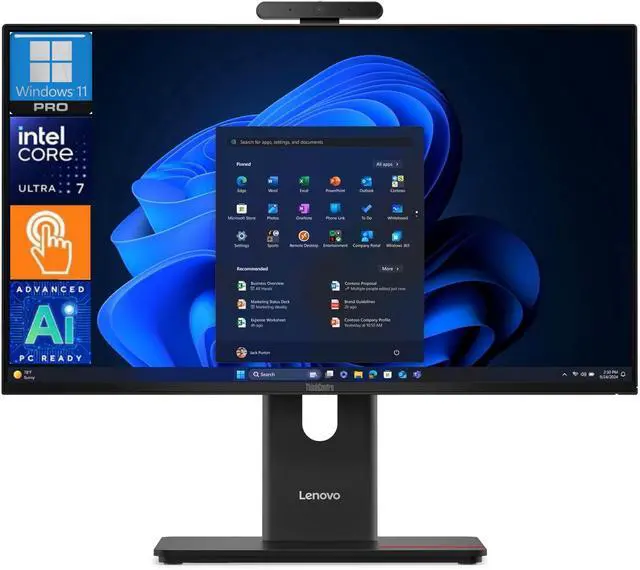
CPU:Intel Core Ultra 7 265T vPro Processor (E-cores up to 4.60 GHz P-cores up to 5.20 GHz)
Graphics:Integrated Intel Graphics
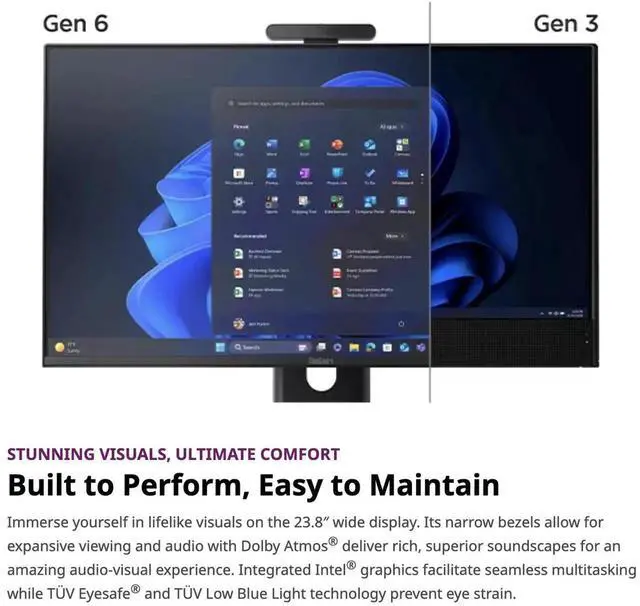
Display:23.8" FHD (1920 x 1080), IPS, Anti-Glare, Touch, 99%sRGB, 250 nits, 120Hz Display
Memory:up to 64 GB DDR5 RAM
Hard Drive:up to 2 TB PCIe NVMe M.2 SSD
Operating System:Windows 11 Pro
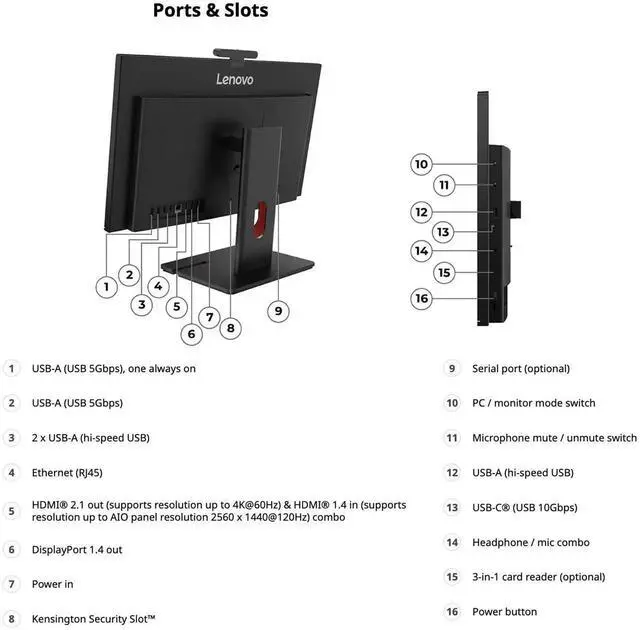
Ports:
Side:
USB-A (hi-speed USB)
USB-C® (USB 10Gbps)
Headphone / mic combo
Rear:
2 x USB-A (USB 5Gbps), one always on
2 x USB-A (hi-speed USB)
DisplayPort 1.4 out
Ethernet (RJ45)
HDMI® 2.1 out (supports resolution up to 4K@60Hz) & HDMI® 1.4 in (supports resolution up to AIO panel resolution 2560 x 1440@120Hz) combo
Keyboard and mouse:USB Keyboard & USB Mouse
Wireless Connectivity:Intel Wi-Fi 6 AX203 2x2 AX & Bluetooth 5.2
Camera:5MP IR/RGB with Dual Array Microphone
Battery:90W 89% Efficiency Power Supply
Dimensions:21.24" x 13.13" x 8.82"in,15.79 lb
Color:Black
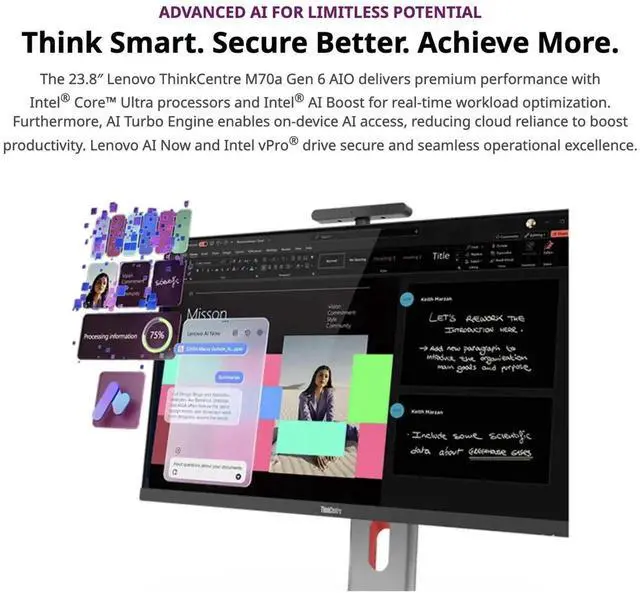
The Lenovo ThinkCentre M70a Gen 6 is a business-focused all-in-one PC with an Intel Core Ultra 7 265T vPro processor, 64GB RAM, 1TB SSD, and Windows 11 Pro, suited to demanding office multitasking and professional work in a compact desktop setup.
| Attribute | Value |
|---|---|
| Best For | Desktop productivity in an all-in-one setup, with 64GB DDR5 memory and 1TB SSD storage |
| Processor | Intel Core Ultra 7 265, Series 2 |
| Memory Configuration | 64GB DDR5 |
| Storage | 1TB SSD |
| Graphics | Integrated graphics |
| Networking | Wi-Fi 6 and Bluetooth 5.2 |
| Operating System | Windows 11 Pro |
| Keyboard And Mouse | USB keyboard and USB mouse |
| Power | 90W power supply |
| AI Features | AI Ready |
| Design And Form Factor | Black all-in-one PC |
| Model Identifiers | Lenovo ThinkCentre |
Q: Is the ThinkCentre M70a Gen 6 with Core Ultra 7 worth choosing over the Core Ultra 5 version?
A: Choose this M70a Gen 6 configuration when you want the Core Ultra 7 265T, 64GB of memory, and a 1TB SSD in one system. Lenovo lists the 265T with 20 cores, compared with 10 cores in the M70a Gen 6 Core Ultra 5 225T configuration, making the Core Ultra 7 configuration a fit for workloads that can use more processor cores.
Q: Should I choose the ThinkCentre M70a Gen 6 or the M90a Gen 6?
A: Choose the M70a Gen 6 for this specific configuration’s Core Ultra 7 265T, 64GB memory, 1TB SSD, and 23.8-inch FHD touchscreen. Consider an M90a Gen 6 configuration when you want options such as an Intel Core Ultra 9 processor, discrete NVIDIA GeForce RTX 4050 graphics, or Thunderbolt 4; available features depend on the selected model.
Q: Is the 64GB ThinkCentre M70a Gen 6 a better choice than a 32GB configuration?
A: Choose the 64GB configuration when you want more memory headroom for running multiple applications or working with larger projects at once. Lenovo lists up to 64GB DDR5 memory for the M70a Gen 6; the Newegg configuration also pairs 64GB with a 1TB SSD and Core Ultra 7 265T.
Q: Should I get the ThinkCentre M70a Gen 6 touchscreen or a non-touch version?
A: Choose this touchscreen configuration if you want direct on-screen interaction for tasks such as tapping controls or annotating content. Lenovo’s M70a Gen 6 specifications list both touch and non-touch 23.8-inch FHD IPS displays with a 120Hz refresh rate, so the main distinction is touch input.
Q: Is this all-in-one suitable for office work and video meetings?
A: Yes. Its Core Ultra 7 processor, 64 GB of memory, 1 TB SSD, and Windows 11 Pro suit typical multitasking and office workloads. The product listing also specifies a built-in 5 MP camera and dual-array microphones for video meetings. Its integrated graphics are intended for general computing rather than graphics-intensive workloads.
Q: Is this a good computer to take between work locations?
A: It is better suited to a stationary desk than frequent travel. The all-in-one weighs 15.79 lb, and its listing specifies a 90 W power supply but no built-in battery. Choose a laptop if you need to work away from a power outlet.
Q: Does it have a touchscreen, and is it suitable for note-taking?
A: Yes. It has a 23.8-inch, 1920 × 1080 IPS touchscreen. Touch interaction is supported, but the listing does not specify stylus compatibility or include a stylus, so confirm those details if handwriting is important.
Q: Do I need to buy a webcam, microphone, keyboard, or mouse separately?
A: The listing specifies a built-in 5 MP camera, dual-array microphones, and included USB keyboard and mouse. Separate accessories are not required for basic video calls and desktop input, though you may prefer different peripherals for your setup.


