here!
I’m your shopping assistant for PC builds, upgrades, and everything tech.
Got questions? Ask away!
Start a conversation
here!
I’m your shopping assistant for PC builds, upgrades, and everything tech.
Got questions? Ask away!
Start a conversation




Any questions? Ask CelesteSM will help you find out quickly.
Key Features and Benefits:
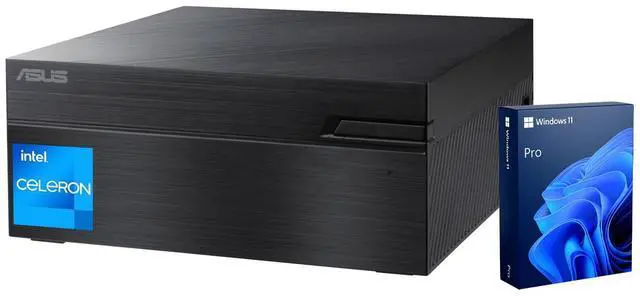
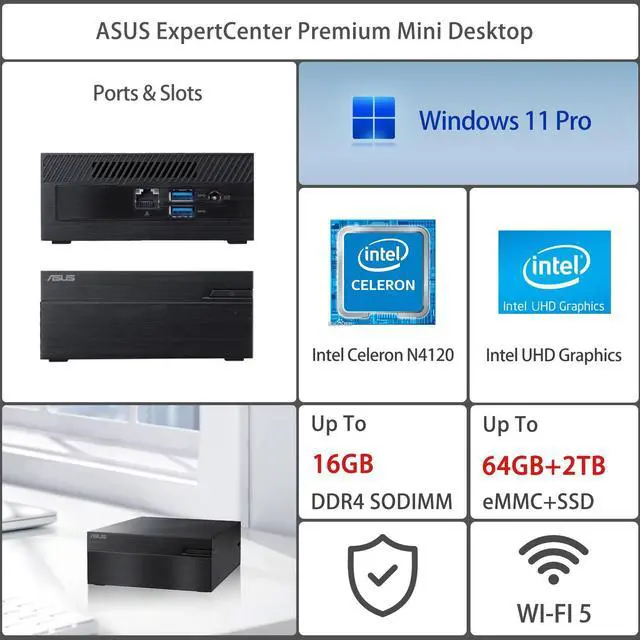
CPU: Intel Celeron N4120 Processor (up to 2.8GHz, 2 Cores, 2 Threads)
Graphics:Intel UHD Graphics
Memory: Up to 16GB RAM
Hard Drive: Up to 64GB SSD + 2TB SSD
Operating System: Windows 11 Pro
Ports & Slots:
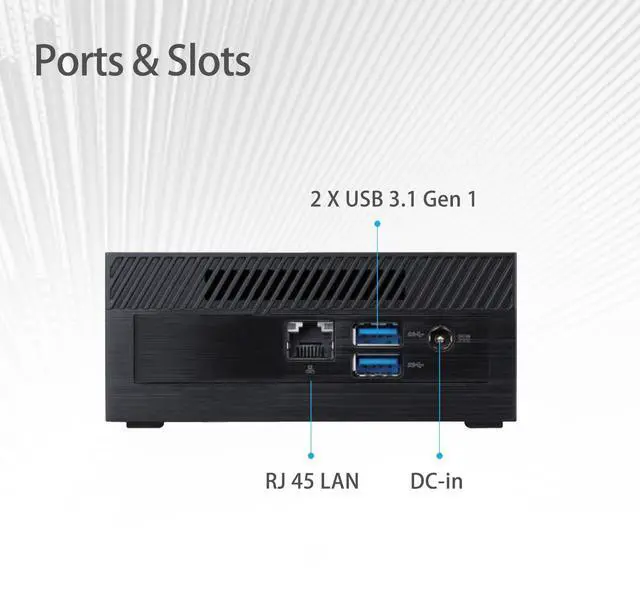
2 x USB 3.1 Gen 1
1 x DC-in
1 x RJ45
keyboard: None
Wireless Connectivity:Wi-Fi 5 and Bluetooth
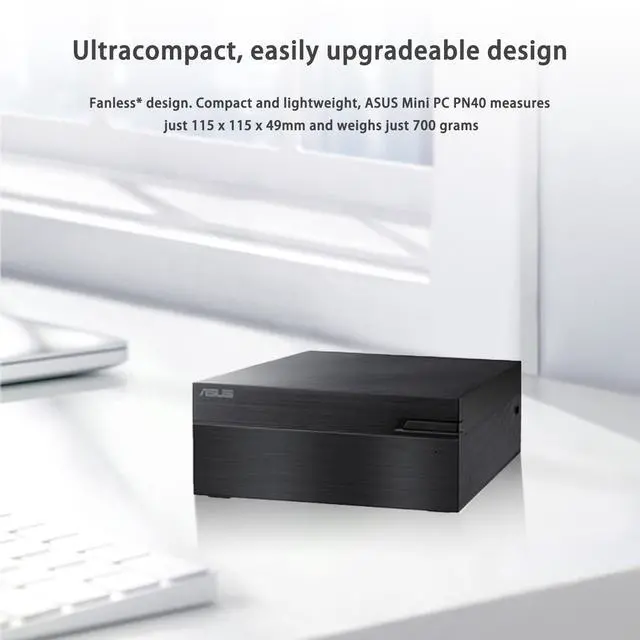
Length: 4.53 inch
Width: 4.53 inch
Height: 1.93 inch
Weight: 1.54 lbs
Color:Black
The ASUS ExpertCenter PN40 is a compact business mini PC with Windows 11 Pro, 12GB RAM, 64GB eMMC, and a 512GB SSD, suited to home-office and business users who need a small desktop for routine work and Windows Pro features.
| Attribute | Value |
|---|---|
| Best For | Student, home-office, and business work in a compact desktop footprint |
| Processor And Graphics | Intel Celeron N4120 processor with Intel UHD Graphics |
| Memory Configuration | 12GB DDR4 at 3200MHz, with 2 memory slots available and support for up to 64GB |
| Storage And Expansion | 512GB PCIe SSD; no HDD or optical drive |
| Networking And Connectivity | 2.5Gbps LAN, 802.11ac Wi-Fi, and Bluetooth |
| Ports | 2 rear USB ports and 1 RJ45 port |
| Operating System And Power | Windows 11 Pro with a 65W power supply |
| Form Factor And Dimensions | Black Mini Tower measuring 4.53 × 4.53 × 1.93 inches and weighing 1.54 lb |
| Model Identifiers | ASUS ExpertCenter PN40 |
Q: ASUS PN40 vs PN42: which is a better fit for a quiet business mini PC?
A: Choose the PN40 when a very compact, fanless desktop is the priority. Choose the PN42 when you want a newer Intel N100 or N200 processor platform, with Wi-Fi 6 or 6E options and 2.5Gb Ethernet. ASUS positions both models for compact home and business use.
Q: Should I choose the ASUS PN40 or PN41 for an everyday office PC?
A: The PN40 suits buyers prioritizing its compact, fanless design. The PN41 is the newer platform, with Intel Celeron N5100 or Pentium Silver N6000 processor options, DDR4-2933 memory support, and Wi-Fi 6 options. Choose based on whether small size and fanless operation or the newer platform and connectivity are more important.
Q: For a multi-monitor office setup, should I pick the ASUS PN40 or PN42?
A: Choose the PN42 if you want support for up to three displays. The PN40 supports connection to two monitors, making it a fit for a dual-display desk. Check the exact model configuration and display connections when selecting a unit.
Q: Is this mini PC suitable for basic office work and video meetings?
A: It is suited to light office tasks such as documents, email, and web browsing. Video meetings require a separately supplied monitor and compatible webcam; the listing says an external monitor needs a USB-to-video adapter. Its Celeron processor makes it a less suitable choice for demanding workloads or heavy multitasking.
Q: How do I connect this PC to an external monitor?
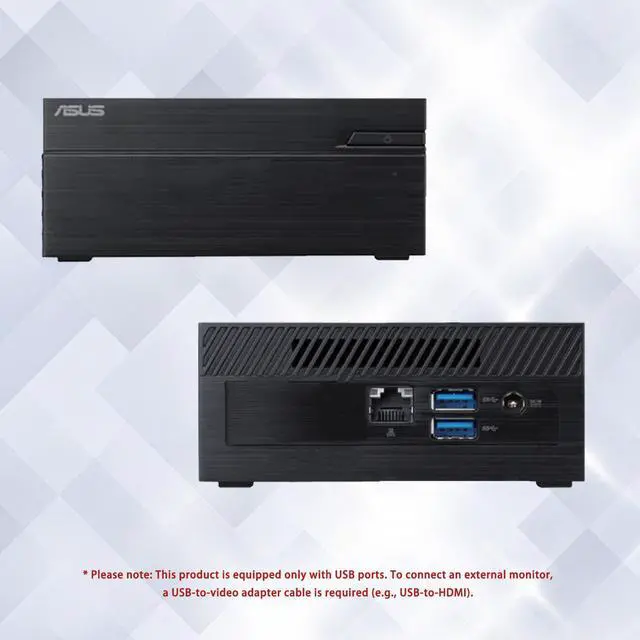
A: The product information says this model has USB ports only, so connecting a monitor requires a compatible USB-to-video adapter, such as USB-to-HDMI. Check that the adapter supports your monitor and intended display resolution before buying it.
Q: Is it practical to take this mini PC on work trips?
A: It is compact and weighs 1.54 lb, so it is easier to pack than a conventional desktop. It is still a desktop, not a battery-powered laptop: you will need a power outlet, monitor, and input devices to use it, and the monitor connection requires a USB-to-video adapter.
Q: Can I upgrade the RAM later?
A: The supplied specifications list two memory slots and a maximum supported capacity of 64 GB, but they also describe both slots as available while listing 12 GB installed. Because those details are ambiguous, confirm the exact memory configuration and upgrade options with the seller before purchase.
Q: Can the ASUS PN40 work as a Raspberry Pi alternative for a home lab?
A: It may suit basic x86 home-lab tasks, such as lightweight services, where Windows or x86 compatibility is useful. Reddit users discuss PN40 units as Raspberry Pi alternatives, but this configuration’s Celeron processor is better suited to modest workloads than demanding server tasks.
Q: Can you upgrade the ASUS PN40’s RAM or storage?
A: PN40 discussions describe RAM and storage upgrades, and a YouTube review highlights the model’s upgradeable design. The exact upgrade options can vary by PN40 configuration, so check the specific unit’s hardware before buying parts.
Q: How do I connect an external monitor to this PN40 configuration?
A: The provided product details say this configuration has USB ports only and requires a USB-to-video adapter, such as USB-to-HDMI, for an external monitor. Confirm the adapter supports your monitor and intended resolution.
Q: Is the ASUS PN40 suitable for a small, always-on home server?
A: PN40 owners have discussed using units for 24/7 services and lightweight home-lab tasks. This configuration may fit modest services, but its Celeron processor is not aimed at heavy server workloads; the product listing describes it as fanless.