here!
I’m your shopping assistant for PC builds, upgrades, and everything tech.
Got questions? Ask away!
Start a conversation
here!
I’m your shopping assistant for PC builds, upgrades, and everything tech.
Got questions? Ask away!
Start a conversation Top Rated






Any questions? Ask CelesteSM will help you find out quickly.
We want to ensure your holiday shopping this year is hassle-free. That’s why we’re automatically extending our return policies on almost every product! For purchases placed between November 1st, 2026 and December 31, 2026 you will have until January 31, 2027 to return your product.
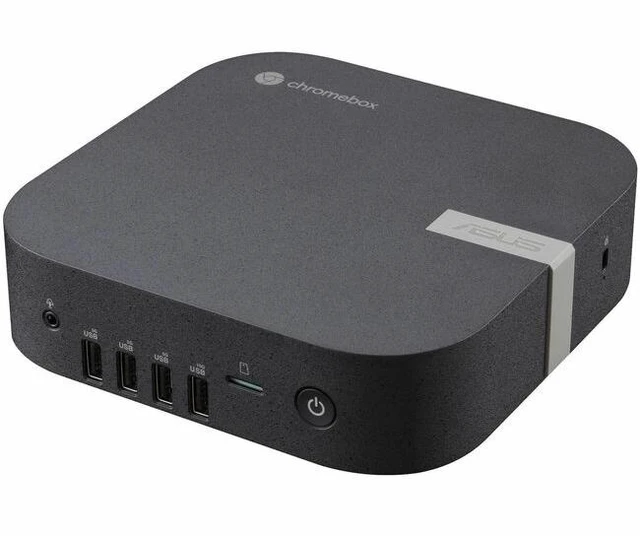
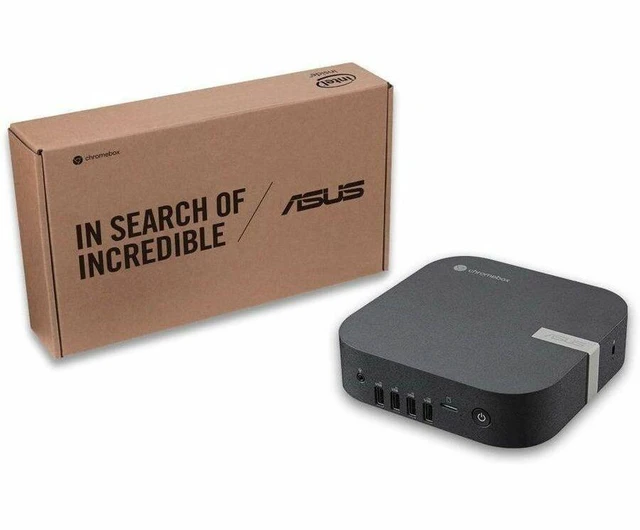
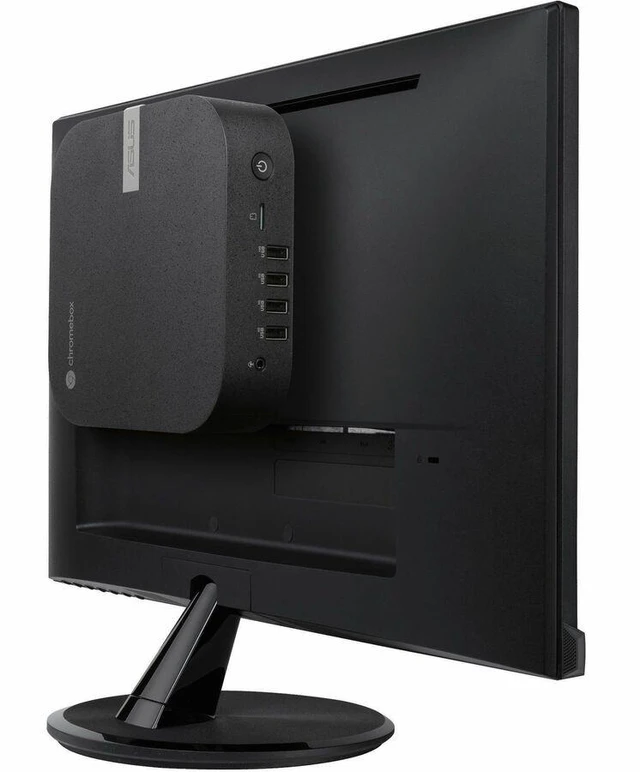
The ASUS Chromebox 6a CHROMEBOX6A-S5082UN is a ChromeOS mini PC with an Intel Core 5 120U, 8 GB of DDR5 memory, and a 256 GB PCIe NVMe SSD, suited to people who want a compact desktop for browser-based work, cloud apps, and everyday productivity; a monitor is not included.
| Attribute | Value |
|---|---|
| Best For | Education, personal, and business use in a compact ChromeOS mini PC |
| Processor | Intel Core 5 120U, with a listed base speed of 1.4 GHz and maximum speed of 5 GHz |
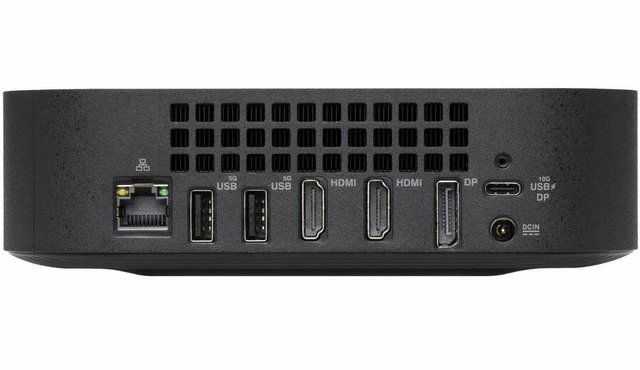
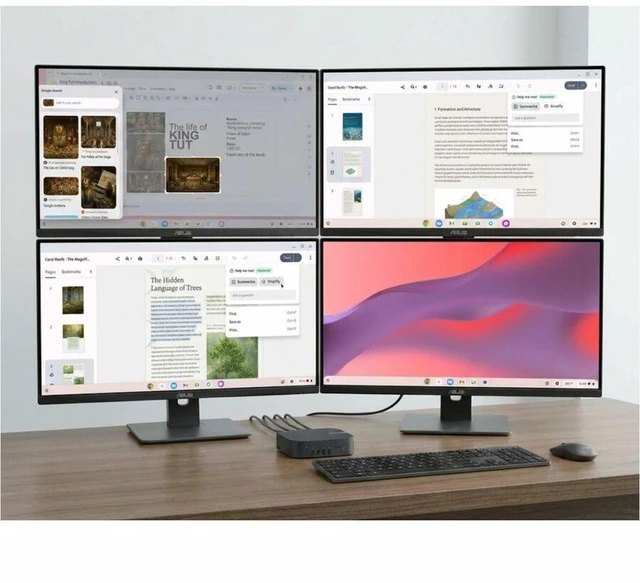
| Graphics And Display Outputs | Integrated Intel graphics with shared memory; supports displays up to 3840 × 2160 and includes two HDMI ports |
| Memory Configuration | 8 GB DDR5-5600 memory, two slots, expandable to 64 GB |
| Storage | 256 GB PCIe NVMe 4.0 SSD |
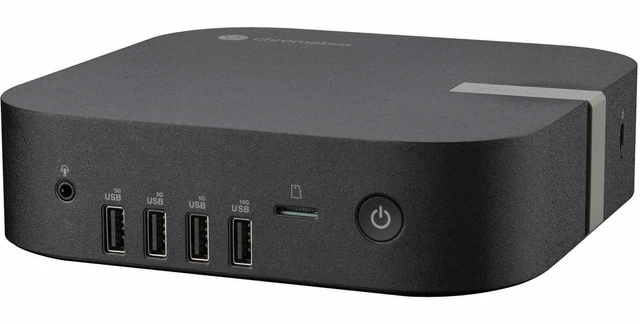
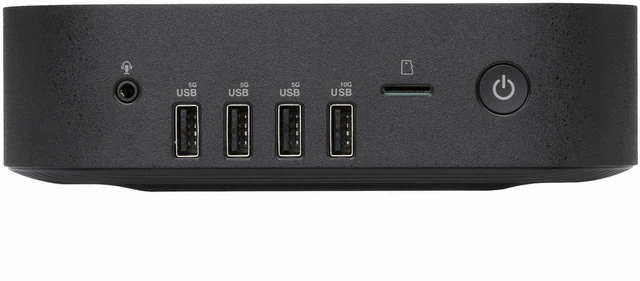
| Ports And Connectivity | Seven USB ports, including USB 3.2 Gen 2 and USB-C; also includes microSD, DisplayPort, Ethernet, Wi-Fi 7, and Bluetooth |
| Physical Design And Included Items | Eco Black mini PC measuring 6.56 × 6.53 × 1.81 inches and weighing 1.76 lb; VESA mount, AC adapter, and power cord included; monitor not included |
| Power | 90 W power consumption |
| Model Identifiers | ASUS Chromebox 6a; model and part number CHROMEBOX6a-S5082UN |
Q: Should I get the ASUS Chromebox 6a with Core 5 120U or the Core 3 100U version?
A: Choose the Core 5 120U configuration for more processor headroom alongside the included 8 GB RAM and 256 GB SSD. The Core 3 100U version is the lower processor tier in the same Chromebox 6a lineup; both use Intel UHD Graphics and DDR5-5600 memory.
Q: ASUS Chromebox 6a Core 5 120U or Core 7 150U—which configuration should I choose?
A: Choose the Core 5 120U model for a mid-tier configuration with 8 GB RAM and a 256 GB SSD. Consider the Core 7 150U Chromebox 6a configuration if you want the lineup’s higher processor tier; ASUS offers multiple memory and SSD capacities across the series, so compare the exact configuration before buying.
Q: ASUS Chromebox 6a or Chromebox 5a: which is the newer platform?
A: The Chromebox 6a is the newer-generation option, with ASUS listing Core 3 100U, Core 5 120U, and Core 7 150U processors, DDR5-5600 memory, and Wi-Fi 7. The Chromebox 5a uses 13th-generation Core processor options, DDR4 memory, and Wi-Fi 6E. Choose the 6a for its newer listed platform and connectivity; the 5a remains an ASUS Chromebox option with a range of configurations.
Q: How does the ASUS Chromebox 6a compare with the Chromebox 5?
A: Choose the Chromebox 6a for its listed Core 5 120U processor, DDR5 memory, Wi-Fi 7, and USB-C with DisplayPort and power-delivery input. The Chromebox 5 offers Thunderbolt 4 and an optional Qi wireless charger. Both product lines support up to four 4K displays, so the choice depends on which connectivity and configuration features matter more to you.
Q: Can I use this Chromebox over Wi-Fi without connecting an Ethernet cable?
A: Yes. This model lists Wi-Fi 7, so it can connect wirelessly to a compatible Wi-Fi network; an Ethernet cable is not required for internet access.
Q: Is this Chromebox suitable for everyday office work and online meetings?
A: It is suited to everyday ChromeOS-based tasks such as web browsing, email, and cloud office work. It has an Intel Core 5 120U processor, 8 GB of memory, and a 256 GB SSD. It has no screen, and the listing does not specify a built-in camera, so plan to connect a monitor and any meeting accessories you need.
Q: Does it include a monitor, or can I mount it behind one?
A: A monitor is not included, so you will need to connect a separate display. The provided product information does not confirm whether this specific configuration includes a VESA mount; check the package contents with the seller if monitor mounting matters to you.