• $17.29
  • Price alert
    Shop it at NeweggBusiness.

    Meet Your Seller

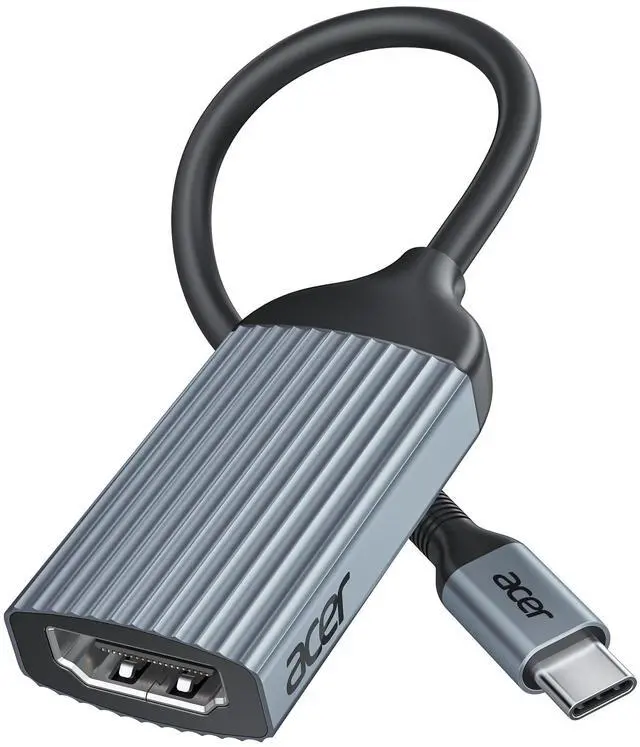
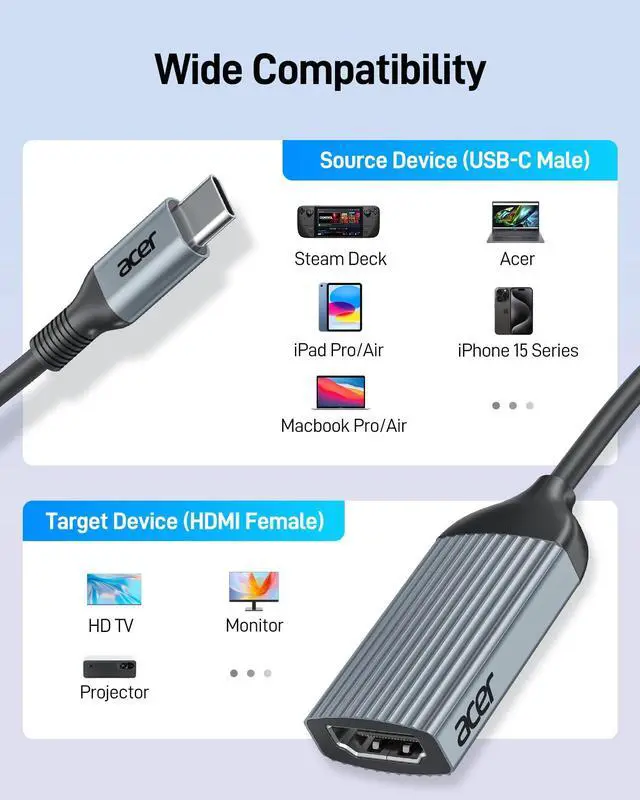
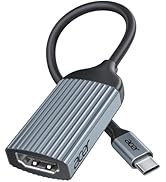
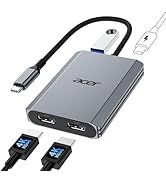
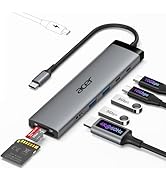
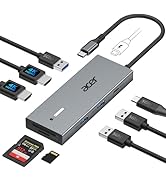
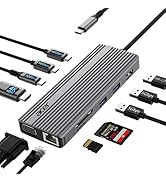
    USB-C to HDMI Adapter 4K@60Hz, (High Speed, Thunderbolt 3/4) Type C to HDMI Converter Compatible with MacBook Pro/Air, iPhone 17 16 15 Pro/Max, iPad Pro/Air, Surface, Dell XPS, Chromebook, etc

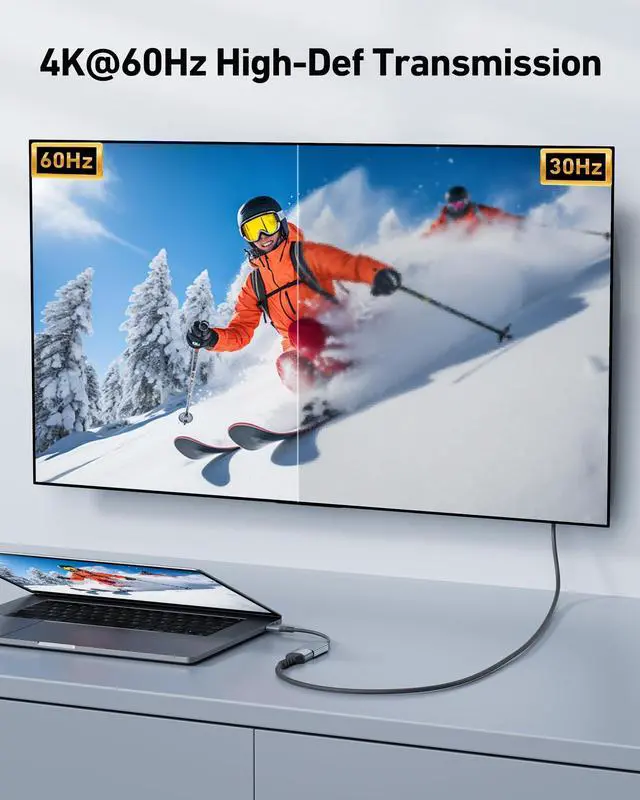
    • [ULTRA HD 4K@60Hz] Acer USB C to HDMI adapter supports resolutions up to 4K@60Hz and is backward compatible with 2K@144 Hz/60 Hz, which can away from visual fatigue caused by a low refresh rate. : - - ;
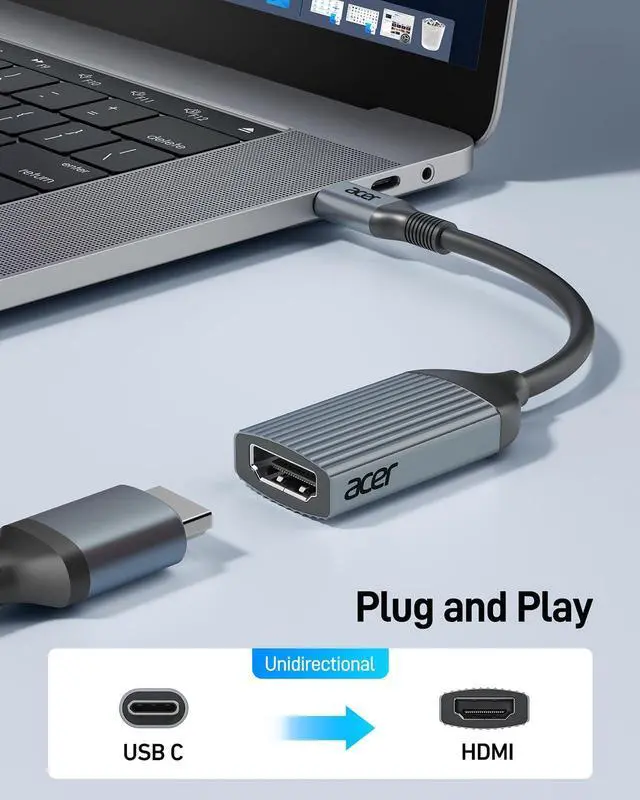
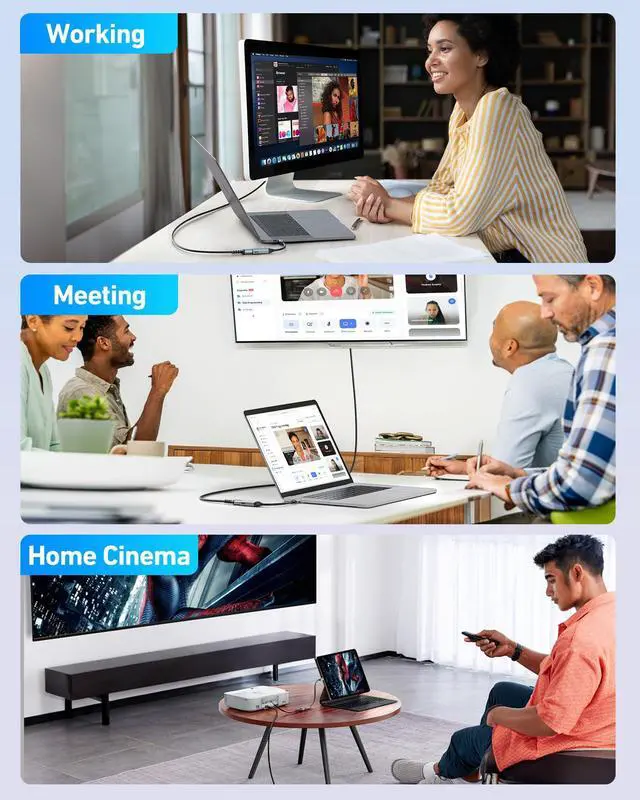
    • [Plug & Play] No additional driver or software is required, this USBC to HDMI Female adapter will make it effortless to connect your USB-C devices to monitors, TVs, and projectors with ease. : - - ( )
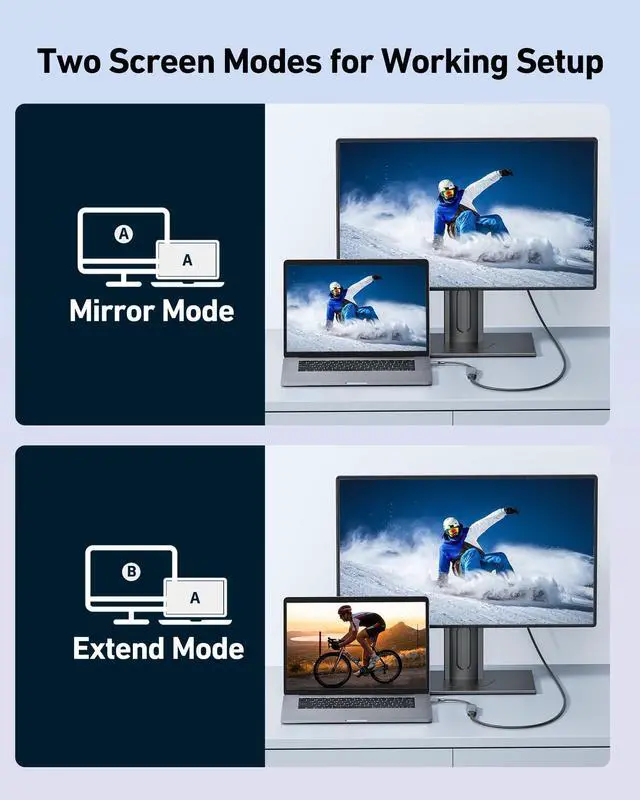
    • [Improve Work Efficiency] Mirror or Extend your desktop to boost productivity. Connect to a 4K LED monitor or UHD TV. Meet all the needs from daily office use to professional video & photo editing. Note: The transmission is Uni-directional, only from the USB-C host device to HDMI displays.
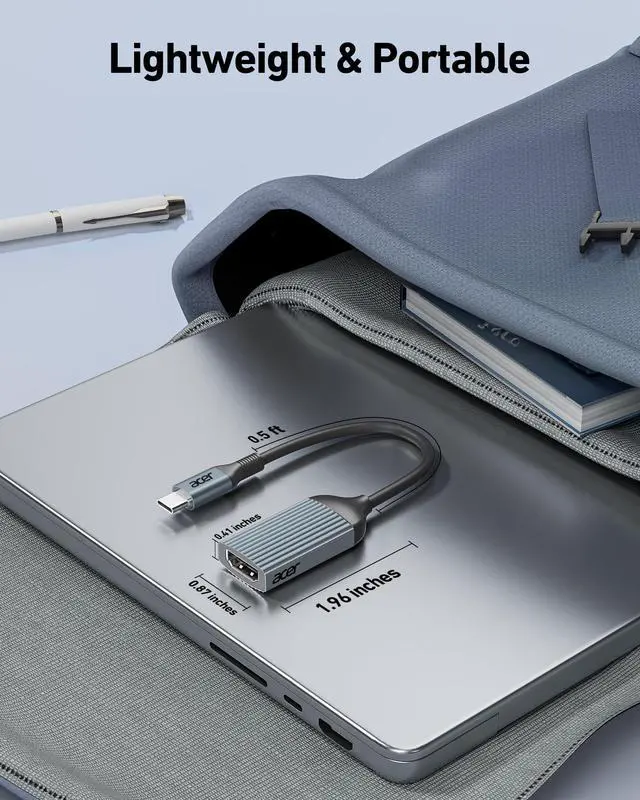
    • [Compact & Durable Design] The usb c to hdmi adapter for monitor is compact and lightweight. Its 0.64-ft space-saving size lets you put it in your laptop bag. Its aluminum case has excellent heat dissipation and wear resistance. It is versatile for business trips and different devices.
    +
    +
    Overview
    Specs
    Reviews
    hdmi to usb
    USB-C adapters in various colors and sizes. Includes compact white, slim pink, and larger gray models with ribbed exteriors. Arranged on a background with pastel-colored wavy lines.

    Usage Tips

    1 Not compatible with devices that don't support the protocol of DP Alt Mode.
    2 Ask us if you're not sure about the port and your devices' compatibility.
    3 Does not support charging.
    4 To avoid signal degradation, it is recommended to use a cable of up to 10 feet.
    5 If the sound is not transmitted to the TV, please try to choose your TV as the audio output device.
    - For Mac: Settings ? System Preferences ? Sound ? Output ? Select your TV;If it's still not work, please mail for technical assistance.
    6 Does not support video signal output from HDMI port to USB C port!!!
    - Only support USB-C to HDMI uni-directional transmission
    7 Why is there no image output from HDMl after connecting?
    - (1)Make sure the USB-C port of the laptop supports the video function
    - (2)Check the port is firmly plugged in; Adjust the resolution setting of the laptop
    - (3)Select the correct input signal source (some require manual selection of the signal source.
    8 How to set the mirror mode or extended mode?
    - For Win laptops: Click Graphics Settings or Win+P to select Mirror or Extend mode. For MacBook laptops: Apple logo-System Preferences-Display-Mirror Displays (Yes or No).
    9 Why is my USB-C to HDMI adapter not working or disconnecting?
    - ?? Test another cable ? Rule out cable damage ?? Try another device ? Confirm Compatibility ?? Clean ports ? Remove dust or debris ?? Adjust resolution and refresh rate ? Please Try 1080p @ 60Hz ?? Update drivers ? Ensure latest graphics and system drivers ??Check power supply ? Please connect an external power supply to your laptop to ensure sufficient power for the adapter and video output.

    COMPATIBLE LIST (not a full list)

    ??Supports video output (?) ???????????????????? ???????? ??????-?? ??.?? ???? ?????????????????????? ??/?? ???????? ???????????????????? ?????????? ?????????????? "?????????????????????? ?????????????????? ????????".
    ??Apple iPhone 15 Pro / Pro Max, MacBook Pro (Late 2016~2023), MacBook Air (Late 2018~2023), MacBook (Early 2015~2017), iMac (Mid 2017 and newer), iMac Pro, Mac mini (2023 / 2020 / 2018), iPad Pro (2022 / 2021 / 2020 / 2018), iPad mini 6, iPad Air 5 / 4
    ??Microsoft Surface Book 2 / 3, Surface Laptop 3 / 4, Surface 8 / 7, Surface Go / Go 2 / Go 3, Surface Pro 7 / 7+ / 8 / X, Surface Studio 2
    ??Laptop Acer, Dell Latitude 7373/7280/7480/5570/5490/5400 (2019), XPS 13 / 15 / 17, Insiron 5570, Inspiron 13 7000 2-in-1; HP: Envy 13 x360 2019/2018, Spectre 13/x360
    ??Phones Samsung Galaxy S24 Ultra/S24/S23 Ultra/S23/S22 Ultra/S21/S20/S20/S20 Ultra/S10e/S10/S10+/Note 20/Note 9, S8/S8+/ S9/S9+; HTC 10/U Ultra/U11/U11+/U12+, Asus ZenFone/ ROG Phone and more
    ??Chromebook Google Chromebook Pixel (2015), Pixelbook, Pixel Slate, Asus Chromebook
    ??Dell Dell Latitude 7373 / 5570 / 5490 / 5400 (2019), XPS 13 / 15 / 17
    ??HDMI cable length To avoid signal degradation, it is recommended to use a cable of up to 10 feet.
    ??Other (?) ???????????? ( ?????????????????? ), ???????? ( ?????????????????? ), ?? ??????, ??????/??????, ???????? ????,??????, ??????????
    ??Samsung (?) Galaxy Xcover Pro, Samsung Galaxy Flip series, Samsung A series phone/J6/J7/M20/M30s, Galaxy Tab A series, Galaxy Tab3/S3
    ??Samsung A series (?) Not compatible with Galaxy A/ Tab A series. Galaxy A01/ A02/ A02S / A03 / A03S / A5 / A7 / A8 / A9 / A10/ A10e / A12 / A13 / A14 / A20 / A20E / A21 / A21s / A22 / A23 / A24 / A30 / A31 / A32 / A40 / A50 / A51 / A53 / A54 / A70 / A71, Samsung S6 / S7 / J6 / J7 / M20 / M30, Galaxy Tab S3 / Tab A / 10.1 / 10.5
    ?? Phones (?) Huawei Series; Xiaomi Series; One Plus Series, LG Stylo 3/4/5; Pixel phones; OnePlus Series, etc
    ?? Motorola series (?) ALL Motorola series, such as Moto 6, Moto 8, etc.
    !!Note!! Apple M1 & M2 based devices only support ONE external display.
    !!Note!! Not compatible with devices that don't support the protocol of DP Alt Mode.
    !!Note!! **????????: ???? ?????? ?????? ?????? ????????, ???????????? ???????? ???????? ???? ?????? ???? ????????, ???? ?????? ???????? ???????? ???? ??????????.
    hdmi to usb
    usbc to hdmi

    Usage Tips

    1 Not compatible with devices that don't support the protocol of DP Alt Mode.
    2 Ask us if you're not sure about the port and your devices' compatibility.
    3 Does not support charging.
    4 To avoid signal degradation, it is recommended to use a cable of up to 10 feet.
    5 If the sound is not transmitted to the TV, please try to choose your TV as the audio output device.
    - For Mac: Settings ? System Preferences ? Sound ? Output ? Select your TV;If it's still not work, please mail for technical assistance.
    6 Does not support video signal output from HDMI port to USB C port!!!
    - Only support USB-C to HDMI uni-directional transmission
    7 Why is there no image output from HDMl after connecting?
    - (1)Make sure the USB-C port of the laptop supports the video function
    - (2)Check the port is firmly plugged in; Adjust the resolution setting of the laptop
    - (3)Select the correct input signal source (some require manual selection of the signal source.
    8 How to set the mirror mode or extended mode?
    - For Win laptops: Click Graphics Settings or Win+P to select Mirror or Extend mode. For MacBook laptops: Apple logo-System Preferences-Display-Mirror Displays (Yes or No).
    9 Why is my USB-C to HDMI adapter not working or disconnecting?
    - ?? Test another cable ? Rule out cable damage ?? Try another device ? Confirm Compatibility ?? Clean ports ? Remove dust or debris ?? Adjust resolution and refresh rate ? Please Try 1080p @ 60Hz ?? Update drivers ? Ensure latest graphics and system drivers ??Check power supply ? Please connect an external power supply to your laptop to ensure sufficient power for the adapter and video output.

    COMPATIBLE LIST (not a full list)

    ??Supports video output (?) ???????????????????? ???????? ??????-?? ??.?? ???? ?????????????????????? ??/?? ???????? ???????????????????? ?????????? ?????????????? "?????????????????????? ?????????????????? ????????".
    ??Apple iPhone 15 Pro / Pro Max, MacBook Pro (Late 2016~2023), MacBook Air (Late 2018~2023), MacBook (Early 2015~2017), iMac (Mid 2017 and newer), iMac Pro, Mac mini (2023 / 2020 / 2018), iPad Pro (2022 / 2021 / 2020 / 2018), iPad mini 6, iPad Air 5 / 4
    ??Microsoft Surface Book 2 / 3, Surface Laptop 3 / 4, Surface 8 / 7, Surface Go / Go 2 / Go 3, Surface Pro 7 / 7+ / 8 / X, Surface Studio 2
    ??Laptop Acer, Dell Latitude 7373/7280/7480/5570/5490/5400 (2019), XPS 13 / 15 / 17, Insiron 5570, Inspiron 13 7000 2-in-1; HP: Envy 13 x360 2019/2018, Spectre 13/x360
    ??Phones Samsung Galaxy S24 Ultra/S24/S23 Ultra/S23/S22 Ultra/S21/S20/S20/S20 Ultra/S10e/S10/S10+/Note 20/Note 9, S8/S8+/ S9/S9+; HTC 10/U Ultra/U11/U11+/U12+, Asus ZenFone/ ROG Phone and more
    ??Chromebook Google Chromebook Pixel (2015), Pixelbook, Pixel Slate, Asus Chromebook
    ??Dell Dell Latitude 7373 / 5570 / 5490 / 5400 (2019), XPS 13 / 15 / 17
    ??HDMI cable length To avoid signal degradation, it is recommended to use a cable of up to 10 feet.
    ??Other (?) ???????????? ( ?????????????????? ), ???????? ( ?????????????????? ), ?? ??????, ??????/??????, ???????? ????,??????, ??????????
    ??Samsung (?) Galaxy Xcover Pro, Samsung Galaxy Flip series, Samsung A series phone/J6/J7/M20/M30s, Galaxy Tab A series, Galaxy Tab3/S3
    ??Samsung A series (?) Not compatible with Galaxy A/ Tab A series. Galaxy A01/ A02/ A02S / A03 / A03S / A5 / A7 / A8 / A9 / A10/ A10e / A12 / A13 / A14 / A20 / A20E / A21 / A21s / A22 / A23 / A24 / A30 / A31 / A32 / A40 / A50 / A51 / A53 / A54 / A70 / A71, Samsung S6 / S7 / J6 / J7 / M20 / M30, Galaxy Tab S3 / Tab A / 10.1 / 10.5
    ?? Phones (?) Huawei Series; Xiaomi Series; One Plus Series, LG Stylo 3/4/5; Pixel phones; OnePlus Series, etc
    ?? Motorola series (?) ALL Motorola series, such as Moto 6, Moto 8, etc.
    !!Note!! Apple M1 & M2 based devices only support ONE external display.
    !!Note!! Not compatible with devices that don't support the protocol of DP Alt Mode.
    !!Note!! **????????: ???? ?????? ?????? ?????? ????????, ???????????? ???????? ???????? ???? ?????? ???? ????????, ???? ?????? ???????? ???????? ???? ??????????.
    USB-C to HDMI Adapter 4K@60Hz, (High Speed, Thunderbolt 3/4) Type C to HDMI Converter Compatible with MacBook Pro/Air, iPhone 17 16 15 Pro/Max, iPad Pro/Air, Surface, Dell XPS, Chromebook, etc

    Warranty & Returns

    Warranty, Returns, And Additional Information

    Warranty

    • Please contact the Seller directly for warranty information. Warranty information may also be found on the Manufacturer's website.
    • CONTACT

    Return Policies

    Manufacturer Contact Info

    LOADING...