

Your Browsing History
- Free 30-day Returns
$79.99
Ships from China.


Meet Your Seller

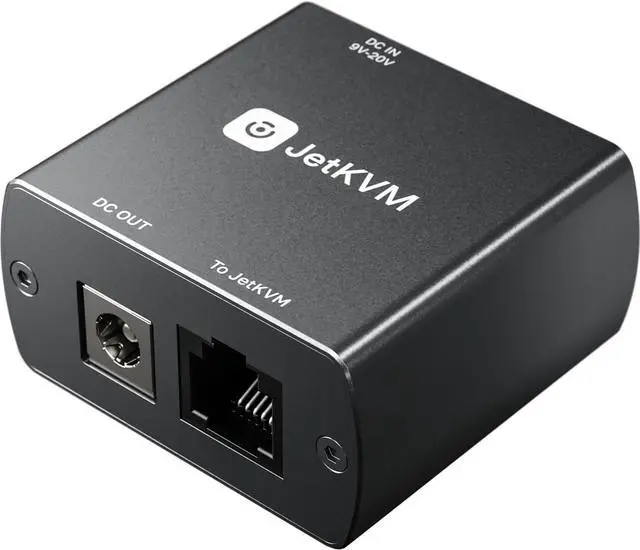

JetKVM IP KVM Switch Extension Port DC Power Control
- Remote Power Management for DC Devices: Enables seamless power control of mini PCs, NAS units and other DC-powered devices when paired with JetKVM, eliminating the hassle of on-site operation.
- Integrated with KVM over IP Setup: Simply plug into the RJ-12 port, route your device's DC power through the module, and control power directly from the browser via your KVM over IP system.
- Simplified Power Supply for IP KVM: Powers the Jet KVM itself through the RJ-12 connection, streamlining setup and reducing the need for additional power sources.
- Wide Voltage Compatibility & Adapter Included: Supports DC input ranging from 12 to 20 volts; comes with adapters for 5.5×2.1 mm connections (works with standard 5.5×2.5 mm connector).
- Single-Cable Pass-Through Power Solution: Built-in USB-C port provides 5V power via RJ-12 cable, eliminating the need for separate USB power from host PC or splitter for a neat, one-cable setup.
+
+
Overview
Specs
Reviews

Any questions? Our AI mode will help you find out quickly.
Try me now
The DC Power Control extension enables power management for connected DC-powered devices, such as mini PCs or NAS units.
Remote Power Control for any DC device
Add remote power cycling to your JetKVM setup. Plug into the RJ-12 port, route your device's DC power through the module, and control power directly from the browser with the JetKVM.
It supports DC input ranging from 12 to 20 volts, and we're including adapters to support 5.5x2.1 mm connections as well.
The extension can also power the JetKVM itself through the RJ-12 connection, streamlining setup and reducing the need for additional power sources.
Pass-through Power
The built-in USB-C port provides 5V power directly through the RJ-12 cable, powering your JetKVM without the need for a separate USB connection.
This eliminates the need for constant USB power from the host computer or a USB splitter, simplifying your setup with a single-cable solution for both power and control.
Warranty & Returns
Warranty, Returns, And Additional Information
Warranty
- Please contact the Seller directly for warranty information. Warranty information may also be found on the Manufacturer's website.
- CONTACT
Return Policies
- Return for refund within: 30 days
- Return for replacement within: 30 days
- This item is covered by B-IN Electronics Return Policy
Manufacturer Contact Info
- For a directory of all our manufacturers, please click below.
- Manufacturers Directory
LOADING...