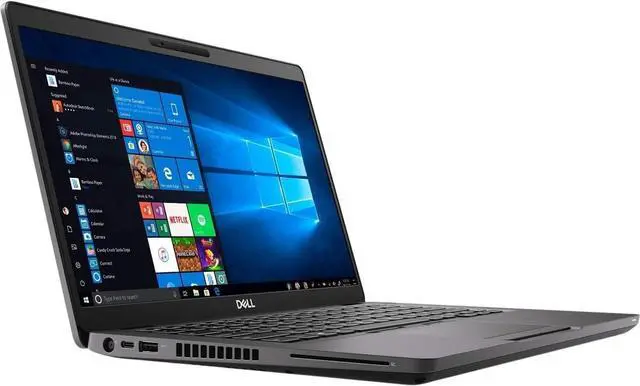
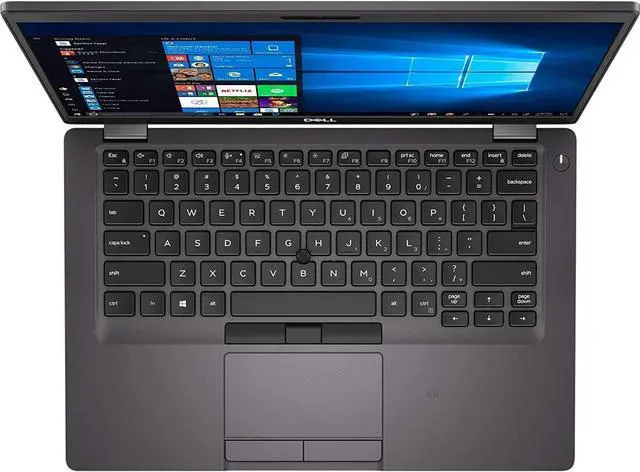
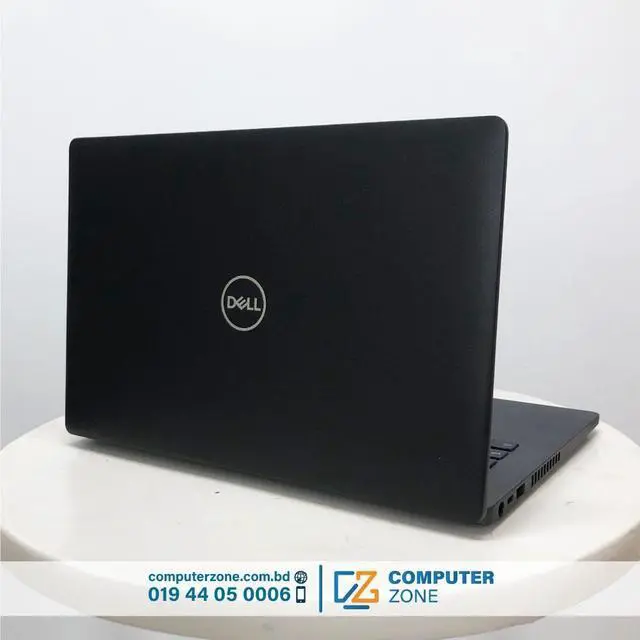
The Dell Latitude 5400 14-inch business laptop is a powerful and reliable professional notebook designed for productivity, multitasking, and corporate use. Featuring a sharp Full HD (1920×1080) display, it delivers clear visuals and comfortable screen space for spreadsheets, documents, presentations, and daily office workflows. Powered by the efficient Intel Core i7-8665U processor, this laptop provides strong performance for demanding business applications, multitasking, and professional software while maintaining excellent power efficiency. With 16GB of RAM, the system ensures smooth operation across multiple programs, browser tabs, and productivity tools, making it ideal for professionals who require consistent responsiveness. The 256GB SSD offers fast boot times, quick application launches, and reliable storage for essential files and business data. Integrated Intel graphics handle everyday visual tasks efficiently, supporting video playback, office applications, and external displays. Designed with mobility in mind, the Latitude 5400 features a durable yet lightweight chassis, making it easy to carry between meetings or travel environments. The backlit keyboard allows comfortable typing in low-light conditions, enhancing usability for late-night work or office settings. Running Windows 10 Pro, this laptop includes advanced security, management, and productivity features required for professional and enterprise use. Overall, the Dell Latitude 5400 delivers a balanced combination of performance, portability, and business-grade reliability, making it an excellent choice for professionals, remote workers, and corporate environments.
Key Highlights
- Intel® Core i7-8665U (vPro): This quad-core processor was engineered for premium business performance. The Intel vPro platform provides hardware-enhanced security and remote manageability, making it a favorite for corporate environments. With a Turbo Boost up to 4.8 GHz, it remains fast and responsive for modern workloads.
- 14" FHD Anti-Glare Display: The 1920 x 1080 resolution provides sharp text and vivid colors. The non-touch, anti-glare coating is specifically designed for high-productivity environments, reducing eye strain and reflections from overhead office lighting.
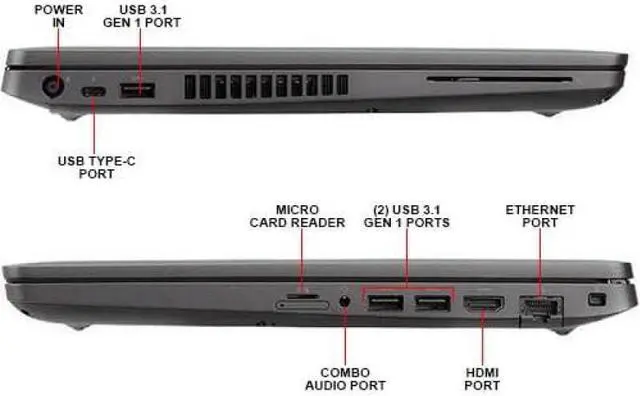
- Extensive Port Selection: Unlike many modern ultra-thins that require adapters, the 5400 features a full array of ports, including USB-C, three USB-A ports, HDMI, and a dedicated RJ-45 Ethernet port for secure, wired networking.
- Reliability & Security: Built to pass MIL-STD 810G testing, this laptop can withstand the bumps and spills of travel. It also includes professional security features like a physical webcam privacy shutter and a TPM 2.0 chip for data encryption.
- Windows 10 Pro: Designed for business, this OS includes BitLocker, Remote Desktop, and enterprise-level management tools. Note: This device is fully compatible with Windows 11 Pro should you choose to upgrade.
Specifications
- Processor: Intel® Core i7-8665U (Up to 4.8 GHz with Intel® Turbo Boost, 4 Cores, 8 Threads, 8MB Cache, vPro).
- Graphics: Integrated Intel® UHD Graphics 620.
- Display: 14" diagonal, FHD ($1920 \times 1080$), WVA, Anti-glare, 220 nits.
- Memory: 16GB DDR4-2400 MHz RAM (Upgradable).
- Storage: 256GB PCIe® NVMe M.2 SSD.
- Operating System: Windows 10 Pro (Windows 11 Compatible).
- Connectivity:
- 1x USB Type-C 3.1 Gen 2 (Power Delivery and DisplayPort).
- 3x USB 3.1 Gen 1 Type-A (one with PowerShare).
- 1x HDMI 1.4b.
- 1x RJ-45 (Gigabit Ethernet).
- 1x MicroSD Card Reader.
- Wireless: Intel® Dual Band Wireless-AC 9560 and Bluetooth 5.0.
Pro Tip: Maximizing Your Latitude 5400
- Backlit Keyboard Navigation: To stay productive in low-light environments, use the Fn + F10 (or the key with the light icon) to toggle the keyboard backlight. You can adjust between two brightness levels or turn it off to save battery.
- Scalable Upgrades: The Latitude 5400 is remarkably easy to service. It features two RAM slots, allowing you to upgrade to 32GB in the future, and the M.2 SSD can be easily swapped for a higher-capacity drive if your storage needs grow.
- Battery Longevity: Use the Dell Power Manager app to set your charging profile. If you use the laptop primarily plugged into a dock, select the "Primarily AC Use" mode to prolong the chemical life of your battery.