



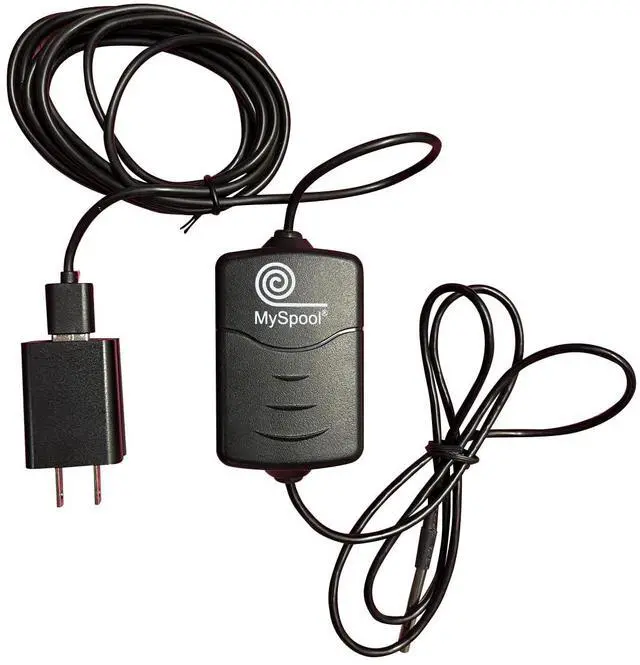


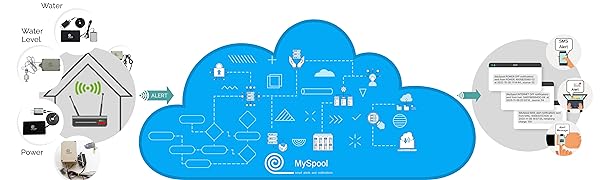
MySpool Temperature Alert with a Waterproof Sensor is a smart device that sends a text and email notification when measured temperature exceeds high or low thresholds.
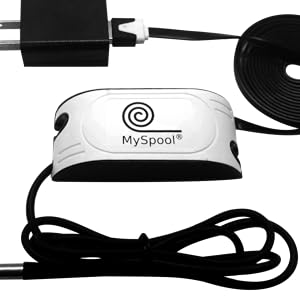
This device comes with an extra long flat 6 ft power cord. Its high quality waterproof temperature sensor has a temperature range from -55°C to +125°C (-67°F to +257°F), with accuracy of 0.5°C over recommended range of -10°C to +85°C. All readings outside this range are ignored: -30°C to +105°C or -22°F to +221°F
Temperature Alert is configured to use your WiFi. The WiFi setup takes a few minutes with a smart phone or a laptop. Once your Temperature Alert has been setup, your email address and phone number need to be specified on the myspool.com device configuration page. That page, as well as other user pages displaying device status and recent alerts, are in a secure user area on myspool.com. That area is also used for configuring settings such as message content and hours of operation. It is accessible to owners of MySpool devices. A chart of the last 24-hour temperature measurements is always available on your private page of myspool.com.
Multiple (up to 5) email addresses can be added to receive temperature and humidity alerts. All or some of them can be used to receive text notifications.
All notifications are limited to one per minute.
MySpool Central Monitoring Service for this device is included free of charge. This service runs on our cloud servers. In case Temperature Alert misses two scheduled daily check-ins in a row, a device owner will be notified via email that there is an issue. There will also be a follow-up notification when it comes back online.
Data collection mode for temperature data can send values to a ThingSpeak channel if configured, see FAQ/HELP page on myspool.com for instructions.
All MySpool services are free.
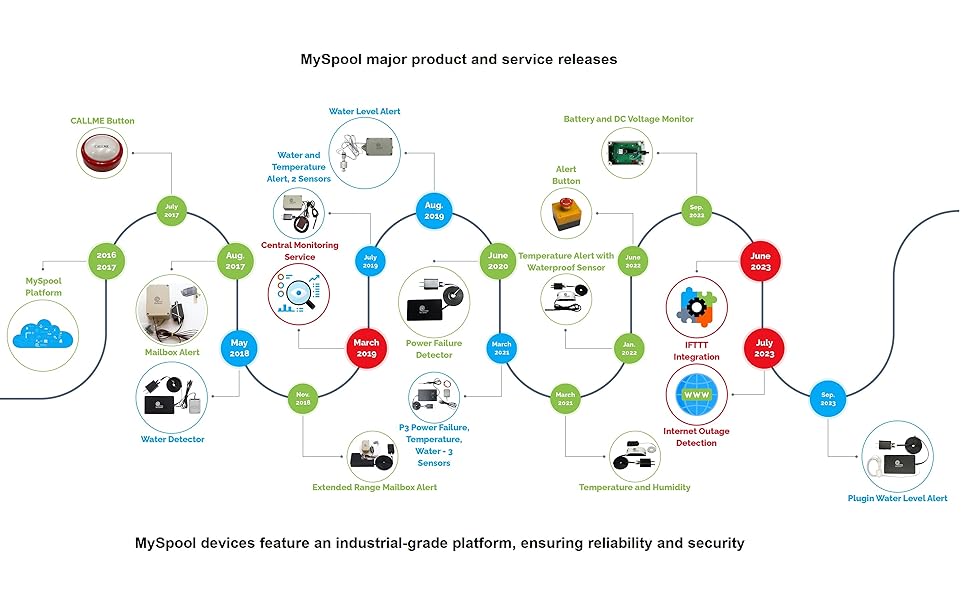
A robust and dependable industrial strength cloud infrastructure is behind every MySpool device. It provides support for both single and multi-device consumer and commercial deployments that can be managed on a secure website independent of geographical location or a mobile phone. That is what differentiates our industrial-strength services such as device management, monitoring, and notifications.
Setup Instructions for all myspool devices are available online on myspool.com. This is a summary:
- Connect your device to WiFi
- Create an account on myspool.com and click on email link to confirm it or login to your existing account
- Confirm your email subscription for this device to receive alert notifications
You are done: check your device status on myspool.com MY DEVICES page for last updates
You can add a phone number and change message and other settings at any time.
Device Configuration: 3 steps
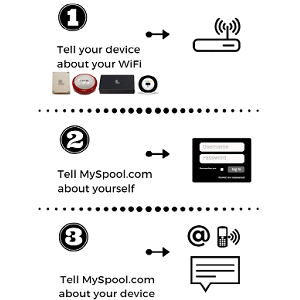
MySpool device setup Summary
1. Connect your device to WiFi
2. Create account on myspool.com
3. Configure your email and text message on myspool.com
The first step is the most challenging one. It should also be done first so that MySpool servers can identify your device when you login to configure it.
Step 1. Connect your device to WiFi
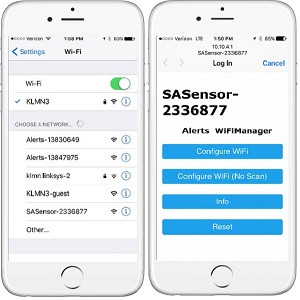
Open your phone, go to Settings, and choose Wi-Fi. Under the CHOOSE A NETWORK tab you will see available networks. One of them will be the MySpool Device. It will look like SASensor-000000 where "000000" is the unique device ID. In the example it is shown as SASensor-2336877. Click on it.
Once connection is established, which may take a few seconds, it will open a browser window with Alerts WiFi Manager.
Step 1, continued. Configure WiFi
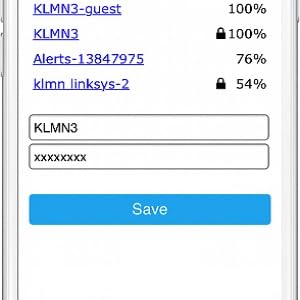
Click Configure WiFI. You will see a list of networks that MySpool device can use.
Select your WiFi router and enter its password. Click Save. Note: SAS network will not be visible on your phone after this step.
You can now use your laptop or smartphone to create an account on myspool.com and specify where you want your emails and text messages sent.

MySpool Temperature Alert with a Waterproof Sensor is a smart device that sends a text and email notification when measured temperature exceeds high or low thresholds.
This device comes with an extra long flat 6 ft power cord. Its high quality waterproof temperature sensor has a temperature range from -55°C to +125°C (-67°F to +257°F), with accuracy of 0.5°C over recommended range of -10°C to +85°C. All readings outside this range are ignored: -30°C to +105°C or -22°F to +221°F
Temperature Alert is configured to use your WiFi. The WiFi setup takes a few minutes with a smart phone or a laptop. Once your Temperature Alert has been setup, your email address and phone number need to be specified on the myspool.com device configuration page. That page, as well as other user pages displaying device status and recent alerts, are in a secure user area on myspool.com. That area is also used for configuring settings such as message content and hours of operation. It is accessible to owners of MySpool devices. A chart of the last 24-hour temperature measurements is always available on your private page of myspool.com.
Multiple (up to 5) email addresses can be added to receive temperature and humidity alerts. All or some of them can be used to receive text notifications.
All notifications are limited to one per minute.
MySpool Central Monitoring Service for this device is included free of charge. This service runs on our cloud servers. In case Temperature Alert misses two scheduled daily check-ins in a row, a device owner will be notified via email that there is an issue. There will also be a follow-up notification when it comes back online.
Data collection mode for temperature data can send values to a ThingSpeak channel if configured, see FAQ/HELP page on myspool.com for instructions.
All MySpool services are free.
A robust and dependable industrial strength cloud infrastructure is behind every MySpool device. It provides support for both single and multi-device consumer and commercial deployments that can be managed on a secure website independent of geographical location or a mobile phone. That is what differentiates our industrial-strength services such as device management, monitoring, and notifications.
Setup Instructions for all myspool devices are available online on myspool.com. This is a summary:
- Connect your device to WiFi
- Create an account on myspool.com and click on email link to confirm it or login to your existing account
- Confirm your email subscription for this device to receive alert notifications
You are done: check your device status on myspool.com MY DEVICES page for last updates
You can add a phone number and change message and other settings at any time.
Device Configuration: 3 steps
MySpool device setup Summary
1. Connect your device to WiFi
2. Create account on myspool.com
3. Configure your email and text message on myspool.com
The first step is the most challenging one. It should also be done first so that MySpool servers can identify your device when you login to configure it.
Step 1. Connect your device to WiFi
Open your phone, go to Settings, and choose Wi-Fi. Under the CHOOSE A NETWORK tab you will see available networks. One of them will be the MySpool Device. It will look like SASensor-000000 where "000000" is the unique device ID. In the example it is shown as SASensor-2336877. Click on it.
Once connection is established, which may take a few seconds, it will open a browser window with Alerts WiFi Manager.
Step 1, continued. Configure WiFi
Click Configure WiFI. You will see a list of networks that MySpool device can use.
Select your WiFi router and enter its password. Click Save. Note: SAS network will not be visible on your phone after this step.
You can now use your laptop or smartphone to create an account on myspool.com and specify where you want your emails and text messages sent.