



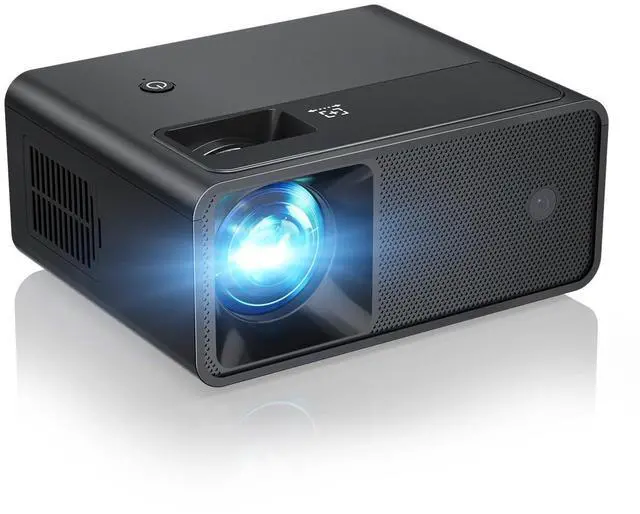


CiBest W13 Mini Projector - Your Portable Home Cinema, Anywhere You Go!
W13 mini projector
Merchant Video
NOTE:The projector can't support Dolby, If the projector no sound, it is recommended to configure the audio to PCM format when connect to external devices such as Roku, Nvidia, Fire TV, or DVDs

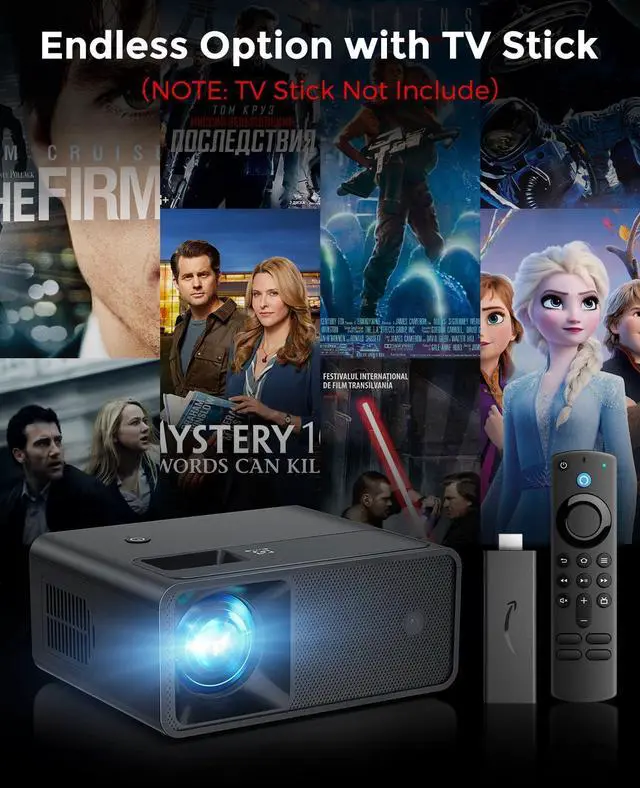
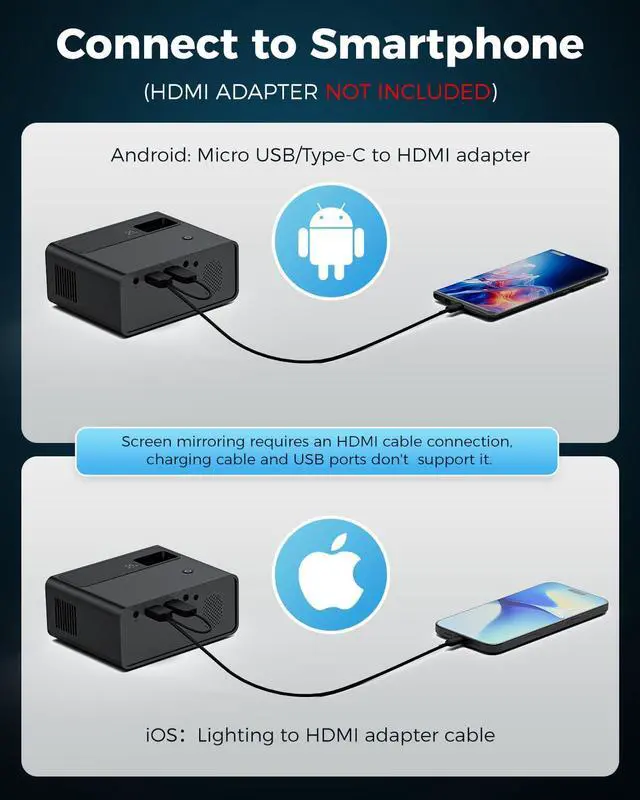
There is No WiFi and Bluetooth connection function, if you need to connect phone, please prepare a HDMI adapter cable. Due to HDCP agreement, screen mirroring doesn't work when you try to mirror the videos from apps (Prime Video, Netflix etc). You can connect a TV stick/Roku to display those apps.

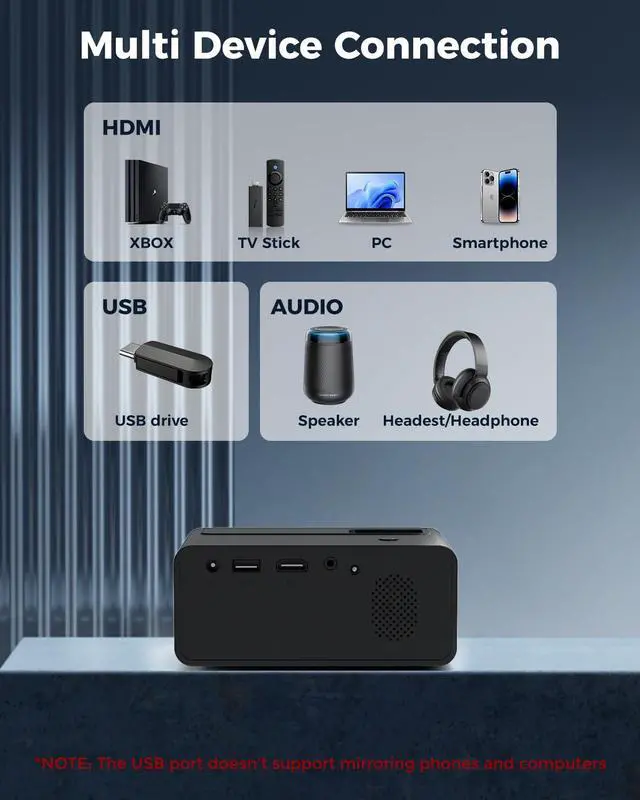
Connect with Ease, Play with More: Entertainment Unbound

NOTE: Please do not connect your smartphone or computer via USB port. The projector will only function properly when connected to the HDMI port for the smartphone and computer.


Why the projector no sound after connect to external devices such as Roku, Nvidia, Fire TV, or DVDs?
Because the projector can't support Dolby, it is recommended to configure the audio to PCM format when connect to external devices such as Roku, Nvidia, Fire TV, or DVDs.
Why the projector shows "No signal" after connect with phone or computer?
Please do not connect your smartphone or computer via USB port. The projector will only function properly when connected to the HDMI port for the smartphone and computer.
How to connect with iOS/Android phones?
Connecting an iOS/Android device to the projector requires Apple's official Lightning(iOS)/Typc-C(Android) to HDMI Adapter. (HDMI adapter is not included in the package.)
How to watch video from Prime Video, Netflix, Hulu, etc?
Please play these videos by inserting your TV Stick/Roku into our projector. You can also connect to a laptop/computer to play via HDMI Connection (HDMI Cable Included).
CiBest W13 Mini Projector - Your Portable Home Cinema, Anywhere You Go!
W13 mini projector
Merchant Video
NOTE:The projector can't support Dolby, If the projector no sound, it is recommended to configure the audio to PCM format when connect to external devices such as Roku, Nvidia, Fire TV, or DVDs

There is No WiFi and Bluetooth connection function, if you need to connect phone, please prepare a HDMI adapter cable. Due to HDCP agreement, screen mirroring doesn't work when you try to mirror the videos from apps (Prime Video, Netflix etc). You can connect a TV stick/Roku to display those apps.

Connect with Ease, Play with More: Entertainment Unbound

NOTE: Please do not connect your smartphone or computer via USB port. The projector will only function properly when connected to the HDMI port for the smartphone and computer.
Enjoy Big-Screen Thrills at indoor and Outdoors—Fun Follows Wherever You Go!


Why the projector no sound after connect to external devices such as Roku, Nvidia, Fire TV, or DVDs?
Because the projector can't support Dolby, it is recommended to configure the audio to PCM format when connect to external devices such as Roku, Nvidia, Fire TV, or DVDs.
Why the projector shows "No signal" after connect with phone or computer?
Please do not connect your smartphone or computer via USB port. The projector will only function properly when connected to the HDMI port for the smartphone and computer.
How to connect with iOS/Android phones?
Connecting an iOS/Android device to the projector requires Apple's official Lightning(iOS)/Typc-C(Android) to HDMI Adapter. (HDMI adapter is not included in the package.)
How to watch video from Prime Video, Netflix, Hulu, etc?
Please play these videos by inserting your TV Stick/Roku into our projector. You can also connect to a laptop/computer to play via HDMI Connection (HDMI Cable Included).