

• $79.99
  • Free 30-day Returns
  • Price alert
    Shop it at NeweggBusiness.

    Meet Your Seller

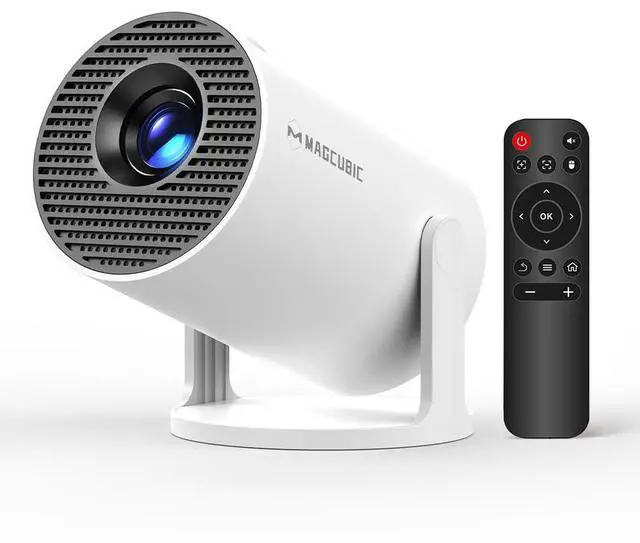
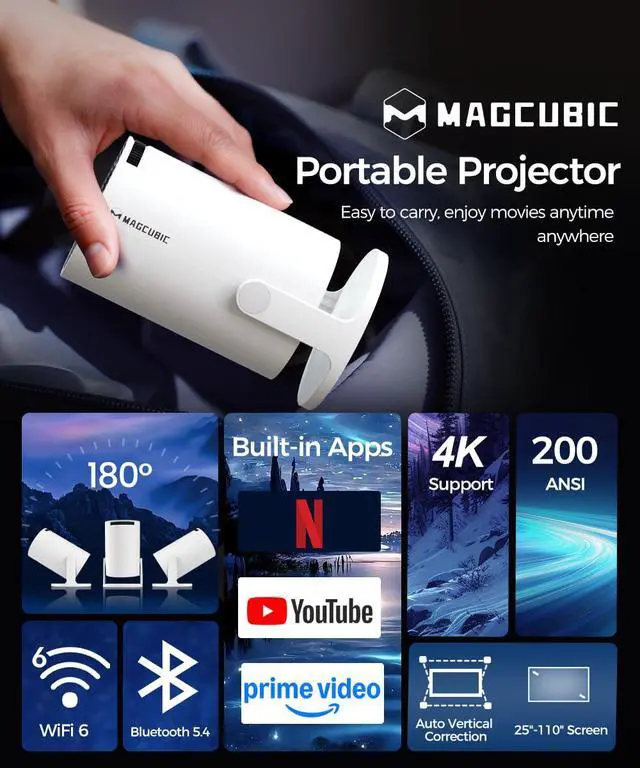
    Mini Projector with WiFi and Bluetooth, 4K Support 200ANSl Smart Portable Projector, AutoKeystone, 180° Rotation, Home Video Proyector for Home, Bedroom, Outdoor Android 14

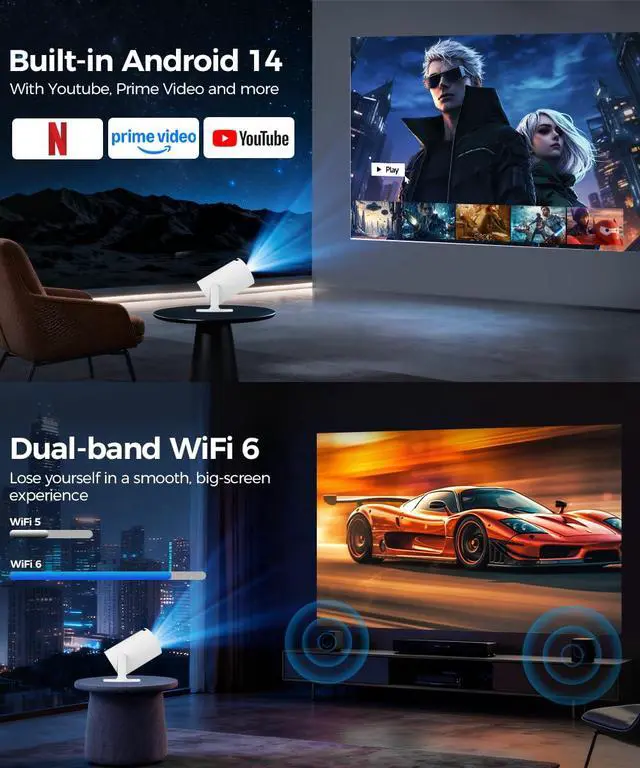
    • [Android 14 & Multiple Apps]This mini projector built-in Android 14 operating system, allowing effortless access to a wide range of content without the need for additional devices. you're equipped with the latest technology and software updates, ensuring compatibility with upcoming services for years to come. If you encounter software incompatibility problems, please upgrade the system, if not, please contact customer service
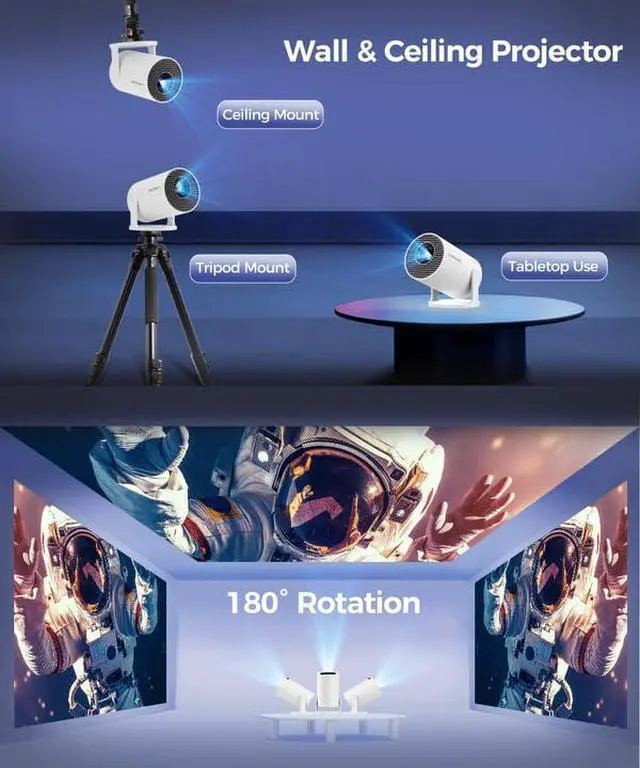
    • [Built-in dual band WiFi 6 & 180°Rotatable Portable Projector]It doesn't require fixed installation, allows for flexible adjustment of projection angles,can project onto the ceiling, and is not constrained by the environment offers unparalleled versatility and convenience. Built-in dual band 5G Wifi 6, experience reduced latency and improved responsiveness, ideal for video conferencing, and other real-time applications, ensuring smoother, more immersive experiences without delays or lag
    • [BT 5.4 & Built-in Speaker]The 4k projector with BT connectivity, you can easily connect wireless speakers, headphones, or soundbars to the projector, enhancing the audio quality and creating a more immersive viewing experience. This allows you to enjoy high-quality sound without the limitations of wired connections. Also built-in speakers eliminate the need for external audio equipment, simplifying setup and reducing clutter in your entertainment or presentation space
    +
    +
    Overview
    Specs
    Reviews
    avatar

    Any questions? Our AI beta will help you find out quickly.

    HY300Pro portable projector

    Merchant Video
    HY300Pro portable projector

    Magcubic: Portable Cinema Showdown

    https://m.media-amazon.com/images/S/aplus-media-library-service-media/fea1f6b8-487b-4967-a98a-f48aa97220d0.__AC_SR200,225___.jpg

    Magcubic HY300 Pro

    https://m.media-amazon.com/images/S/aplus-media-library-service-media/992220db-35cb-445d-804b-618af11e3ec4.__AC_SR200,225___.jpg

    Magcubic HY300 Pro+

    https://m.media-amazon.com/images/S/aplus-media-library-service-media/d4086bda-81a9-4816-867a-8aec6e3b960f.__AC_SR200,225___.jpg

    Magcubic HY300 Ultra

    https://m.media-amazon.com/images/S/aplus-media-library-service-media/9647bf54-c3ac-4a3d-b02c-e22e2c76b890.__AC_SR200,225___.jpg

    Magcubic HY310

    Customer Reviews
    Price
    Display Resolution
    Native 720P Native 720P Native 720P Native 1080P
    Ansi Lumens
    200ANSI 200ANSI 260ANSI 260ANSI
    Speaker
    5W Soundbase Speaker 5W Soundbase Speaker 5W Soundbase Speaker 5W Soundbase Speaker
    Focus Mode
    Manual Focus Manual Focus Electric Focus Auto Focus
    Auto Keystone Correction
    Vertical Vertical Vertical ?
    Connection
    WiFi6 + Bluetooth 5.4 WiFi6 + Bluetooth 5.4 WiFi6 + Bluetooth 5.4 WiFi6 + Bluetooth 5.4
    Net Weight
    350g/0.77BL 400g/0.88BL 560g/1.23BL 610g/1.34BL
    • Due to the HDCP (High-bandwidth Digital Content Protection) agreement, screen mirroring may not function properly (no image or sound) when attempting to mirror content from certain apps, such as Prime Video, Hulu, and others.

    • 1.Ensure your device is updated to the latest version.

      2.Go to Appstore on the home page.

      3.Update the apps to the latest version to use them

    • 1.Ensure your device is updated to the latest version.

      2.Open the Airpin or ScreenCast app.

      3.Use AirPlay on your iOS device, making sure both devices are connected to the same Wi-Fi network.

    • 1. Verify the time zone under Settings > Date and time Setting

      2. Switch to another Wi-Fi network or use a mobile hotspot.

      3. Test both 2.4GHz and 5GHz bands.

      4. Reset via Settings>Other Settings>Factory Reset Settings.

    • Many apps on the projector are mobile versions, which require switching to mouse mode for proper operation. Please press the mouse button on your remote control to switch to the air mouse mode and proceed.

    HY300Pro portable projector

    Merchant Video
    HY300Pro portable projector

    Magcubic: Portable Cinema Showdown

    https://m.media-amazon.com/images/S/aplus-media-library-service-media/fea1f6b8-487b-4967-a98a-f48aa97220d0.__AC_SR200,225___.jpg

    Magcubic HY300 Pro

    https://m.media-amazon.com/images/S/aplus-media-library-service-media/992220db-35cb-445d-804b-618af11e3ec4.__AC_SR200,225___.jpg

    Magcubic HY300 Pro+

    https://m.media-amazon.com/images/S/aplus-media-library-service-media/d4086bda-81a9-4816-867a-8aec6e3b960f.__AC_SR200,225___.jpg

    Magcubic HY300 Ultra

    https://m.media-amazon.com/images/S/aplus-media-library-service-media/9647bf54-c3ac-4a3d-b02c-e22e2c76b890.__AC_SR200,225___.jpg

    Magcubic HY310

    Customer Reviews
    Price
    Display Resolution
    Native 720P Native 720P Native 720P Native 1080P
    Ansi Lumens
    200ANSI 200ANSI 260ANSI 260ANSI
    Speaker
    5W Soundbase Speaker 5W Soundbase Speaker 5W Soundbase Speaker 5W Soundbase Speaker
    Focus Mode
    Manual Focus Manual Focus Electric Focus Auto Focus
    Auto Keystone Correction
    Vertical Vertical Vertical ?
    Connection
    WiFi6 + Bluetooth 5.4 WiFi6 + Bluetooth 5.4 WiFi6 + Bluetooth 5.4 WiFi6 + Bluetooth 5.4
    Net Weight
    350g/0.77BL 400g/0.88BL 560g/1.23BL 610g/1.34BL
    • Due to the HDCP (High-bandwidth Digital Content Protection) agreement, screen mirroring may not function properly (no image or sound) when attempting to mirror content from certain apps, such as Prime Video, Hulu, and others.

    • 1.Ensure your device is updated to the latest version.

      2.Go to Appstore on the home page.

      3.Update the apps to the latest version to use them

    • 1.Ensure your device is updated to the latest version.

      2.Open the Airpin or ScreenCast app.

      3.Use AirPlay on your iOS device, making sure both devices are connected to the same Wi-Fi network.

    • 1. Verify the time zone under Settings > Date and time Setting

      2. Switch to another Wi-Fi network or use a mobile hotspot.

      3. Test both 2.4GHz and 5GHz bands.

      4. Reset via Settings>Other Settings>Factory Reset Settings.

    • Many apps on the projector are mobile versions, which require switching to mouse mode for proper operation. Please press the mouse button on your remote control to switch to the air mouse mode and proceed.

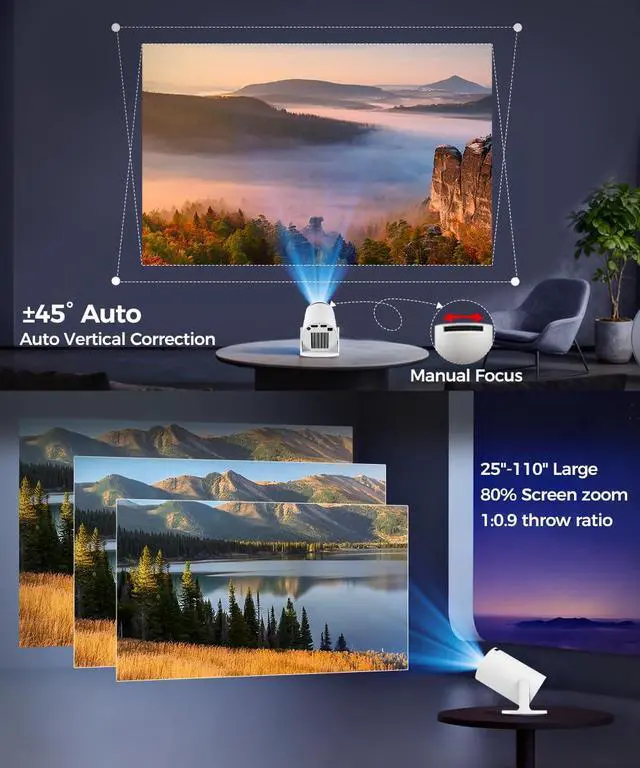
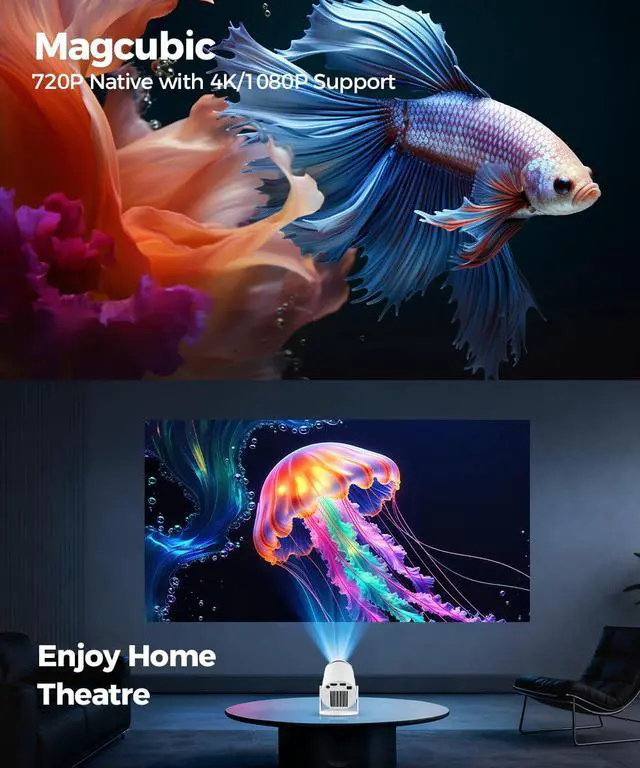
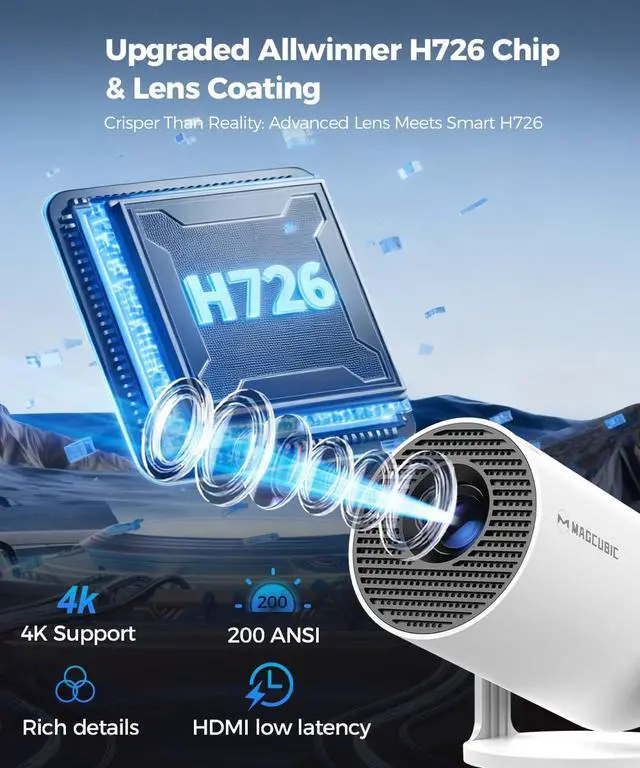
    Magcubic HY300PRO: The Ultimate 4K Smart Mini Projector, Your Portable Cinema Anywhere! Imagine Your Perfect Movie Night... Now, make it a reality anywhere. The Magcubic HY300PRO mini projector isn't just a projector; it's your ticket to a stunning, big-screen experience in your living room, bedroom, backyard, or even on your next camping trip. Forget bulky equipment and complicated setups. We've engineered a powerful, smart, and incredibly portable home theater projector that delivers breathtaking 4K supported clarity and immersive sound at your fingertips. Why Choose the Magcubic HY300PRO Mini Projector? All-in-One Smart Hub: As a dedicated Android 14 projector, The 180° rotation and ceiling projector function offer unique setup possibilities. Superior Connectivity: With both WiFi 6 and BT 5.4, you are always connected without lag.Pro-Level Image: Auto-Keystone correction ensures a perfectly rectangular image every time, without manual fuss. Incredible Value: Get premium features like 4K support, long lifespan, and smart capabilities in an affordable mini projector package. Perfect For: Movie lovers, gamers, families, students, campers, and anyone wanting to upgrade their home entertainment without the complexity and cost of a traditional home theater system. We stand behind the quality of the Magcubic HY300PRO. Our dedicated US-based customer support team is ready to assist you. NOTE: To ensure optimal performance of all built-in applications, please manually update your device to the LATEST system version upon setup. Should you encounter any issues, do not hesitate to contact us!


    Product information

    Brand Magcubic
    Recommended Uses For Product Indoor/Outdoor
    Special Feature Short Throw
    Connectivity Technology HDMI
    Display resolution 1280 x 720
    Brand Name Magcubic
    Item Weight 1.4 pounds
    Product Dimensions 12 x 6 x 10 inches
    Item model number Hy300pro
    Color Name white
    Special Features Short Throw
    Date First Available November 26, 2024

    Additional Features

    • [Portable Size & Long Time Life ]This portable projector is usually lightweight, with a net weight of only 350g/0.77BL, Compact structure, easy to carry and move. You can easily carry them with you anytime and anywhere for projection. The lifespan of the light source can reach 50000 hours. Easily meet your movie, competition, and gaming needs
    • NOTE: To ensure optimal performance of built-in applications, please manually update your device to the LATEST system version. Should you encounter any issues, do not hesitate to contact our customer support team for further assistance

    Warranty & Returns

    Warranty, Returns, And Additional Information

    Warranty

    • Please contact the Seller directly for warranty information. Warranty information may also be found on the Manufacturer's website.
    • CONTACT

    Return Policies

    • Return for refund within: 30 days
    • Return for replacement within: 30 days
    • This item is covered by BelTie Return Policy

    Manufacturer Contact Info

    LOADING...