




How to connect your phone to the projector?
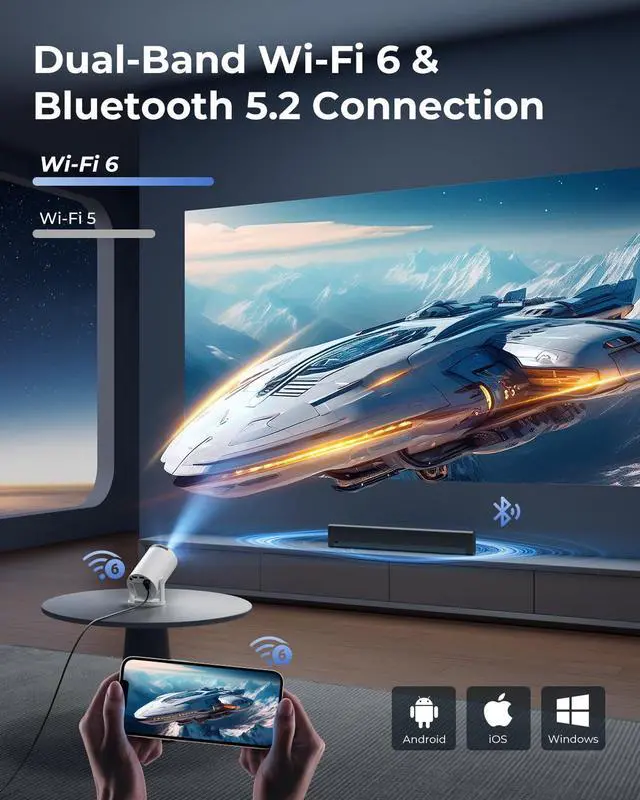
Wireless: Connect phone & projector to same WiFi?Open "ScreenCast" on projector?Enable screen mirroring on phone.
Wired: Use HDMI adapter(Not included)?Select HDMI input on projector?Enable screen mirroring on phone.
Can the projector stream YouTube or Prime Video via screen mirroring?
Due to HDCP copyright protection, screen mirroring (e.g., Miracast/AirPlay) may fail to display video (black screen/audio-only).
For the best experience, we recommend using a Fire Stick, Roku, or connecting a laptop or computer to play.
How to use the remote?
Aim at the projected image within 30° and 20 ft (6 m). If the remote isn’t working or is damaged, please reach out to our support team for assistance. You can also control the projector using a USB mouse (not included).
Why can't the projector connect to WiFi?
Keep the projector within 5m (16ft) of the router and check if the WiFi is overloaded.Test connectivity using a phone hotspot to rule out network issues. If needed, try to reset the projector.
Built-in app won’t play videos?
1.Restore Factory Settings.
2.Go to Settings > Date & Time and make sure the Time Zone matches your location.
3.Check that the projector is connected to a working Wi-Fi network.
4.Reopen the app.
Product Parameters
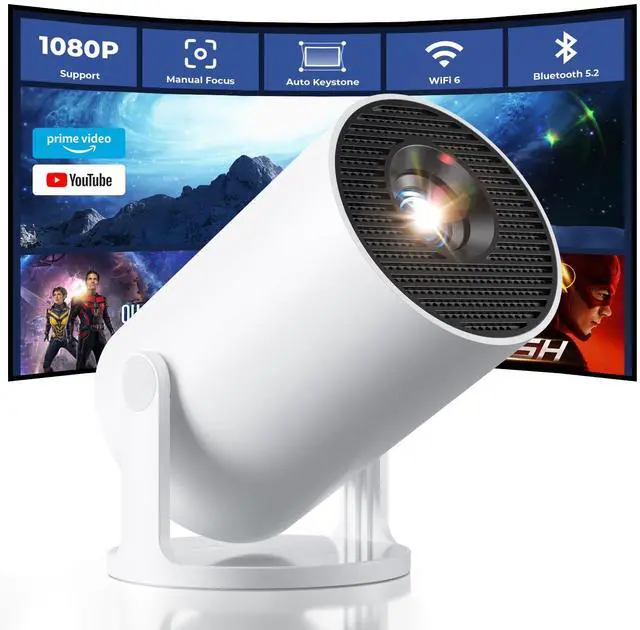
 Mini Projector with WiFi |  Portable Projector |  Mini WiFi Projector |  Smart Projector with Apps | |
|---|---|---|---|---|
Customer Reviews | — | — | — | — |
Price | — | — | — | — |
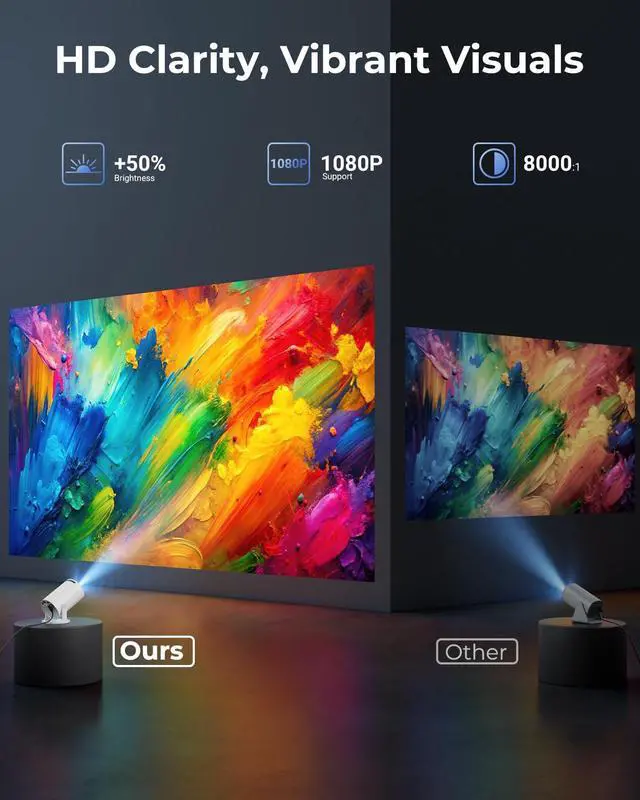
Display resolution | Support 1080P | 1280 x 720 | Support 1080P 4K | Support 1080P 4K |
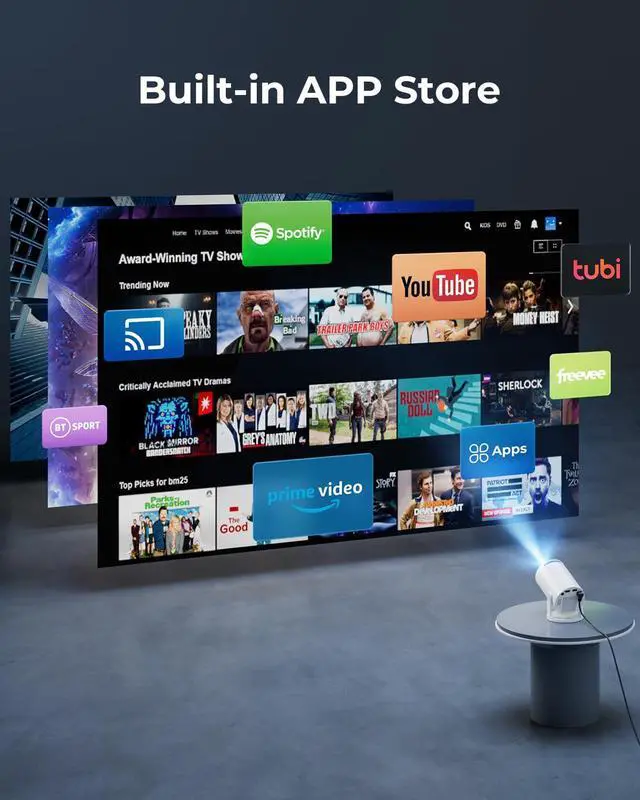
Special Features | Bulit in apps/ Android 11 | No apps | No apps | Bulit in apps/ Android 14 |
Wireless function | Wi-Fi/BT/Screen mirroring | Screen mirroring | Wi-Fi/BT/Screen mirroring | Wi-Fi/BT/Screen mirroring |
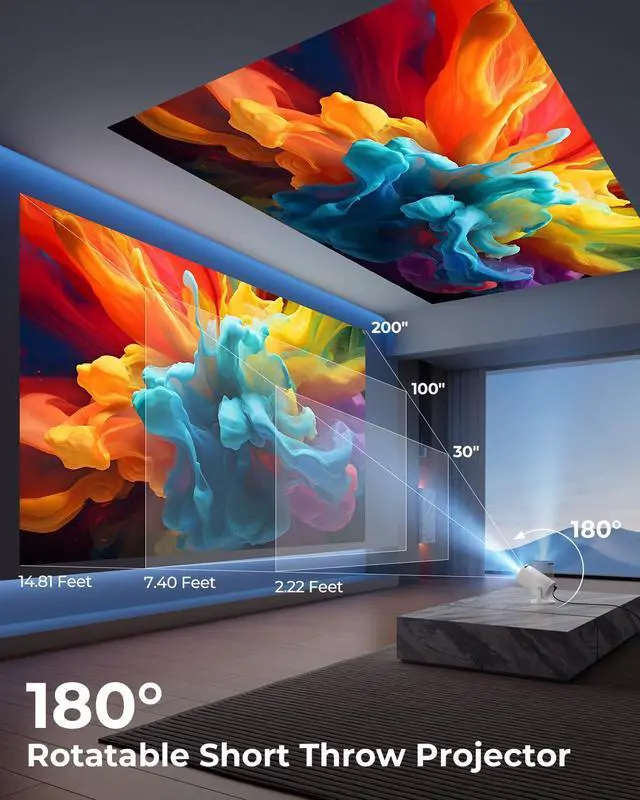
Projection Model | Front/Rear/Ceiling | Front/Rear/Ceiling | Front/Rear/Ceiling | Front/Rear/Ceiling/StarryNight |
Projection size | 30-200'' | 40-100'' | 30-200'' | 30-200'' |
Controller Type | Remote Control | Remote Control | Remote Control | Remote Control/USB mouse |


How to connect your phone to the projector?
Wireless: Connect phone & projector to same WiFi?Open "ScreenCast" on projector?Enable screen mirroring on phone.
Wired: Use HDMI adapter(Not included)?Select HDMI input on projector?Enable screen mirroring on phone.
Can the projector stream YouTube or Prime Video via screen mirroring?
Due to HDCP copyright protection, screen mirroring (e.g., Miracast/AirPlay) may fail to display video (black screen/audio-only).
For the best experience, we recommend using a Fire Stick, Roku, or connecting a laptop or computer to play.
How to use the remote?
Aim at the projected image within 30° and 20 ft (6 m). If the remote isn’t working or is damaged, please reach out to our support team for assistance. You can also control the projector using a USB mouse (not included).
Why can't the projector connect to WiFi?
Keep the projector within 5m (16ft) of the router and check if the WiFi is overloaded.Test connectivity using a phone hotspot to rule out network issues. If needed, try to reset the projector.
Built-in app won’t play videos?
1.Restore Factory Settings.
2.Go to Settings > Date & Time and make sure the Time Zone matches your location.
3.Check that the projector is connected to a working Wi-Fi network.
4.Reopen the app.
Product Parameters
Mini Projector with WiFi | Portable Projector | Mini WiFi Projector | Smart Projector with Apps |
|---|---|---|---|
| Customer Reviews | |||
| — | — | — | — |
| Price | |||
| — | — | — | — |
| Display resolution | |||
| Support 1080P | 1280 x 720 | Support 1080P 4K | Support 1080P 4K |
| Special Features | |||
| Bulit in apps/ Android 11 | No apps | No apps | Bulit in apps/ Android 14 |
| Wireless function | |||
| Wi-Fi/BT/Screen mirroring | Screen mirroring | Wi-Fi/BT/Screen mirroring | Wi-Fi/BT/Screen mirroring |
| Projection Model | |||
| Front/Rear/Ceiling | Front/Rear/Ceiling | Front/Rear/Ceiling | Front/Rear/Ceiling/StarryNight |
| Projection size | |||
| 30-200'' | 40-100'' | 30-200'' | 30-200'' |
| Controller Type | |||
| Remote Control | Remote Control | Remote Control | Remote Control/USB mouse |