here!
here!
I’m your shopping assistant for PC builds, upgrades, and everything tech.
Got questions? Ask away!
Start a conversation
here!
I’m your shopping assistant for PC builds, upgrades, and everything tech.
Got questions? Ask away!
Start a conversation




Any questions? Ask CelesteSM will help you find out quickly.



How do I check my tablet model?
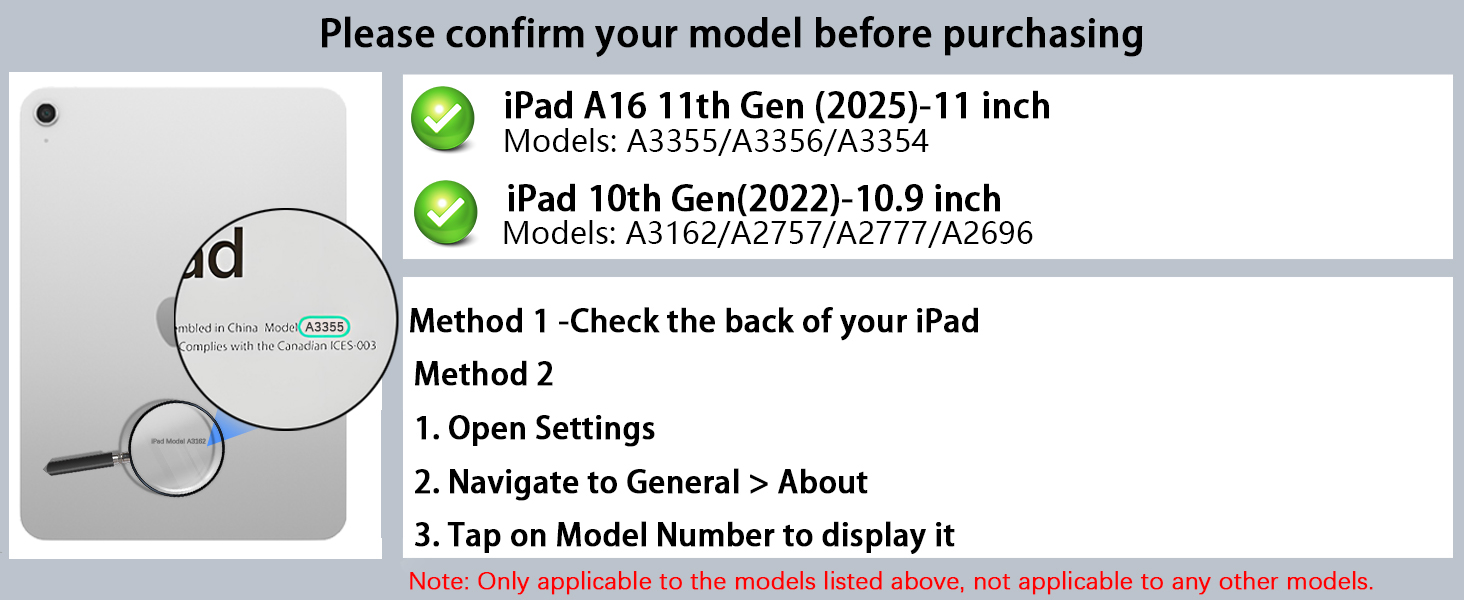
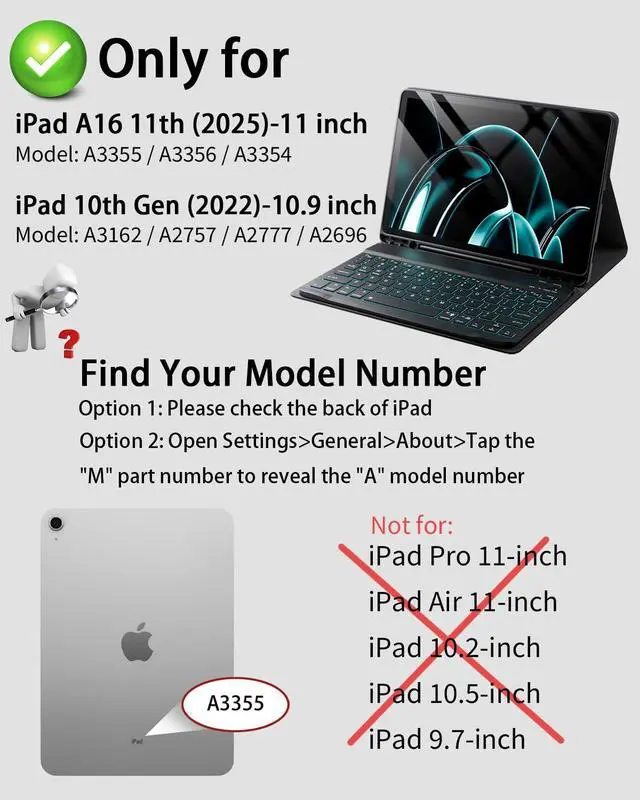
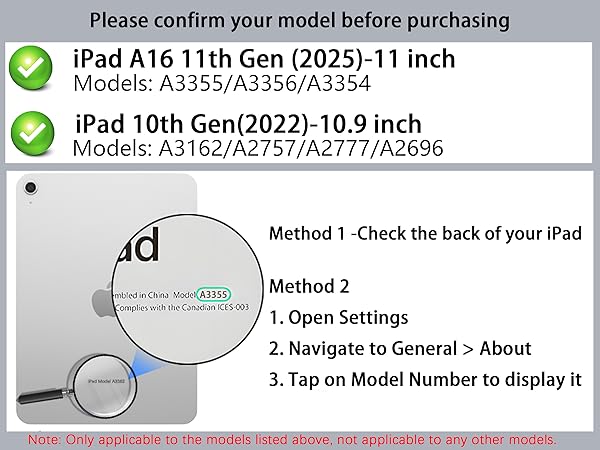
Method 1: Check the model number starting with "A" on the back of your iPad.
Method 2: Open your tablet's Settings > General > About > tap "Model" to display the model number starting with "A."
Which Tablet models are compatible?
For iPad (A16) 11th generation 11-inch 2025 (Model: A3354/A3355/A3356)
For iPad 10th generation 10.9-inch 2022 (Model: A2696/A2757/A2777)
How do I use a wireless keyboard and mouse?
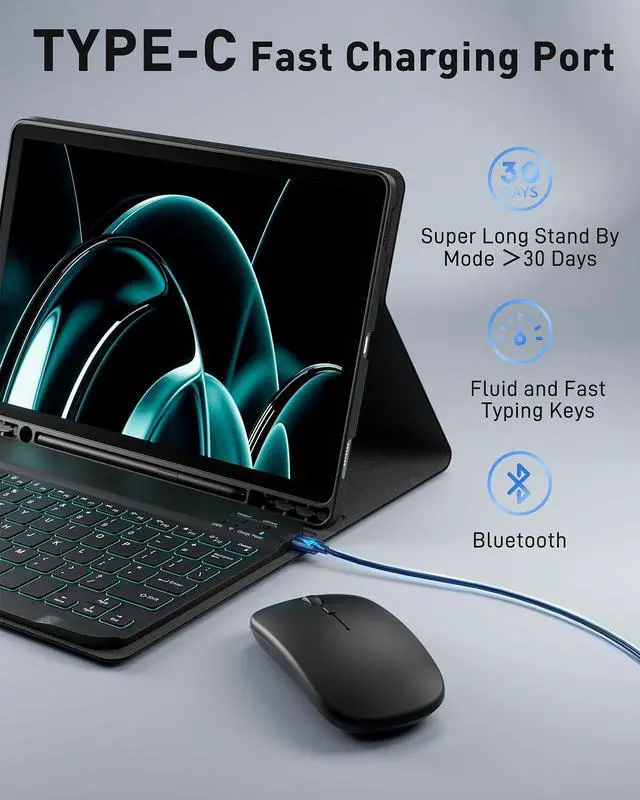
Before use, charge the keyboard and mouse for two hours using the provided cables, Ensure product performance.
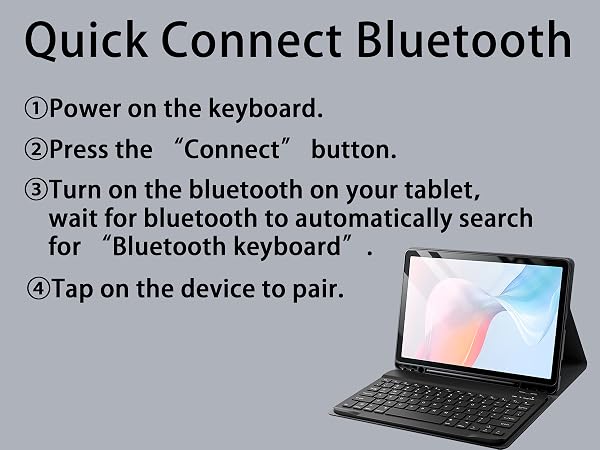
The keyboard and mouse are wireless Bluetooth devices and can be used immediately after successful Bluetooth connection
How to solve the problem that the keyboard and mouse cannot connect to Bluetooth and keyboard typing delay?
Please use the Type-C power cable that comes with the product to charge the keyboard and mouse for more than 2 hours.
If the keyboard and mouse are low on power, the connection signal will become weak and unable to connect.
My keyboard won't charge, what should I do?
The keyboard's charging power is compatible with 5V 2A.
Please use the Type-C power cable and the charging head we provide to charge the keyboard.
Please note: Do not use a high-power charging head, as it will cause the keyboard to not charge.




How do I check my tablet model?
Method 1: Check the model number starting with "A" on the back of your iPad.
Method 2: Open your tablet's Settings > General > About > tap "Model" to display the model number starting with "A."
Which Tablet models are compatible?
For iPad (A16) 11th generation 11-inch 2025 (Model: A3354/A3355/A3356)
For iPad 10th generation 10.9-inch 2022 (Model: A2696/A2757/A2777)
How do I use a wireless keyboard and mouse?
Before use, charge the keyboard and mouse for two hours using the provided cables, Ensure product performance.
The keyboard and mouse are wireless Bluetooth devices and can be used immediately after successful Bluetooth connection
How to solve the problem that the keyboard and mouse cannot connect to Bluetooth and keyboard typing delay?
Please use the Type-C power cable that comes with the product to charge the keyboard and mouse for more than 2 hours.
If the keyboard and mouse are low on power, the connection signal will become weak and unable to connect.
My keyboard won't charge, what should I do?
The keyboard's charging power is compatible with 5V 2A.
Please use the Type-C power cable and the charging head we provide to charge the keyboard.
Please note: Do not use a high-power charging head, as it will cause the keyboard to not charge.