




 here!
here!
I’m your shopping assistant for PC builds, upgrades, and everything tech.
Got questions? Ask away!
Start a conversation
here!
I’m your shopping assistant for PC builds, upgrades, and everything tech.
Got questions? Ask away!
Start a conversation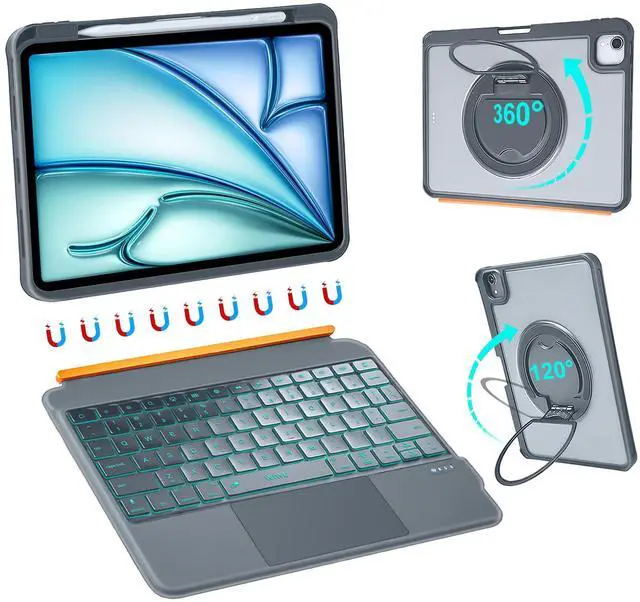





Any questions? Ask CelesteSM will help you find out quickly.


About Us
WiWU was born in 2011 to redefine how we navigate our dynamic, on-the-go lives. We're not just creators of travel gear and mobile accessories—we're architects of seamless experiences.
At WiWU, "Design for Mobile Lifestyle" is more than a slogan. With over 1,000,000 products trusted worldwide, we've turned everyday mobility into an art form. Every product is crafted to empower your journey, not weigh it down.


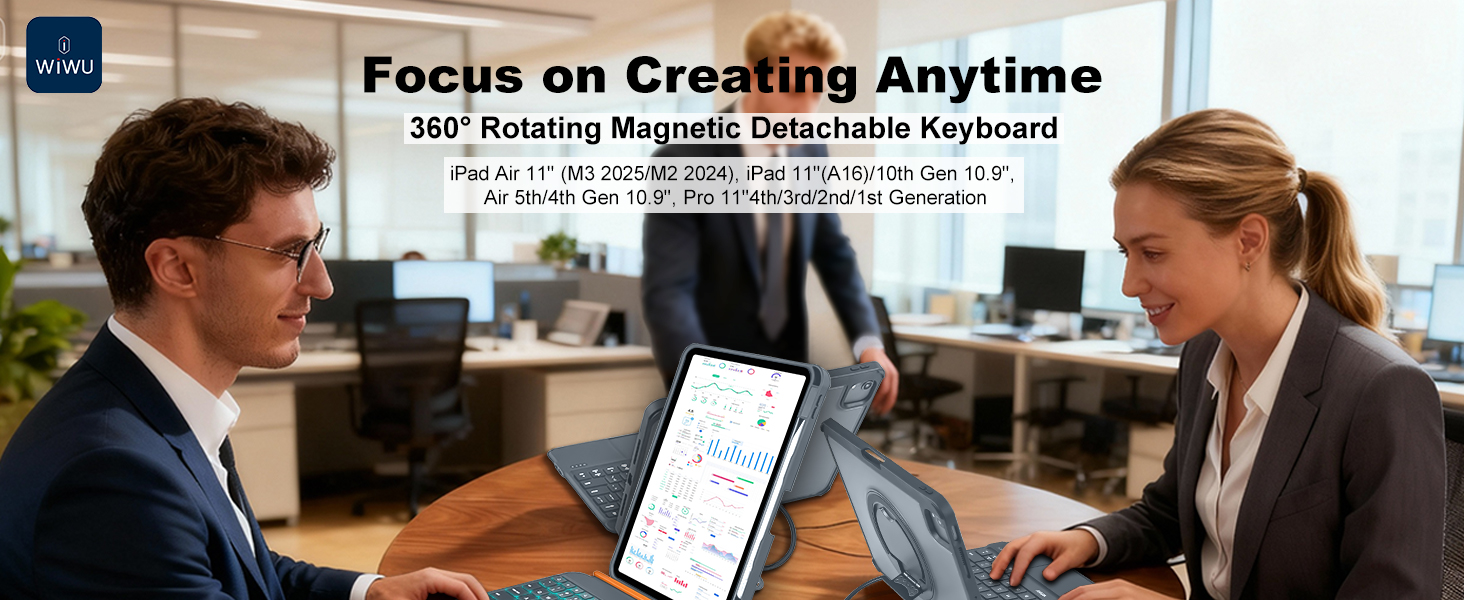
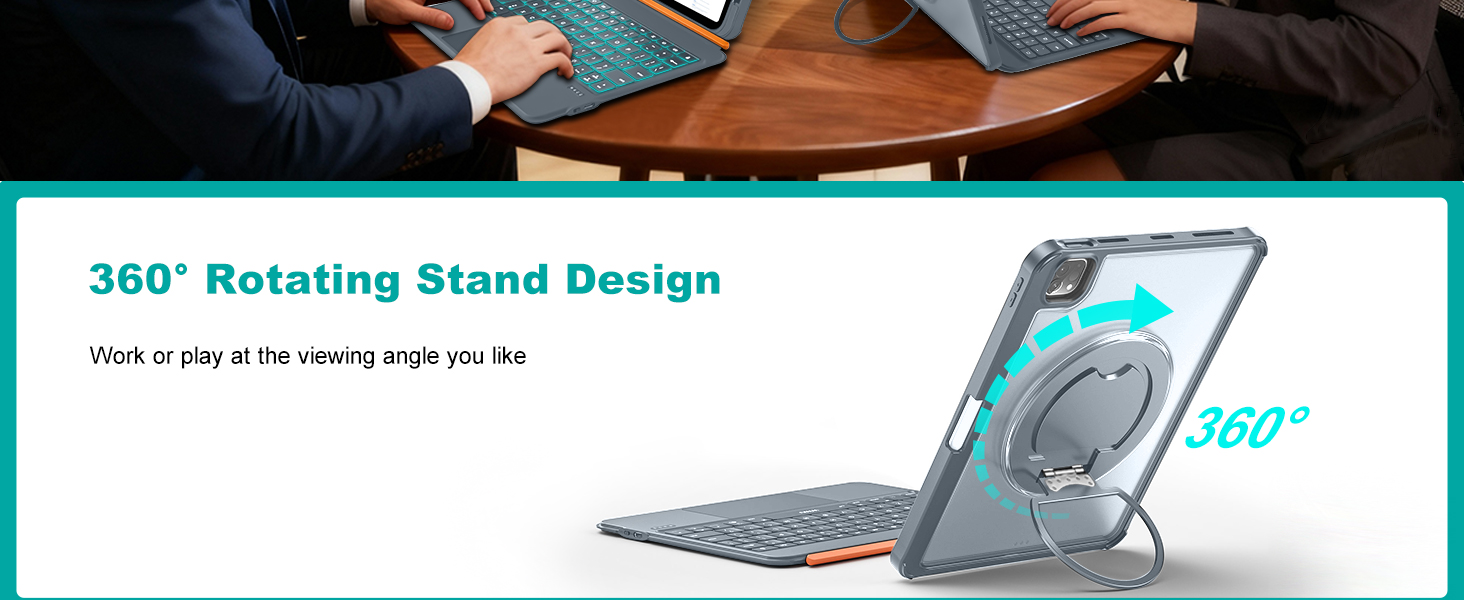
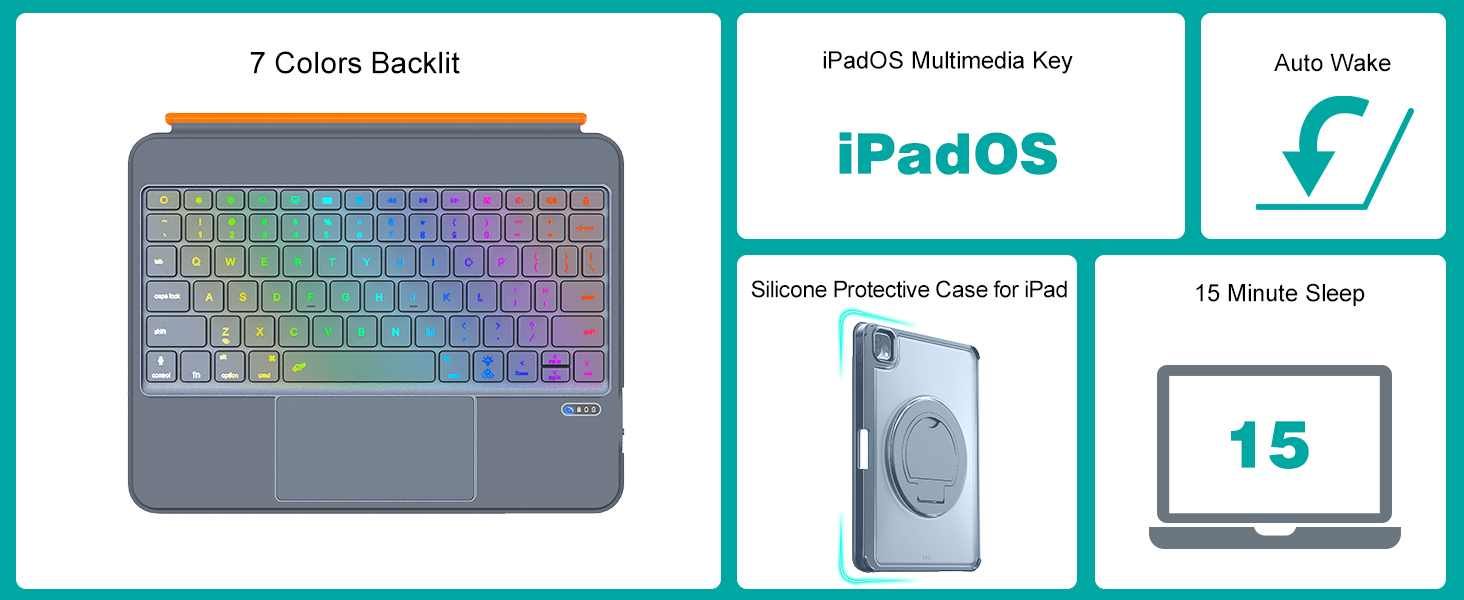
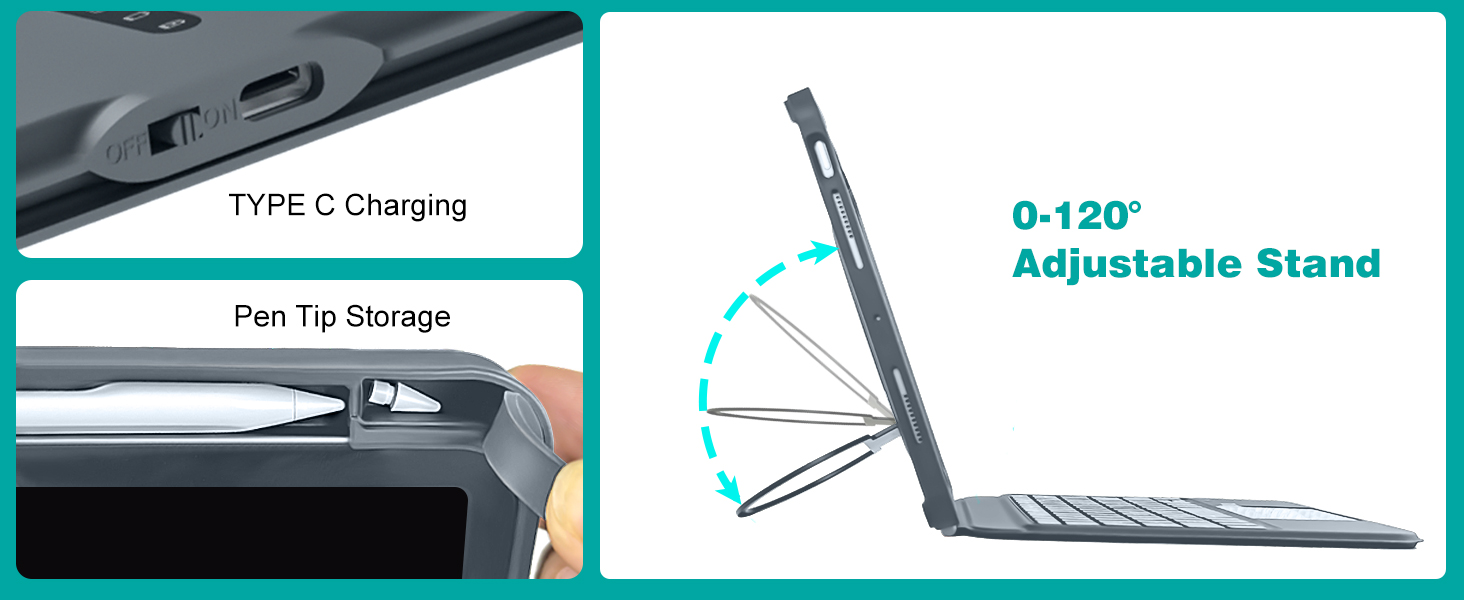
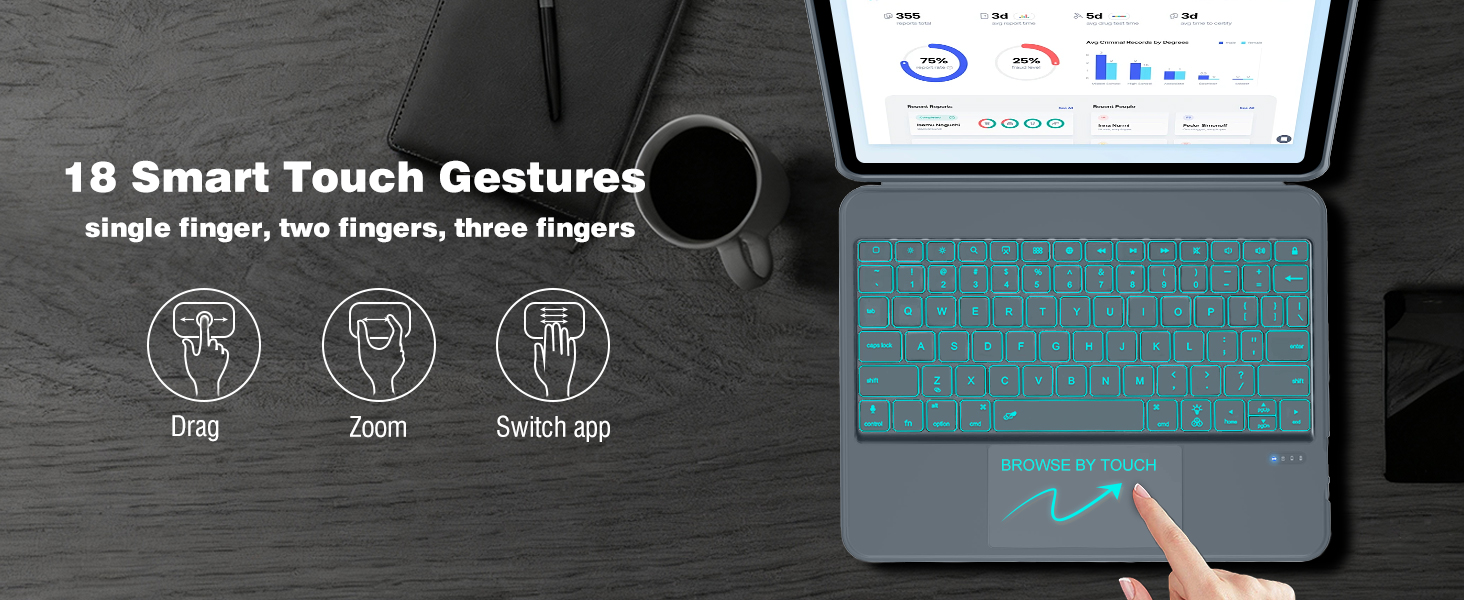

Professional productivity anywhere.Unlocks iPad full potential as on-the-go productivity powerhouse

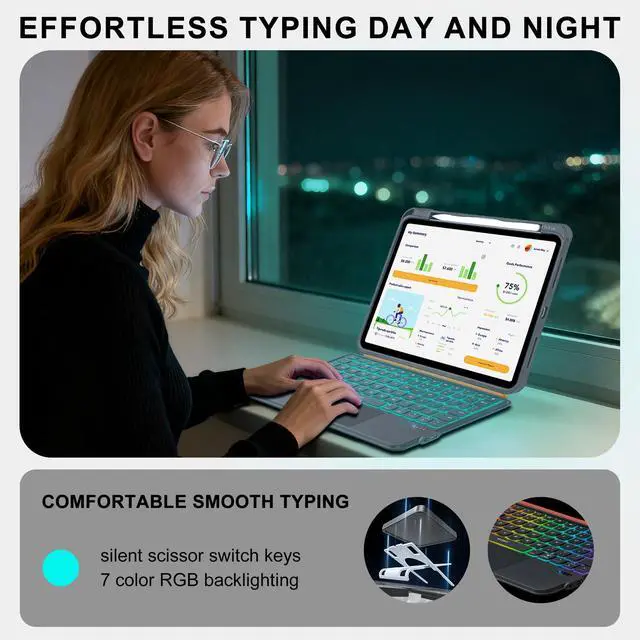
Join meeting any time.Stay productive in outdoor setting with reliable comfortable typing experience

Designed to slip effortlessly into your bag make it for your On-the-Go Productivity Partner
How to identify my iPad model correctly?
Open the iPad Settings>General>About>Click the "Model Number"
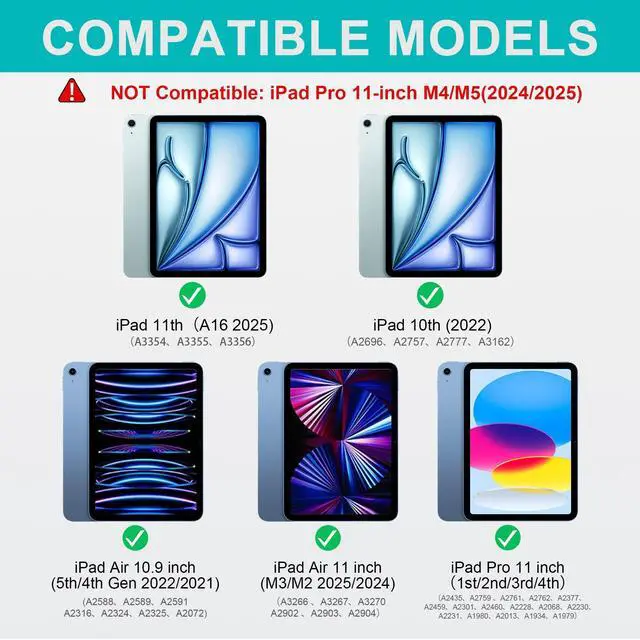
What specific iPad models are supported?
iPad 11 inch 11th Gen(A16) 2025
iPad 10.9 inch 10th Gen (2022)
iPad AIR 11 inch M4/M3/M2 (2026/2025/2024)
iPad Pro 11 inch 4th/3rd/2nd/1st Gen (2022/2021/2020/2018)
iPad Air 10.9 inch 5th/4th Gen (2022/2021)
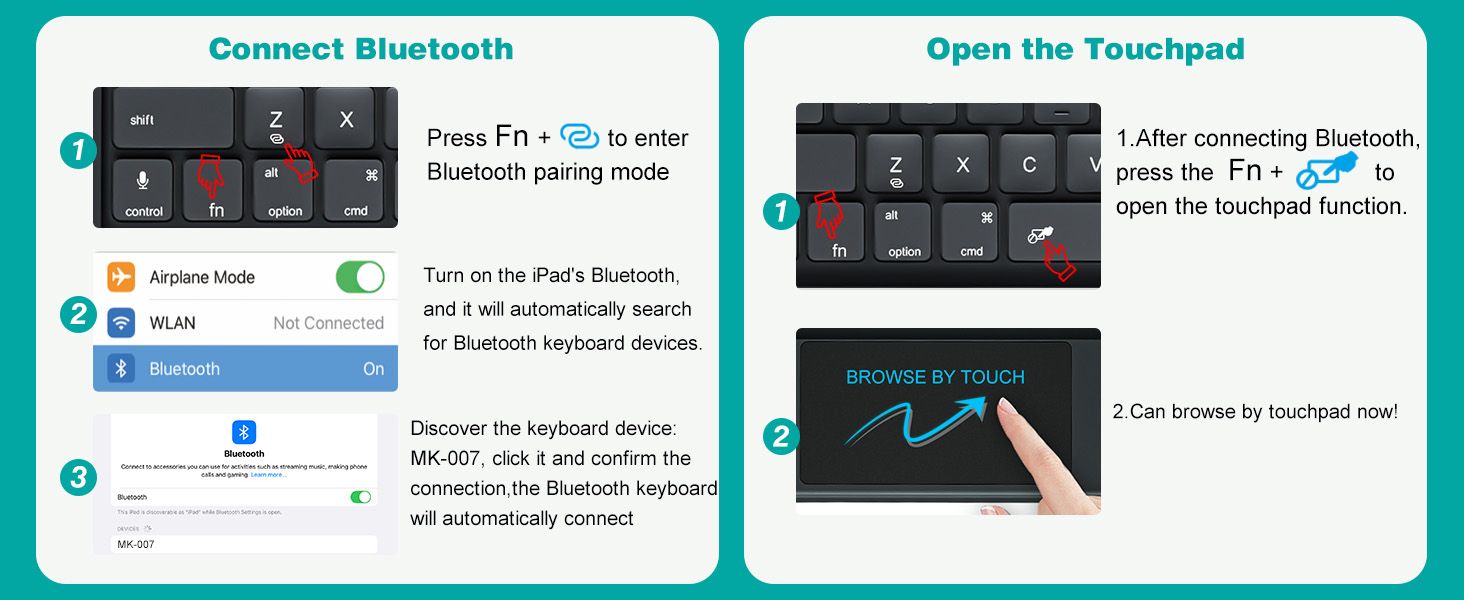
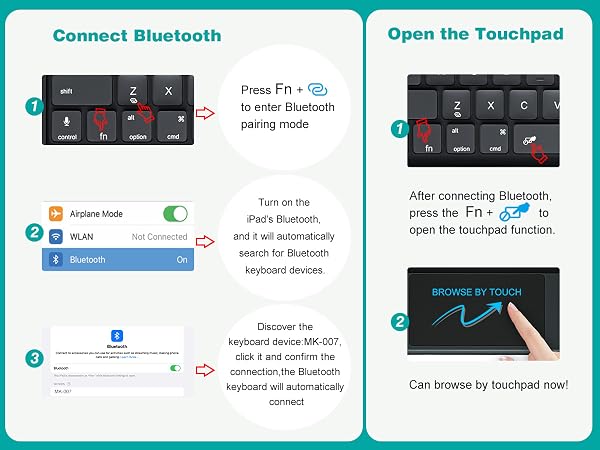
What to do if the indicator light is normal but FN+Bluetooth keys have no response?
This is usually caused by low battery voltage. Please charge the keyboard for a period of time, keep the USB cable connected, and try activating Bluetooth again
What to do if the indicator is normal and press FN+Bluetooth, but the ipad can't find the keyboard or fails to connect?
1.If it finds the name but won’t connect(first use):tapped pair but no connect.Please delete unused devices then try reconnecting
2.If it fails to reconnect after pairing:Refresh the list and pair to the new device(MK007)instead of the old saved one
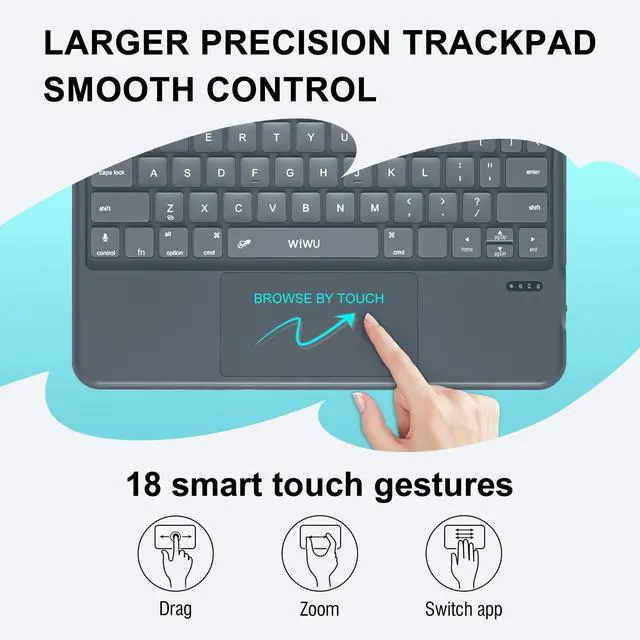
Why doesn't the trackpad work when you tap it lightly?
First, make sure the keyboard is connected, then go to iPad Settings > General > Trackpad > and turn on "Tap to Click"

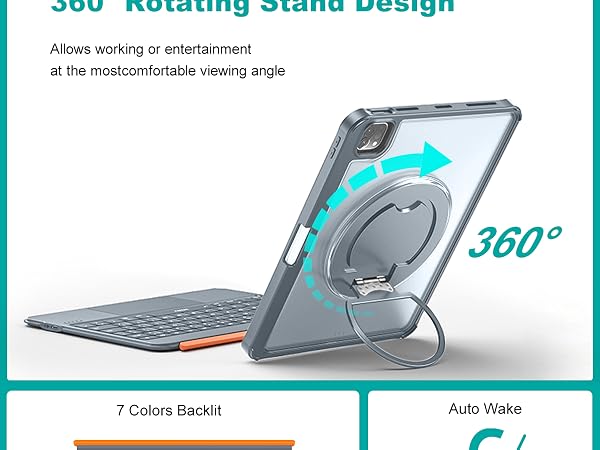
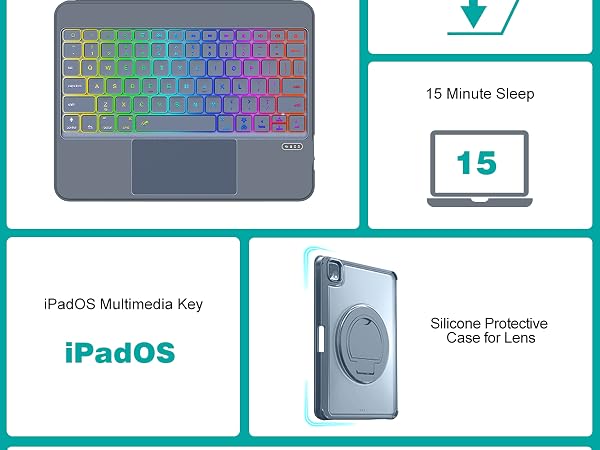
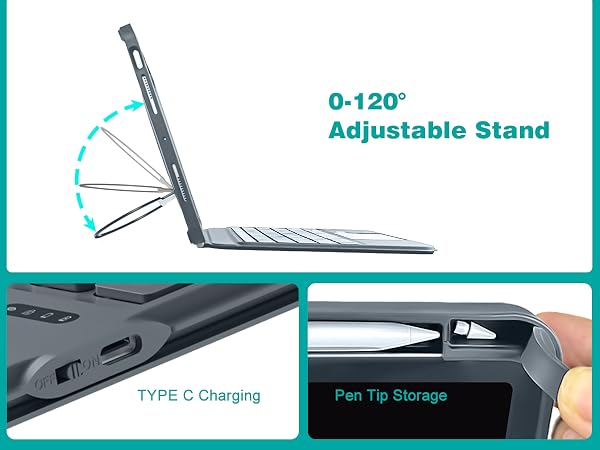
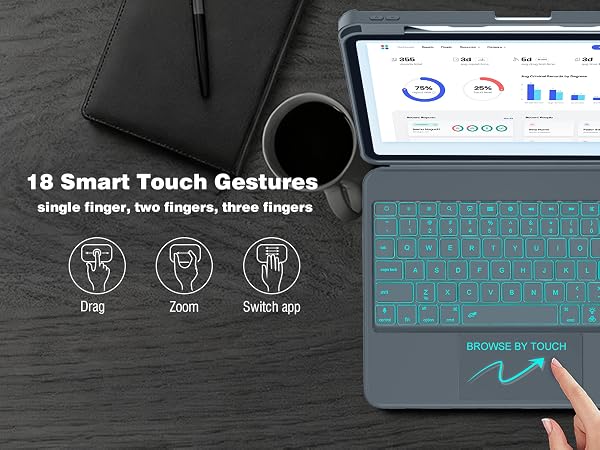
Professional productivity anywhere.Unlocks iPad full potential as on-the-go productivity powerhouse
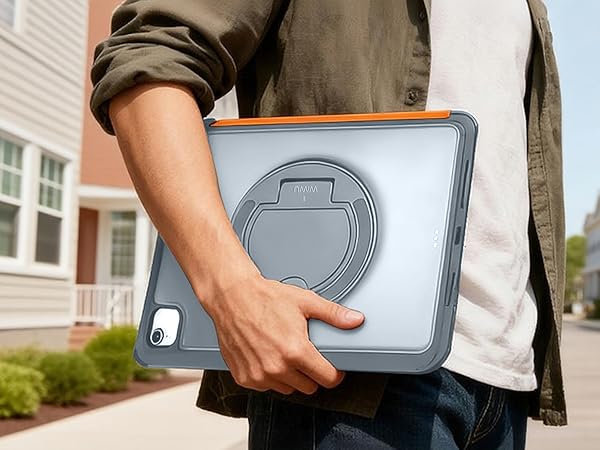
Join meeting any time.Stay productive in outdoor setting with reliable comfortable typing experience
Designed to slip effortlessly into your bag make it for your On-the-Go Productivity Partner


How to identify my iPad model correctly?
Open the iPad Settings>General>About>Click the "Model Number"
What specific iPad models are supported?
iPad 11 inch 11th Gen(A16) 2025
iPad 10.9 inch 10th Gen (2022)
iPad AIR 11 inch M4/M3/M2 (2026/2025/2024)
iPad Pro 11 inch 4th/3rd/2nd/1st Gen (2022/2021/2020/2018)
iPad Air 10.9 inch 5th/4th Gen (2022/2021)
What to do if the indicator light is normal but FN+Bluetooth keys have no response?
This is usually caused by low battery voltage. Please charge the keyboard for a period of time, keep the USB cable connected, and try activating Bluetooth again
What to do if the indicator is normal and press FN+Bluetooth, but the ipad can't find the keyboard or fails to connect?
1.If it finds the name but won’t connect(first use):tapped pair but no connect.Please delete unused devices then try reconnecting
2.If it fails to reconnect after pairing:Refresh the list and pair to the new device(MK007)instead of the old saved one
Why doesn't the trackpad work when you tap it lightly?
First, make sure the keyboard is connected, then go to iPad Settings > General > Trackpad > and turn on "Tap to Click"
About Us
WiWU was born in 2011 to redefine how we navigate our dynamic, on-the-go lives. We're not just creators of travel gear and mobile accessories—we're architects of seamless experiences.
At WiWU, "Design for Mobile Lifestyle" is more than a slogan. With over 1,000,000 products trusted worldwide, we've turned everyday mobility into an art form. Every product is crafted to empower your journey, not weigh it down.



