




Screen Replacement Notes
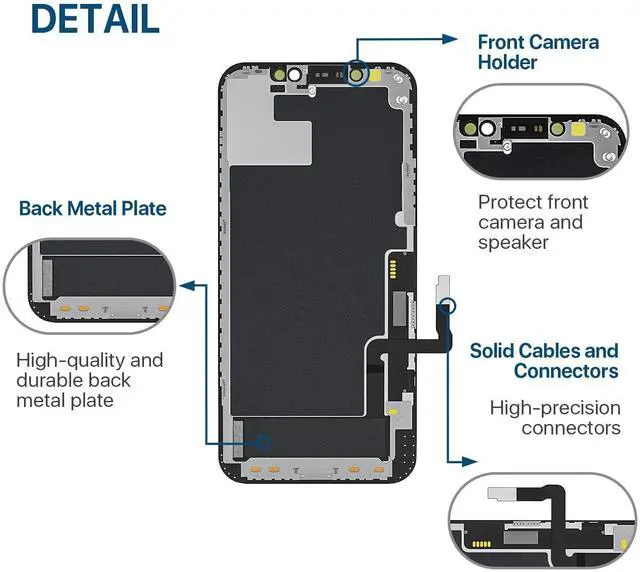
This iPhone 12/12 Pro display does NOT include a Home button, front camera, Home-button cable, front-camera cable, or earpiece speaker. These components MUST be transferred from the old display.

Installation Steps – Simplified Version. For detailed instructions, please watch the video!
Step 1: Make sure the iPhone is powered off before installation, and check whether the pins of the new display are bent.
Step 2: Do NOT press the two upper corners of the LCD screen, as this may cause lines on the display.
Step 3: Handle all cables GENTLY.
Step 4: Return each screw to its ORIGINAL hole.
Step 5: If the screen does not work, the cable may be incorrectly connected. Reinstall the cable.
Step 6: Carefully remove the protective film on the back – using too much force may damage the cable.
Step 7: Keep the pins and metal parts CLEAN; dust can cause yellow spots or vertical lines.

Packing List
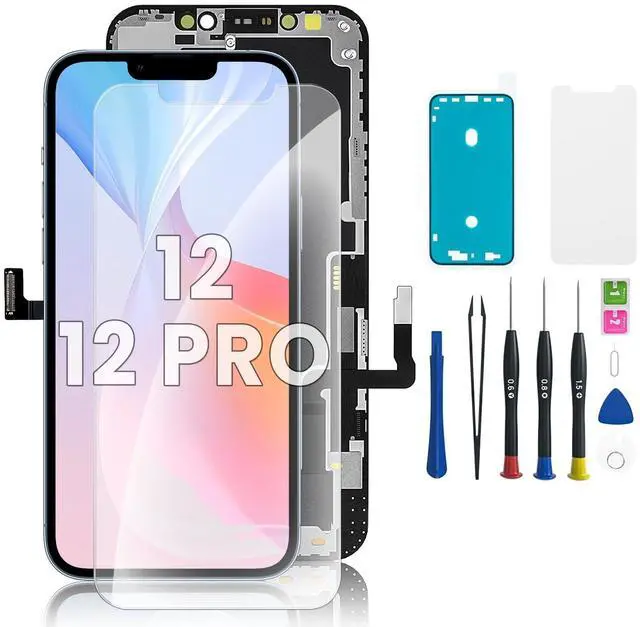
1x iPhone 12/12 Pro LCD display replacement
1x Phillips screwdriver
1x Pentalobe screwdriver
1x Y-type screwdriver
1x Suction cup, 1x SIM card pin
1x Triangular plastic spudger
1x Double-ended pry tool
1x Tweezers, 1x Dust wipes
1x Screen protector
1x Waterproof adhesive frame sticker
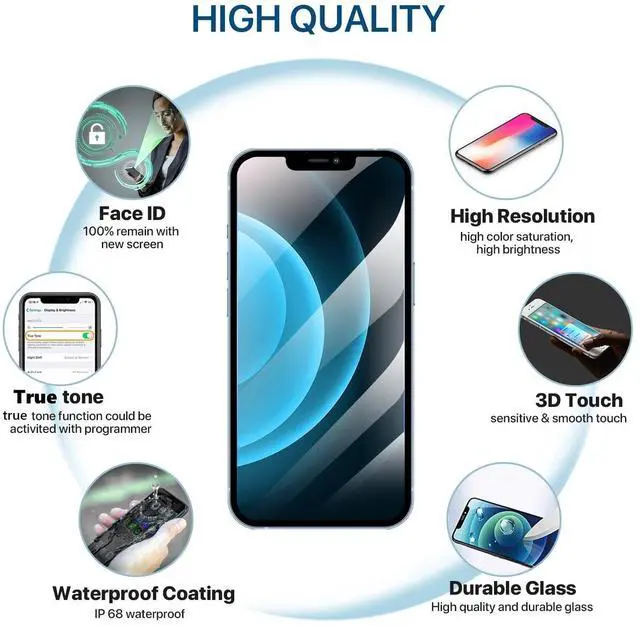
Warning: True Tone must be activated with a programming device.

 iPhone 11 Screen Replacement |  iPhone 13 Screen Replacement |  iPhone 13 Pro Max Screen Replacement |  iPhone 13 Pro Screen Replacement |  iPhone 14 Pro Screen Replacement |  iPhone 14 Pro Max Screen Replacement | |
|---|---|---|---|---|---|---|
| Customer Reviews | — | — | — | — | — | — |
| Price | — | — | — | — | — | — |
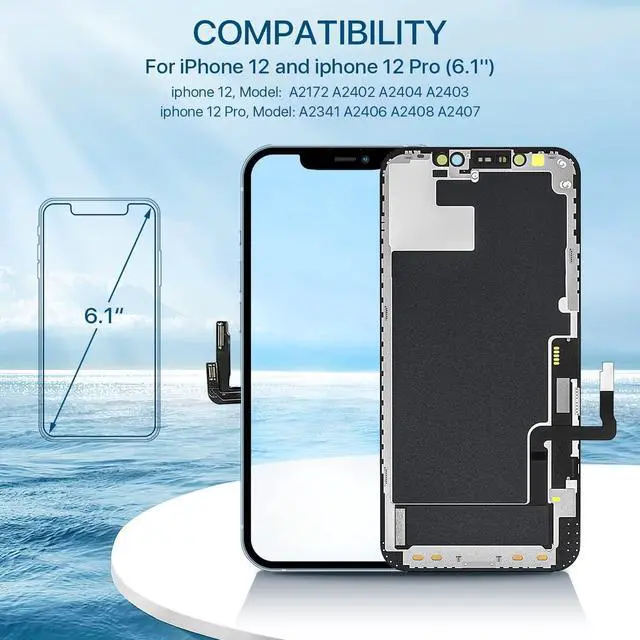
| Compatibility | A2111; A2223; A2221 | A2633; A2482; A2631; A2634; A2635 | A2641; A2643; A2644; A2645; A2484 | A2483; A2636; A2638; A2639; A2640 | A2650; A2889; A2890; A2891; A2892 | A2651; A2893; A2894; A2895; A2896 |
| Size | 6.1'' | 6.1'' | 6.7'' | 6.1'' | 6.1'' | 6.7'' |
| Face ID | ? | ? | ? | ? | ? | ? |
| Haptic Touch | ? | ? | ? | ? | ? | ? |
| Front camera, Earpiece, Sensor | Transfer from old screens | Transfer from old screens | Transfer from old screens | Transfer from old screens | Transfer from old screens | Transfer from old screens |
| True Tone | Programmable | Programmable | Programmable | Programmable | Programmable | Programmable |
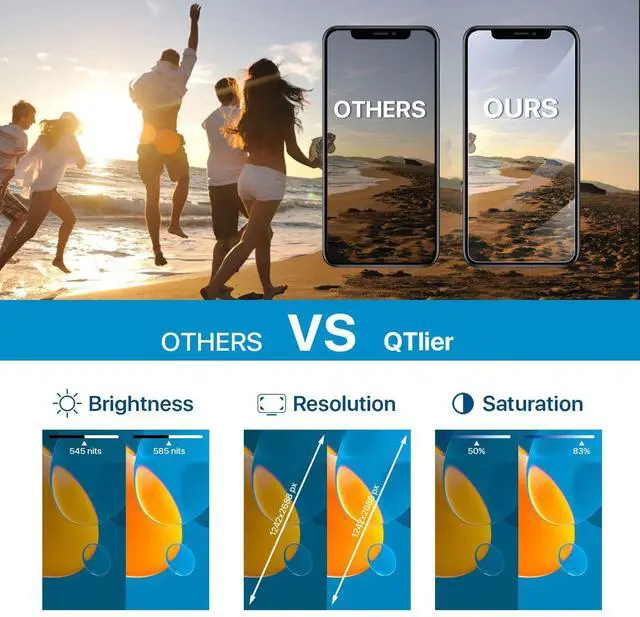
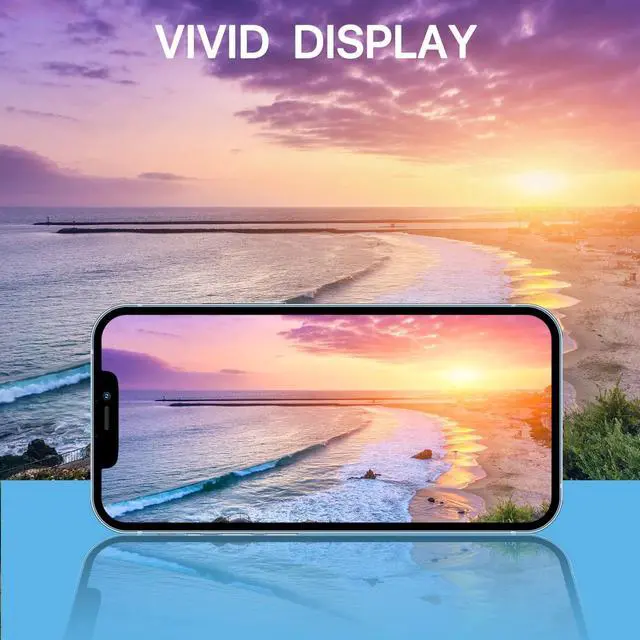
| Pixel | High Definition, Vivid Disply | High Definition, Vivid Disply | High Definition, Vivid Disply | High Definition, Vivid Disply | High Definition, Vivid Disply | High Definition, Vivid Disply |
Screen Replacement Notes
This iPhone 12/12 Pro display does NOT include a Home button, front camera, Home-button cable, front-camera cable, or earpiece speaker. These components MUST be transferred from the old display.
Installation Steps – Simplified Version. For detailed instructions, please watch the video!
Step 1: Make sure the iPhone is powered off before installation, and check whether the pins of the new display are bent.
Step 2: Do NOT press the two upper corners of the LCD screen, as this may cause lines on the display.
Step 3: Handle all cables GENTLY.
Step 4: Return each screw to its ORIGINAL hole.
Step 5: If the screen does not work, the cable may be incorrectly connected. Reinstall the cable.
Step 6: Carefully remove the protective film on the back – using too much force may damage the cable.
Step 7: Keep the pins and metal parts CLEAN; dust can cause yellow spots or vertical lines.
Packing List
1x iPhone 12/12 Pro LCD display replacement
1x Phillips screwdriver
1x Pentalobe screwdriver
1x Y-type screwdriver
1x Suction cup, 1x SIM card pin
1x Triangular plastic spudger
1x Double-ended pry tool
1x Tweezers, 1x Dust wipes
1x Screen protector
1x Waterproof adhesive frame sticker
Warning: True Tone must be activated with a programming device.
iPhone 11 Screen Replacement | iPhone 13 Screen Replacement | iPhone 13 Pro Max Screen Replacement | iPhone 13 Pro Screen Replacement | iPhone 14 Pro Screen Replacement | iPhone 14 Pro Max Screen Replacement | |
|---|---|---|---|---|---|---|
| Customer Reviews | — | — | — | — | — | — |
| Price | — | — | — | — | — | — |
| Compatibility | A2111; A2223; A2221 | A2633; A2482; A2631; A2634; A2635 | A2641; A2643; A2644; A2645; A2484 | A2483; A2636; A2638; A2639; A2640 | A2650; A2889; A2890; A2891; A2892 | A2651; A2893; A2894; A2895; A2896 |
| Size | 6.1'' | 6.1'' | 6.7'' | 6.1'' | 6.1'' | 6.7'' |
| Face ID | ? | ? | ? | ? | ? | ? |
| Haptic Touch | ? | ? | ? | ? | ? | ? |
| Front camera, Earpiece, Sensor | Transfer from old screens | Transfer from old screens | Transfer from old screens | Transfer from old screens | Transfer from old screens | Transfer from old screens |
| True Tone | Programmable | Programmable | Programmable | Programmable | Programmable | Programmable |
| Pixel | High Definition, Vivid Disply | High Definition, Vivid Disply | High Definition, Vivid Disply | High Definition, Vivid Disply | High Definition, Vivid Disply | High Definition, Vivid Disply |