Your Browsing History
Meet Your Seller
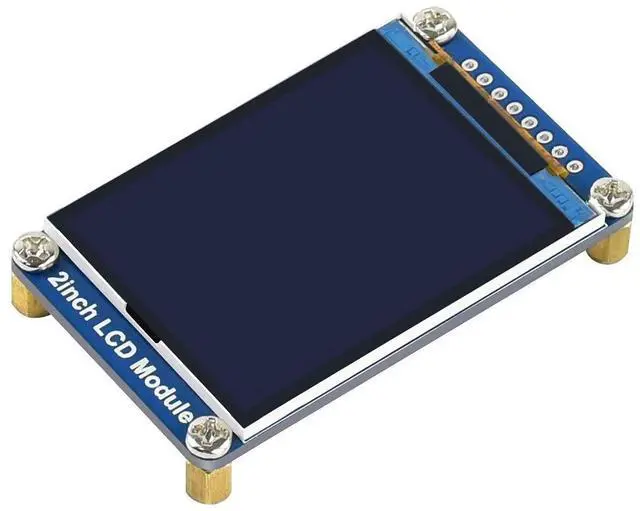
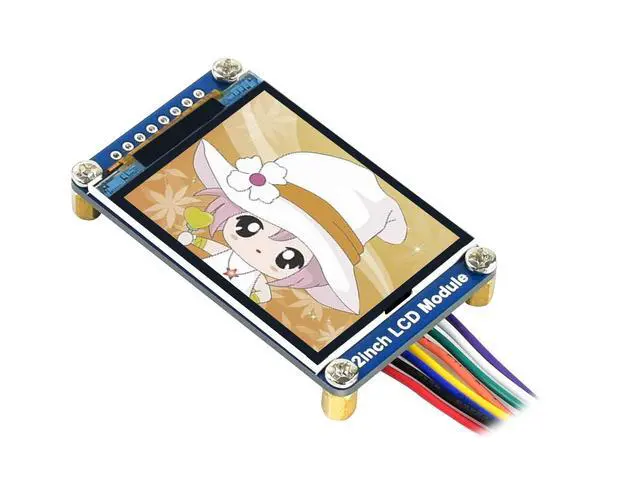
2inch LCD Display Module,General 240×320 Resolution IPS Screen RGB 262K Color Display,ST7789 Driver,SPI Interface,LED Backlight
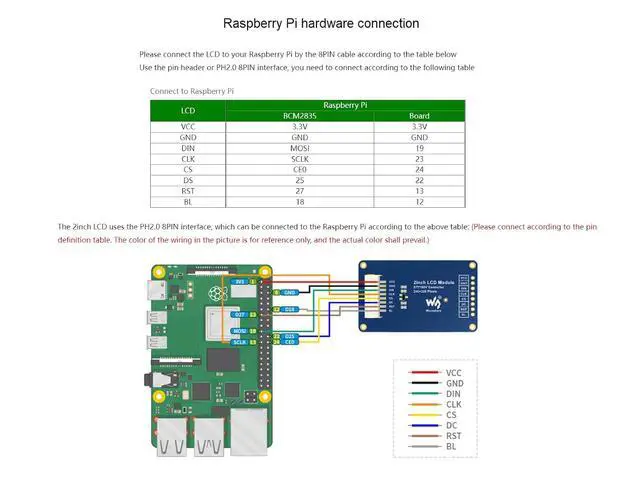
- 240*320 resolution 2inch IPS display module; 262K Color RGB Display,ST7789 Driver; SPI interface, requires minimum GPIO for controlling; An internal controller with basic functions, can be used to draw points, lines, circles, rectangles, and display English, Chinese as well as pictures.; Provide complete supporting Raspberry Pi demos (BCM2835 library, WiringPi library, and python demos), STM32 demos, Arduino demos in the WIKI,please contact with us to get if needed.
+
+
Overview
Specs
Reviews
Any questions? Our AI mode will help you find out quickly.
Try me now
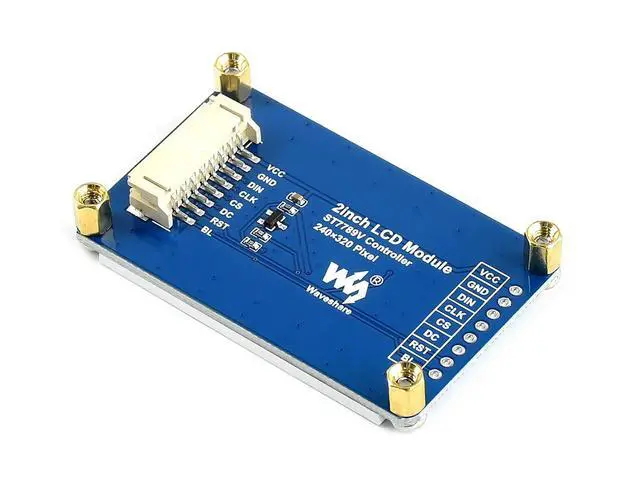
Overview This is a general LCD display Module, IPS screen, 2inch diagonal, 240×320 resolution, with embedded controller, communicating via SPI interface. Features 1. As a 2inch IPS display module with a resolution of 240*320. The LCD has an internal controller with basic functions, which can be used to draw points, lines, circles, rectangles, and display English, Chinese as well as pictures. 2. SPI interface, requires minimum GPIO for controlling 3. We provide complete online supporting Raspberry Pi demos (BCM2835 library, WiringPi library, and python demos), STM32 demos, Arduino demos.
Interface: SPI
LCD type: IPS
Driver: ST7789V
Resolution: 240 (V) x 320 (H) RGB
Display size: 30.60H x 40.80V mm
Pixel size: 0.0975H x 0.0975V mm
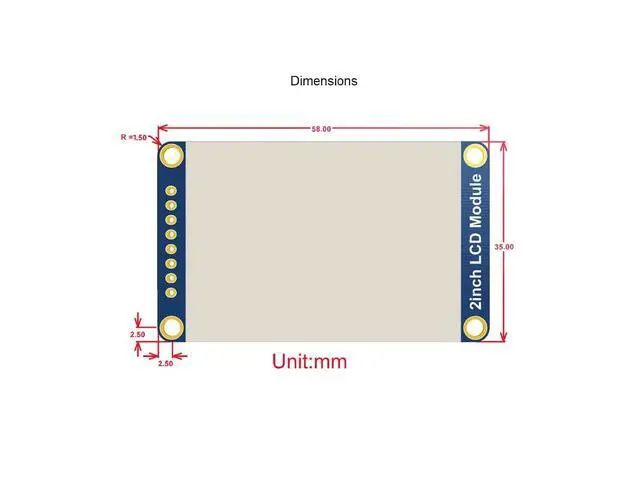
Dimension: 58 x 35 (mm) Package Content 2inch LCD Module x1 PH 2.0 20cm 8 Pin x1 FAQ
1. The LCD keeps black when using it with Raspberry Pi? a) Please check that if you have enabled SPI interface b)Check BL pin, if BL pin has no output value, you can try to disconnect BL pin and test it again.
2. The python codes has error? Please install image libraries and test it again.
Run command: sudo apt-get install python-imaging to install it and test again. 3. Why doesn't the screen display properly when connected to an Arduino? When using an Arduino, please make sure it is plugged into a 5v power supply. 4. How to flip the image? C language control can use the function Paint_SetRotate (Rotate); the flip angle in C language at that time can only be 0, 90, 180, 270 degrees; Python can call rotate (Rotate) to flip any angle.

Specifications
Operating voltage: 3.3V /5V(Please ensure that the power supply voltage and logic voltage are consistent, otherwise it will not work properly)Interface: SPI
LCD type: IPS
Driver: ST7789V
Resolution: 240 (V) x 320 (H) RGB
Display size: 30.60H x 40.80V mm
Pixel size: 0.0975H x 0.0975V mm
Dimension: 58 x 35 (mm) Package Content 2inch LCD Module x1 PH 2.0 20cm 8 Pin x1 FAQ
1. The LCD keeps black when using it with Raspberry Pi? a) Please check that if you have enabled SPI interface b)Check BL pin, if BL pin has no output value, you can try to disconnect BL pin and test it again.
2. The python codes has error? Please install image libraries and test it again.
Run command: sudo apt-get install python-imaging to install it and test again. 3. Why doesn't the screen display properly when connected to an Arduino? When using an Arduino, please make sure it is plugged into a 5v power supply. 4. How to flip the image? C language control can use the function Paint_SetRotate (Rotate); the flip angle in C language at that time can only be 0, 90, 180, 270 degrees; Python can call rotate (Rotate) to flip any angle.
Warranty & Returns
Warranty, Returns, And Additional Information
Warranty
- Please contact the Seller directly for warranty information. Warranty information may also be found on the Manufacturer's website.
- CONTACT
Return Policies
- Return for refund within: 30 days
- Return for replacement within: 30 days
- This item is covered by SlotNeat Return Policy
Manufacturer Contact Info
- For a directory of all our manufacturers, please click below.
- Manufacturers Directory
LOADING...