Your Browsing History
Meet Your Seller
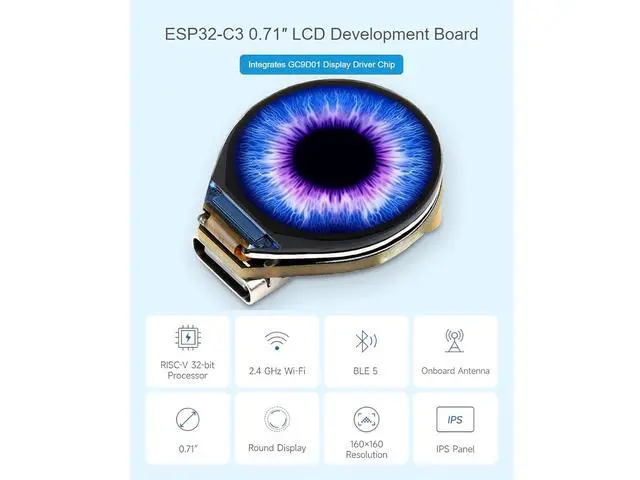
ESP32-C3 0.71inch Round Display Development Board, 160160 Resolution, Single-Core ESP32-C3 Processor, SPI Interface Display
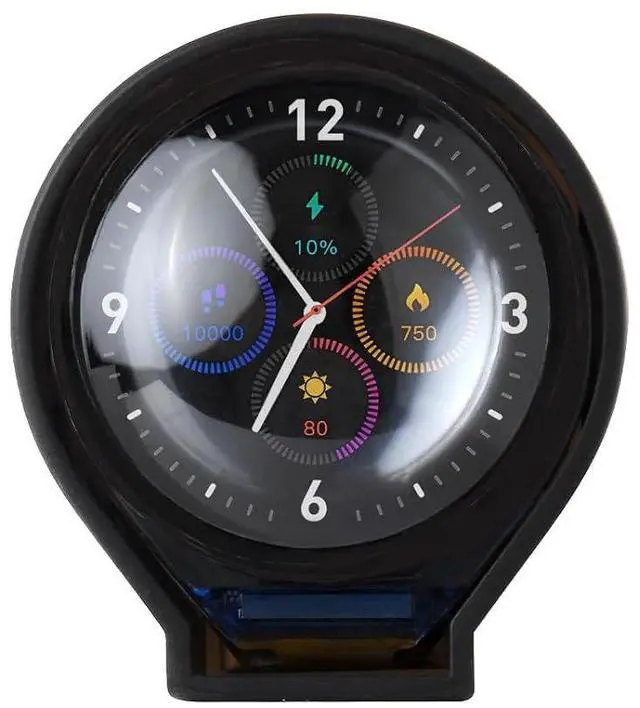
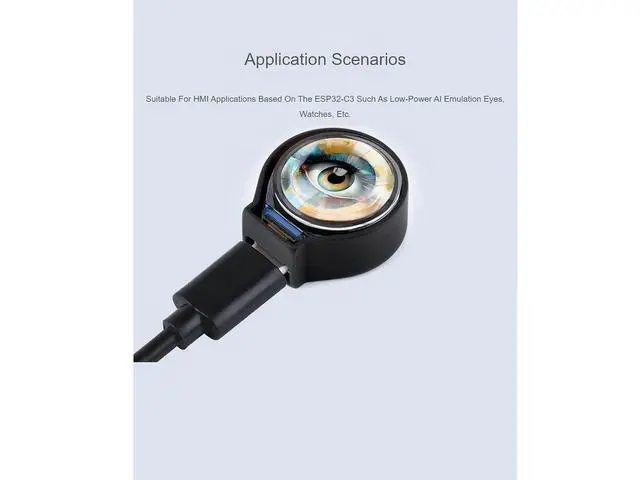
- ESP32-C3 0.71 LCD Development Board,Integrates GC9D01 Display Driver Chip; ESP32-C3-LCD-0.71 is a microcontroller development board with 2.4GHz WiFi and Bluetooth BLE 5 support.; Onboard 0.71inch LCD display which can smoothly run GUI programs such as LVGL.; Combined with various peripheral interfaces, suitable for the quick development of the HMI applications based on the ESP32-C3 such as low-power AI emulation eyes, watches, etc.; Application Scenarios.Suitable For HMI Applications Based On The ESP32-C3 Such As Low-Power AI Emulation Eyes, Watches, Etc.
+
+
Overview
Specs
Reviews
Any questions? Our AI mode will help you find out quickly.
Try me now
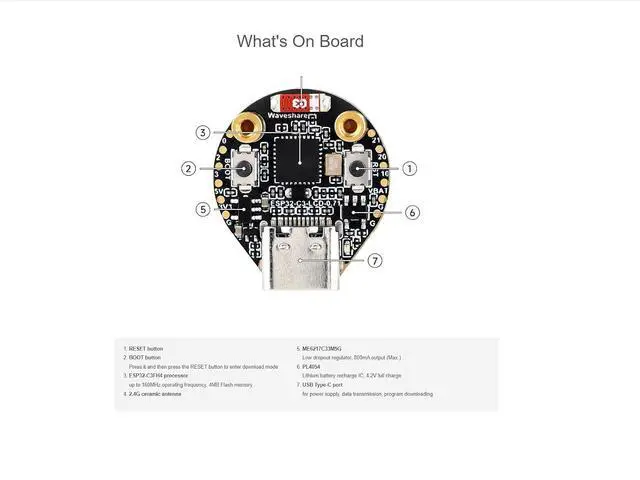
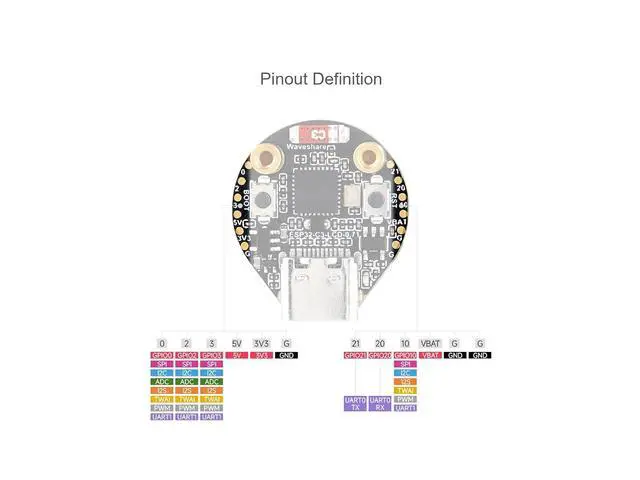
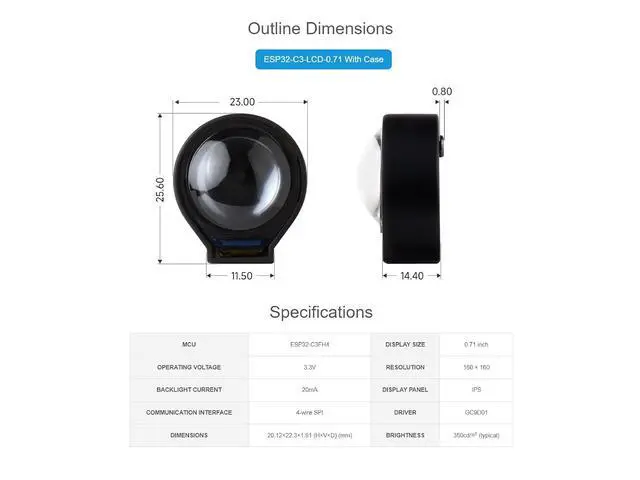
ESP32-C3 0.71 inch Round Display Development Board, 160×160 Resolution, Based On ESP32-C3 Single-Core Processor, SPI Interface Display, ESP32 With Display Usage Instructions ESP32-C3-LCD- 0.71 currently provides Arduino-IDF development tools and frameworks, providing flexible development options, you can choose the right development tool according to your project needs and personal habits. Features Low-power SoC equipped with RISC-V 32-bit single-core processor, up to 160MHz main frequency Supports 2.4GH z Wi-Fi ( 802.11 b/g/n) and Bluetooth 5 (LE) 400KB of SRAM and 384KB ROM, and 4MB of onboard Flash memory Onboard 0.71 inch LCD display, 160×160 resolution, IPS panel Built-in battery recharge management circuit, reserved VBAT solder joints, for connecting external Lithium battery power supply Adapting some GPIO solder pads for external expansion applications Supports accurate control such as flexible clock and multiple power modes to realize low power consumption in different scenarios Package Content ESP32-C3-LCD- 0.71 x1 FAQ 1.
After the module downloads the demo and re-downloads it, why sometimes it can't connect to the serial port or the flashing fails? Long press the BOOT button, press RESET at the same time, then release RESET, then release the BOOT button, at this time the module can enter the download mode, which can solve most of the problems that can not be downloaded. 2. Why does the module keep resetting and flicker when viewed the recognition status from the device manager? It may be due to Flash blank and the USB port is not stable, you can long-press the BOOT button, press RESET at the same time, and then release RESET, and then release the BOOT button, at this time the module can enter the download mode to flash the firmware (demo) to solve the situation.

Warranty & Returns
Warranty, Returns, And Additional Information
Warranty
- Please contact the Seller directly for warranty information. Warranty information may also be found on the Manufacturer's website.
- CONTACT
Return Policies
- Return for refund within: 30 days
- Return for replacement within: 30 days
- This item is covered by SlotNeat Return Policy
Manufacturer Contact Info
- For a directory of all our manufacturers, please click below.
- Manufacturers Directory
LOADING...