Your Browsing History
Meet Your Seller
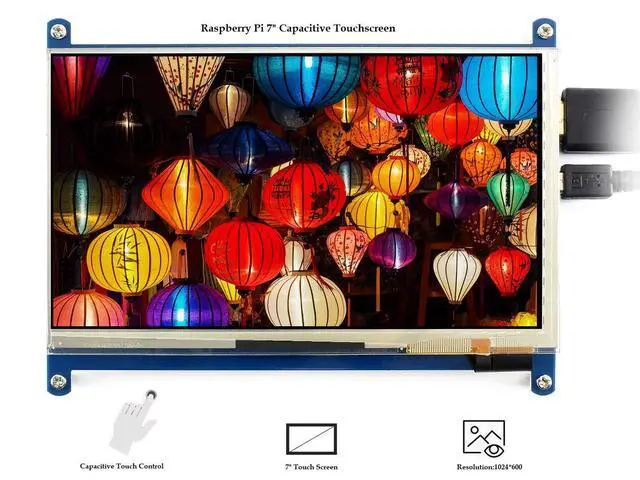
7 inch Capacitive Touch Screen IPS Display HDMI LCD Module 1024x600 Touchscreen for Raspberry Pi 4/3/2/1 Model B/B+/A+/BeagleBone Black/Banana Pi, Windows 10/8.1/8/7
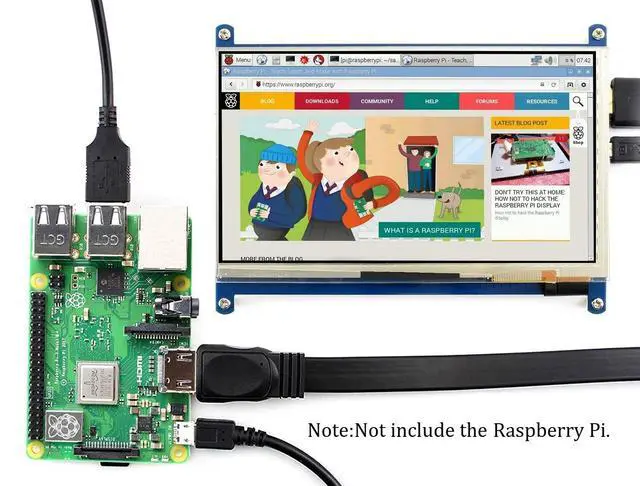
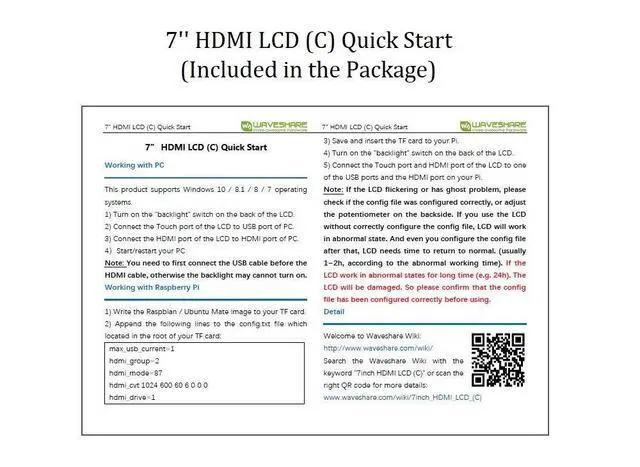
- Raspberry Pi 7 inch display with capacitive touch screen Monitor, supports various systems, HDMI Interface for displaying , USB Interface for touching. Backlight can be turned off to lower power consumption.; 7inch IPS screen with 1024x600 high hardware resolution , a ideal choice for those who want a large screen and larger image with high resolution.; The 7'' touchscreen supports Raspberry Pi 4 3 B/ B+ /2 B/B/ A+, BB Black, Banana Pi , Banana Pro and other mainstream mini-PCs , as well as , the LCD can work as a general desktop computers. When works with Raspberry Pi, supports Raspbian/Ubuntu/Kali/Retropie/WIN10 IOT, driver free,When work as a computer monitor LCD, supports Windows 10/8.1/8/7, five-points touch, and driver free; Note:1.Please set the config.txt file by addding [the hdmi_drive=1] into the end of code if you connect it with raspberry pi (like Quick Start in picture). Otherwise the LCD could not work properly.2.If the LCD work in abnormal states for long time, it may be broken if you don't set the config.txt file at the beginning.After setting config file,please power off the screen and put it aside for a few hours to avoid the flickers.; Note:If you use the LCD with Raspberry Pi 4B, you need to remove line dtoverlay=vc4-fkms-V3D from config.txt file.Please read the product detailed page carefully before using this LCD.And please follow the user guide in the WIKI to use the LCD to ensure you use it correctly.If you have any problem , please contact with the...
+
+
Overview
Specs
Reviews
Any questions? Our AI mode will help you find out quickly.
Try me now
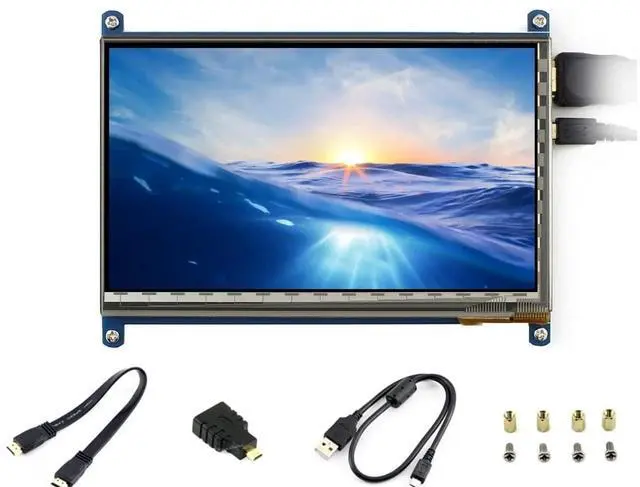
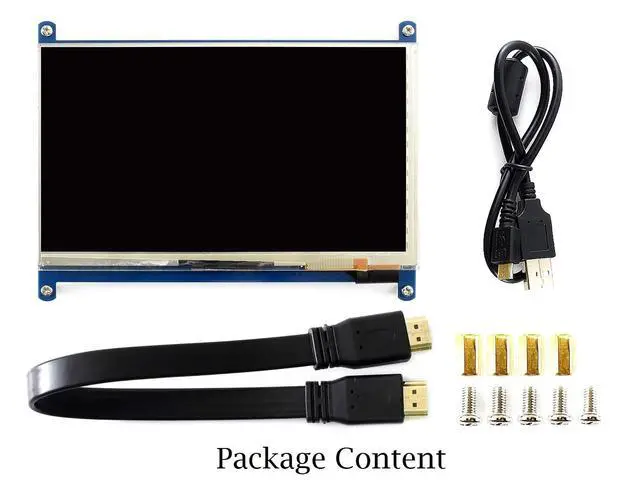
7 inch LCD Display Latest Version Rev 4.1 Features 7inch IPS Capacitive Touch Screen, 1024x600 hardware resolution, wide viewing angle, clear displaying, stronger anti-interference ability. Capacitive touch control, using better Touch-Panel Controller IC, with better touch effects. Standard HID protocol, easy to be integrated into your system Supports mini PCs such as Raspberry Pi, BB Black and general desktop computers When works with Raspberry Pi, supports Raspbian/Ubuntu/Kali/Retropie/WIN10 IOT, driver free. When work as a computer monitor, supports Windows 10/ 8.1 /8/7, five-points touch, driver free Backlight can be turned off to lower power consumption Package Content 7inch HDMI LCD (C) x 1 HDMI cable x 1 HDMI to Micro HDMI Adapter x 1 USB type A plug to micro B plug cable x 1 RPi screws pack (4pcs) x 1
Development Resources Wiki: www.. com/wiki/7inch_HDMI_LCD_ (C)? Amazon Note 1. To use the LCD with following mini-PCs, additional cables are required and should be purchased separately: Raspberry
Pi Zero: HDMI cable, USB-type-A-receptacle-to-Micro-B-plug-cable
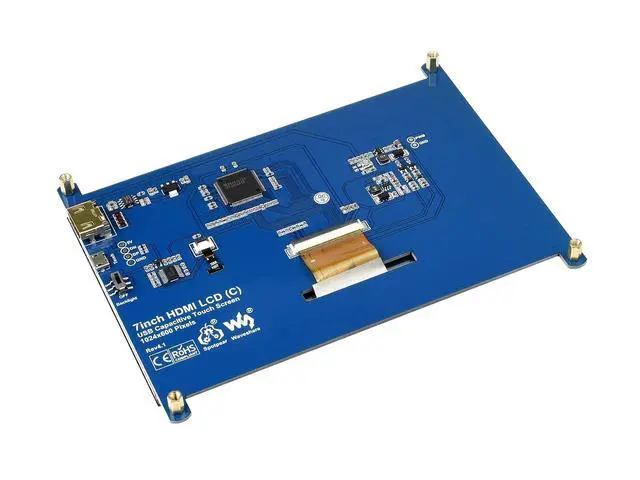
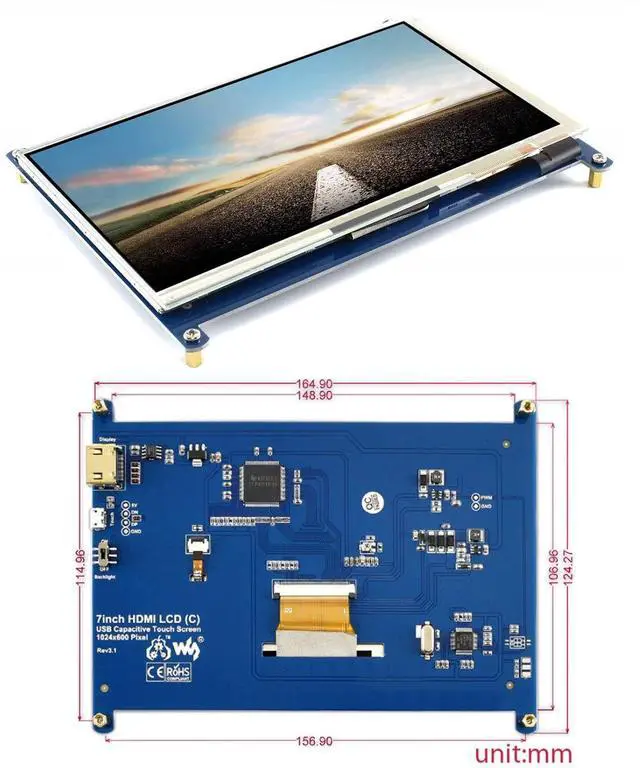
BB Black: HDMI cable 2. If there are some red lines on the edge of the screen, Please adjust the config. txt file by addding [the hdmi_drive=1] into the end of code. After that please power off the srceen and put it aside for a few hours to avoid the flickers. 3. If there are some ghost pictures, Please adjust the adjustable resistor on the back which we point out in the picture. And after the screen can display the desktop, rotate the resistor until it can get the best display of desktop. Then please leave the screen for a while, waiting for the ghost to disappear (may take several hours). 4. Technical Support and development resource is provided. Please contact with us first if you have any problem.

Development Resources Wiki: www.. com/wiki/7inch_HDMI_LCD_ (C)? Amazon Note 1. To use the LCD with following mini-PCs, additional cables are required and should be purchased separately: Raspberry
Pi Zero: HDMI cable, USB-type-A-receptacle-to-Micro-B-plug-cable
BB Black: HDMI cable 2. If there are some red lines on the edge of the screen, Please adjust the config. txt file by addding [the hdmi_drive=1] into the end of code. After that please power off the srceen and put it aside for a few hours to avoid the flickers. 3. If there are some ghost pictures, Please adjust the adjustable resistor on the back which we point out in the picture. And after the screen can display the desktop, rotate the resistor until it can get the best display of desktop. Then please leave the screen for a while, waiting for the ghost to disappear (may take several hours). 4. Technical Support and development resource is provided. Please contact with us first if you have any problem.
Warranty & Returns
Warranty, Returns, And Additional Information
Warranty
- Please contact the Seller directly for warranty information. Warranty information may also be found on the Manufacturer's website.
- CONTACT
Return Policies
- Return for refund within: 30 days
- Return for replacement within: 30 days
- This item is covered by SlotNeat Return Policy
Manufacturer Contact Info
- For a directory of all our manufacturers, please click below.
- Manufacturers Directory
LOADING...