


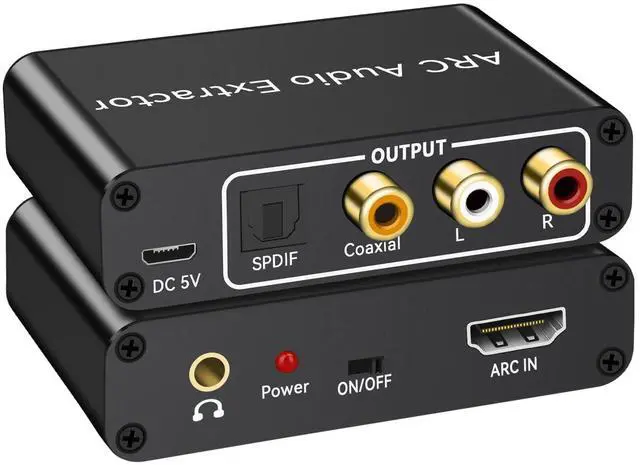





HDMI ARC Audio Extractor with Digital Optical TOSLINK SPDIF/Coaxial and Analog 3.5mm L/R Stereo Audio Converter.
HDMI ARC Adapter will send audio from internal TV source (like built-in web streaming apps, the HDTV tune) back down the HDMI cable to
ARC converter then optical cable/ L/R or 3.5mm headphone to soundbar, Speaker, home theater, A/V receivers etc.
Specification:
Input Port: 1 x ARC IN
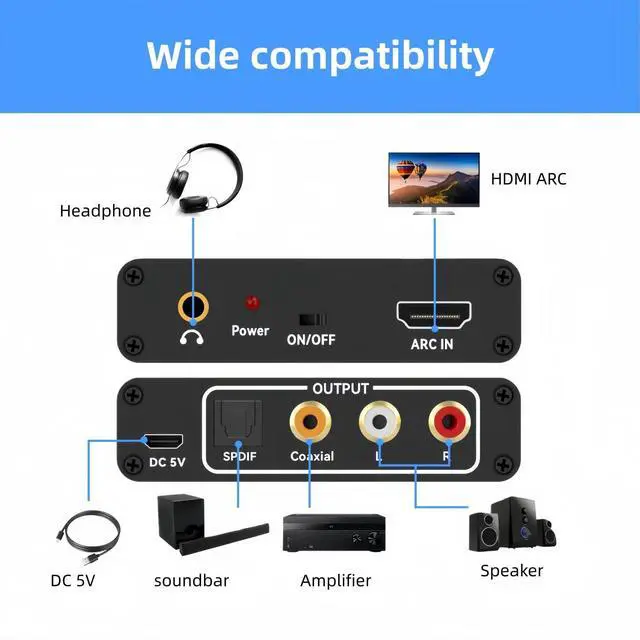
Audio Output Port: 1 x optical, 1 x Coaxial, 1 x L/R, 1x 3.5mm
Material: Aluminum Alloy

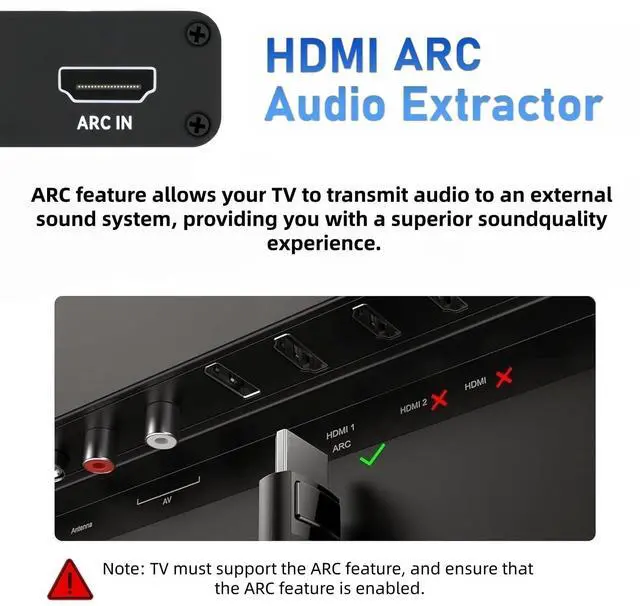
HDMI ARC Port
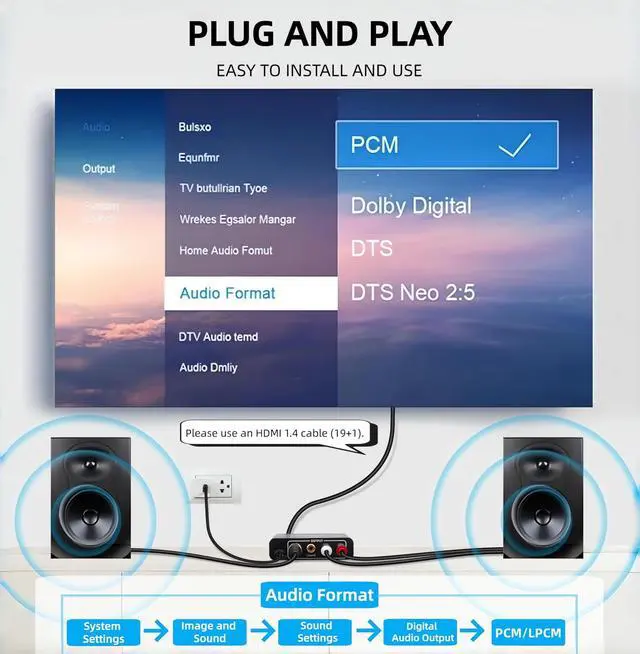
Please connect the TV's HDMI (ARC) port to the adapter's HDMI port to send audio from the TV (which supports the ARC function) to the ARC adapter's Optical/Coaxial/3.5mm/L/R audio and output audio at the same time.
192KHz Sampling Rate
Actual support for 32, 44.1, 48, 96, and 192 KHz sampling rates, and 24-bit S/PDIF input bitstreams for left and right channels. Supports 5.1 channel surround sound, including Dolby 5.1 and DTS 5.1.
Wide Applications
Compatible with all HDTVs with ARC function and all Soundbars, speakers with optical/coaxial/L/R/3.5mm audio output port devices. Ideal for home theater, work meetings, projectors, gaming and more.

Note:
1. Please sure your TV have HDMI(ARC) Port.
2. Please open your TV and ARC Converter ARC function before you use it.
3. If the ARC does not work, try unplugging the cable or change HDMI cable, wait a few minutes to reconnect, and plug the converter into a power source.
4. 3.5mm L/R channel provides analog sound.
5. When it does not work, please try to replace the HDMI cable and reconnect it.
HDMI ARC Audio Extractor with Digital Optical TOSLINK SPDIF/Coaxial and Analog 3.5mm L/R Stereo Audio Converter.
HDMI ARC Adapter will send audio from internal TV source (like built-in web streaming apps, the HDTV tune) back down the HDMI cable to
ARC converter then optical cable/ L/R or 3.5mm headphone to soundbar, Speaker, home theater, A/V receivers etc.
Specification:
Input Port: 1 x ARC IN
Audio Output Port: 1 x optical, 1 x Coaxial, 1 x L/R, 1x 3.5mm
Material: Aluminum Alloy
HDMI ARC Port
Please connect the TV's HDMI (ARC) port to the adapter's HDMI port to send audio from the TV (which supports the ARC function) to the ARC adapter's Optical/Coaxial/3.5mm/L/R audio and output audio at the same time.
192KHz Sampling Rate
Actual support for 32, 44.1, 48, 96, and 192 KHz sampling rates, and 24-bit S/PDIF input bitstreams for left and right channels. Supports 5.1 channel surround sound, including Dolby 5.1 and DTS 5.1.
Wide Applications
Compatible with all HDTVs with ARC function and all Soundbars, speakers with optical/coaxial/L/R/3.5mm audio output port devices. Ideal for home theater, work meetings, projectors, gaming and more.
Note:
1. Please sure your TV have HDMI(ARC) Port.
2. Please open your TV and ARC Converter ARC function before you use it.
3. If the ARC does not work, try unplugging the cable or change HDMI cable, wait a few minutes to reconnect, and plug the converter into a power source.
4. 3.5mm L/R channel provides analog sound.
5. When it does not work, please try to replace the HDMI cable and reconnect it.