




 here!
here!
I’m your shopping assistant for PC builds, upgrades, and everything tech.
Got questions? Ask away!
Start a conversation
here!
I’m your shopping assistant for PC builds, upgrades, and everything tech.
Got questions? Ask away!
Start a conversation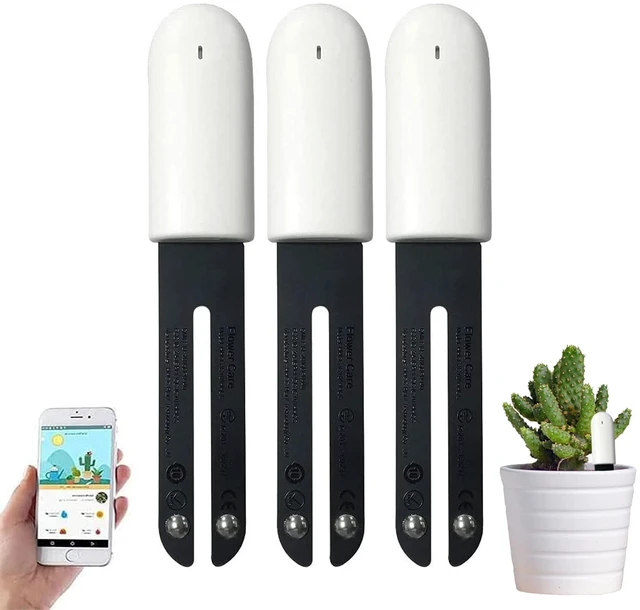




Any questions? Ask CelesteSM will help you find out quickly.
Product features:
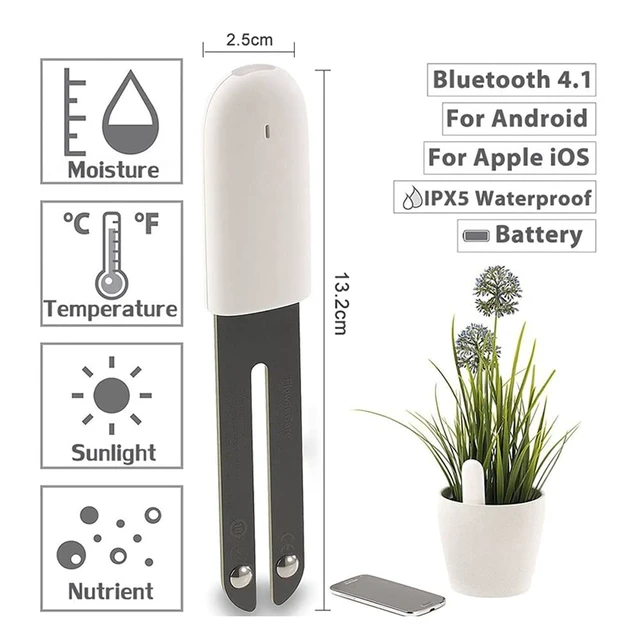
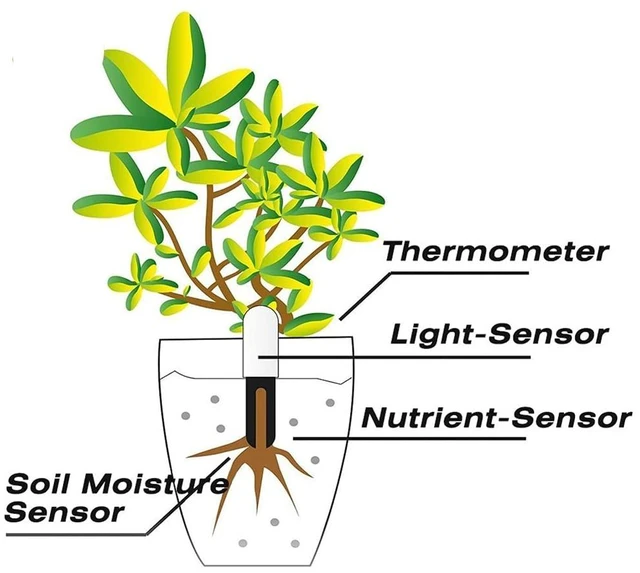
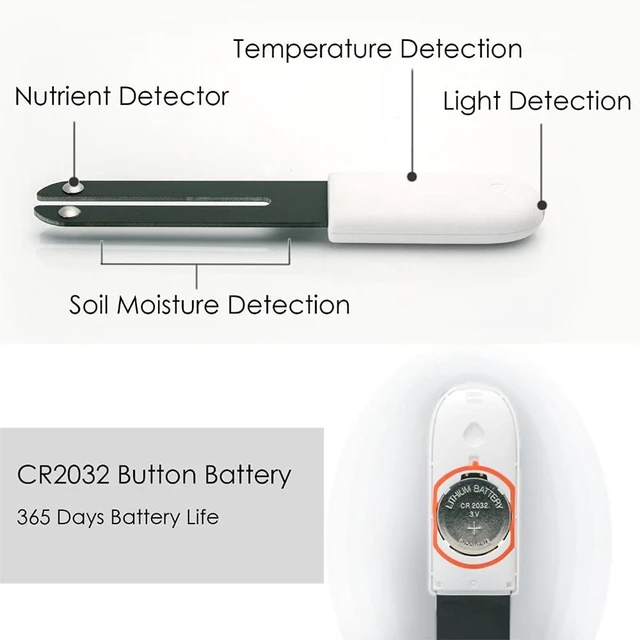
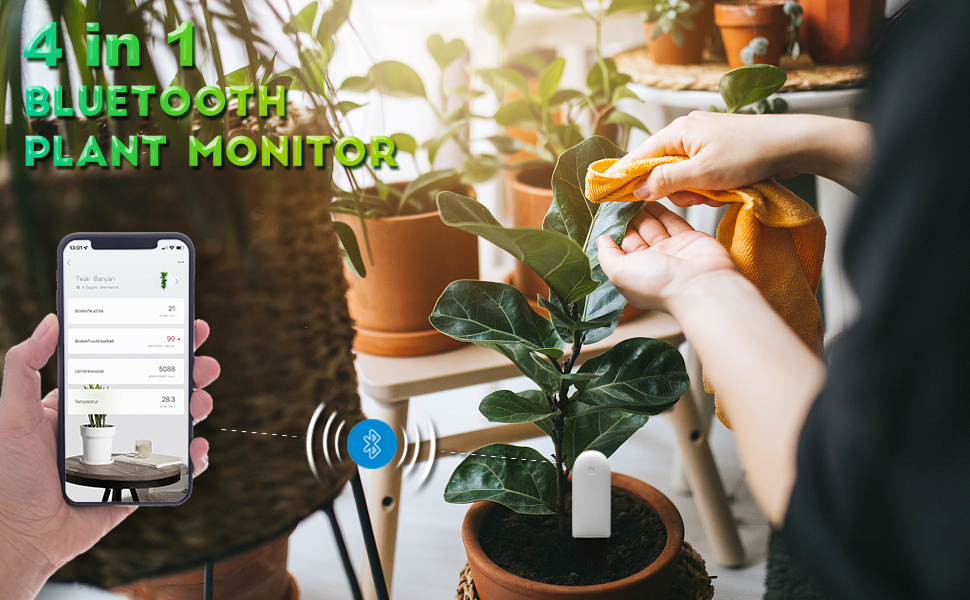
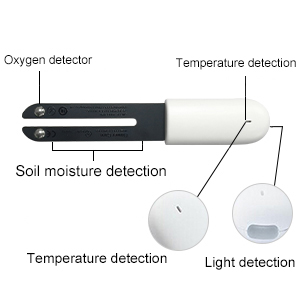
1. 4 in 1 inner intelligent sensor: Provides information on humidity, fertility, temperature and light
2. Open Bluetooth and connect Home Smart application to manage your systems
3. You can recognize about 5000 different types of plants via the smartphone
4. Invited by a healthy growing environment for all plants.
5. Easily check the health of your assets.
6. To use and use in any way and purpose.
Specifications:
Product packaging size: 18cm * 8cm * 2cm
Product weight: 85g
Content of monitoring: humidity, light, nutrition, temperature.
Bluetooth wireless: Bluetooth 4.1
Battery: CR2032 button battery (about 1 year)
Application: Cuidado de flores
Protect your baby from dryness and waterlogging with our "Flower Care" or "Mi Home" app, which can be individually adjusted to the needs of your favorite plants. Please note that "Flower Care" or "Mi Home" does not have a wireless connection and measurements are not processed in the app.
To make life as easy as possible for you and your plants, our long-life batteries are used in flower ecology. Floral ecology is best for potted plants with soil matrix
A strong network signal and keeping the distance between the device and the phone to less than 1 meter can significantly reduce connection errors.
If the user frequently experiences difficulty connecting, it is advisable to replace the battery with a new one. When attempting to connect the device to the app, an error code (such as 605) may appear due to a low battery.
You can use it globally, you can change multiple languages.
Can only be used indoors
Make sure the mobile phone system is installed with Android 4.3 or iOS 9.0 and above
The top part of the soil moisture meter should not be immersed in water.
Must stay dry and not exposed to rain
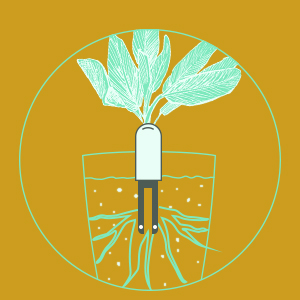
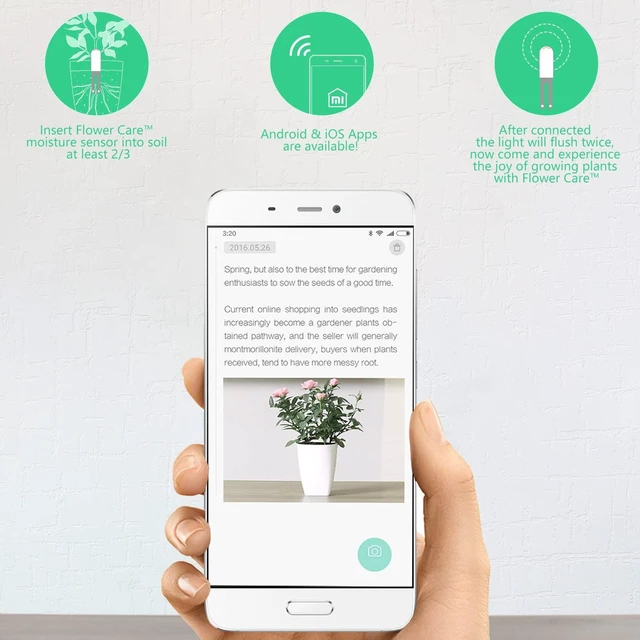
Add moisture caliber plants at least 2/3 to the soil
1. Download the "Flower Care" or "Mi Home" application and match your smart device with CREE CARE HOME iPhone iOS 9 / Android Phone 4.3 or above
2. Send your email address and password
3. Explain your smart device with growth care home
4. Open your Bluetooth
5. Name the facility in the search bar and connect the device.
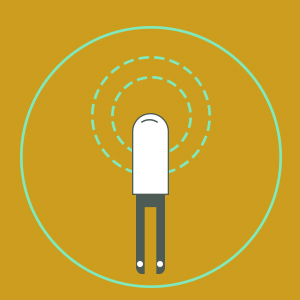
After connecting, the light will flash twice. Now discover the joy of plant growing with a BEDER year tester, keep your phone and humidity caliber plants when configuring the device within 10cm
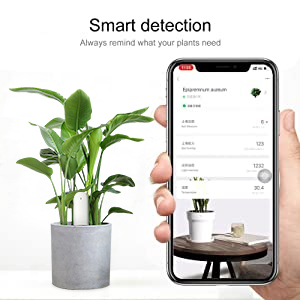
Let your plants take care of your plants all the time.
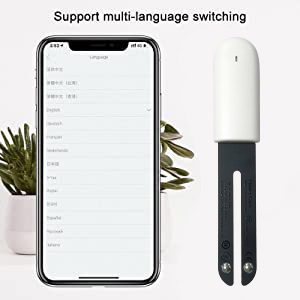
You can use it all over the world.
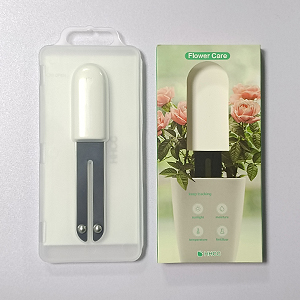
package
1 * Moisture Meter Plants
1 * User Manual (English)
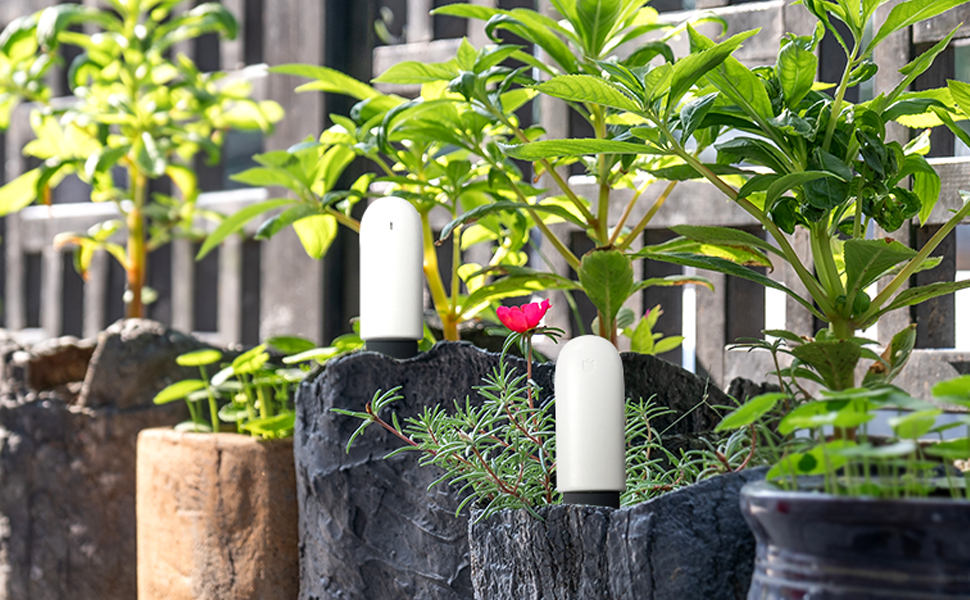
If you're having difficulties connecting the device to the APP, Because This product needs more attention on the connection than other Bluetooth products.
First Step: Please take the battery out and put it back in. And see if the top light blinks 3 times and 3 times only. If the light kept blinking then the device is broken. If the light didn’t blink at all, please change to a brand-new battery and try again.
Step 2: If you are still having issues after the previous steps, please select the USA region and try to connect. If you are having trouble logging into the app, navigate to the “Me” section, then click “About Us” and finally reach out for assistance.
Step 3: If the problem persists, We will provide you with a satisfactory solution.
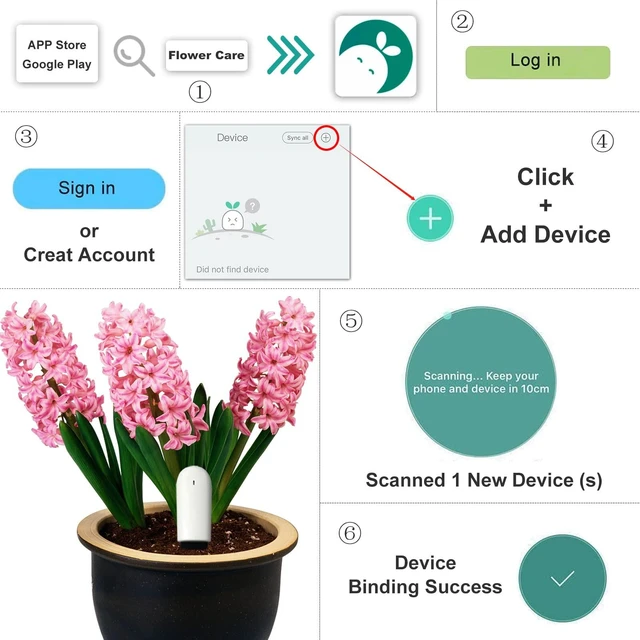
1. Download and install the official “Flower Care App” from the App Store or Google Play.
2. Ensure Bluetooth is enabled on your smartphone and that your device supports Bluetooth 4.0 or higher.
3. Power on the HHCC Soil Monitor by inserting the included CR2032 battery.
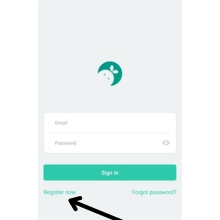
4. Open the “Flower Care APP”, Click on”Register Now”.
5. Then, please select your country or region. After selecting your region, click on” CONFIRM AND SWITCH”.
6. Next Step, register your account. Provide your email and password, then verify your account via email.
7. After successfully creating a new account, log in.
8. During login, the APP requires you to select your region or country again.
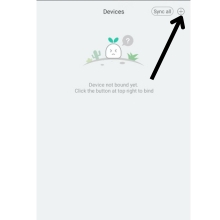
9. Click the button at the top right (+) button. Then does the APP require access to this device's location?
10. Choose “ WHILE USING THE APP.” Next step: Add the device that you want to connect.
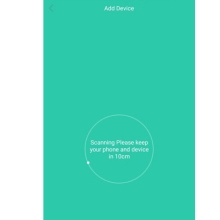
11. Later, you will see the notification on screen: “Scanning, Please keep your phone and device within 10cm”. After a few seconds, you will get another notification “Discovered 1 new Device (S).
12. Then connect the device and wait for the “Bind Successfully” notification.
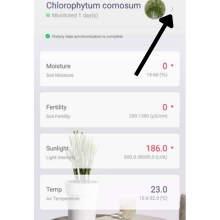
13. Later, select the plant and put the device into the soil, with at least two-thirds of it in the ground.
Product features:
1. 4 in 1 inner intelligent sensor: Provides information on humidity, fertility, temperature and light
2. Open Bluetooth and connect Home Smart application to manage your systems
3. You can recognize about 5000 different types of plants via the smartphone
4. Invited by a healthy growing environment for all plants.
5. Easily check the health of your assets.
6. To use and use in any way and purpose.
Specifications:
Product packaging size: 18cm * 8cm * 2cm
Product weight: 85g
Content of monitoring: humidity, light, nutrition, temperature.
Bluetooth wireless: Bluetooth 4.1
Battery: CR2032 button battery (about 1 year)
Application: Cuidado de flores
Protect your baby from dryness and waterlogging with our "Flower Care" or "Mi Home" app, which can be individually adjusted to the needs of your favorite plants. Please note that "Flower Care" or "Mi Home" does not have a wireless connection and measurements are not processed in the app.
To make life as easy as possible for you and your plants, our long-life batteries are used in flower ecology. Floral ecology is best for potted plants with soil matrix
A strong network signal and keeping the distance between the device and the phone to less than 1 meter can significantly reduce connection errors.
If the user frequently experiences difficulty connecting, it is advisable to replace the battery with a new one. When attempting to connect the device to the app, an error code (such as 605) may appear due to a low battery.
You can use it globally, you can change multiple languages.
Can only be used indoors
Make sure the mobile phone system is installed with Android 4.3 or iOS 9.0 and above
The top part of the soil moisture meter should not be immersed in water.
Must stay dry and not exposed to rain
Add moisture caliber plants at least 2/3 to the soil
1. Download the "Flower Care" or "Mi Home" application and match your smart device with CREE CARE HOME iPhone iOS 9 / Android Phone 4.3 or above
2. Send your email address and password
3. Explain your smart device with growth care home
4. Open your Bluetooth
5. Name the facility in the search bar and connect the device.
After connecting, the light will flash twice. Now discover the joy of plant growing with a BEDER year tester, keep your phone and humidity caliber plants when configuring the device within 10cm
Let your plants take care of your plants all the time.
You can use it all over the world.
package
1 * Moisture Meter Plants
1 * User Manual (English)
If you're having difficulties connecting the device to the APP, Because This product needs more attention on the connection than other Bluetooth products.
First Step: Please take the battery out and put it back in. And see if the top light blinks 3 times and 3 times only. If the light kept blinking then the device is broken. If the light didn’t blink at all, please change to a brand-new battery and try again.
Step 2: If you are still having issues after the previous steps, please select the USA region and try to connect. If you are having trouble logging into the app, navigate to the “Me” section, then click “About Us” and finally reach out for assistance.
Step 3: If the problem persists, We will provide you with a satisfactory solution.
1. Download and install the official “Flower Care App” from the App Store or Google Play.
2. Ensure Bluetooth is enabled on your smartphone and that your device supports Bluetooth 4.0 or higher.
3. Power on the HHCC Soil Monitor by inserting the included CR2032 battery.
4. Open the “Flower Care APP”, Click on”Register Now”.
5. Then, please select your country or region. After selecting your region, click on” CONFIRM AND SWITCH”.
6. Next Step, register your account. Provide your email and password, then verify your account via email.
7. After successfully creating a new account, log in.
8. During login, the APP requires you to select your region or country again.
9. Click the button at the top right (+) button. Then does the APP require access to this device's location?
10. Choose “ WHILE USING THE APP.” Next step: Add the device that you want to connect.
11. Later, you will see the notification on screen: “Scanning, Please keep your phone and device within 10cm”. After a few seconds, you will get another notification “Discovered 1 new Device (S).
12. Then connect the device and wait for the “Bind Successfully” notification.
13. Later, select the plant and put the device into the soil, with at least two-thirds of it in the ground.



