Automatic Vacuum Switch, Ortis Vacuum Switch for More Power Tools, Delay Vacuum On/Off to Prevent Circuit Overload and Tripping, Keep Your Workplace Cleaner, Better for Your Lung
Any questions? Our AI beta will help you find out quickly.
Try me now
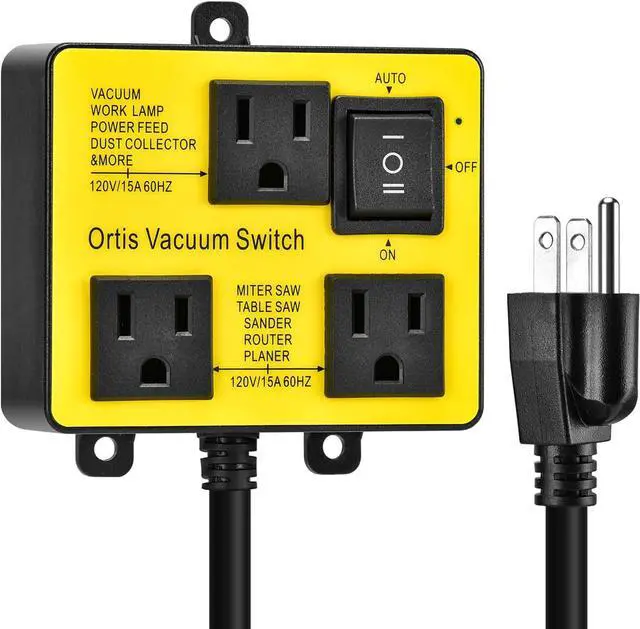
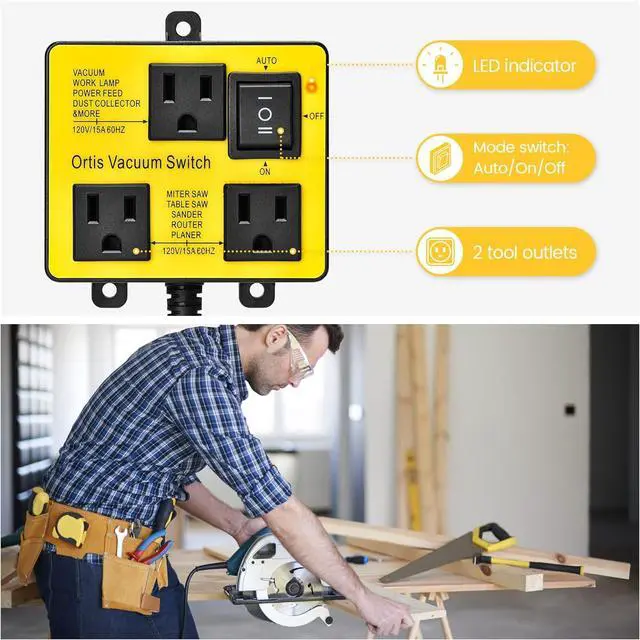
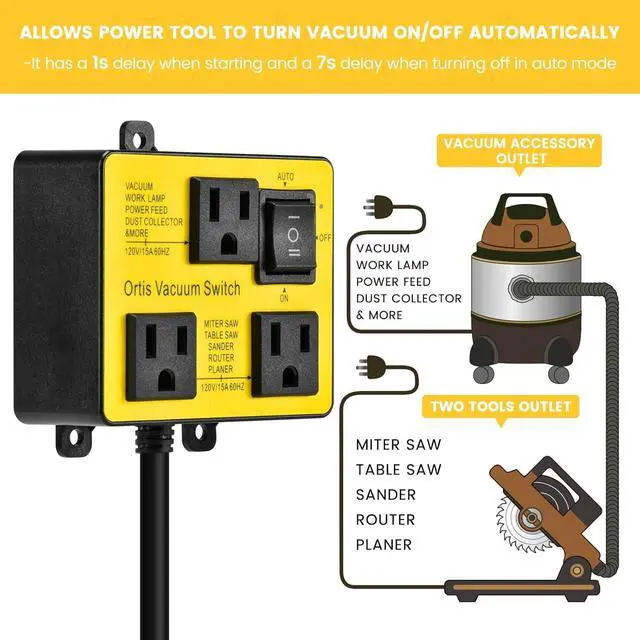
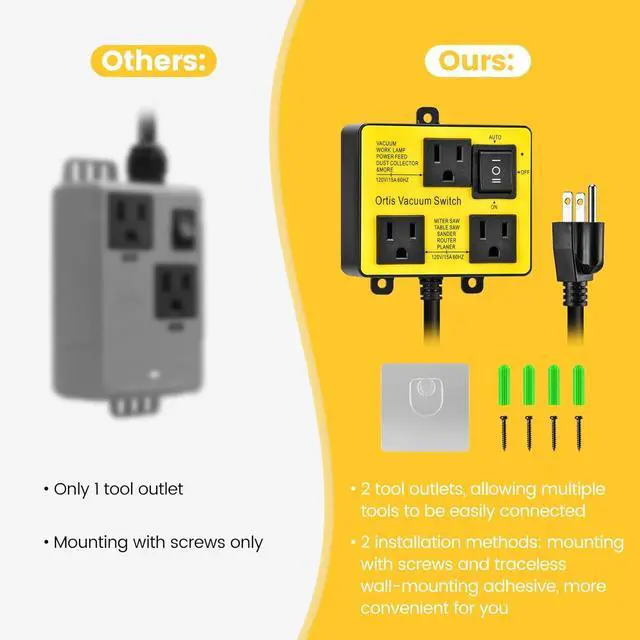
NEW GENERATION-TWO POWER TOOL OUTLETS: The Ortis vacuum switch features two tool outlets, allowing multiple tools to be easily connected without the need for additional power strips. It offers three vacuum operation modes: automatic, off, and on, with auto switching, enabling you to effortlessly save time and effort when starting your tools and vacuum cleaner, so you can focus on more important tasks
AUTOMATIC DELAY FEATURE: The auto vacuum switch comes with an automatic delay feature, which allows a 1-second delay when start the vacuum and automatically delays vacuum turn off by 7s (in auto mode). This helps prevent circuit overload, reduces dust in the air, keeps your workspace cleaner, and enhances your productivity. It's an essential tool for your woodworking
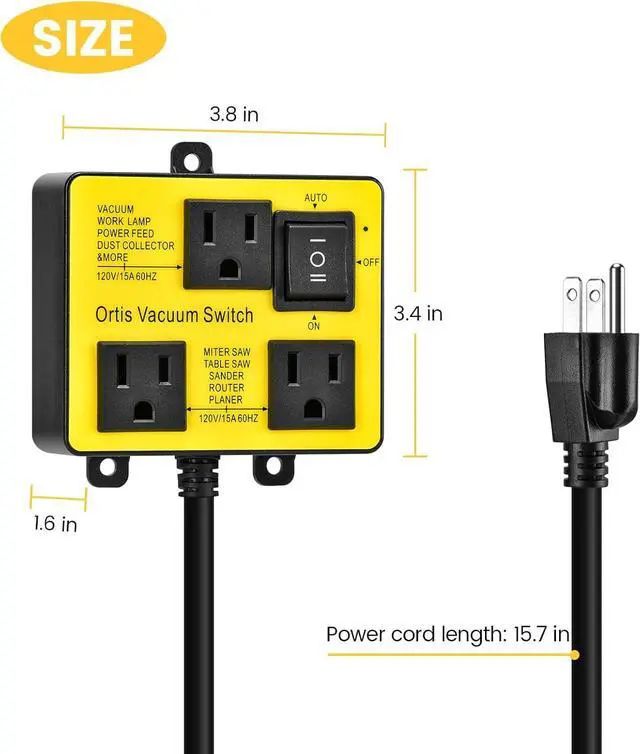
EASY INSTALLATION: Compared with other vacuum switch, Ortis vacuum switch for power tools offers two fixing methods, screw fastening and traceless wall-mounting adhesive, ensuring firm and reliable attachment. You can effortlessly complete the installation, saving time and effort, and enhancing your user experience
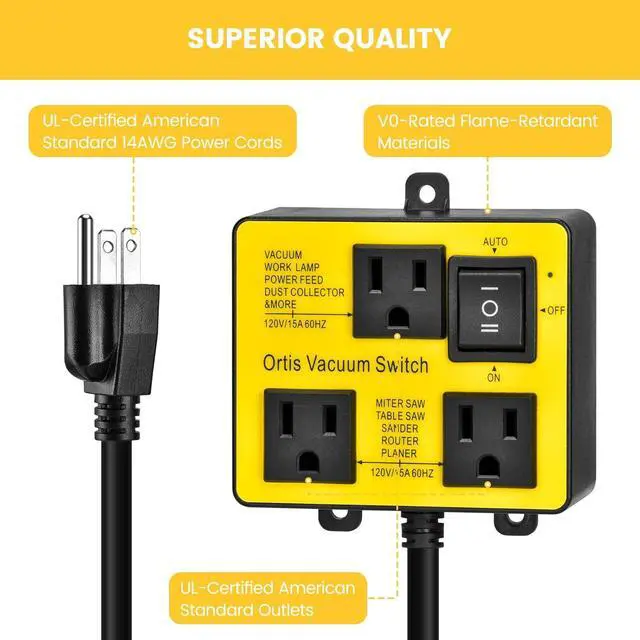
SAFE AND RELIABLE: Utilizing UL-certified American standard 14AWG power cords, capable of handling currents of 30A and above. The application of reinforced copper cores and V0-rated flame-retardant materials in the outer casing reduces heat generation during usage, effectively extending the lifespan. It ensures safety, reliability, efficiency, and stability
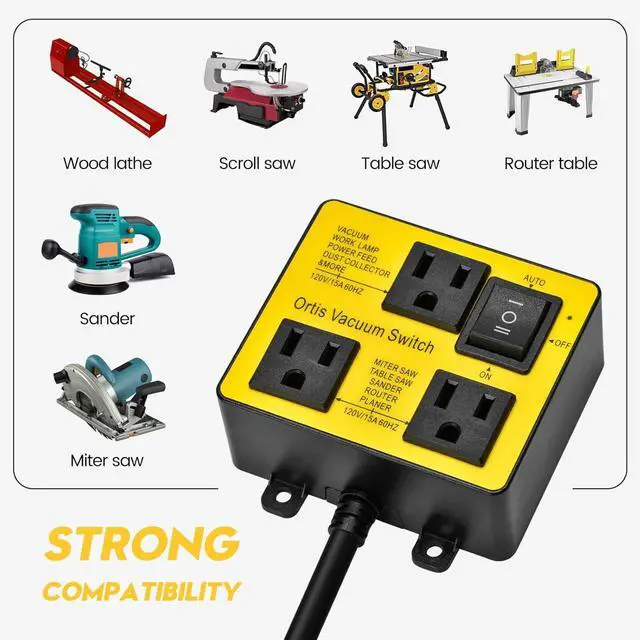
COMPATIBILITY: Supports a variety of cutting tools from rotary handheld devices to large shop saws such as Miter Saws, Table Saws, Power Sanders, Routers, Joiners, Planers etc. Max motor rating should not exceed 120V/15A 50/60Hz, 1875W
Learn more about the Detailed Specifications
Additional Information
First Listed on Newegg
April 12, 2026
There are no reviews yet.
Do you own this product?
Warranty & Returns
Warranty, Returns, And Additional Information
Warranty
Please contact the Seller directly for warranty information. Warranty information may also be found on the Manufacturer's website.