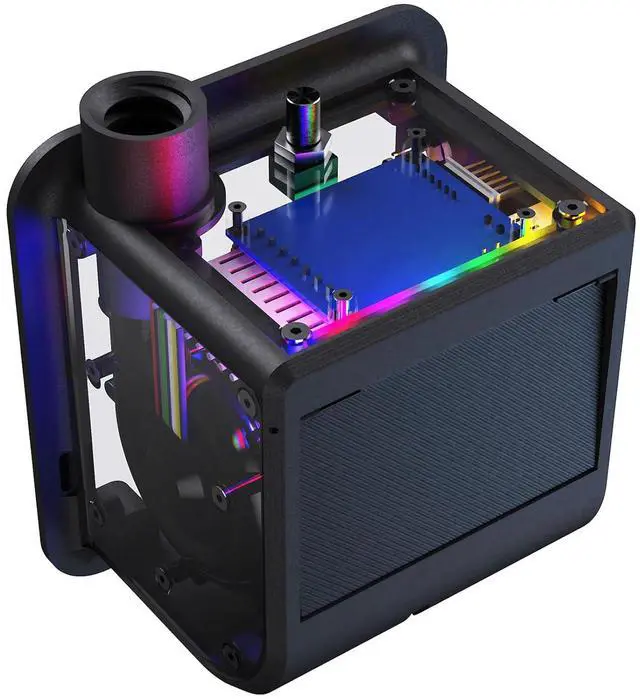
BIQU Panda Turbo Cooling Fan Kit for Bambu-Lab P1S P1P X1C, 3 Times Larger Airflow for High-Speed Printing, Plug and Play, Easy Magnetic Mounting, Custom RGB Lighting
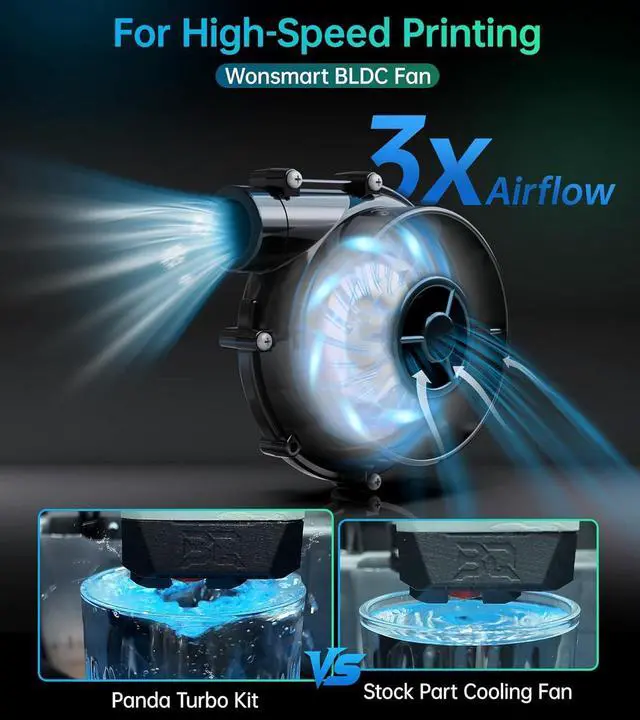
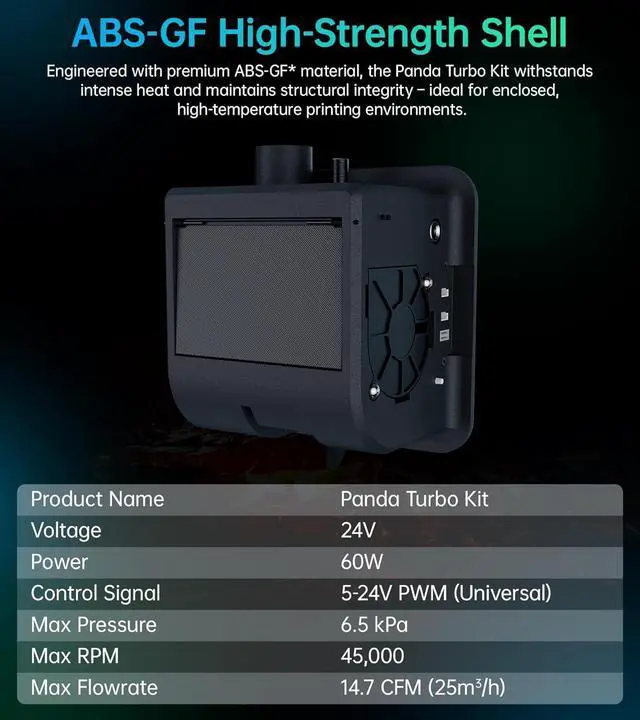
3X AirflowBIQU Panda Turbo adopts the Wonsmart BLDC turbine fan, which delivers 3 times larger and more precise airflow than the stock part, so that you can get faster and quality prints in a high-speed printing. Note: The Panda Turbo Kit requires a DC022B 5.5x2.5mm power adapter (input:100-240V~50/60Hz 1.5A; Output: 24.0 V-3.0 A, 72.0 W), or you can also power it with the terminal breakout adaptor included in the package.
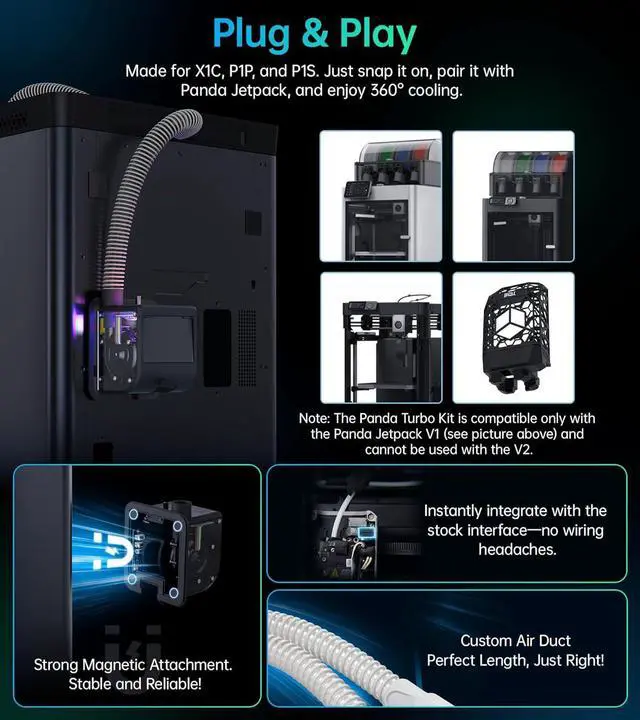
Plug and Play The Panda Turbo Kit is made for Bambu-Lab P1S P1P X1C 3D printers. Tips: X1 installation requires removal of the front cover LED board. The strong and reliable magnetic mounting mechanism makes it super easy to install, no tools needed! The Turbo kit also integrates with the stock interface, keeping you from the wiring headaches. Get the riser print files on Github and the user manual on bttwiki.
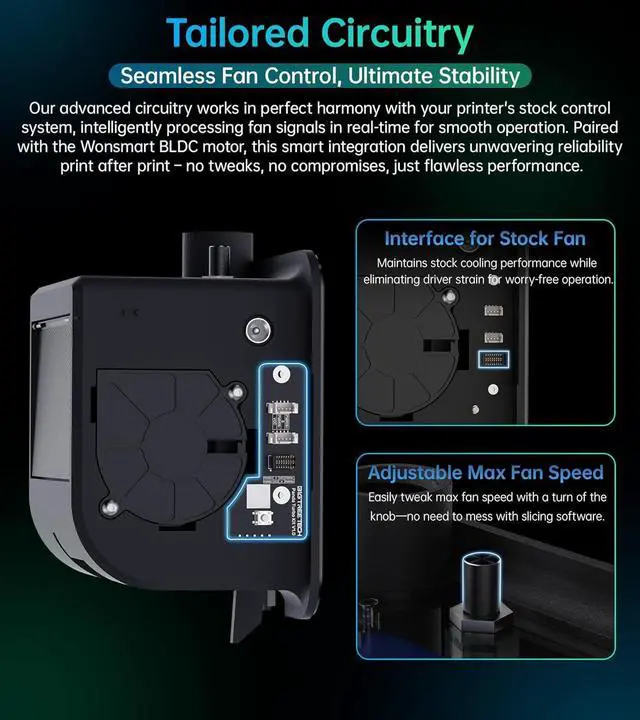
Seamless Fan ControlThe advanced circuitry of Panda Turbo perfectly matches the Bambu printers control system, making it effortlessly to intelligently process fan signals in real-time and ensuring the smooth efficient operation of Wonsmart BLDC motor. An interface for stock fan is reserved to maintains stock cooling performance while eliminating driver strain. There is also a knob for you to adjust fan speed with an easy turn, no need to mess with slicing software.
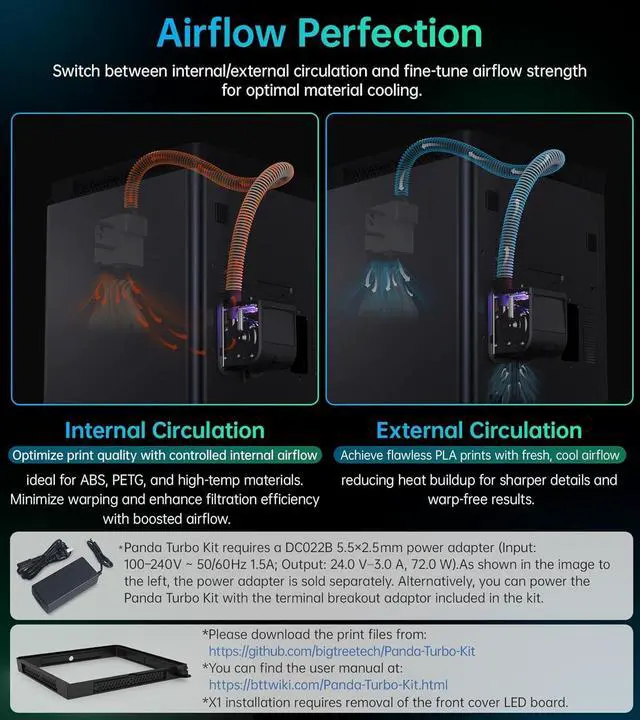
Adjustable CirculationThe Panda Turbo cooling fan kit allows infinite adjustablity between internal and external circulation. The internal circulation optimizes print quality with
+
+
Overview
Specs
Reviews
Any questions? Our AI beta will help you find out quickly.
Try me now
3X AirflowBIQU Panda Turbo adopts the Wonsmart BLDC turbine fan, which delivers 3 times larger and more precise airflow than the stock part, so that you can get faster and quality prints in a high-speed printing. Note: The Panda Turbo Kit requires a DC022B 5.5x2.5mm power adapter (input:100-240V~50/60Hz 1.5A; Output: 24.0 V-3.0 A, 72.0 W), or you can also power it with the terminal breakout adaptor included in the package.
Plug and Play The Panda Turbo Kit is made for Bambu-Lab P1S P1P X1C 3D printers. Tips: X1 installation requires removal of the front cover LED board. The strong and reliable magnetic mounting mechanism makes it super easy to install, no tools needed! The Turbo kit also integrates with the stock interface, keeping you from the wiring headaches. Get the riser print files on Github and the user manual on bttwiki.
Seamless Fan ControlThe advanced circuitry of Panda Turbo perfectly matches the Bambu printers control system, making it effortlessly to intelligently process fan signals in real-time and ensuring the smooth efficient operation of Wonsmart BLDC motor. An interface for stock fan is reserved to maintains stock cooling performance while eliminating driver strain. There is also a knob for you to adjust fan speed with an easy turn, no need to mess with slicing software.
Adjustable CirculationThe Panda Turbo cooling fan kit allows infinite adjustablity between internal and external circulation. The internal circulation optimizes print quality with controlled internal airflow, which is ideal for ABS, PETG and high-temp materials, minimizing warping. The external circulation help to achieve flawless PLA prints with fresh, cool airflow, reducing heat buildup for sharper details and warp-free results.
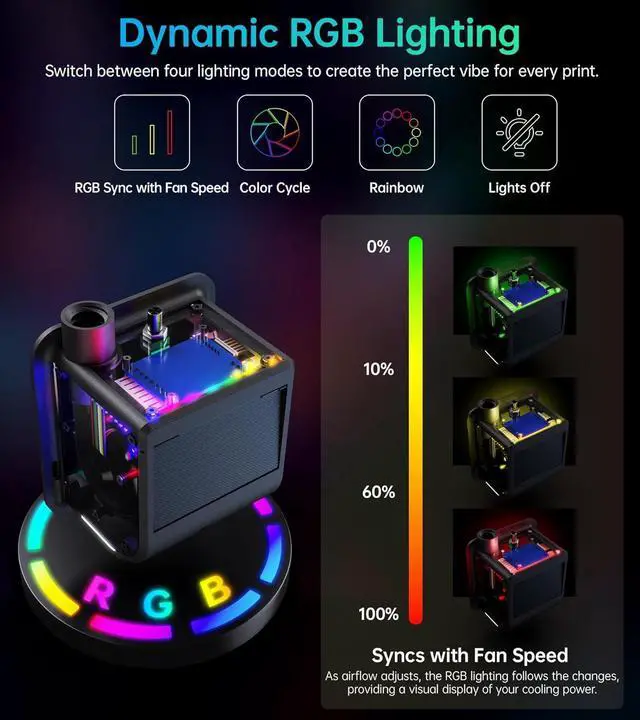
Dynamic RGB LightingThe RGB lighting of BIQU Panda Turbo is syncs with fan speed. The RGB lighting changes as the fan speed adjusts, providing a visual display of your cooling power. Freely switch between 4 lighting modes to create the perfect vibe for every print! NOTE: The Panda Turbo Kit is compatible only with the Panda Jet Pack V1 and cannot be used with the V2.
Learn more about the Detailed Specifications
Additional Information
First Listed on Newegg
February 24, 2026
There are no reviews yet.
Do you own this product?
Warranty & Returns
Warranty, Returns, And Additional Information
Warranty
Please contact the Seller directly for warranty information. Warranty information may also be found on the Manufacturer's website.