

Your Browsing History
- Free 30-day Returns
$68.99
Ships from China.

Meet Your Seller

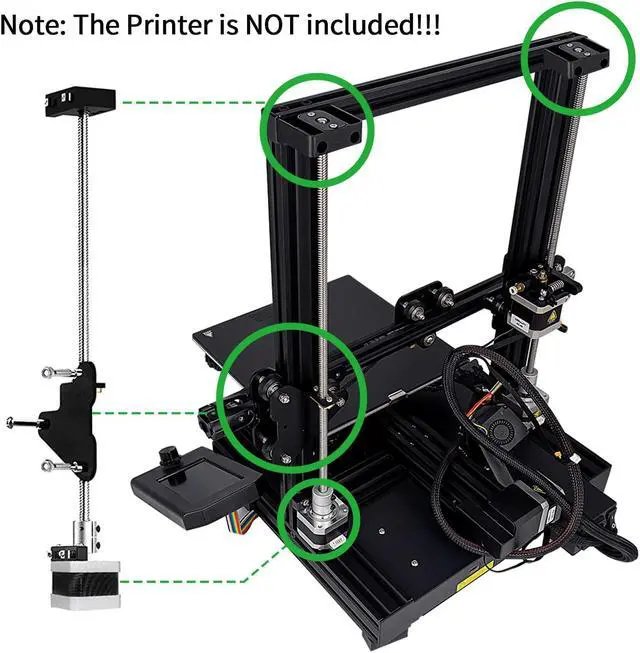


Ender 3 Dual Z Axis Upgrade Kits for Creality Ender 3,Ender 3 Pro,Ender 3 V2,Voxelab Aquila,with Lead Screw 42-34 Stepper Motor 3D Printer Accessories Parts
Limited time offer, ends 09/06 By LUOYIMAN
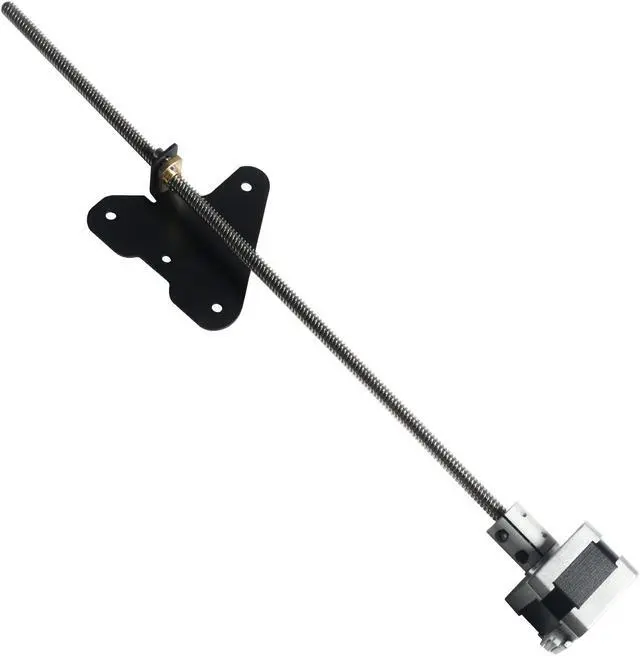
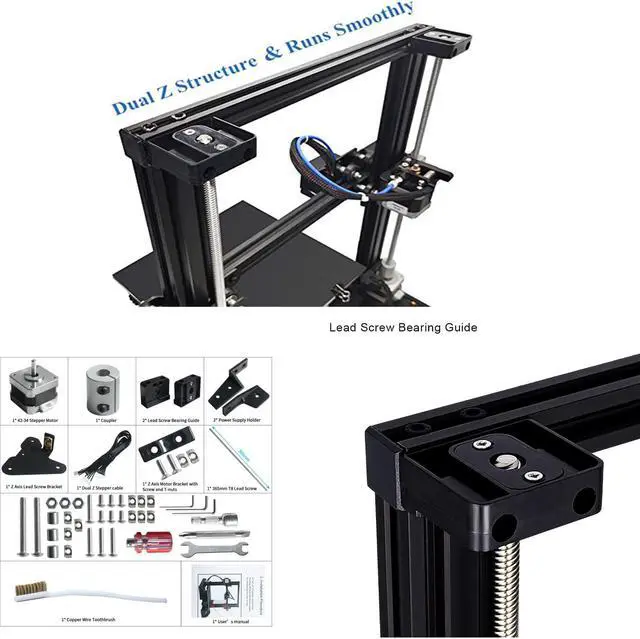
- Upgrade 3D printers such as for creality 3D Ender3/3S to dual z-axis to improve printer stability. Dual Z Axis structure, makes your Ender 3 series printer more stable and improve the printing accuracy.; Material: Sheet Metal + Stainless Steel; Fits for: Compatible with Creality Ender 3/3S 3D Printer.; Easy to use: Come with a user's manual, No need to weld or replace the motherboard, directly insert the one to two motor wire into the motherboard.; Low upgrade cost, Cost-effective(high cost performance), minimal cost upgrade and maximum optimization, Use all-aluminum coupling and original 42 stepper motor, stable operation.; After the upgrade of dual Z axis, the x-axis rises steadily and runs smoothly, which completely avoids the bottom consumables stacking pressure, reduces the lamination caused by z-axis vibration, and greatly reduces the leveling difficulty and leveling times.
+
+
Overview
Specs
Reviews

Any questions? Our AI mode will help you find out quickly.
Try me now
Product description Ender 3 Dual Z-axis Upgrade Kit Ender 3 Dual Z-axis Upgrade Kit -Prevent the X rack from shaking, and improve 3D printer accuracy. After the upgrade of dual Z axis, the x-axis rises steadily and runs smoothly, which completely avoids the bottom consumables stacking pressure, reduces the lamination caused by z-axis vibration, and greatly reduces the leveling difficulty and leveling times.
Color: Black
Material: Sheet Metal + Stainless Steel
Fits for: Compatible with Creality Ender 3/3S 3D Printer
Package Size: 38 * 9 * 6.2 cm / 15.0 * 3.5 * 2.4 in
Package Weight: 622g / 21.9 oz
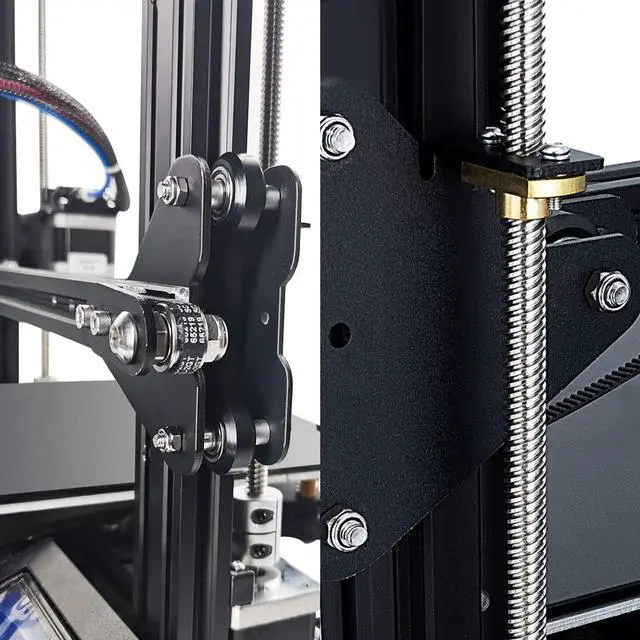
Installation Notes: 1) Turn off the printer, unplug the power cord, and then use a hex wrench to remove the two screws that fix the power supply to remove the power supply. 2) Install the coupler on the stepper motor and tighten the screws. Use hexagon socket screws and Z AxisMotor bracket to fix the motor on the aluminum profile. 3) Remove all the screws of the sheet metal pulley on the right side of the X axis. 4) Fix the Z-axis sheet metal with long screws, and then install it on the X-axis right sheet metal. Screw the T8 screw into the nut of the coupler, and then tighten the screw of the coupler. 5) Install the Dual-Z stepper cable to the main board and connect two Z motors. 6) Install the Phillips screw and fixing nut on the power supply bracket, and then continue to install the power supply. 7) Place the lead screw bearing guide on the left and right sides of the X-axis aluminum profile, and raise the Z-axis to the highest position. If one side is not level, turn the corresponding coupler clockwise.
8) Install the lead screw bearing guide and tighten the screws, paying attention to the alignment position of the mounting base.
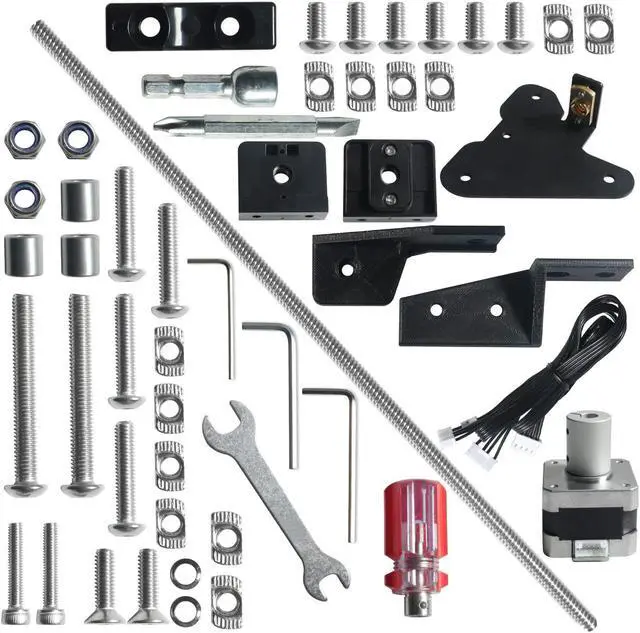
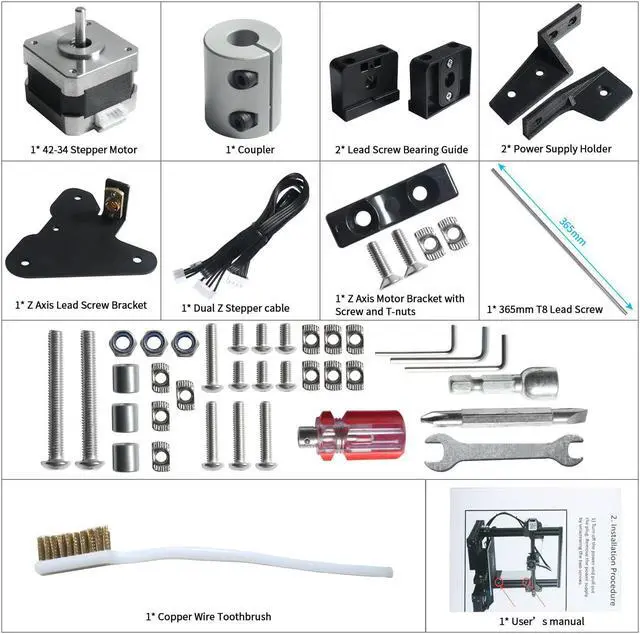
Packing List: 1* 42-34 Stepper Motor 2* Lead Screw Bearing Guide 2* Power Supply Holder 1* Coupler 1* Z Axis Lead Screw Bracket 1* Dual Z Stepper cable 1* Z Axis Motor Bracket with Screw and T-nuts 1* 365mm T8 Lead Screw 9* Matching all Screws & Tools 1* Users manual+1* Copper Wire Toothbrush See More
Specifications
:Color: Black
Material: Sheet Metal + Stainless Steel
Fits for: Compatible with Creality Ender 3/3S 3D Printer
Package Size: 38 * 9 * 6.2 cm / 15.0 * 3.5 * 2.4 in
Package Weight: 622g / 21.9 oz
Installation Notes: 1) Turn off the printer, unplug the power cord, and then use a hex wrench to remove the two screws that fix the power supply to remove the power supply. 2) Install the coupler on the stepper motor and tighten the screws. Use hexagon socket screws and Z AxisMotor bracket to fix the motor on the aluminum profile. 3) Remove all the screws of the sheet metal pulley on the right side of the X axis. 4) Fix the Z-axis sheet metal with long screws, and then install it on the X-axis right sheet metal. Screw the T8 screw into the nut of the coupler, and then tighten the screw of the coupler. 5) Install the Dual-Z stepper cable to the main board and connect two Z motors. 6) Install the Phillips screw and fixing nut on the power supply bracket, and then continue to install the power supply. 7) Place the lead screw bearing guide on the left and right sides of the X-axis aluminum profile, and raise the Z-axis to the highest position. If one side is not level, turn the corresponding coupler clockwise.
8) Install the lead screw bearing guide and tighten the screws, paying attention to the alignment position of the mounting base.
Packing List: 1* 42-34 Stepper Motor 2* Lead Screw Bearing Guide 2* Power Supply Holder 1* Coupler 1* Z Axis Lead Screw Bracket 1* Dual Z Stepper cable 1* Z Axis Motor Bracket with Screw and T-nuts 1* 365mm T8 Lead Screw 9* Matching all Screws & Tools 1* Users manual+1* Copper Wire Toothbrush See More
Warranty & Returns
Warranty, Returns, And Additional Information
Warranty
- Please contact the Seller directly for warranty information. Warranty information may also be found on the Manufacturer's website.
- CONTACT
Return Policies
- Return for refund within: 30 days
- Return for replacement within: 30 days
- This item is covered by LUOYIMAN Return Policy
Manufacturer Contact Info
- For a directory of all our manufacturers, please click below.
- Manufacturers Directory
LOADING...