

Your Browsing History
- Free 30-day Returns
$34.99
Ships from China.

Meet Your Seller

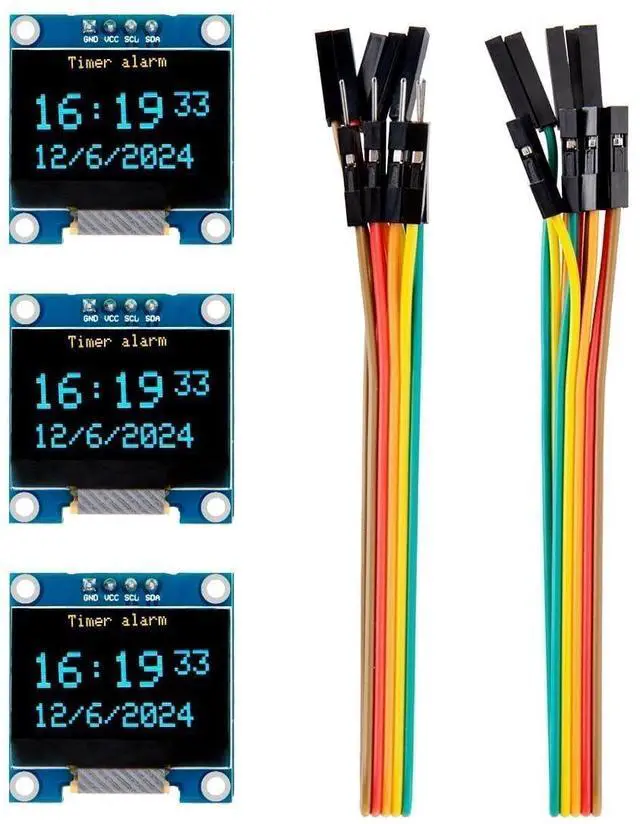
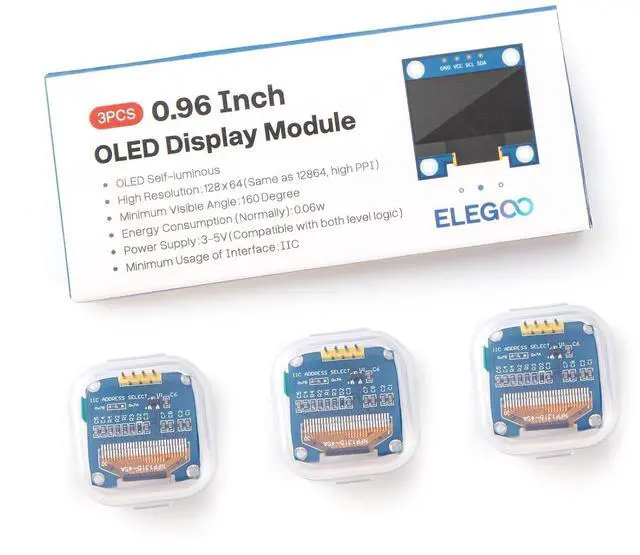
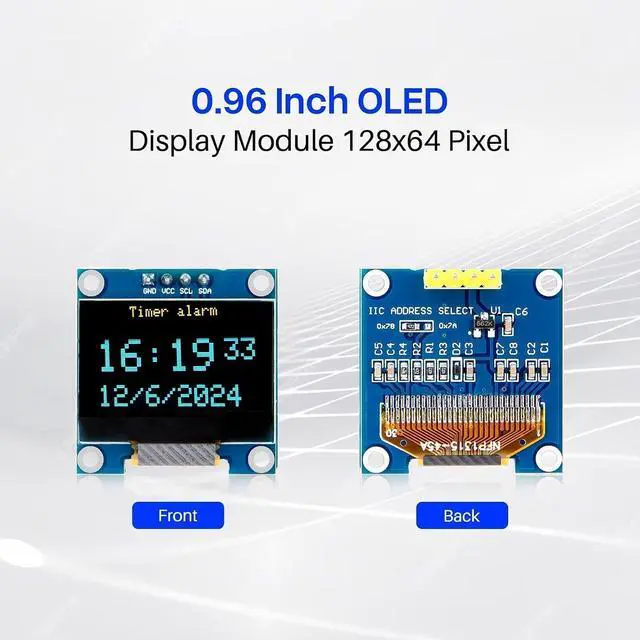
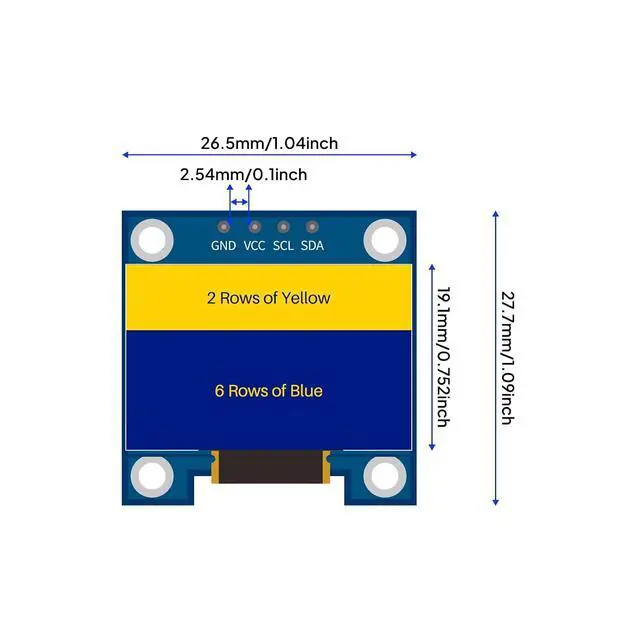
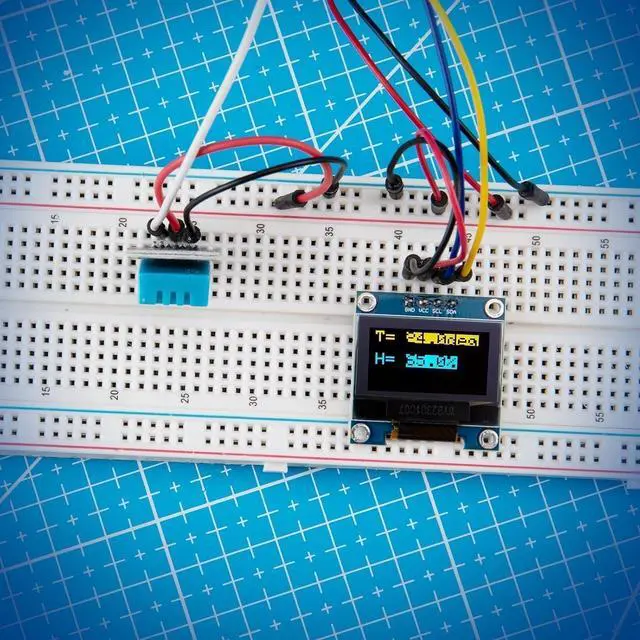
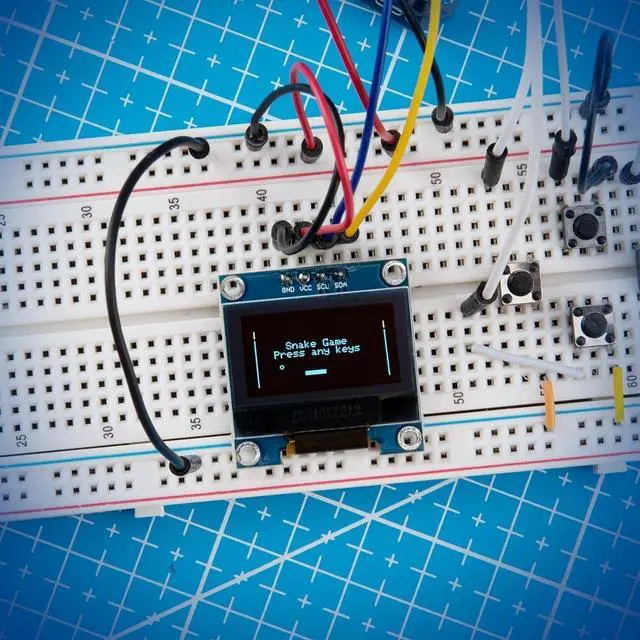
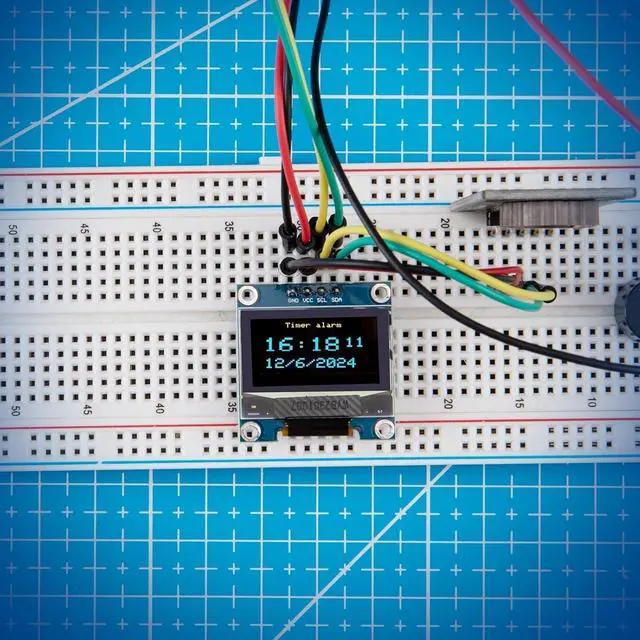


3PCS 0.96 Inch OLED Display Screen Module, Self-Luminous, SSD1306
- High-Resolution Display: Clear 128x64 OLED screen ensures excellent visibility.; Self-Luminous: Each pixel emits light independently for superior contrast and efficiency.; Versatile Compatibility: Works with Raspberry Pi, Arduino 51 MCU, STM32, etc.; User-Friendly Interface: Easy integration into projects with I2C communication protocol.; Includes 10 Dupont Wires: Comes with 10 Dupont wires (5 male, 5 female) for added convenience.
+
+
Overview
Specs
Reviews

Any questions? Our AI mode will help you find out quickly.
Try me now
Product description ELEGOO 3PCS 0.96 Inch OLED Display
Screen Module Note: The 7-bit I2C address of the 0.96 -inch OLED screen is 0111100 (0x3C). 0x78 in the PCB is 0111100, and the 8th bit represents the "write" operation. If the code only specifies the I2C slave device address, use the 7-bit binary code (such as 0x3C).
Type: OLED (Organic
Light Emitting Diode) Resolution: 128x64 pixels
Interface: I2C
Operating Voltage: 3.3V - 5V
Minimum Visible Angle: 160 Degree Energy
Consumption (Normally): 0.06 w
View Angle>160° Diyplay Dimensions: 0.91 inches (diagonal)
Working Temperature: -20°C to 60°C
Driver IC: SSD1306
Display Color: Blue and Yellow 3PCS
Pack: 0.96 Inch Disyplay Module x 3 Female to Female Dupont Wire x 5 Male to Female Dupont Wire x 5 6PCS
Pack: 0.96 Inch Disyplay Module x 6 Female to Female Dupont Wire x 5 Male to Female Dupont Wire x 5
Q1: The I2C scanner reads the address 0x78. Should I use 0x78 directly in the code?
A: Do NOT use 0x78 directly! 0x78 is the 8-bit I2C write address (the least significant bit is the read/write control bit). Shift it right by 1 bit: 0x78 >> 1 = 0x3C. 0x3C is the 7-bit device address required by most libraries. Popular OLED libraries for Arduino and ESP32 (U8G2, Adafruit_SSD1306, SSD1306Wire) all accept the 7-bit address 0x3C.
Wrong usage: display. begin (0x78); The OLED screen will not light up
Correct usage: display.
begin (0x3C);
Q2: When to use address 0x3C, and when to use 0x3D?
A: The address is determined by the logic level of pin SA0 on the PCB (hardware feature of
SSD1306): SA0 pulled LOW (90% of common 0.96 -inch OLED modules on the market) 7-bit address: 0x3C
| 8-bit write address: 0x78 SA0 pulled HIGH (a small number of revised modules) 7-bit address: 0x3D
| 8-bit write address: 0x7A Most modules reserve the SA0 solder pad. Shorting this pad switches the I2C address, allowing two OLED screens to be connected to the same I2C bus simultaneously. The OLED display doesnt require backlight, which results in a very nice contrast in dark environments. Additionally, its pixels consume energy only when they are on, so the OLED display consumes less power when compared with other displays. The model were using here has only four pins and communicates with the ESP32 using I2C communication protocol. There are models that come with an extra RESET pin. There are also other OLED displays that communicate using SPI communication. Because the OLED display uses I2C communication protocol, wiring is very simple. You just need to connect to the ESP32 I2C pins as D21 (SDA) D22 (SCL) To control the OLED display you need the adafruit_SSD1306. h and the adafruit_GFX. h libraries. Follow the next instructions to install those libraries. Open your Arduino IDE and go to Sketch > Include Library > Manage Libraries. The Library Manager should open. Type SSD1306 in the search box and install the SSD1306 library from Adafruit.
See More
Screen Module Note: The 7-bit I2C address of the 0.96 -inch OLED screen is 0111100 (0x3C). 0x78 in the PCB is 0111100, and the 8th bit represents the "write" operation. If the code only specifies the I2C slave device address, use the 7-bit binary code (such as 0x3C).
Specifications
: DisplayType: OLED (Organic
Light Emitting Diode) Resolution: 128x64 pixels
Interface: I2C
Operating Voltage: 3.3V - 5V
Minimum Visible Angle: 160 Degree Energy
Consumption (Normally): 0.06 w
View Angle>160° Diyplay Dimensions: 0.91 inches (diagonal)
Working Temperature: -20°C to 60°C
Driver IC: SSD1306
Display Color: Blue and Yellow 3PCS
Pack: 0.96 Inch Disyplay Module x 3 Female to Female Dupont Wire x 5 Male to Female Dupont Wire x 5 6PCS
Pack: 0.96 Inch Disyplay Module x 6 Female to Female Dupont Wire x 5 Male to Female Dupont Wire x 5
Q1: The I2C scanner reads the address 0x78. Should I use 0x78 directly in the code?
A: Do NOT use 0x78 directly! 0x78 is the 8-bit I2C write address (the least significant bit is the read/write control bit). Shift it right by 1 bit: 0x78 >> 1 = 0x3C. 0x3C is the 7-bit device address required by most libraries. Popular OLED libraries for Arduino and ESP32 (U8G2, Adafruit_SSD1306, SSD1306Wire) all accept the 7-bit address 0x3C.
Wrong usage: display. begin (0x78); The OLED screen will not light up
Correct usage: display.
begin (0x3C);
Q2: When to use address 0x3C, and when to use 0x3D?
A: The address is determined by the logic level of pin SA0 on the PCB (hardware feature of
SSD1306): SA0 pulled LOW (90% of common 0.96 -inch OLED modules on the market) 7-bit address: 0x3C
| 8-bit write address: 0x78 SA0 pulled HIGH (a small number of revised modules) 7-bit address: 0x3D
| 8-bit write address: 0x7A Most modules reserve the SA0 solder pad. Shorting this pad switches the I2C address, allowing two OLED screens to be connected to the same I2C bus simultaneously. The OLED display doesnt require backlight, which results in a very nice contrast in dark environments. Additionally, its pixels consume energy only when they are on, so the OLED display consumes less power when compared with other displays. The model were using here has only four pins and communicates with the ESP32 using I2C communication protocol. There are models that come with an extra RESET pin. There are also other OLED displays that communicate using SPI communication. Because the OLED display uses I2C communication protocol, wiring is very simple. You just need to connect to the ESP32 I2C pins as D21 (SDA) D22 (SCL) To control the OLED display you need the adafruit_SSD1306. h and the adafruit_GFX. h libraries. Follow the next instructions to install those libraries. Open your Arduino IDE and go to Sketch > Include Library > Manage Libraries. The Library Manager should open. Type SSD1306 in the search box and install the SSD1306 library from Adafruit.
See More
Warranty & Returns
Warranty, Returns, And Additional Information
Warranty
- Please contact the Seller directly for warranty information. Warranty information may also be found on the Manufacturer's website.
- CONTACT
Return Policies
- Return for refund within: 30 days
- Return for replacement within: non-replaceable
- This item is covered by CoreDepot Return Policy
Manufacturer Contact Info
- For a directory of all our manufacturers, please click below.
- Manufacturers Directory
LOADING...