• $46.99
  • Free 30-day Returns
  • Sold by Mikiomie Dire
    Top Rated

    Shipped by Mikiomie Dire

    Price alert
    Shop it at NeweggBusiness.

    Meet Your Seller

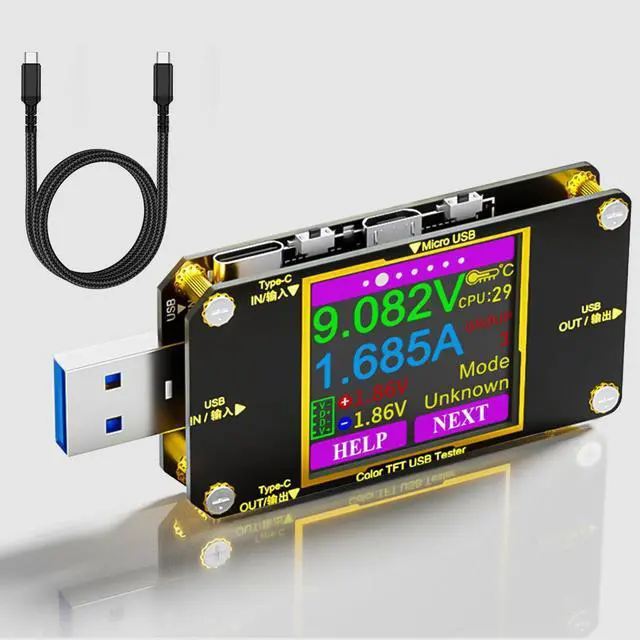
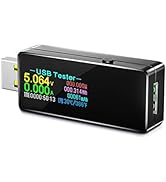
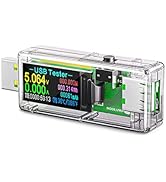
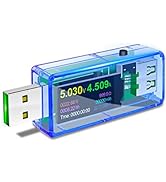
    USB C Power Meter Tester, Voltmeter Ammeter Load Tester, Voltage and Current Monitor With Braided C to C Cable (1.5Ft/50cm) - Test Cable Speed - PD 2.0/3.0 QC 2.0/3.0/4.0

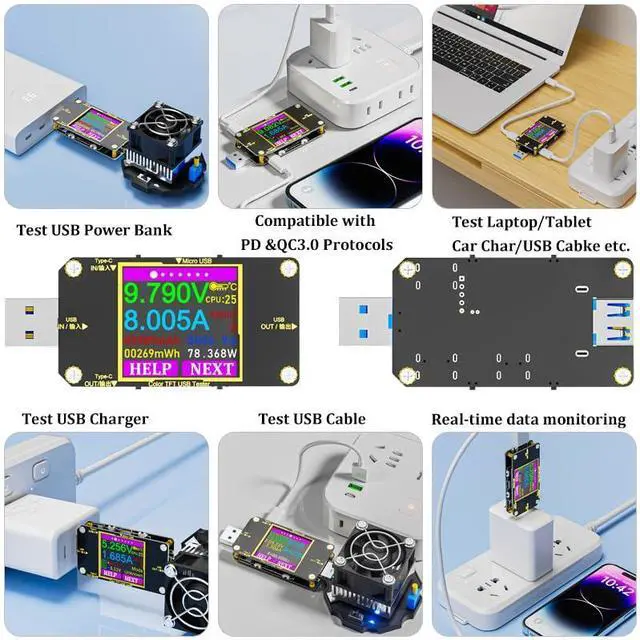
    • MULTIFUNCTIONAL TOOL: Support quick charger recognition; data wire resistance value testing; QC2.0/QC3.0, Voltage/Current/Power Detection; data store; cable impedance measurement. Allows you to check the charging performance of the output wall/car/solar panel chargers and USB charging cables. It can be also used to find the highest current of the Wireless Charger, and test capacity and electric energy of power bank.
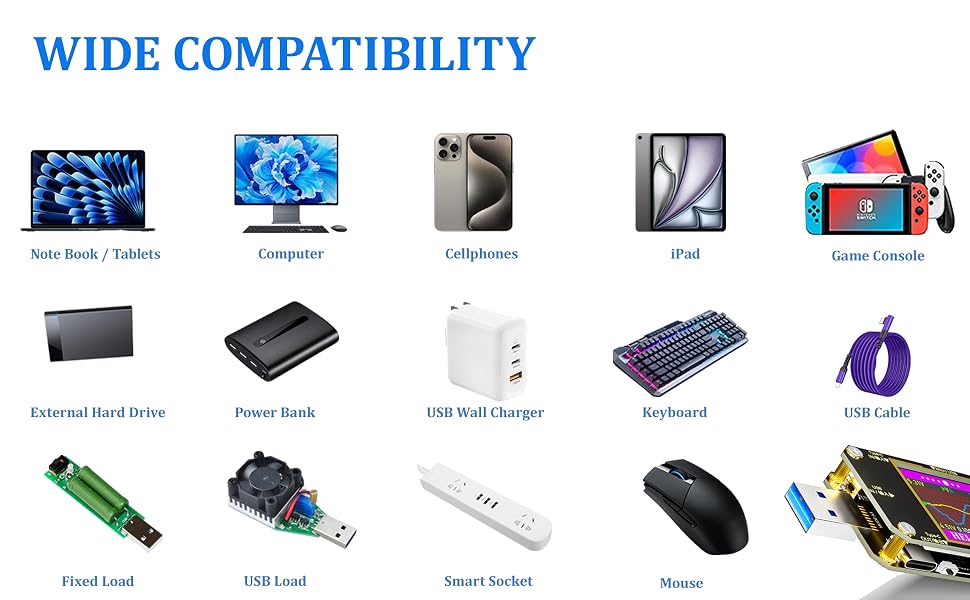
    • WIDE RANGE APPILCATION: Widely used in the quality inspection of digital devices with Micro USB and Type C peripheral. Great for testing and getting real draw ratings on various chargers and equipment, such as PC/Laptop/Desktop Computer/Mobile Phone/Power Bank/Charger/Discharge Load/Car Charger/Cable. With this tester, you can see clearly what was happening when charging various USB devices, ranging from iPhones, to Tablets and batteries.
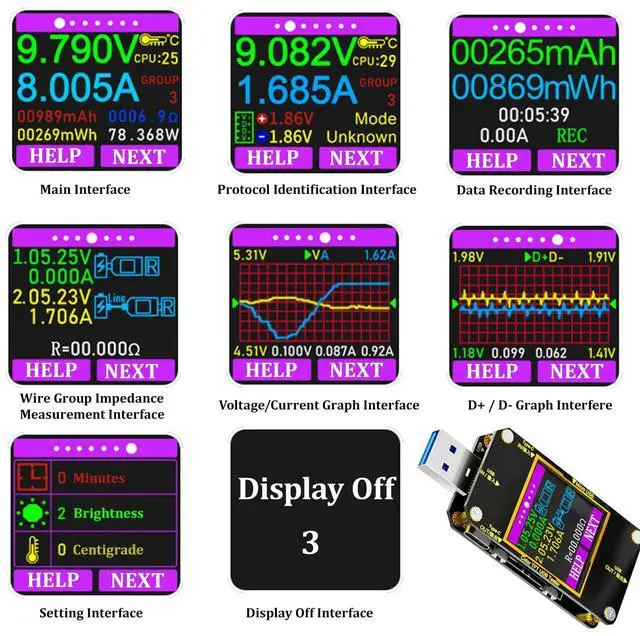
    • BRIGHT COLOR DISPLAY INTERFACE: 1. Measurement Main Interface 2. Quick Charge Identification Interface 3. Data Recording Interface 4. Wire Group Impedance Measurement Interface 5. Voltage Graphing Interface 6.Current Graphing Interface 7. Settings Interface. Voltage measuring range 4.5-24V; current measuring range 0-3A.
    +
    +
    Overview
    Specs
    Reviews

    Any questions? Ask CelesteSM will help you find out quickly.
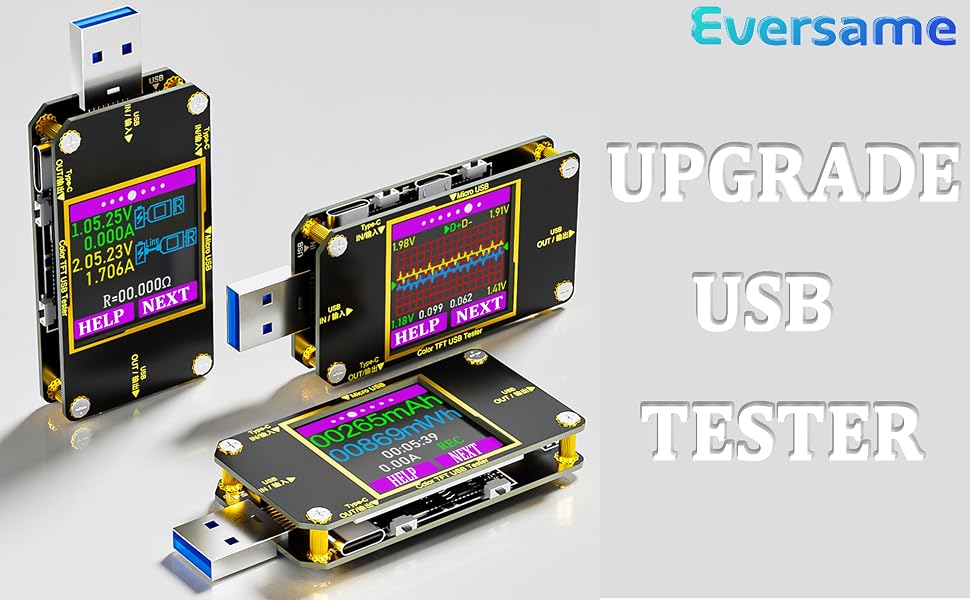
    Eversame USB Tester
    Function key instruction

    Simple but Helpful USB Tester

    The USB tester is designed for easier and more intuitive use, equipped with descriptions for the 4 function keys.

    You can click the HELP button to access the help page, which will assist you in quickly understanding the functions of each key on the different pages.
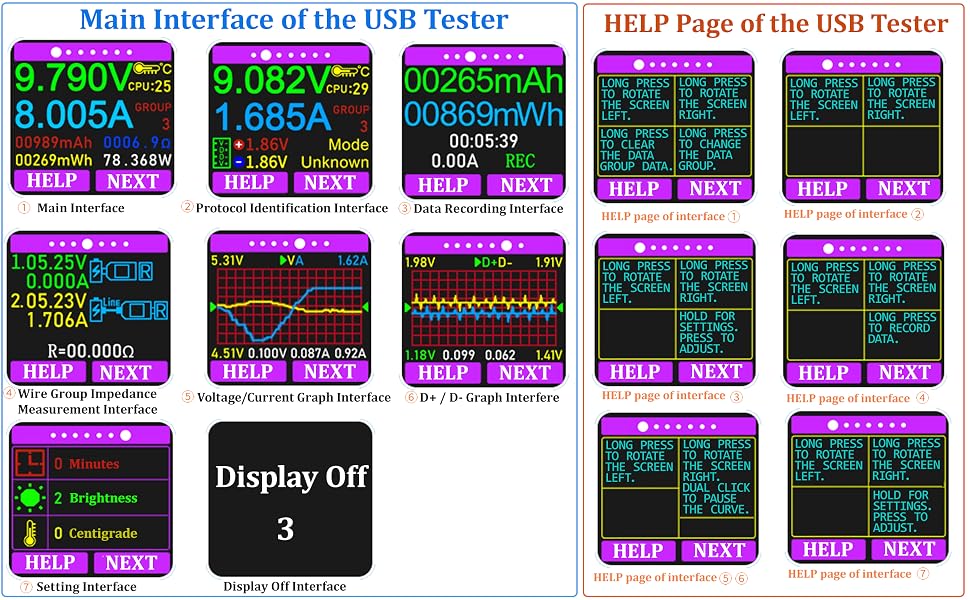
    Main interface details of the usb tester
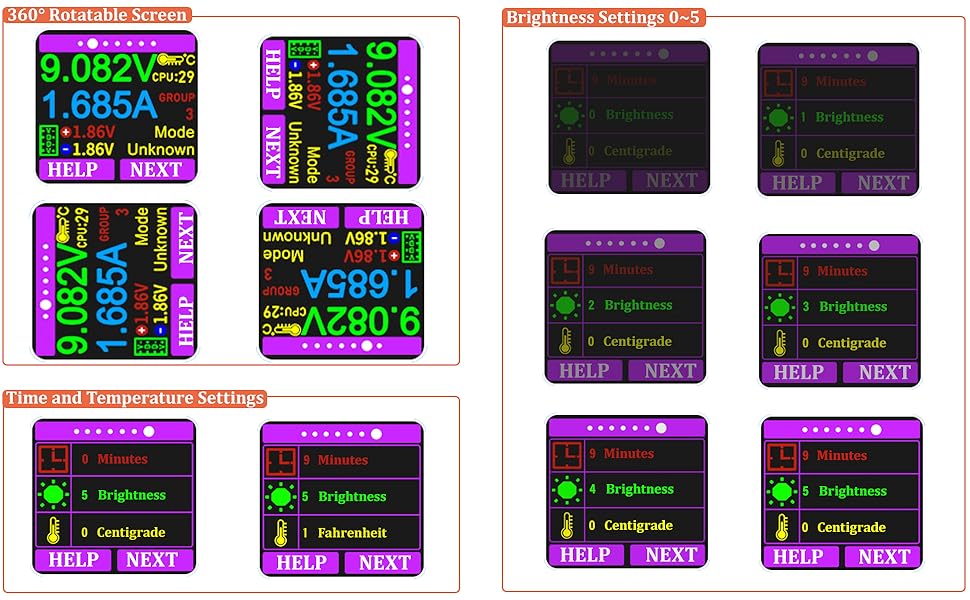
    usb tester settings interface

    System Settings

    • 360-degree Rotating Screen

    Pressing and holding the corresponding key to rotate the screen, allowing you to easily read the measured value from any angle of insertion, making the measurement process more convenient.

    Time, Brightness and Temperature Settings: Long press "NEXT" button to select and change the value, then long press "NEXT" button to confirm the change.
    • Auto-off Time Setting:0~9 Minutes, 0 for constant light up
    • Temperature Settings: 0 -- Centigrade 1 -- Fahrenheit
    • Brightness Settings: 0 ~ 5 The larger the number the brighter the screen

    New USB Tester

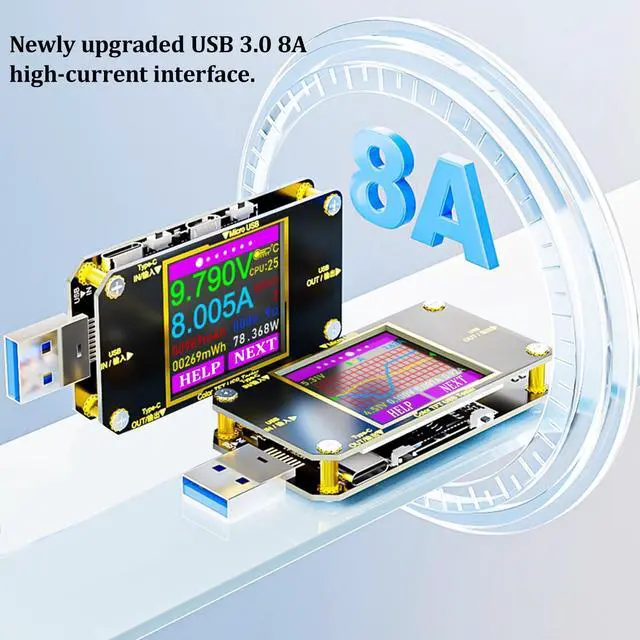
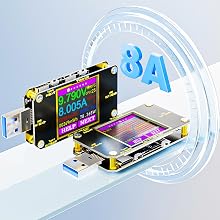
    Support 8A High Current Test

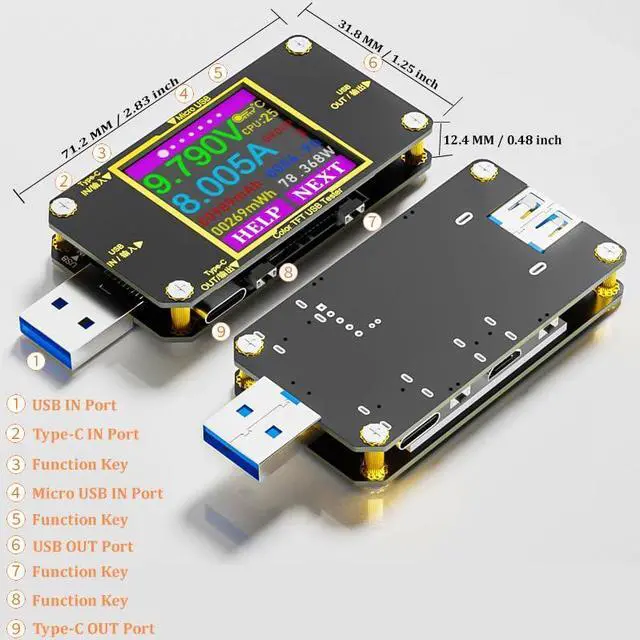
    USB tester features a 1.44-inch high-definition color display, supports 8A high current, and is compatible with USB-A, Type-C, and Micro USB port conversions, making it your ideal measuring tool.
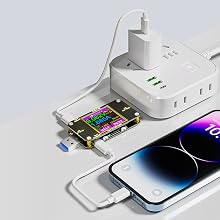
    fast charging protocol

    Fast Charging Protocol

    Compatible with multiple fast charging protocols:
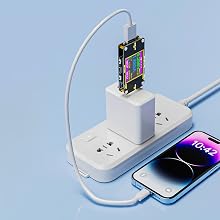
    • PD
    • QC2.0
    • QC3.0
    • QC4.0
    • MTK etc.

    Real-time monitoring of phone charging status

    Real-time Monitoring of Phone Charging Status

    Real-time display of various numerical changes during the charging process, allowing you to monitor the charging status of your cell phone in real time, and check the quality of USB cable, chargers, etc., to ensure the safe charging of your device.
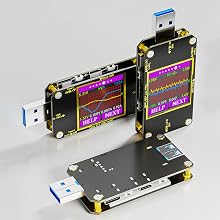
    Curve View of usb tester

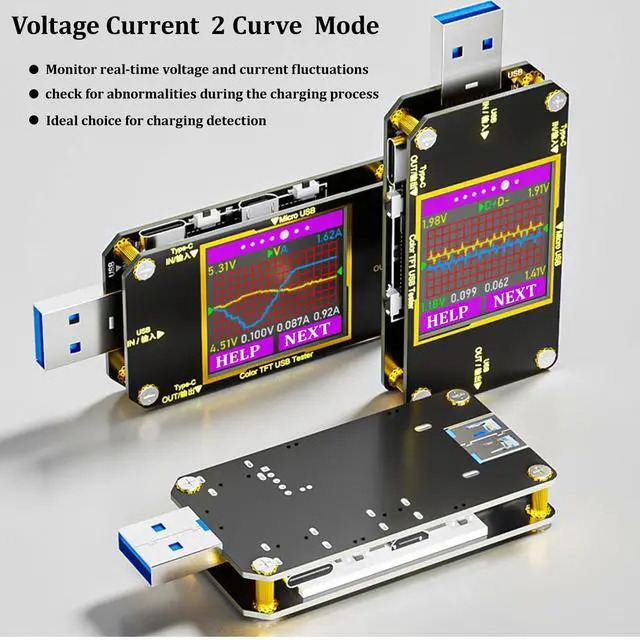
    Current Voltage 2 Curve Modes

    New addition of D+D- curve detection allows you to conveniently monitor the fluctuations of current and voltage in real time, making it an ideal choice for your charging detection needs.
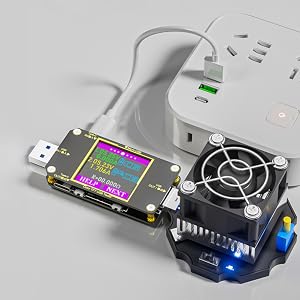
    Wire Resistance Measurement
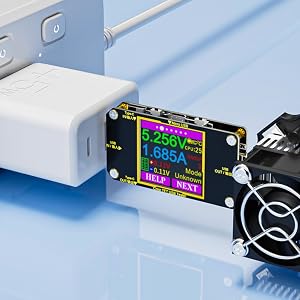
    Wire Resistance Measurement

    After inserting the data cable, if the tester’s screen turns black, it indicates that the voltage difference is too large, and the tester has entered a 4.5V power-off state. You will need to reduce the load current and restart the measurement from the first step. Once the wire resistance measurement is completed, start the measurement again when the tester is powered on next time.

    1. Voltage and current values when the tester is directly connected to the power source.
    2. Voltage and current values when the tester is connected to the power source through the data cable being tested.

    https://m.media-amazon.com/images/S/aplus-media-library-service-media/534d52a0-d2d9-4b85-b216-deaf19c9b6b1.__CR0,0,900,900_PT0_SX300_V1___.jpg

    Wire Resistance Measurement

    https://m.media-amazon.com/images/S/aplus-media-library-service-media/4939470b-bf2e-4042-a282-bfa87c72cec8.__CR0,0,900,900_PT0_SX300_V1___.jpg

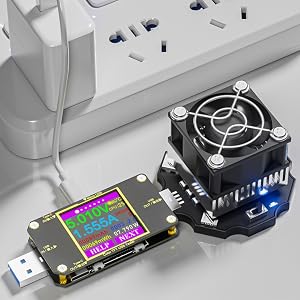
    Testing Performance Stability of USB Chargers
    https://m.media-amazon.com/images/S/aplus-media-library-service-media/306873b6-37b0-46ab-8360-c0f6eefe66c1.__CR0,0,900,900_PT0_SX300_V1___.jpg

    Testing Performance of USB Cables

    https://m.media-amazon.com/images/S/aplus-media-library-service-media/6adbe028-b502-4541-aeec-796154a08fd1.__CR0,0,900,900_PT0_SX300_V1___.jpg

    Testing Performance of Power Bank

    wide compatibiliy of usb tester
    Eversame USB Tester
    Function key instruction

    Simple but Helpful USB Tester

    The USB tester is designed for easier and more intuitive use, equipped with descriptions for the 4 function keys.

    You can click the HELP button to access the help page, which will assist you in quickly understanding the functions of each key on the different pages.

    Main interface details of the usb tester
    usb tester settings interface

    System Settings

    • 360-degree Rotating Screen

    Pressing and holding the corresponding key to rotate the screen, allowing you to easily read the measured value from any angle of insertion, making the measurement process more convenient.

    Time, Brightness and Temperature Settings: Long press "NEXT" button to select and change the value, then long press "NEXT" button to confirm the change.

    • Auto-off Time Setting:0~9 Minutes, 0 for constant light up
    • Temperature Settings: 0 -- Centigrade 1 -- Fahrenheit
    • Brightness Settings: 0 ~ 5 The larger the number the brighter the screen

    New USB Tester

    Support 8A High Current Test

    USB tester features a 1.44-inch high-definition color display, supports 8A high current, and is compatible with USB-A, Type-C, and Micro USB port conversions, making it your ideal measuring tool.

    fast charging protocol

    Fast Charging Protocol

    Compatible with multiple fast charging protocols:

    • PD
    • QC2.0
    • QC3.0
    • QC4.0
    • MTK etc.

    Real-time monitoring of phone charging status

    Real-time Monitoring of Phone Charging Status

    Real-time display of various numerical changes during the charging process, allowing you to monitor the charging status of your cell phone in real time, and check the quality of USB cable, chargers, etc., to ensure the safe charging of your device.

    Curve View of usb tester

    Current Voltage 2 Curve Modes

    New addition of D+D- curve detection allows you to conveniently monitor the fluctuations of current and voltage in real time, making it an ideal choice for your charging detection needs.

    Wire Resistance Measurement

    Wire Resistance Measurement

    After inserting the data cable, if the tester’s screen turns black, it indicates that the voltage difference is too large, and the tester has entered a 4.5V power-off state. You will need to reduce the load current and restart the measurement from the first step. Once the wire resistance measurement is completed, start the measurement again when the tester is powered on next time.

    1. Voltage and current values when the tester is directly connected to the power source.
    2. Voltage and current values when the tester is connected to the power source through the data cable being tested.

    Test USB Charger Performance

    Testing Performance of Power Bank

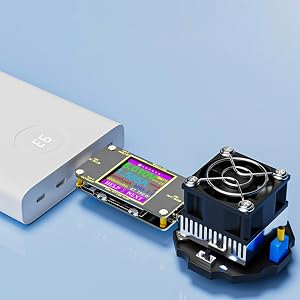
    Easily test various USB chargers with a constant current load. Simply adjust the load knob to measure the charging current and voltage values, allowing the charger to operate under load for extended periods and assess its performance stability.

    Test USB Cable Performance

    Testing Performance of USB Cables

    • Test Micro-USB / USB-A Cable

    Connect the micro USB cable into the Micro USB Input port, then connect an adjustable constant current load to the USB output. The higher the current, the better the quality of the USB Cable, making it easy to test the quality of the USb cables.

    • Test USB-C Cable

    The operation for testing Type-C cables is the same. Plug the cable into the Type-C IN port, adjust the load to reduce the no-load voltage by 1V; the displayed current value at this point is the maximum current value for the data cable.

    Test Power Bank Performance

    Testing Performance of Power Bank

    • Equipped with a power-off storage function, it can store the power bank capacity data when the power bank is powered off, making it convenient for future reference and facilitating capacity testing of the power bank.
    • When powered off, it temporarily saves the current capacity.
    • Upon rebooting, it will accumulate the currently used capacity.
    • If accumulation is not needed, you can manually clear the data.

    wide compatibiliy of usb tester

    Product information

    Brand NameEversame
    ColorBlack
    Style NameUSB Tester
    Material TypePlastic
    Unit Count TypeCount
    Unit Count1
    Item Weight2.08 ounces
    Manufacturereversame
    ModelPD-ES
    Item Dimensions4 L x 3.5 W x 0.5 H inches
    Number of Items1
    Measurement TypeUSB Multimeter
    Power SourceCorded Electric
    Specification MetEnergy
    Are batteries included?false
    Are batteries required?false
    Included ComponentsUSB Tester + 1.5FT USB C Cable
    Package Weight0.059 kilograms
    Measurement Accuracy+/-1%
    Item Package Quantity1
    Safety Attestationtrue
    Item Package Dimensions2.8956 L x 8.3058 W x 11.2014 H centimeters
    Lower Temperature Rating0 degrees_fahrenheit
    Upper Temperature Rating200 degrees_fahrenheit
    Maximum Operating Voltage24 volts
    Minimum Operating Voltage4.5 volts

    Additional Features

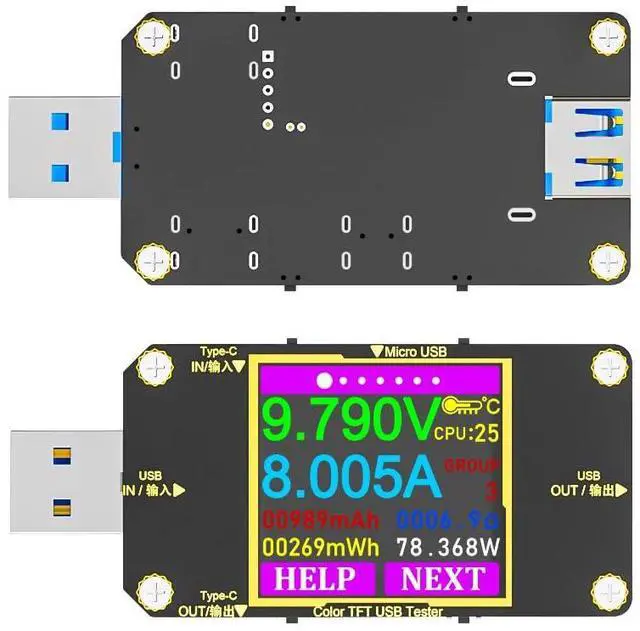
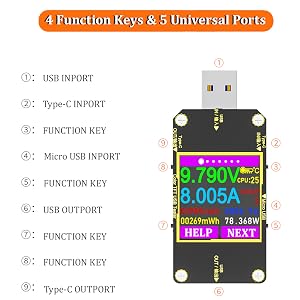
    • [UNBEATABLE DESIGN]: 1.44'' LCD display with screen display rotating function design; 4 operating buttons and 5 connected ports. Plug robust coating with the gold-plated USB contacts can resist scratch, stain and damage. (Note: If the screen doesn't function or turn on/off frequently while it's connected to the power supply, please flip the connector of the USB C Cable to confirm if it can work correctly. For energy-saving, the lights on the screen will go off after 30s.)
    • Important Warm Reminder: The bundle contains a single-sided protocol design USB Tester (no Bluetooth) and a reversible 50cm ultra-durable nylon braided USB type C to Type C cable. AS the tester is the one sided protocol design, if the display does not light up, please try to flip the Type C cable and try again. Eversame Promise to stand behind our products and provide a hassle-free 24-month warranty in case of product defects and friendly customer service.

    Warranty & Returns

    Warranty, Returns, And Additional Information

    Warranty

    • Please contact the Seller directly for warranty information. Warranty information may also be found on the Manufacturer's website.
    • CONTACT

    Return Policies

    Manufacturer Contact Info

    LOADING...