





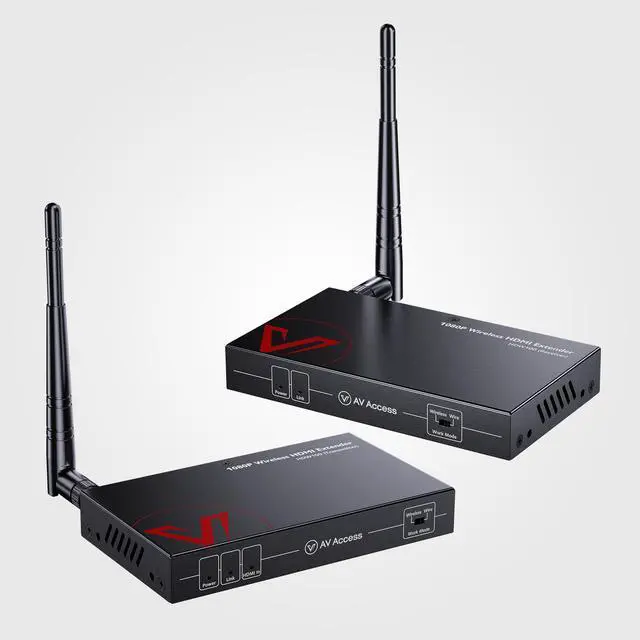
















Supported by our professional R&D team
a more stable signal transmission capability based on hundreds of rigorous testing sessions!

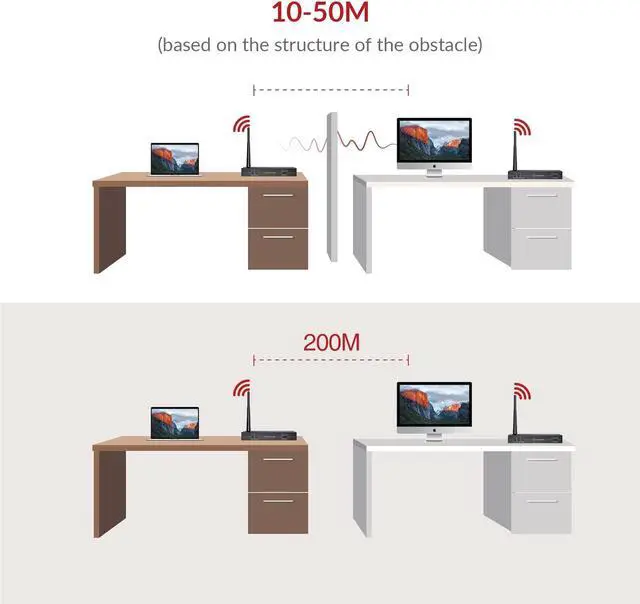
Up to 200m Transmission Range
Extends 1080P full HD HDMI signal wirelessly up to 200m/656ft in an open field.
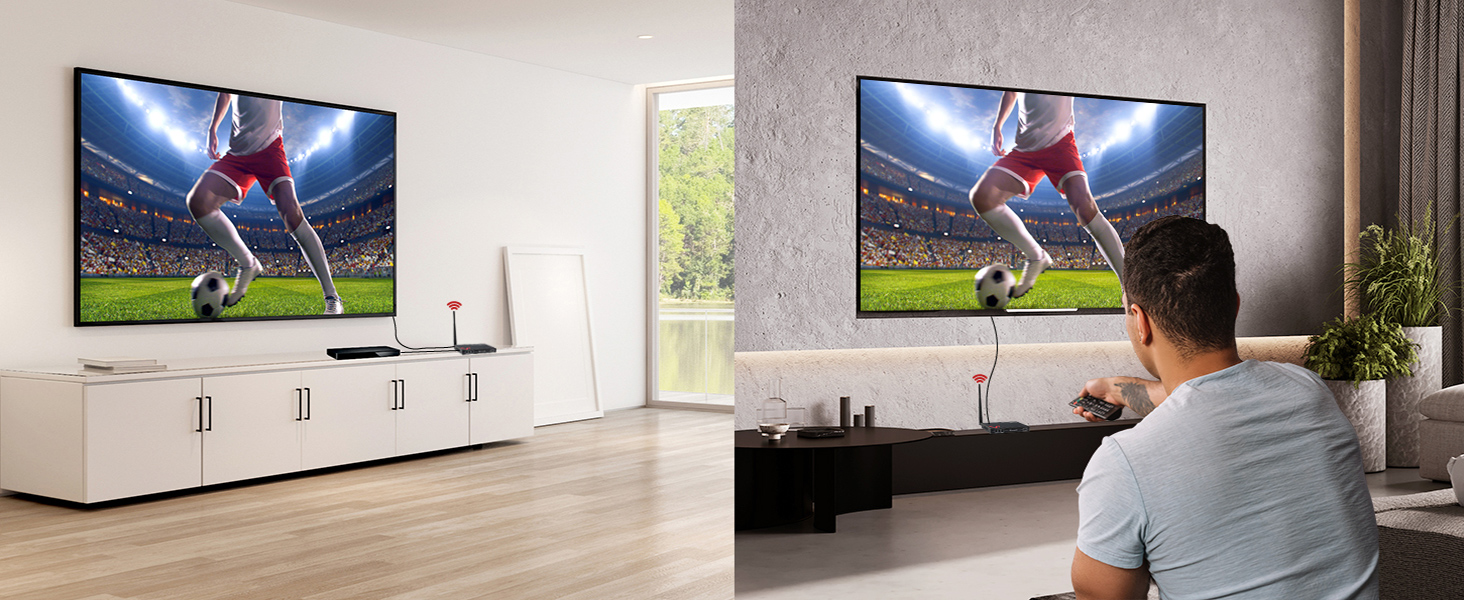
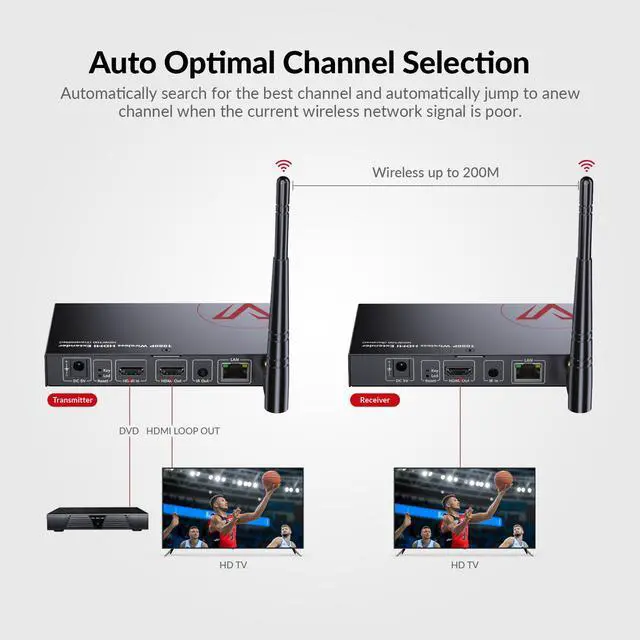
Local Output & IR Control
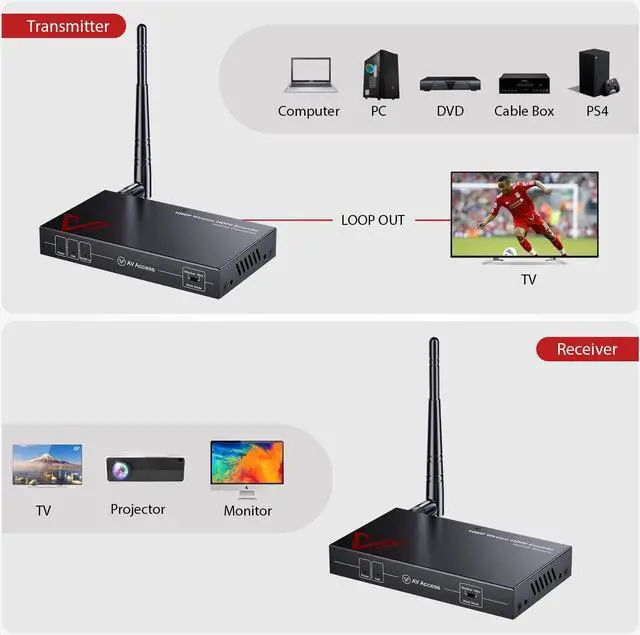
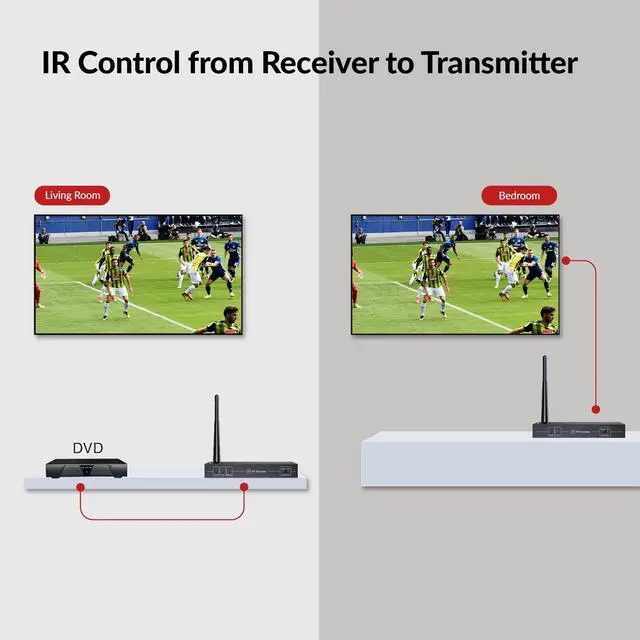
Local output supports connecting it to a local monitor. IR signal emitter/receiver is included.
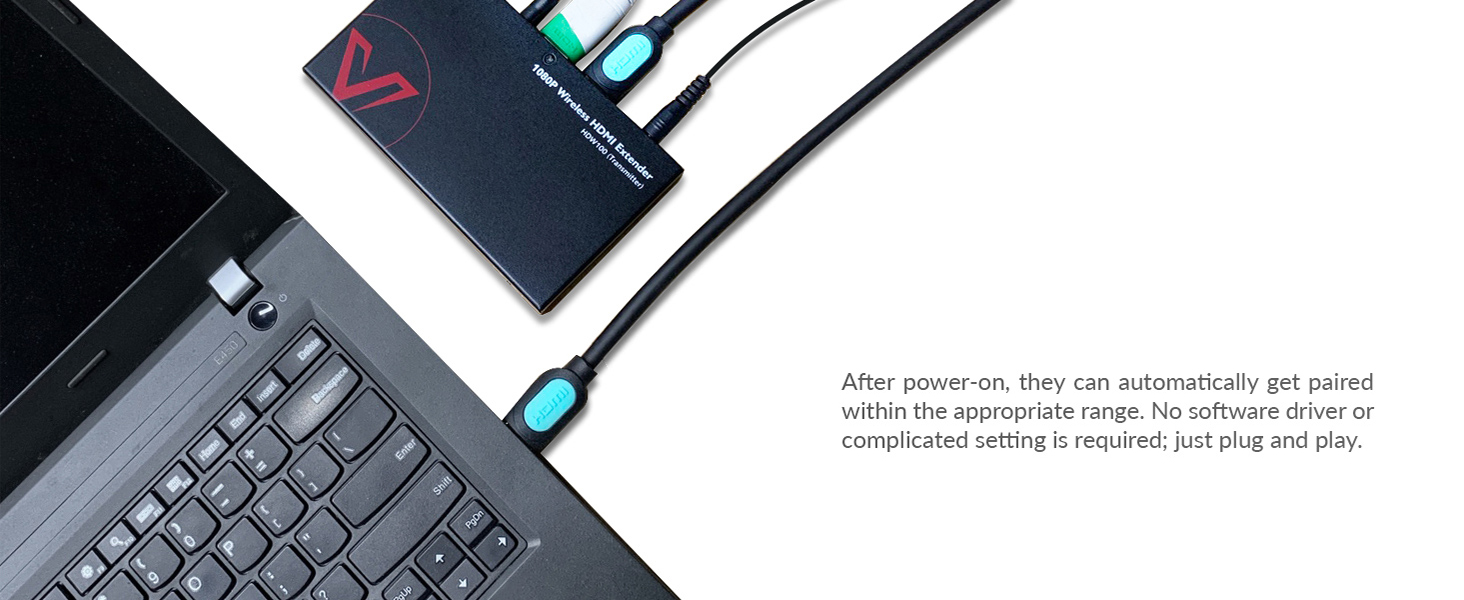
Auto Pairing, Plug & Play,Easy to Install
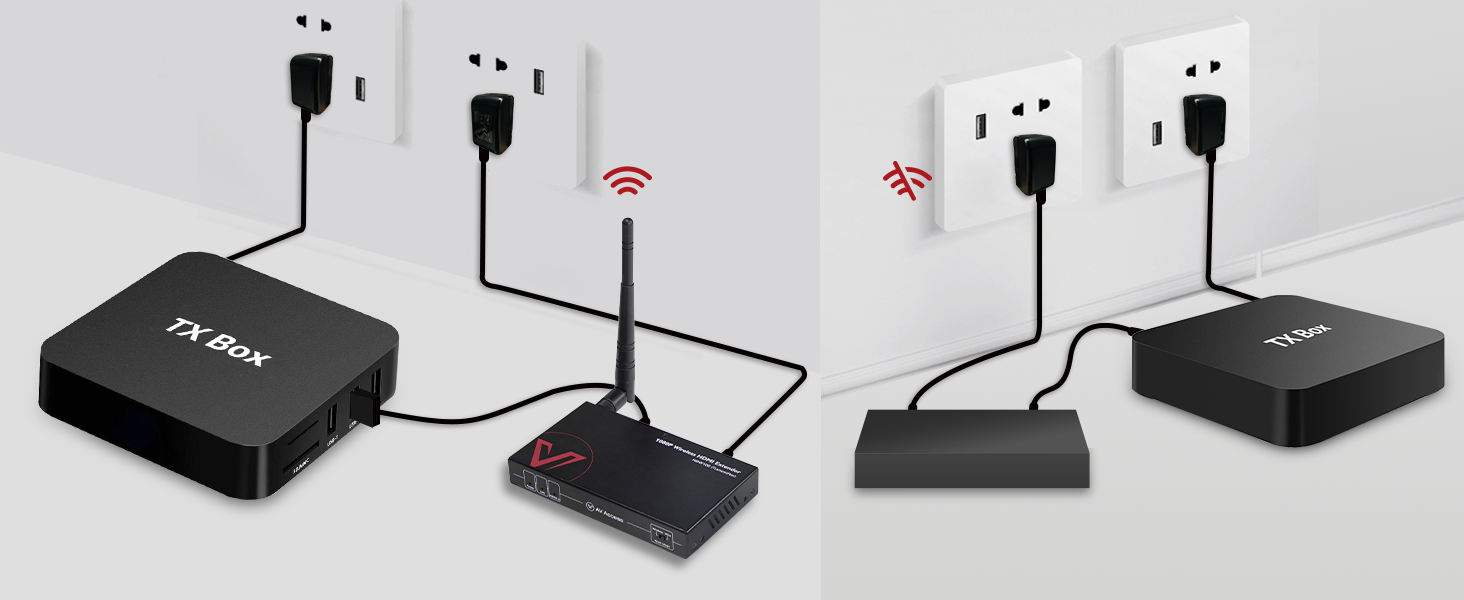
Auto Optimal Channel Selection
Search for the best channel and jump to a new channel when current wireless network signal is poor


Where can I use this wireless HDMI extender?
The wireless HDMI extender is ideal for both home and business applications where it is not convenient to install long Cat cables, like sports bar, restaurant, home theater, meeting room, etc.
What are the advantages of a wireless HDMI extender?
A wireless HDMI extender is easy to set up and flexible to place. You don’t have to run long Cat cables through walls or drill holes to connect the transmitter to the receiver. It is quite useful in your home theater applications.
How far can HDW100 transmit signals?
HDW100 extends a 1080p full HD HDMI signal wirelessly up to 200 m (656 ft) in an open field without interference. You can use it at home or the office.
Can I use it in wired mode and wierless mode? And how can I change wireless mode to wired mode?
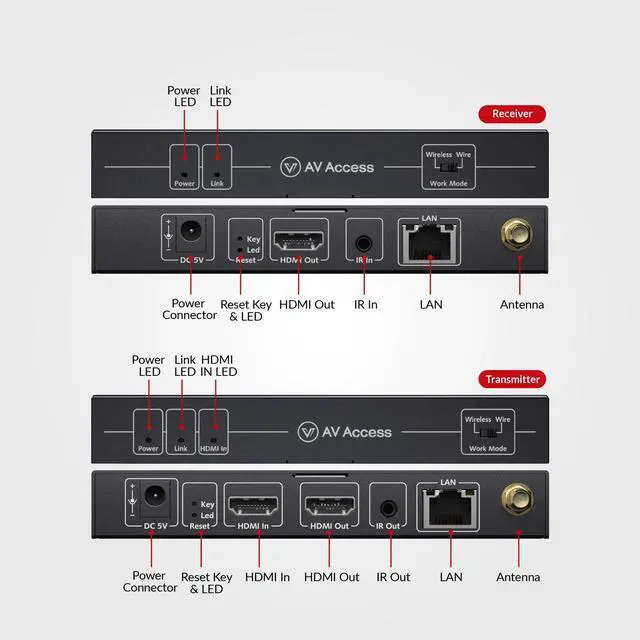
Exactly! One of the main features of the HDW100 is that you can use it in both wired and wireless modes. If you want to use it in wired mode, simply dial the dialing code of the transmitter and receiver of the HDW100 from wireless to wired mode.
Are there any precautions I should take when using it?
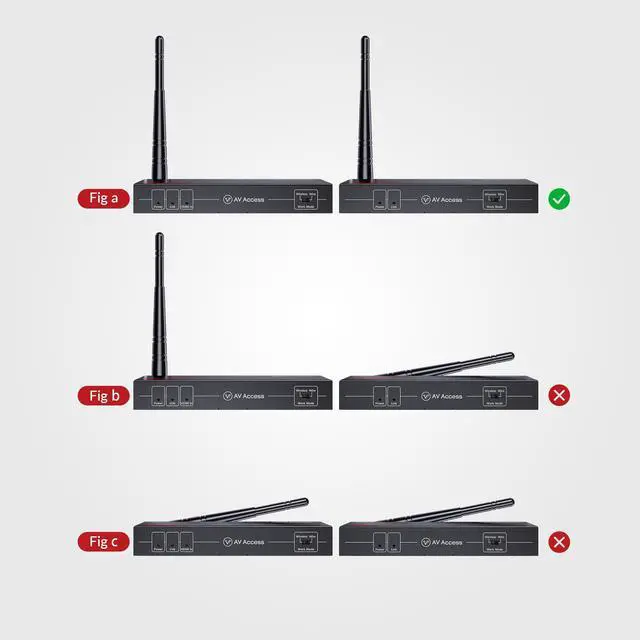
Firstly, we recommend that you keep its antenna upright. Secondly, we recommend you use only one pair of transmitters and receivers in the same space to avoid the hassle of signal interference.

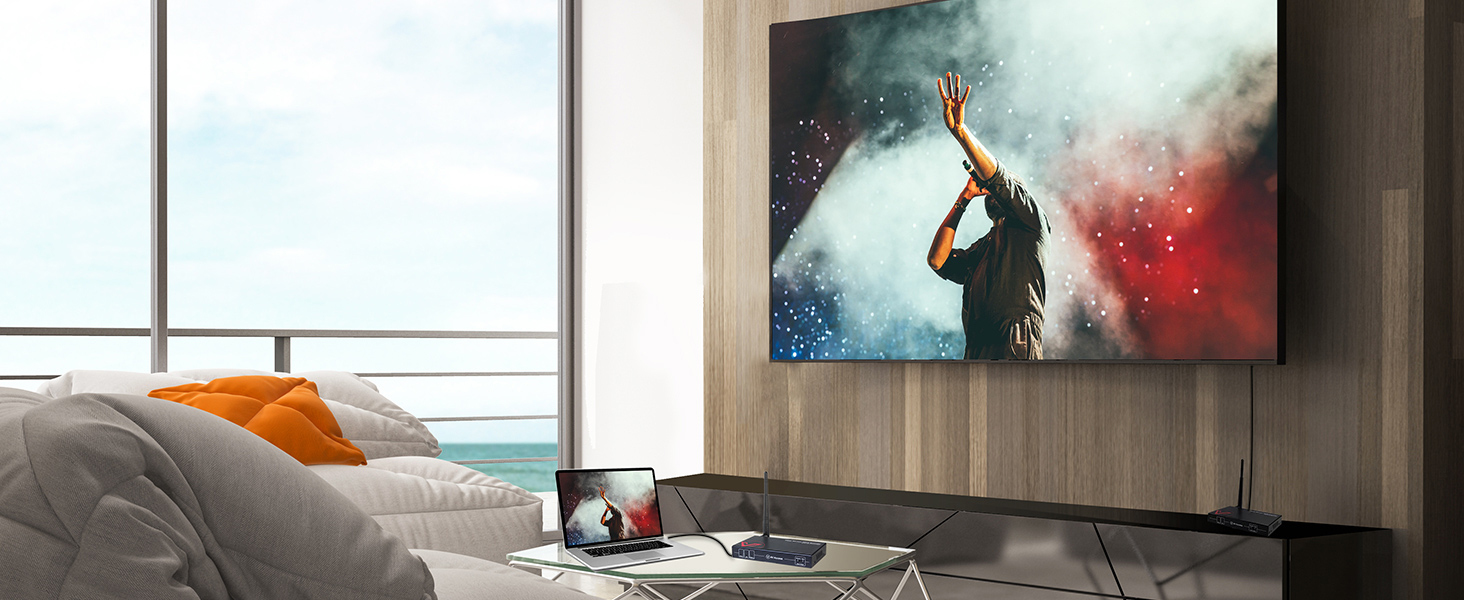
HDW100:Ideal for Your Home!
Enjoy the Cheerful Home Theater with Your Family
HDW100:Ideal for Your Team!
Enjoy the Efficient Office with Your Team
HDW100:Ideal for the Party!
Enjoy the Happy Weekend with Your Friends


Supported by our professional R&D team
a more stable signal transmission capability based on hundreds of rigorous testing sessions!
Up to 200m Transmission Range
Extends 1080P full HD HDMI signal wirelessly up to 200m/656ft in an open field.
Local Output & IR Control
Local output supports connecting it to a local monitor. IR signal emitter/receiver is included.
Auto Pairing, Plug & Play,Easy to Install
Auto Optimal Channel Selection
Search for the best channel and jump to a new channel when current wireless network signal is poor


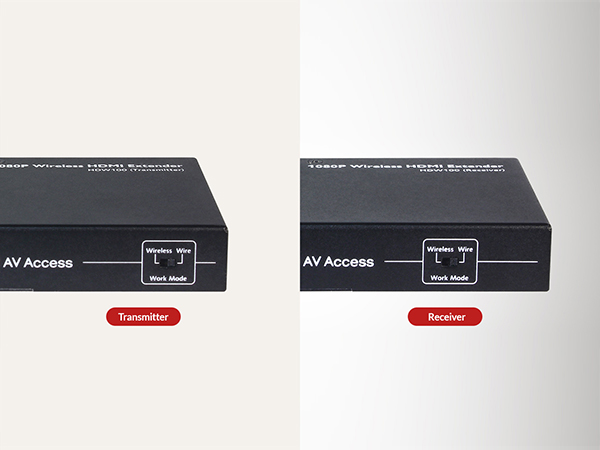
Wired or Wireless, up to You
If you prefer wired transmission, you can toggle the DIP switch on the device to switch to wired mode.
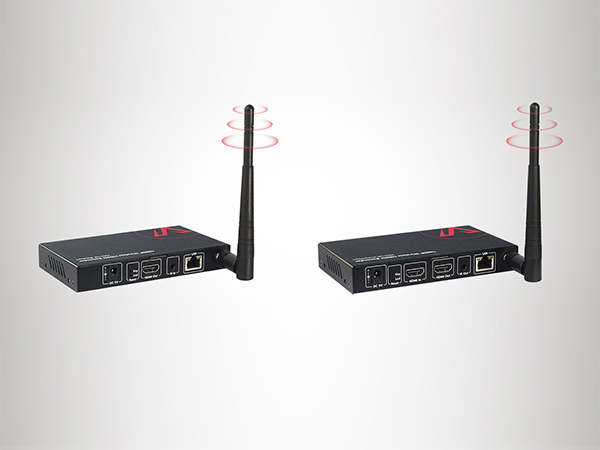
IR Control
The extender will send back the IR signal so you can control source device at receiver’s end.


Where can I use this wireless HDMI extender?
The wireless HDMI extender is ideal for both home and business applications where it is not convenient to install long Cat cables, like sports bar, restaurant, home theater, meeting room, etc.
What are the advantages of a wireless HDMI extender?
A wireless HDMI extender is easy to set up and flexible to place. You don’t have to run long Cat cables through walls or drill holes to connect the transmitter to the receiver. It is quite useful in your home theater applications.
How far can HDW100 transmit signals?
HDW100 extends a 1080p full HD HDMI signal wirelessly up to 200 m (656 ft) in an open field without interference. You can use it at home or the office.
Can I use it in wired mode and wierless mode? And how can I change wireless mode to wired mode?
Exactly! One of the main features of the HDW100 is that you can use it in both wired and wireless modes. If you want to use it in wired mode, simply dial the dialing code of the transmitter and receiver of the HDW100 from wireless to wired mode.
Are there any precautions I should take when using it?
Firstly, we recommend that you keep its antenna upright. Secondly, we recommend you use only one pair of transmitters and receivers in the same space to avoid the hassle of signal interference.
Idock Series
No Latency Extenders
Renovate Your Hybrid Life
KVM HDMI Extenders
Dual Monitor KVM Switch
Other Products from AV Access
