- $95.99
- Free 30-day Returns
Meet Your Seller
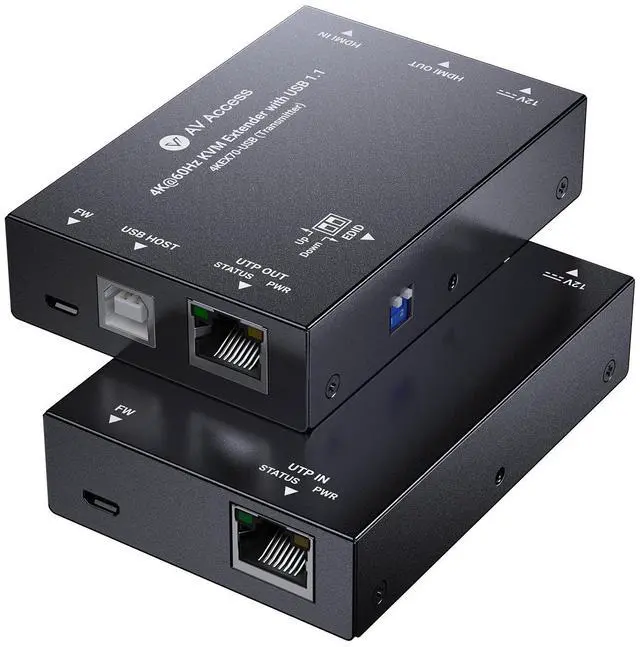
AV Access 4K HDMI & USB KVM Extender Over Cat6/6A/7 Upto 230ft, HDR10, HDCP 2.3, USB 1.1, Bi-Directional PoC, EDID Switch, Ultra-Slim Transmitter/Receiver for Retail & Control Systems (4KEX70-USB)
Limited time offer, ends 11/08 By v AV Access
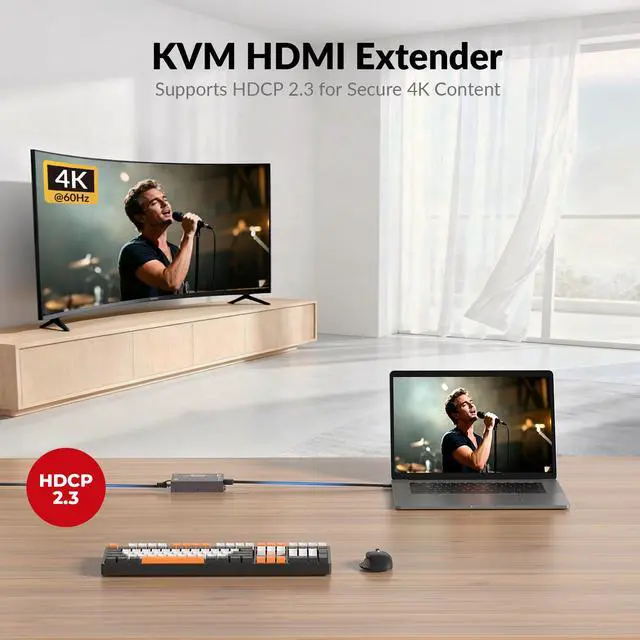
- Extend 4K Video & USB Control Up to 230ftSend HDMI video plus USB 1.1 keyboard/mouse signals over a single Cat 6 cableideal for classrooms, kiosks, industrial PCs, security stations, and worship media desks.
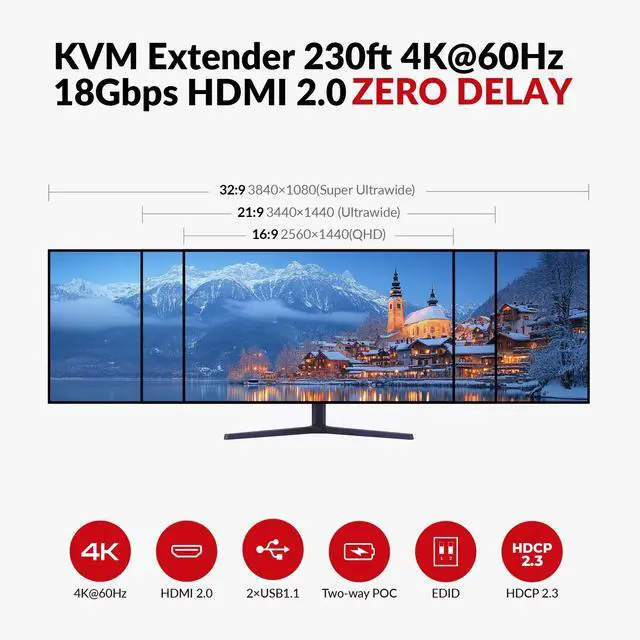
- Smooth 4K60 Video for Professional EnvironmentsSupports 4K@60Hz 4:4:4 and HDCP 2.3, ensuring compatibility with modern media players, signage controllers, and conferencing systems.
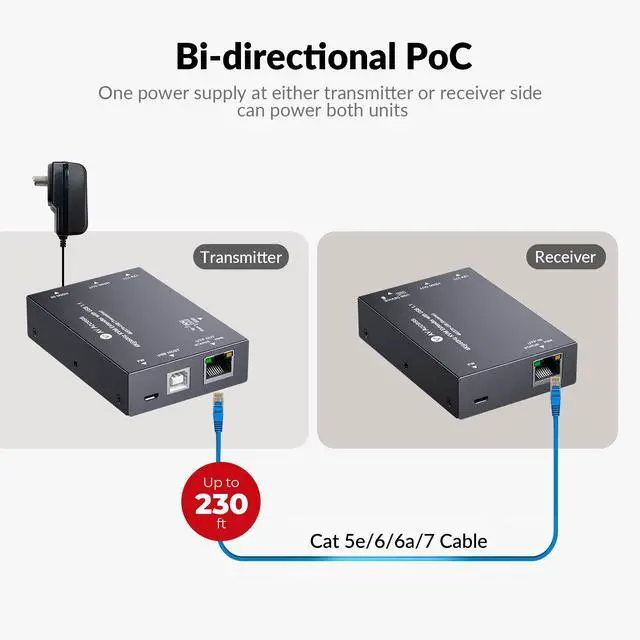
- Simple Single-Power Installation with PoCBi-directional PoC allows one power adapter to run both units, reducing outlet requirements and making cable management easier in podiums, racks, and wall installations.
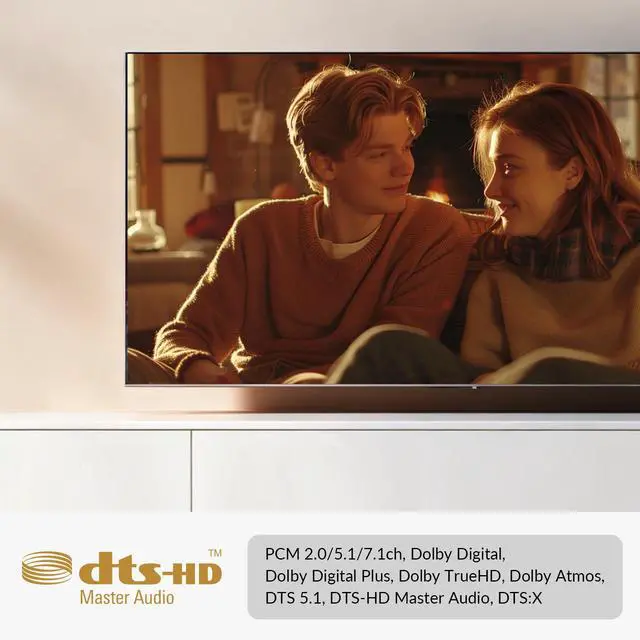
- Full Multichannel Audio SupportPasses Dolby Atmos, DTS:X, and PCM 7.1, delivering rich audio for worship spaces, retail displays, conference rooms, and home AV setups.
- Slim, Installer-Friendly DesignCompact chassis fits behind displays, inside lecterns, or in tight rack spaces. Includes mounting brackets for clean, professional installations.
- Package contentsBefore you start the installation of the product, please check the package contents: Extender Set x 1, Power Adapter (DC 12V 1A) x 1, USB 2.0 USB Type-A to Type-B Cable x 1, Mounting Brackets (with Screws) x 4, User Manual x 1
Any questions? Ask CelesteSM will help you find out quickly.
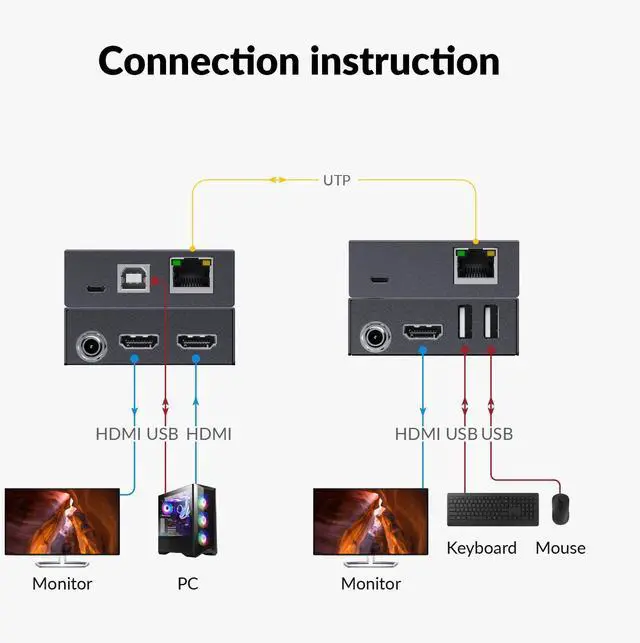
The AV Access 4K HDMI & USB KVM Extender brings long-distance video delivery and remote device control together in one ultra-slim system. Perfect for classrooms, control rooms, digital signage, medical carts, retail POS, and anywhere you need a computer in one location and a screen/keyboard/mouse in another. Using one Cat 6 cable, you can extend 4K60 HDMI video plus USB 1.1 HID (keyboard/mouse) up to 230ft, creating a responsive remote-operation environment without latency or extra cabling. The bi-directional PoC feature allows you to power the system from either end, reducing clutter and simplifying installationespecially where power access is limited. Built with EDID management, multichannel audio, and a durable slim design, this extender provides a stable, professional-grade solution for integrators and IT teams who need reliable performance daily.
Warranty & Returns
Warranty, Returns, And Additional Information
Warranty
- Please contact the Seller directly for warranty information. Warranty information may also be found on the Manufacturer's website.
- CONTACT
Return Policies
- Return for refund within: 30 days
- Return for replacement within: 90 days
- This item is covered by v AV Access Return Policy
Manufacturer Contact Info
- For a directory of all our manufacturers, please click below.
- Manufacturers Directory
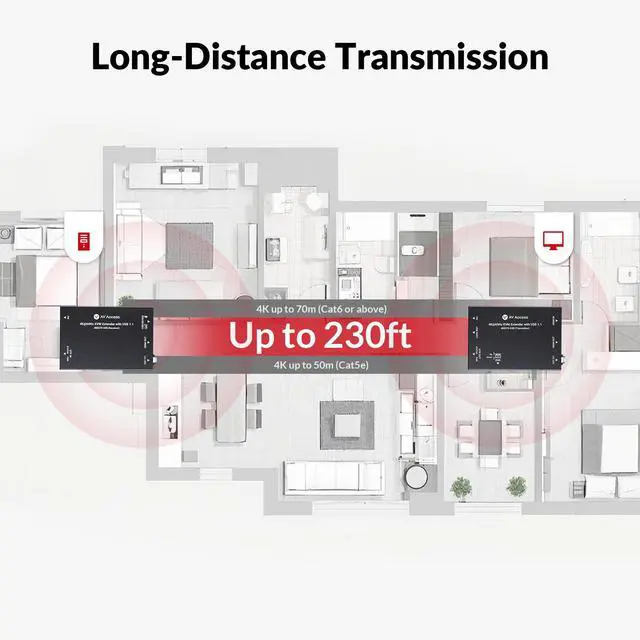
The AV Access 4KEX70-USB is an HDMI and USB KVM extender that carries 4K@60Hz video and USB 1.1 keyboard/mouse control up to 230 ft over Cat6/6A/7 cable, making it suitable for classrooms, control rooms, kiosks, and security stations.
Recommended For
- Classroom and conference-room presenters who need to place a display up to 70 m (230 ft) from a computer and control it with a keyboard and mouse at the screen end.
- Security-station and industrial-PC operators who need to keep the computer away from the viewing position while retaining local keyboard-and-mouse control.
- Worship and retail AV installers who need to route 4K video and basic computer control over a Cat6/6A/7 cable, with one power adapter for both extender units.
- AV integrators setting up a single remote display who need EDID options to help match the source output to the display.
Real-World Use Scenarios
- In a classroom or lecture hall, keep the presentation PC in a lectern or equipment area and use a keyboard and mouse near the display to run lessons without moving the computer.
- At a security station, place the PC away from the operator desk and extend its video and keyboard-and-mouse control to the monitoring position for day-to-day workstation use.
- For retail digital signage, keep the signage computer tucked away and connect it to a remote display; staff can access the PC with a keyboard and mouse when updating or checking content.
- In a worship space, locate the media PC away from the operator desk and control presentation or playback from the desk while sending its picture and audio to the connected display system.
- In a conference room, keep the room PC in a rack or concealed equipment area and let a presenter operate it from the display-side position using a keyboard and mouse.
Spec Summary
| Attribute | Value |
|---|---|
| Best For | Remote HDMI/KVM installations that need to connect video equipment across a distance of up to 230 ft |
| HDMI Connectivity | 1 HDMI input and 2 HDMI outputs |
| Transmission Distance | Up to 70 m (230 ft) |