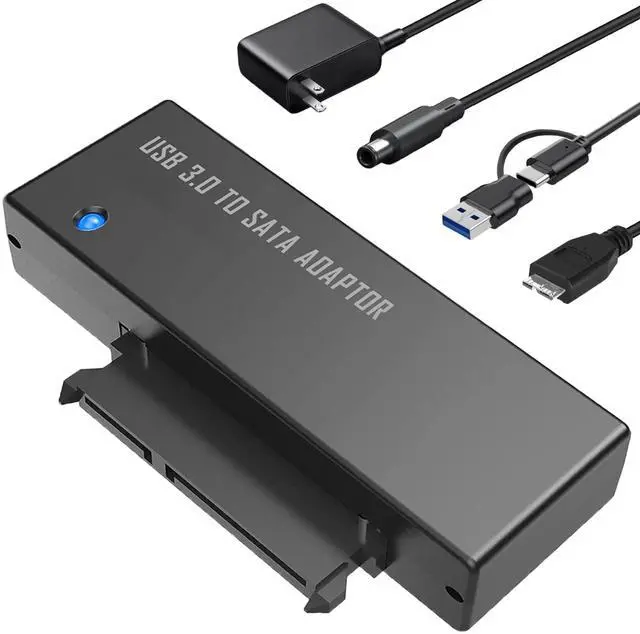
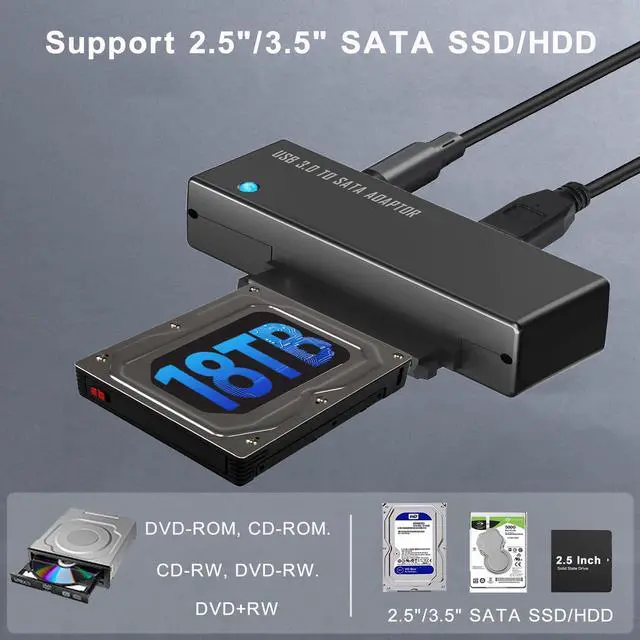
USB 3.0 to SATA Adapter, 2-in-1 USB C and USB A to SATA Converter Cable with 12V/2A Power Supply, Supports 2.5/3.5 Inch HDD/SSD up to 18TB, UASP for High-Speed Data Transfer & Backup, Plug and Play
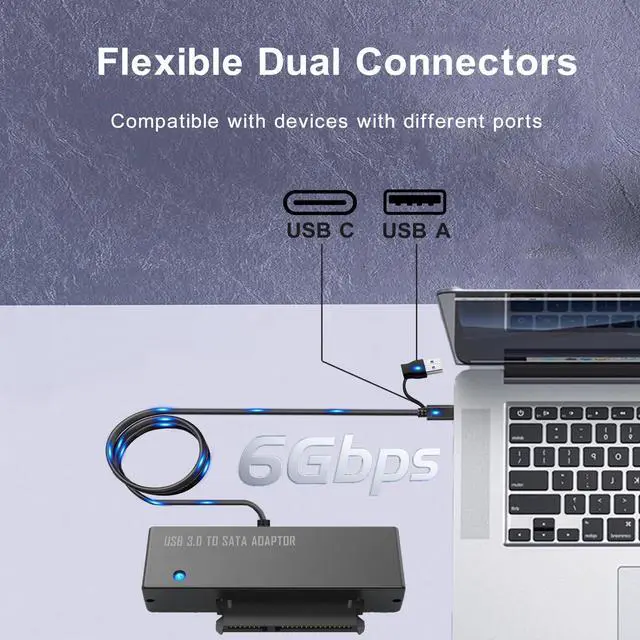
Universal 2-in-1 Dual Interface- This versatile SATA to USB adapter features both USB-A and modern USB-C outputs, allowing you to connect 2.5 or 3.5 SATA drives to virtually any computer, laptop, or device. A single solution for legacy and modern ports ensures broad compatibility across all your workstations
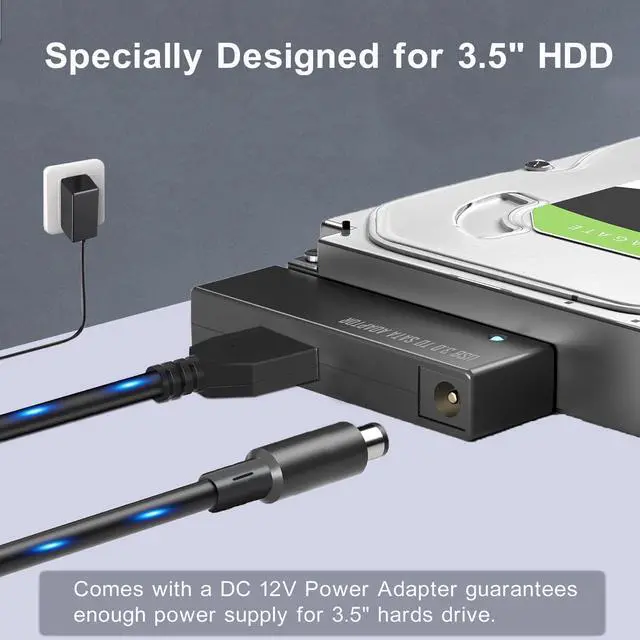
Stable Power for 3.5 & Large HDDs- Comes with a dedicated 12V/2A (24W) power adapter and cable. This robust power supply reliably spins up and operates large 3.5-inch mechanical hard drives with capacities up to 18TB, ensuring stable performance and preventing data loss due to under-powering. For 2.5-inch drives, external power is optional for added stability
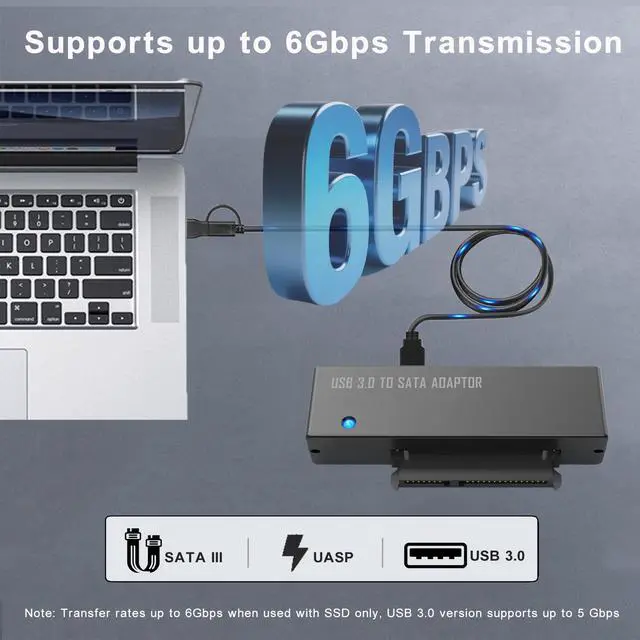
Blazing 5Gbps Speed with UASP- Experience dramatically faster file transfers. Equipped with UASP (USB Attached SCSI Protocol) technology, this adapter can achieve read speeds up to 70% and write speeds up to 40% faster than standard USB 3.0, with a theoretical max of 5Gbps. Perfect for backing up terabytes of data or editing large media files directly from the drive
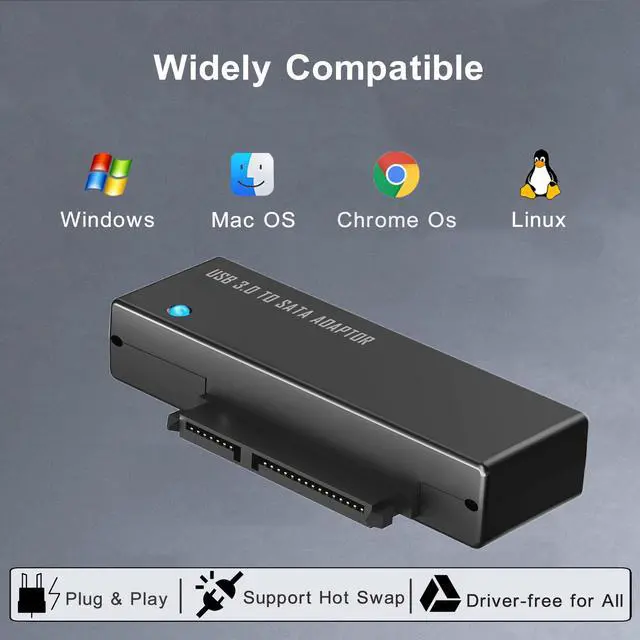
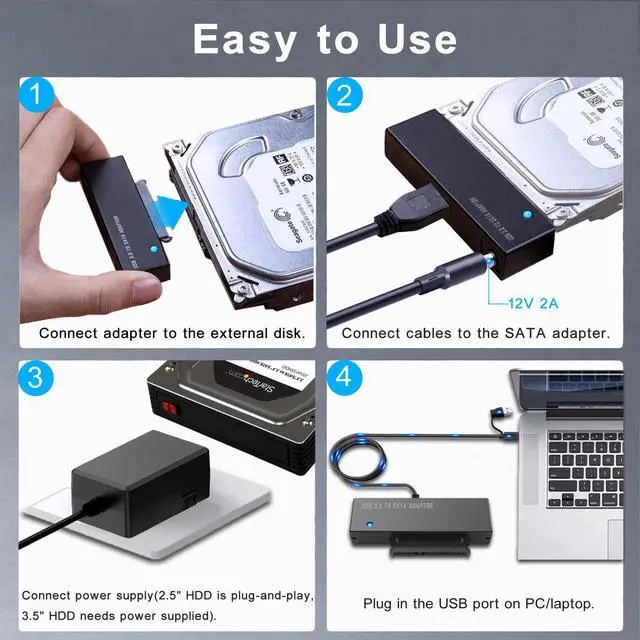
True Plug & Play Across Systems- No drivers to install. This hard drive dock is automatically recognized by major operating systems including Windows, macOS, Linux, and Chrome OS. Simply connect the driveyour computer will see it instantly as an external storage device, ready for data recovery, cloning, or expansion
+
+
Overview
Specs
Reviews
Any questions? Our AI beta will help you find out quickly.
Try me now
USB 3.0 to SATA Adapter, 2-in-1 USB C and USB A to SATA Converter Cable with 12V/2A Power Supply, Supports 2.5 / 3.5 Inch HDD/SSD up to 18TB, UASP for High-Speed Data Transfer & Backup, Plug and Play
Learn more about the Detailed Specifications
Additional Information
First Listed on Newegg
April 23, 2026
There are no reviews yet.
Do you own this product?
Warranty & Returns
Warranty, Returns, And Additional Information
Warranty
Please contact the Seller directly for warranty information. Warranty information may also be found on the Manufacturer's website.