




 here!
here!
I’m your shopping assistant for PC builds, upgrades, and everything tech.
Got questions? Ask away!
Start a conversation
here!
I’m your shopping assistant for PC builds, upgrades, and everything tech.
Got questions? Ask away!
Start a conversation



Any questions? Ask CelesteSM will help you find out quickly.
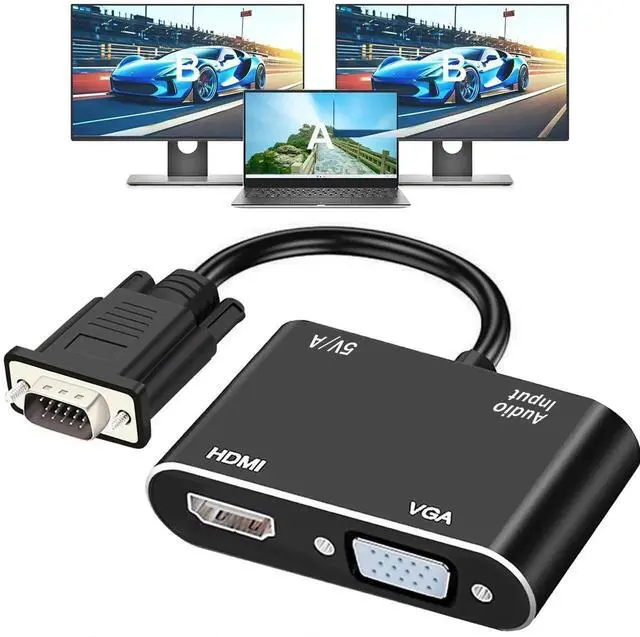
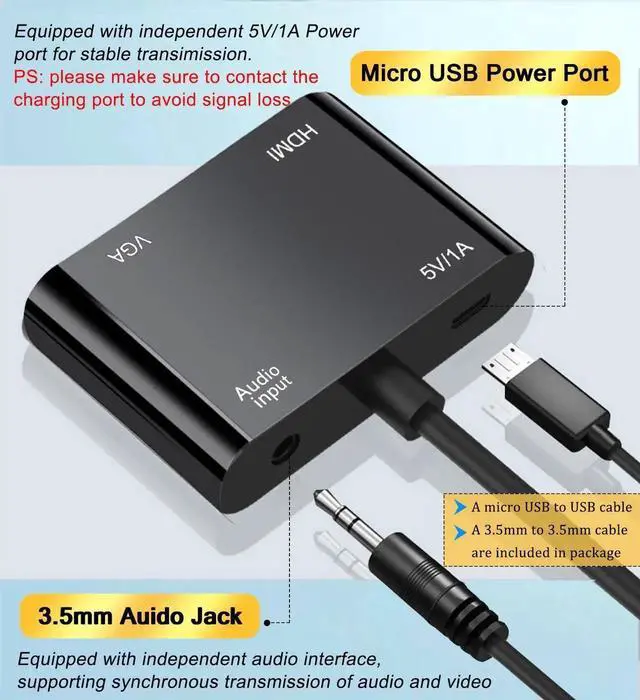
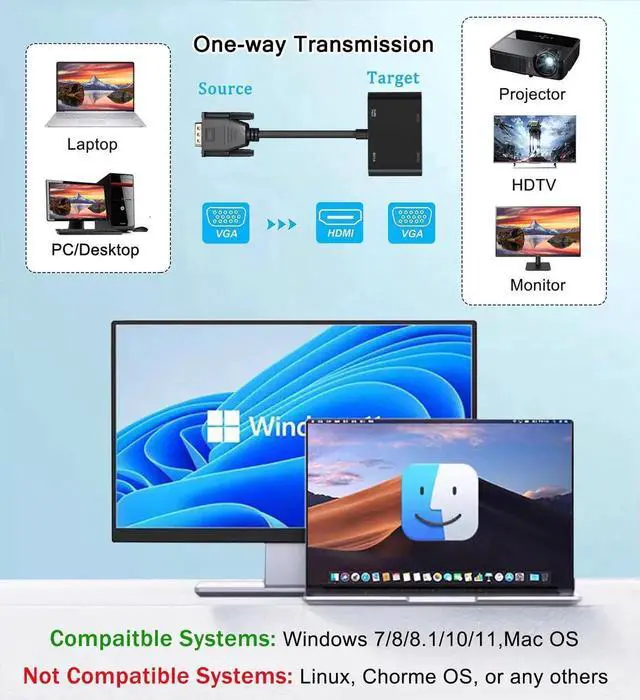
This VGA to HDMI+VGA dual display splitter adapter takes one VGA analog video signal source and outputs identical video to an HDMI screen and a VGA screen at the same time. It is an ideal cost-saving solution for users who need to run two displays from a single VGA port.
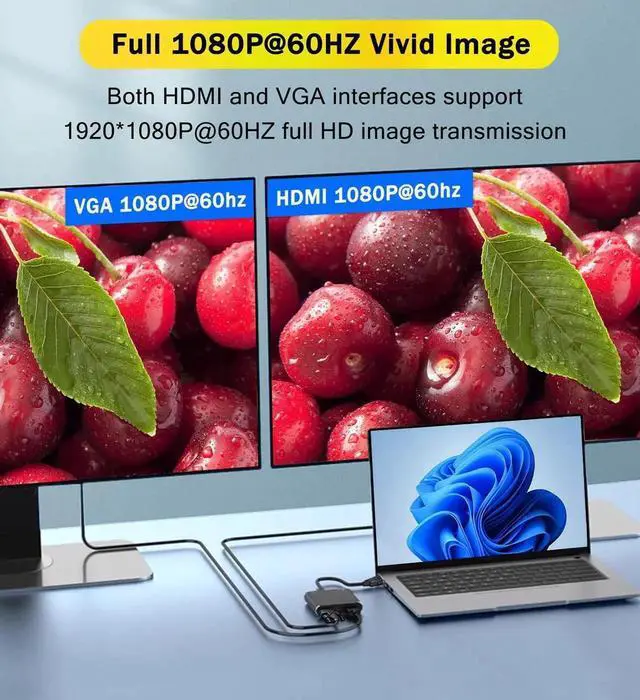
The internal dedicated signal processing chip converts analog VGA signals to digital HDMI signals seamlessly, supporting up to 1920×1080 resolution at 60Hz refresh rate. Double foil and braided shielding structure effectively block noise from nearby power and network cables, maintaining consistent vivid picture quality during continuous working hours.
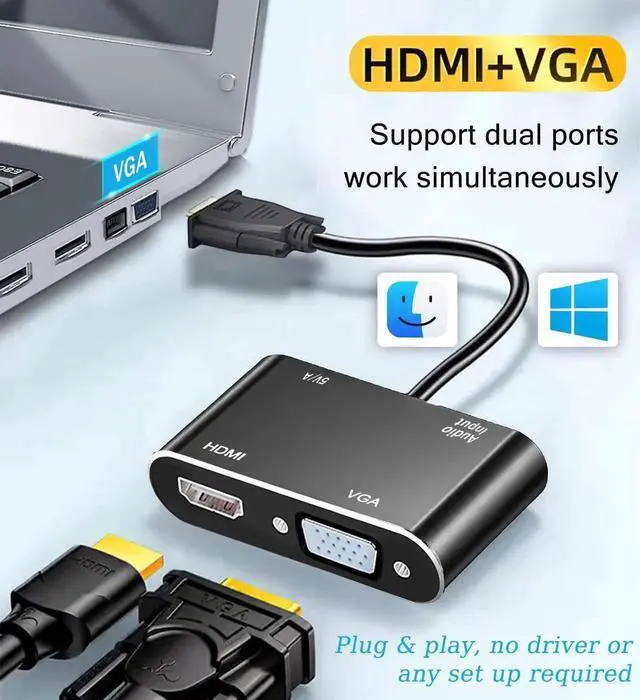
Compact molded lightweight housing saves space behind PC chassis and monitors, eliminating messy tangled wiring compared with separate splitters and converters. No complicated software configuration is needed for daily use.
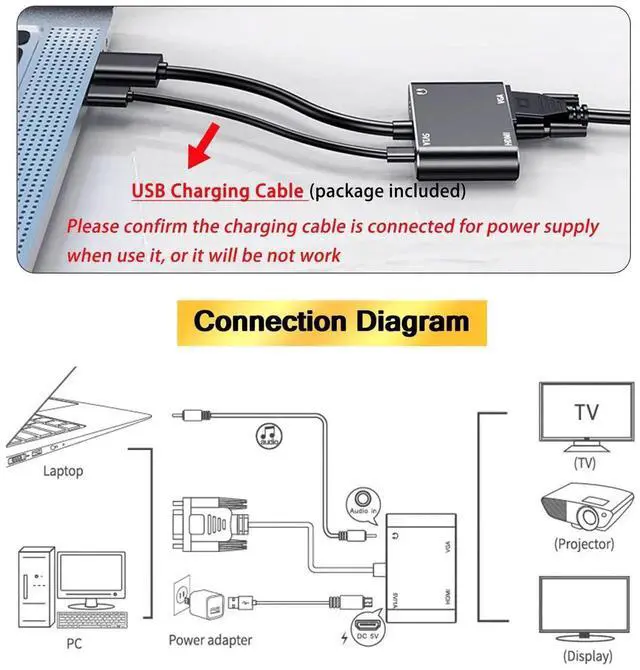
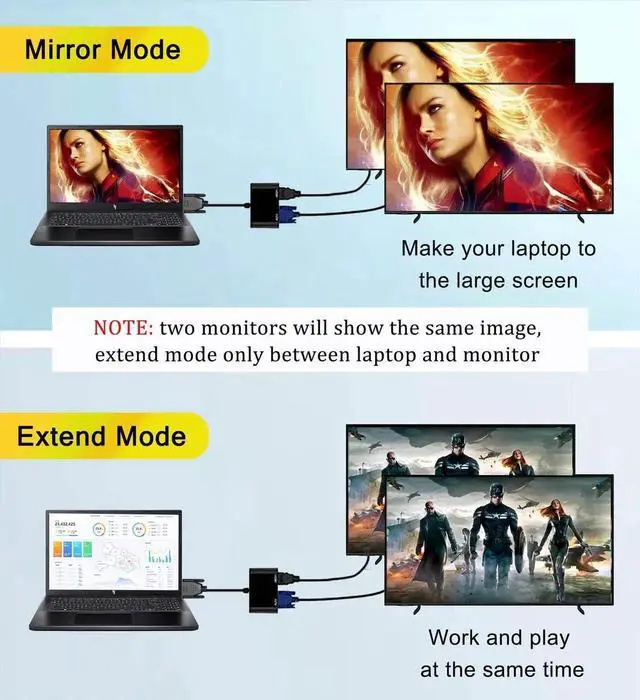
Simply plug the VGA male connector into your computers VGA port, then connect one display via HDMI cable and another via VGA cable. The two screens will show synchronized cloned content instantly. Perfect for classroom teaching projection, business conference demonstrations, financial dual-screen workstations and security monitoring host setups.


