









Versatile Pet Monitoring Solution
Stay Connected with Your Furry Friend
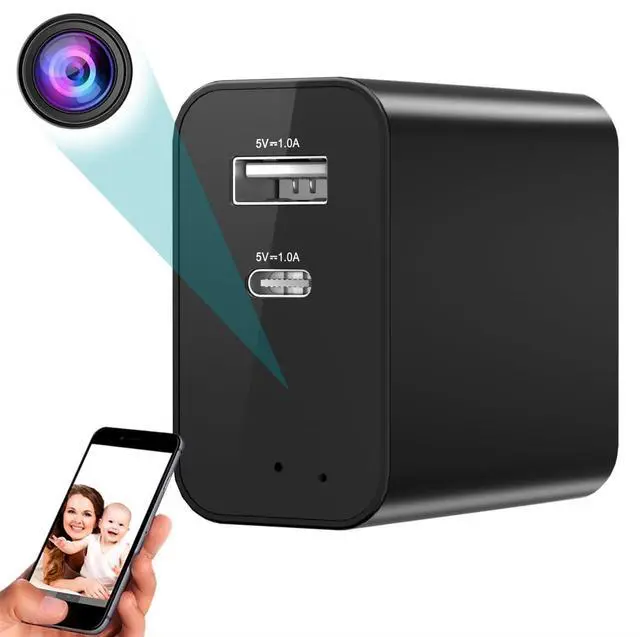
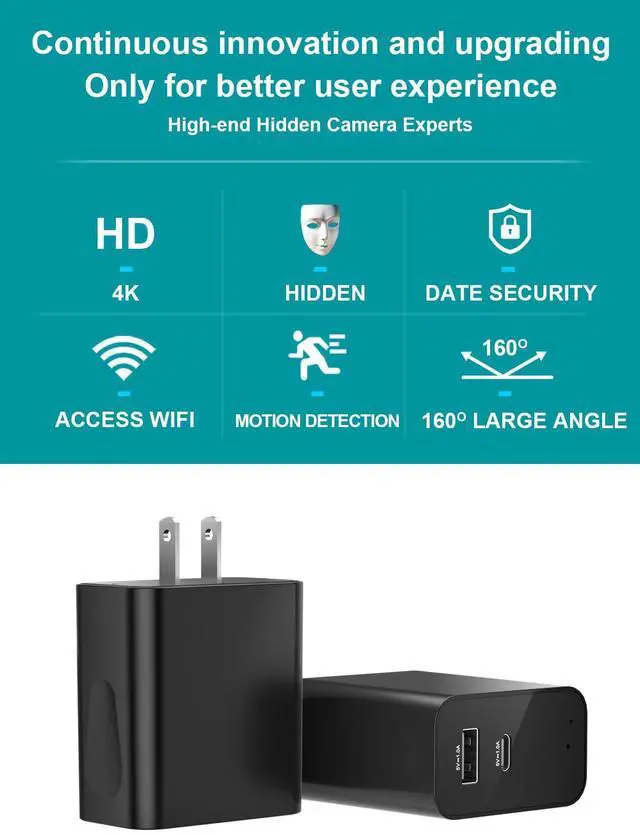
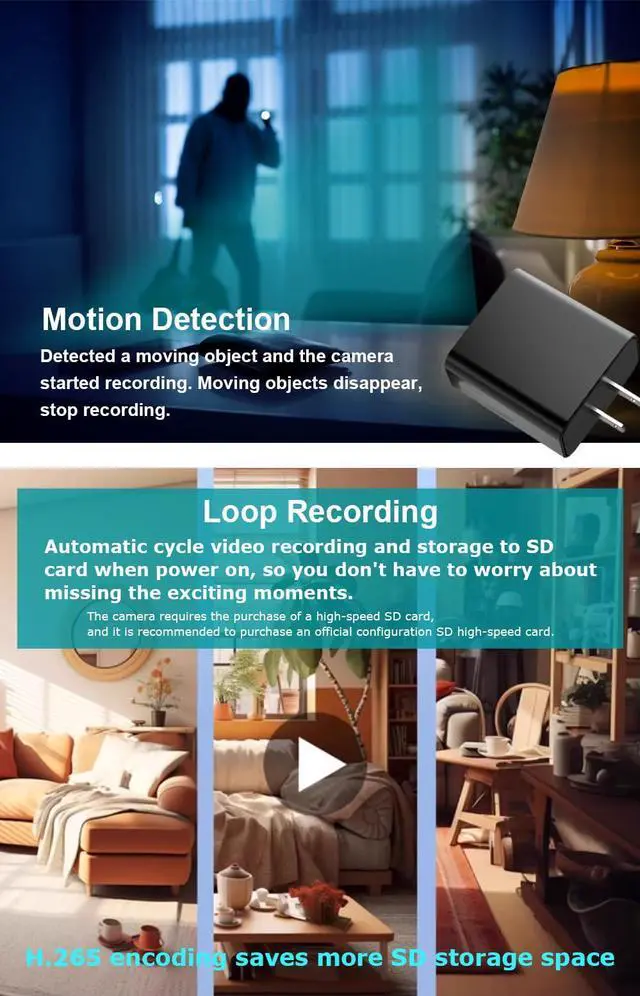
Keep an eye on your pet's activities and ensure their safety with our reliable pet camera. Featuring 4K HD video, motion detection, and remote control via a user-friendly app, you can monitor your furry companion from anywhere.
What do the red and blue lights mean when the machine is turned on?
Blinking red to off-no SD card;
The red light is on and off-SD card loaded;
Blue light flashing to off- no Internet connection;
The blue light stays on until it goes off- It's online.
(Only displayed at the connection, no sound and no light working!)
How to reset?
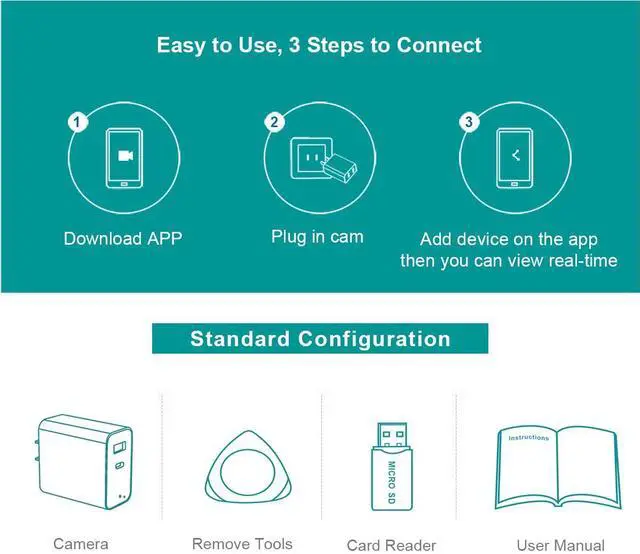
In the startup state, find factory Settings in APP Settings and click factory Settings, or press the "R" small round hole with a toothpick, and the red and blue indicator light will blink for 3 times, and the product will restore factory Settings.
“Camera no online?” or“Connect Timeout?”
WIFI signal is unstable; WIFI password is incorrect; The distance between mobile phone, CAM, WIFI is too far; Restore CAM to factory Settings, exit the APP, and try again in a few minutes.
(If that doesn't work out, try another place with Internet.)
CAM-****" is displayed when I try to connect to the network?
When you see this reminder "Internet may not be available..." Click "Maintain Connection" and wait for the connected wifi to show that the connection is successful. Since "CAM-**" is only a WIFI signal from CAM, it cannot connect to the Internet.
How do I view videos recorded on my Micro SD card?
Connect the SD card to the computer for viewing
4K HD Charger Camera
 4K HD Charger Camera |  160° 4K HD Charger Cam |  Wireless Hidden Cameras |  4K HD Charger Camera |  Security Indoor Camera | |
|---|---|---|---|---|---|
Customer Reviews | — | — | — | — | — |
Price | — | — | — | — | — |
Resolution | 4K | 4K | 4K | 4K | 4K |
Shooting Angle | 160 | 160 | 160 | 160 | 160 |
Video compression mode | H 265 | H 265 | H 265 | H 265 | H 265 |
support TF card capacity | Up to 256G | Up to 256G | Up to 256G | Up to 256G | Up to 256G |
Applicable voltage | 110-240V | 110-240V | 110-240V | 110-240V | 110-240V |
Night vision | NO | YES | YES | YES | YES |
WIFI | ONLY 2.4Ghz | ONLY 2.4Ghz | ONLY 2.4Ghz | ONLY 2.4Ghz | ONLY 2.4Ghz |


Stay Connected with Your Furry Friend
Keep an eye on your pet's activities and ensure their safety with our reliable pet camera. Featuring 4K HD video, motion detection, and remote control via a user-friendly app, you can monitor your furry companion from anywhere.
What do the red and blue lights mean when the machine is turned on?
Blinking red to off-no SD card;
The red light is on and off-SD card loaded;
Blue light flashing to off- no Internet connection;
The blue light stays on until it goes off- It's online.
(Only displayed at the connection, no sound and no light working!)
How to reset?
In the startup state, find factory Settings in APP Settings and click factory Settings, or press the "R" small round hole with a toothpick, and the red and blue indicator light will blink for 3 times, and the product will restore factory Settings.
“Camera no online?” or“Connect Timeout?”
WIFI signal is unstable; WIFI password is incorrect; The distance between mobile phone, CAM, WIFI is too far; Restore CAM to factory Settings, exit the APP, and try again in a few minutes.
(If that doesn't work out, try another place with Internet.)
CAM-****" is displayed when I try to connect to the network?
When you see this reminder "Internet may not be available..." Click "Maintain Connection" and wait for the connected wifi to show that the connection is successful. Since "CAM-**" is only a WIFI signal from CAM, it cannot connect to the Internet.
How do I view videos recorded on my Micro SD card?
Connect the SD card to the computer for viewing
4K HD Charger Camera
4K HD Charger Camera | 160° 4K HD Charger Cam | Wireless Hidden Cameras | 4K HD Charger Camera | Security Indoor Camera |
|---|---|---|---|---|
| Customer Reviews | ||||
| — | — | — | — | — |
| Price | ||||
| — | — | — | — | — |
| Resolution | ||||
| 4K | 4K | 4K | 4K | 4K |
| Shooting Angle | ||||
| 160 | 160 | 160 | 160 | 160 |
| Video compression mode | ||||
| H 265 | H 265 | H 265 | H 265 | H 265 |
| support TF card capacity | ||||
| Up to 256G | Up to 256G | Up to 256G | Up to 256G | Up to 256G |
| Applicable voltage | ||||
| 110-240V | 110-240V | 110-240V | 110-240V | 110-240V |
| Night vision | ||||
| NO | YES | YES | YES | YES |
| WIFI | ||||
| ONLY 2.4Ghz | ONLY 2.4Ghz | ONLY 2.4Ghz | ONLY 2.4Ghz | ONLY 2.4Ghz |