Your Browsing History
Meet Your Seller
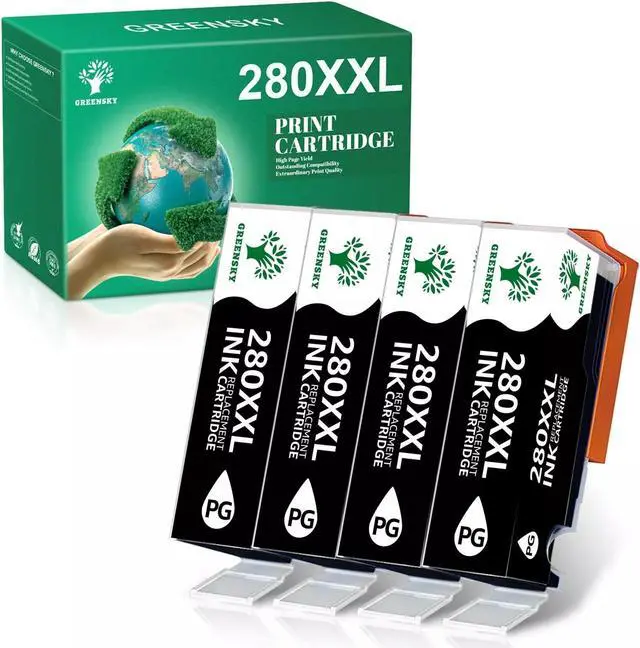
4x Black Ink Cartridges +chip for PGI-280 XXL TS8120 TR8520 TR8620
- 4 PACK Ink Cartridge for PGI-280 XXL
- 1.Product: Ink Cartridge
- 2.Item condition: Brand New with Chip
- 3.Compatible Brand: For
- 4.Package Include:4x Large Black
- 5.Color: Black
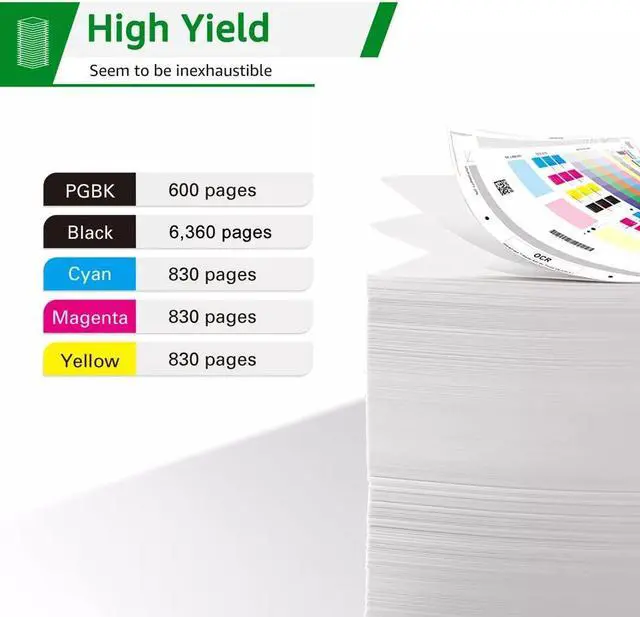
- 6.Page Yield: Up to 600+ Pages per PGI-280 XXL Large Black
- 7.High capacity and excellent performance. Excellent print quality for lively, color-fast texts and graphics
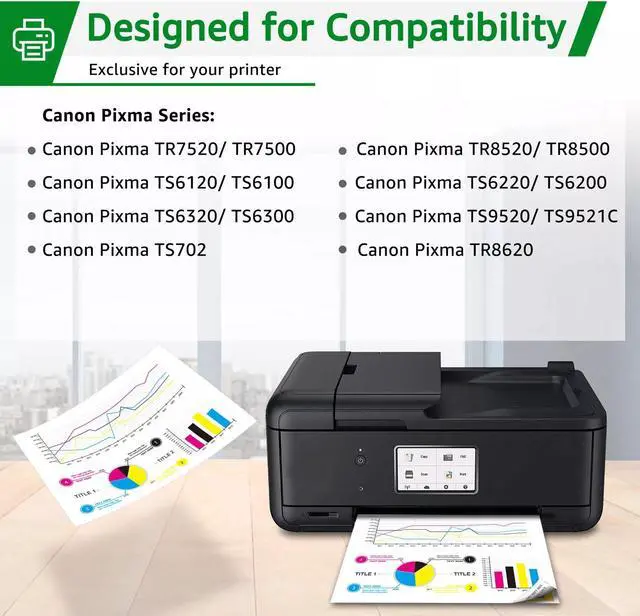
- Compatible Model
- If your printer "Non-Original Ink Cartridges" are displayed, please press Next or OK to continue.
- TS6120 TS8120
- TS6220 TS8220
- TS6300 TS8320
- TS6320 TS8322
- TR7500 TS9100
- TR7520 TS9120
- TR8500 TS9520
- TR8520 TS9521C
- TR8620 TS702
+
+
Overview
Specs
Reviews
Any questions? Our AI beta will help you find out quickly.
Try me now
4 PACK Ink Cartridge for PGI-280 XXL
1.
Product: Ink Cartridge
2.
Item condition: Brand New with Chip
3.
Compatible Brand: For
4.
Package Include: 4x Large Black
5.
Color: Black
6.
Page Yield: Up to 600+ Pages per PGI-280 XXL Large Black
7. High capacity and excellent performance. Excellent print quality for lively, color-fast texts and graphics
Instruction Steps:
Step 1:
Make sure that the power is turned on, then open the scanning unit / cover.
The print head holder will moves to the replacement position.
Remove the ink tank where the ink runs out. Push the tab (A) and lift the ink tank to remove.
Step 2:
A. Prepare a new ink tank. Hold the ink tank with the orange protective cap pointing up.
B. Lift up the tab on the orange protective cap to remove it off Gently.
Step 3:
Close the scanning unit / cover. Just be careful not to get your fingers caught.
Compatible Model
If your printer "Non-Original Ink Cartridges" are displayed, please press Next or OK to continue.
TS6120 TS8120
TS6220 TS8220
TS6300 TS8320
TS6320 TS8322
TR7500 TS9100
TR7520 TS9120
TR8500 TS9520
TR8520 TS9521C
TR8620 TS702

1.
Product: Ink Cartridge
2.
Item condition: Brand New with Chip
3.
Compatible Brand: For
4.
Package Include: 4x Large Black
5.
Color: Black
6.
Page Yield: Up to 600+ Pages per PGI-280 XXL Large Black
7. High capacity and excellent performance. Excellent print quality for lively, color-fast texts and graphics
Instruction Steps:
Step 1:
Make sure that the power is turned on, then open the scanning unit / cover.
The print head holder will moves to the replacement position.
Remove the ink tank where the ink runs out. Push the tab (A) and lift the ink tank to remove.
Step 2:
A. Prepare a new ink tank. Hold the ink tank with the orange protective cap pointing up.
B. Lift up the tab on the orange protective cap to remove it off Gently.
Step 3:
Close the scanning unit / cover. Just be careful not to get your fingers caught.
Compatible Model
If your printer "Non-Original Ink Cartridges" are displayed, please press Next or OK to continue.
TS6120 TS8120
TS6220 TS8220
TS6300 TS8320
TS6320 TS8322
TR7500 TS9100
TR7520 TS9120
TR8500 TS9520
TR8520 TS9521C
TR8620 TS702
Warranty & Returns
Warranty, Returns, And Additional Information
Warranty
- Please contact the Seller directly for warranty information. Warranty information may also be found on the Manufacturer's website.
- CONTACT
Return Policies
- Return for refund within: 30 days
- Return for replacement within: 30 days
- This item is covered by connect7 Return Policy
Manufacturer Contact Info
- For a directory of all our manufacturers, please click below.
- Manufacturers Directory
LOADING...