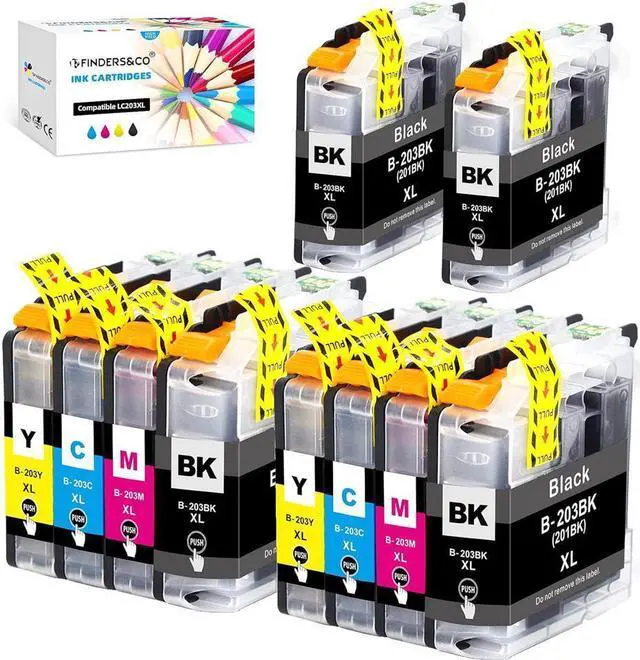
F FINDERS&CO LC203 XL Ink Cartirdges Replacement for Brother MFC-J480DW MFC-J680DW MFC-J880DW MFC-J485DW MFC-J4620DW MFC-J5720DW F FINDERS&CO LC203 XL Ink Cartirdges are manufactured in an ISO 9001 & ISO14001 certified facility. All our ink cartridges are engineered to produce superb results. Each cartridge is fully tested in the factory, which ensures to print true color.
Product Information Package:4x Black LC203BK, 2x Cyan LC203C, 2x Magenta LC203M, 2x Yellow LC203Y (Total 10 Pack with the Latest Upgraded Chips)
High-Yield: Black, 16ml, 550 pages per LC203XL Color cartridge; Color, 10ml, 750 Pages per LC203XL Black ink @ 5% Coverage
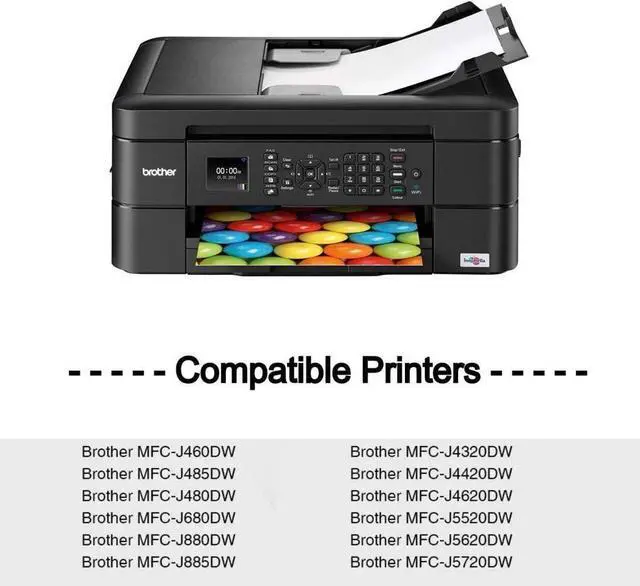
Compatible with BROTHER Printers:
MFC-J4320DW MFC-J4420DW MFC-J4620DW
MFC-J5520DW MFC-J5620DW MFC-J5720DW
MFC-J460DW MFC-J480DW MFC-J485DW
MFC-J680DW MFC-J880DW MFC-J885DW
Please confirm your printer model is included before placing the order.
---WARM TIPS----
(1) If a "Error Message" or "NON-ORIGINAL" appears on printer screen, please click "OK" to continue your printing.
(2) If it happens streak / poor printing, please try re-aligning your printer heads and running Cleaning" procedure 2 times.
(3) If inks are not recognized by printer, please take them off and install again.
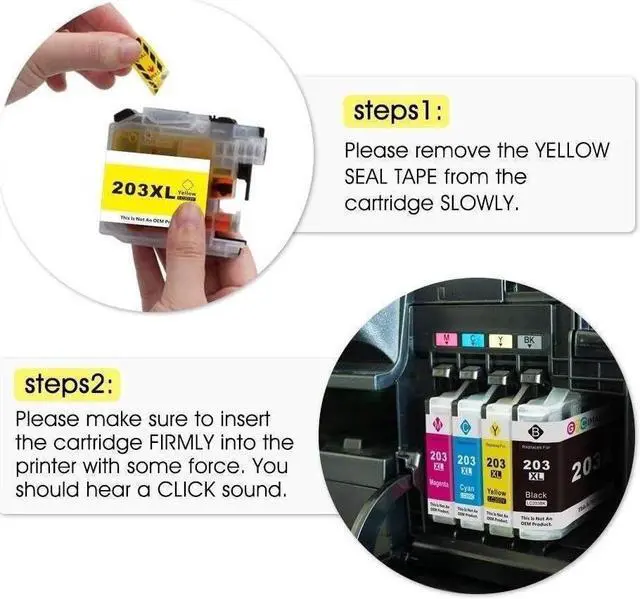
Instructions to Use 1. Please tear off the yellow tape Slowly before installing.
2. Insert the cartridge into its correct slot. You should hear a CLICK sound.
3. Click ink level monitor which show "?" on printer.
4. Click "Improve Print Quality" on printer
5. Click "Check Print Quality" on printer
6. Click "Start" or "OK" on printer
7. Printer starts to print.





 here!
here!